This site uses cookies to enhance your user experience. By clicking any link on this site you are giving your consent to our cookie policy. Read more
Reject
Accept All
CCleaner

CCleaner

verified Verified App

Developer: Piriform

  • category

    Category: Tools

  • price

    Price: free

  • age rating

    Age Rating: Everyone

  • rating

    Rating: 4.6

  • download

    Downloads: 100,000,000+

  • version

    Version: 25.23.0

Screenshot 1
Screenshot 2
Screenshot 3
Screenshot 4
Screenshot 5
Screenshot 6
Screenshot 7

Features & Highlights

Privacy Protection

CCleaner's Privacy Protection features safeguard your personal information by securely deleting browsing history, cookies, and other sensitive data. This ensures that your online activities remain private, protecting you from potential tracking and enhancing your overall online security.

Registry Cleaner

The Registry Cleaner feature scans and repairs issues in your Windows registry, which can accumulate over time and lead to system slowdowns or errors. By fixing these problems, CCleaner helps improve system stability and reliability, making it an essential tool for maintaining optimal performance.

Startup Manager

With the Startup Manager, you can easily control which programs launch at startup, reducing boot time and improving overall system responsiveness. This feature allows you to streamline your computer’s performance by disabling unnecessary applications from running in the background, giving you a quicker, more efficient start.

System Cleaning

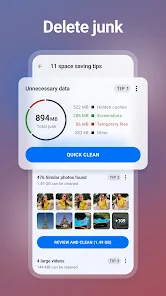
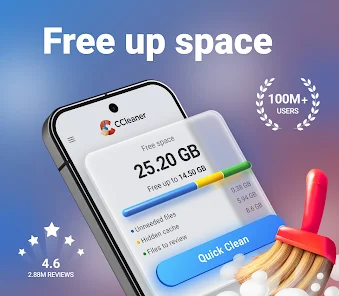
CCleaner offers a powerful system cleaning tool that helps remove unnecessary files, temporary data, and browser cache. This not only frees up valuable disk space but also enhances system performance, allowing your computer to run smoother and faster, ensuring a more enjoyable user experience.

Pros & Cons

Pros
  • Cleans junk files for improved system performance
  • Enhances privacy by removing browsing history
  • Optimizes startup programs to speed up boot times
  • Fixes registry errors for better stability
  • User-friendly interface makes it easy to use
Cons
  • Potentially removes essential files mistakenly
  • Frequent ads can be intrusive
  • Privacy concerns with data collection
  • Updates may bloat software unnecessarily

Real Experience Using CCleaner

Application Scenarios

CCleaner serves a variety of users, from everyday individuals looking to optimize their personal devices to IT professionals managing multiple systems. Whether you’re a student who needs to free up space on your laptop for new projects or a business owner striving to maintain efficient operations on company computers, CCleaner is designed to meet your needs. Users can benefit from its ability to remove unnecessary files, clean browser caches, and manage startup programs to enhance performance. In addition, CCleaner’s scheduled cleaning option allows users to automate maintenance tasks, ensuring that devices run smoothly without manual intervention.

User Experience

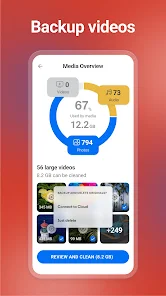
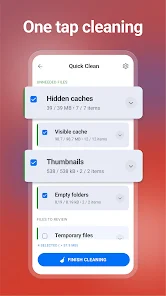
The user experience with CCleaner is generally positive, characterized by its intuitive interface that caters to both novice and advanced users. The dashboard is straightforward, making navigation simple with clear options for various cleaning tasks. Users appreciate the detailed analysis provided before cleaning, which helps them understand what files will be removed and why. This transparency builds trust, allowing users to make informed decisions about their device maintenance. Furthermore, CCleaner’s ability to customize cleaning preferences means users can tailor the app to meet their specific needs, enhancing overall satisfaction. However, some users have reported occasional issues with the application not detecting certain files that they expected it to clean, which can lead to frustration.

Pricing

CCleaner offers both a free version and a paid premium version, catering to different levels of user needs. The free version provides essential cleaning tools, making it an attractive option for casual users who want basic optimization without spending money. On the other hand, the premium version comes with advanced features such as real-time monitoring, automatic updates, and priority customer support. The pricing for the premium version is competitive within the market, making it accessible for users who wish to enhance their experience. Overall, the dual pricing strategy ensures that CCleaner can accommodate a wide audience, from casual users to those requiring comprehensive system management.

Updates & Support

CCleaner is known for its regular updates, which not only fix bugs but also introduce new features and improvements based on user feedback. This commitment to continuous enhancement is crucial in maintaining its relevance in a rapidly evolving tech landscape. The support system is comprehensive, featuring an online knowledge base, user forums, and direct customer support for premium users. Many users have reported positive experiences when reaching out for assistance, noting that the support team is responsive and helpful. Overall, the combination of regular updates and solid support contributes to a reliable user experience, making CCleaner a valuable tool for system optimization.

verified Security & Privacy Review

CCleaner takes user privacy and data security seriously, implementing a range of measures to protect personal information. The app operates with minimal permissions, primarily requiring access to storage for cleaning purposes. This ensures that users maintain control over their data while benefiting from the app's functionalities. The app does not collect personal data unless explicitly provided by the user, such as during account creation for premium features. CCleaner adheres to strict privacy policies, ensuring that any data collected is used solely for enhancing user experience and app performance. Moreover, the app does not share user data with third parties without consent. CCleaner also offers features like the ability to clear browsing history and app caches, allowing users to manage their online footprint effectively. Regular updates and transparency about data handling practices further bolster user trust. Overall, CCleaner demonstrates a commitment to safeguarding user privacy while delivering effective cleaning solutions.

Reviews

4.6

“Effective cleaning tool for PC performance improvement”

“User-friendly interface makes cleaning easy”

“Great for removing junk files quickly”

“Reliable software for privacy protection”

“Frequent updates enhance functionality and performance”

Editor's Choice