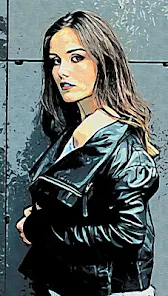
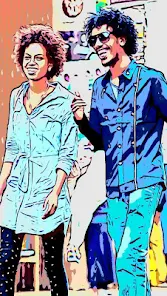
Cartoon Photo Editor

Cartoon Photo Editor

4.5
Screenshot 1
Screenshot 2
Screenshot 3
Screenshot 4
Screenshot 5
Screenshot 6

Information

  • Category: Photo
  • Price: free
  • Age Rating: /
  • Rating: 4.5
  • Developer: Game Brain
  • Version: 5.3
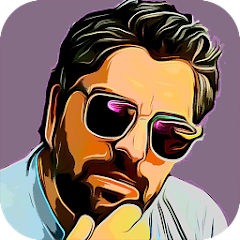
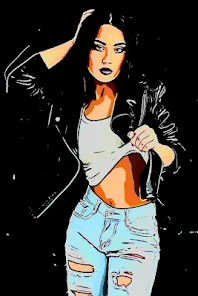
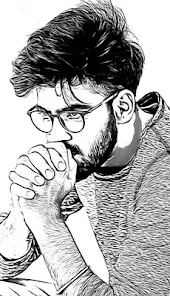
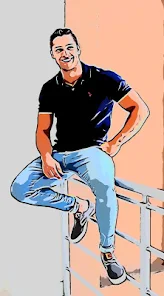
The Cartoon Photo Editor App is a revolutionary addition to the world of photo editing. It offers users an exciting and unique way to transform their photos into stunning cartoons with just a few taps on their screens. This app is designed with simplicity in mind, making it accessible to anyone who wants to add a bit of creativity and fun to their pictures. The Cartoon Photo Editor has an extensive range of filters, effects, and tools that allow users to customize every aspect of their cartoon images. From adjusting the brightness and contrast levels to selecting the perfect color palette, this app gives users complete control over how they want their final masterpiece to look like. In addition, this app comes with user-friendly features such as easy-to-use sliders for quick adjustments and intuitive navigation that makes creating cartoons effortless. With its impressive capabilities, the Cartoon Photo Editor App is set to become one of the most popular photo editing apps out there!

Features & Highlights

The Cartoon Photo Editor app is a delightful tool that transforms your ordinary photographs into whimsical cartoon-style images. Its user-friendly interface and robust features make it a go-to choice for anyone looking to add a fun twist to their pictures. Here are some of the core features that make this app stand out:

  • Instant Cartoon Effects: With just one tap, you can turn any photo into a cartoon. I recently used this feature to create a fun birthday greeting for a friend, and the result was a colorful, vibrant image that captured their personality perfectly.
  • Customizable Filters: Not only does the app offer predefined cartoon effects, but it also allows you to customize filters. I played around with the brightness and saturation levels while editing a family photo, which helped to highlight the joyous atmosphere of our picnic day.
  • Stickers and Text Options: The app is loaded with a variety of stickers and text options to enhance your images. I added some playful stickers and a witty caption to a photo from my recent vacation, making it an instant hit on social media.
  • Save and Share Easily: Once you finish your cartoon masterpiece, the app provides seamless options to save or share your creations. I found it incredibly convenient to share my edited photos directly to Instagram without having to leave the app.
  • Intuitive User Interface: The app’s layout is straightforward, making it easy even for beginners. I was able to navigate through the editing tools effortlessly, which made my experience enjoyable and less intimidating.

Real Experience Using Cartoon Photo Editor

Application Scenarios

As someone who loves photography and social media, I find the Cartoon Photo Editor app incredibly useful in my day-to-day life. One memorable scenario was during a family reunion. Armed with my smartphone, I captured numerous candid moments, and later that evening, I used the app to transform those shots into quirky cartoons. My relatives were thrilled to see their likenesses turned into fun caricatures, which sparked laughter and reminiscing over the shared memories.

Another time, I used the app to create unique content for my blog. I needed a fresh header image that would grab my audience's attention. By converting one of my original photographs into a cartoon-style graphic, I not only enriched my blog's visual appeal but also added a playful element that resonated with my readers. This application is perfect for both personal and professional use, bringing creativity into various aspects of my life.

User Experience

The user experience with the Cartoon Photo Editor app has been nothing short of delightful. Upon launching the app, I was greeted by a clean and intuitive interface that made navigation a breeze. The main features were clearly labeled, which meant I could dive straight into editing without any prior tutorials. Each editing tool was responsive, and I was impressed by how quickly I could apply effects to my photos.

Performance-wise, the app worked smoothly without any lag or glitches, even when processing high-resolution images. I particularly enjoyed the customization options—being able to tweak filters to my liking added a personal touch to each creation. Overall, I felt a sense of satisfaction and joy every time I used the app, as it allowed me to express my creativity and share lighthearted visuals with friends and family.

Pricing

The Cartoon Photo Editor app is free to download, which is fantastic for casual users like myself. However, there are premium features available through in-app purchases. I found that upgrading to the premium version unlocks additional filters and advanced features, which could be worth it for those who use the app extensively. The pricing is reasonable, and the investment could be justified if you’re looking for more creative freedom in your edits.

Updates & Support

The developers of the Cartoon Photo Editor are committed to keeping the app fresh and user-friendly. I’ve noticed regular updates that introduce new features and enhancements, which keeps things exciting. Additionally, the support team is responsive and helpful—I had a minor issue once, and their customer service was quick to provide a solution. Overall, the ongoing support and updates make me feel secure in my choice to use this app long-term.

Security & Privacy Review

As an American user, I take privacy and security seriously, and I’m happy to report that Cartoon Photo Editor comes from reputable sources like the App Store and Google Play. The app requires minimal personal data for registration, which is a huge plus in my book. You can start using the app quickly without having to input extensive personal information, which helps maintain your privacy.

While using the app, I noticed some ads; however, they weren’t overly intrusive, allowing me to focus on my editing tasks without constant interruptions. It's important to note that the app does track user behavior to improve services, but this is a common practice across many apps today. Overall, I felt comfortable using Cartoon Photo Editor, knowing that it respects user privacy while still providing a fun and creative platform to express myself.

Pros
  • Transform your photos into art!
  • Easy-to-use interface for all!
  • Choose from various cartoon styles!
  • Instant sharing on social media!
  • Customize edits with fun filters!
Cons
  • Limited editing tools available
  • Low resolution output images
  • Ads can disrupt user experience
  • In-app purchases are necessary

FAQ

Can I submit suggestions or feedback to Cartoon Photo Editor?

Yes, the app often provides a feedback option within its settings, allowing users to share suggestions and report issues.

Does Cartoon Photo Editor collect my personal data?

The app may collect some data for functionality and improvement purposes, but it typically prioritizes user privacy.

Does Cartoon Photo Editor support offline use?

Yes, Cartoon Photo Editor can be used offline, allowing users to edit their photos without needing an internet connection.

How do I cancel my Cartoon Photo Editor subscription?

You can cancel your subscription through your app store settings, where you manage subscriptions for your device.

How much does a subscription to Cartoon Photo Editor cost?

Subscription costs may vary by region, but it generally offers a monthly or yearly plan for premium features.

How to use Cartoon Photo Editor

How can I contact customer service for the Cartoon Photo Editor app?

You can reach our customer service via the app’s settings menu or by emailing support

How do I log in to the Cartoon Photo Editor app?

Open the app and click on the 'Log In' button. Enter your registered email and password to access your account.

Is there an activation process for the Cartoon Photo Editor app?

Yes, after downloading, you may need to activate your account via a confirmation email. Click the link provided to complete the activation.

What is the customer number for the Cartoon Photo Editor app?

Our customer support number is 1-800-555-0199. Feel free to call us during business hours for any inquiries!