This site uses cookies to enhance your user experience. By clicking any link on this site you are giving your consent to our cookie policy. Read more
Reject
Accept All

Advertiser and Editorial Disclosures

Carb Manager

Carb Manager

verified

Wombat Apps LLC

4.8
Rating
5,000,000+ Downloads
13.2.0 Version
  • category

    Category: Health & Fitness

  • price

    Price: free

  • age rating

    Age Rating: Everyone

  • rating

    Rating: 4.8

  • available on

    Available on: /

  • updated on

    Updated on: Nov 27, 2025

Screenshot 1
Screenshot 2
Screenshot 3
Screenshot 4
Screenshot 5
Screenshot 6
Screenshot 7
Screenshot 8
Screenshot 9
Screenshot 10
Screenshot 11
Screenshot 12
Screenshot 13
Screenshot 14
Screenshot 15
Screenshot 16
Screenshot 17
Screenshot 18
Screenshot 19
Screenshot 20
Screenshot 21
Screenshot 22
Screenshot 23
Screenshot 24

Features & Highlights

Community Support

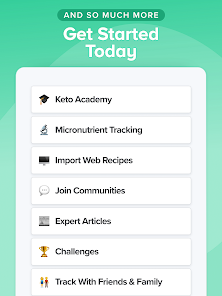
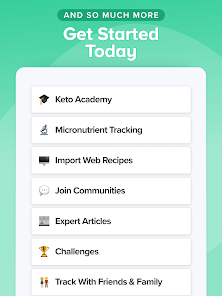
Connect with like-minded individuals in Carb Manager’s vibrant community. Share tips, recipes, and motivational stories, or seek advice from others on a similar journey, fostering a supportive environment that encourages you to stay committed to your health goals.

Food Diary

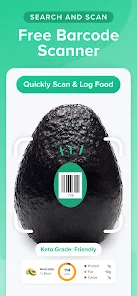
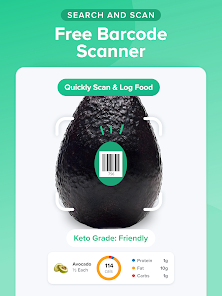
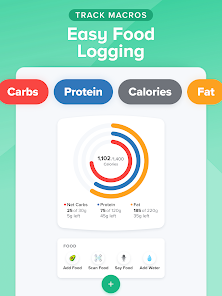
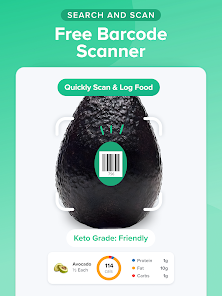
Carb Manager makes tracking your meals effortless with its intuitive food diary feature. You can easily log your meals by searching a vast database of foods, scanning barcodes, or adding custom entries, ensuring you stay on top of your daily carb intake without the hassle.

Macro Tracking

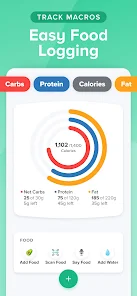
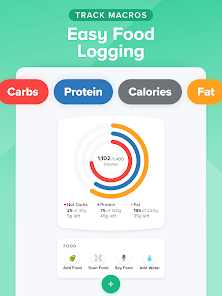
Stay on track with your nutritional goals through Carb Manager's comprehensive macro tracking. The app allows you to set personalized macro targets and provides insightful charts to visualize your progress, helping you make informed dietary choices and adjustments as needed.

Recipe Builder

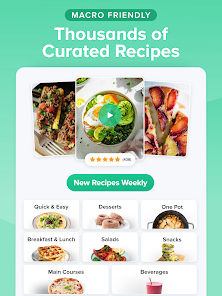
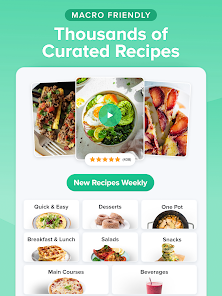
Unleash your culinary creativity with Carb Manager's recipe builder feature. You can create and customize your own recipes, calculating the nutritional content accurately, which makes it easier to enjoy your favorite dishes while adhering to your low-carb lifestyle.

Pros & Cons

Pros
  • Easily track your carb intake daily
  • Personalized meal plans for your goals
  • Extensive database of foods and recipes
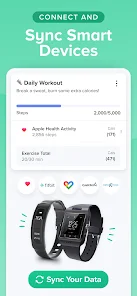
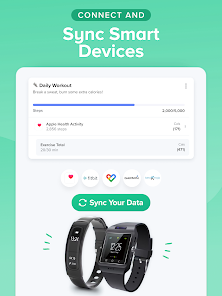
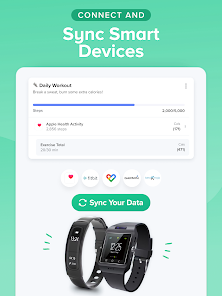
  • Syncs with fitness trackers for better insights
  • User-friendly interface for quick navigation
Cons
  • Limited food database can hinder accuracy.
  • Premium version required for advanced features.
  • User interface may be confusing for beginners.
  • Frequent ads can disrupt user experience.

Real Experience Using Carb Manager

Application Scenarios

Carb Manager is an essential tool for anyone looking to manage their carbohydrate intake effectively. It is particularly beneficial for individuals following low-carb or ketogenic diets, as well as those with specific dietary restrictions or health concerns such as diabetes. Users can log their meals, track their macros, and monitor their daily carb intake, making it easier to adhere to their dietary goals. The app is versatile enough to cater to various scenarios, whether you're meal prepping for the week, eating out at a restaurant, or simply trying to make healthier choices at home. Carb Manager’s extensive food database allows users to quickly find nutritional information, which is invaluable when trying to make informed decisions about what to eat.

User Experience

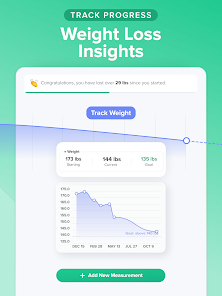
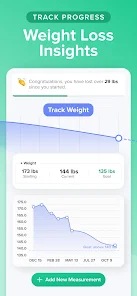
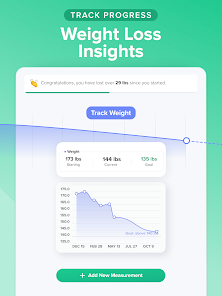
The user experience of Carb Manager is largely intuitive and user-friendly. Upon opening the app, users are greeted with a clean, organized dashboard that presents daily statistics at a glance, including carb intake, calorie consumption, and other macro details. The meal logging process is straightforward, allowing users to easily search for foods or scan barcodes for quick entry. The app also offers customizable features, such as setting personal goals and tracking progress with visual graphs and charts. Users appreciate the community aspect of Carb Manager, where they can connect with others for motivation and support. However, some users have noted occasional glitches or slow loading times, which can detract from an otherwise seamless experience.

Pricing

Carb Manager operates on a freemium model, providing users with a range of features at no cost. The free version is quite comprehensive, offering basic logging and tracking functionalities. For those seeking an enhanced experience, the premium subscription unlocks additional features such as advanced macro tracking, personalized meal plans, and ad-free usage. The pricing for the premium version is competitive, with options for monthly, quarterly, or annual subscriptions, allowing users to choose a plan that best fits their budgeting needs. Overall, the value provided by the premium features is often seen as worthwhile for those committed to their dietary goals.

Updates & Support

Carb Manager is consistently updated to improve functionality and user experience. The development team is responsive to user feedback, frequently adding new features and making necessary adjustments. Regular updates ensure that the app remains compatible with the latest devices and operating systems. Customer support is available through the app, offering users a chance to report issues or seek assistance. Many users have reported positive experiences with support responses, indicating a commitment to user satisfaction. Additionally, the app's online community and resources provide further support, helping users navigate their dietary journeys with confidence.

verified Security & Privacy Review

Carb Manager takes user security and privacy seriously, implementing robust measures to protect sensitive information. The app utilizes encryption protocols to secure data during transmission, ensuring that personal details and dietary records remain confidential. Users have control over their data, with options to manage privacy settings effectively. In terms of permissions, Carb Manager requires access to specific features such as camera and storage for barcode scanning and food logging. However, it is transparent about these requirements, allowing users to make informed decisions before granting access. The app does not sell user data to third parties, adhering to strict privacy policies that prioritize user consent and data protection. Moreover, Carb Manager continually updates its security measures to combat potential threats and vulnerabilities. Regular audits and compliance checks are part of their commitment to maintaining a secure environment for users. Overall, Carb Manager demonstrates a strong dedication to safeguarding user privacy while providing a seamless experience for dietary tracking.

User Reviews

  • Amy Fleck
    2025/01/16

    This is a great app if you are trying to follow a strict diet. It's super easy to use, just look up a food you ate and add it to your meal (breakfast, lunch, dinner, and snack) and it calculates the nutritional info for you and keeps a daily log. It has every kind of food with all of its nutrition info, and you can add it by weight or piece(s), and it even has fractions from 1/8-7/8. You put in your goals, and you can plan your meals, look up recipes, add exercises, and even daily water intake!

  • The Shy Girl
    2024/09/06

    Loved this app! Would be 5 stars if they hadn't taken away the back button and hidden the scan button in a menu. Don't give me more steps to get to what I need. Also, so many items have the wrong info and it's a pain to try to fix it. Otherwise, the app is helpful and I like it. Update: One button to open scanner. Thank you! Upgraded to 4 stars.

  • TFT Ortiz
    2025/01/20

    Not adding the carbs up right. Even if you add the item twice separately, it will still give a total of a single serving. For example, I added 2 lmnt powder mixed and it still only totaled out as one carb in the section I added it. Also annoying that lmnt has 2 carbs per packet but in the listing it only states one carb so that's also another miscalculation that can wreck your progress. This app is kinda a joke. Have to pay to see your nutrients when that is a free feature in other apps. Bye.

  • Macie De Foe
    2026/06/21

    I have been using this app since december. I have absolutely loved it until today. I had an 8 day streak going and then I noticed it said "start your streak". I wasnt sure what was going on so I asked the bot under support. it said to log out and log back in. I did that and ALL of my entries from food, glucose entries, weights, measurements, recipies, all of it just GONE. I have put hours ans hours into this app and its all gone. i need help recovering it all.

  • Jeff von Brown
    2026/05/06

    I like it, but when you create a workout, it enters twice. when you delete one, both are deleted. also when creating another, the time and calories burned are the same as the created workout entered before. I won't do premium until this is fixed. EDIT PER DEVELOPER RESPONSE: they responded within a day and gave me some options to engage with more specifics. Regardless of the eventual resolution, awesome customer service. Thanks Wombat!

Review Source: Google Play store public user reviews.

FAQ

1

Does Carb Manager collect my personal data?

Yes, Carb Manager does collect personal data such as your dietary preferences, weight, and activity levels to provide a personalized experience and improve its services.

2

Does Carb Manager offer a free trial or free version?

Carb Manager offers a free version with basic features, as well as a paid subscription that unlocks additional premium features.

3

Does Carb Manager require an internet connection?

While Carb Manager can function offline for logging food and exercise, an internet connection is necessary for accessing the full database, syncing data, and using community features.

4

How can I contact support or send feedback for Carb Manager?

You can contact Carb Manager support through the app's help section, via email, or by visiting their official website for feedback and assistance with any issues.

5

How do I manage or cancel my Carb Manager subscription?

You can manage or cancel your Carb Manager subscription through the app store where you purchased it, either on iOS or Android, or by accessing your account settings within the app.

How to use Carb Manager

1

How can I contact Carb Manager customer service?

You can reach Carb Manager customer service through the app's "Help" section or by emailing support

2

How do I find my customer number for Carb Manager?

Your customer number is typically found in your account settings or profile section within the app.

3

How do I log in to my Carb Manager account?

Open the app, tap "Log In," and enter your email and password associated with your account.

4

Is there an activation process for Carb Manager?

Yes, after downloading the app, you need to create an account to activate it. Follow the prompts for registration.

What's New

- Upgrade Google Play Billing library- Bug fixes and improvements

Editor's Choice