This site uses cookies to enhance your user experience. By clicking any link on this site you are giving your consent to our cookie policy. Read more
Reject
Accept All
CamScanner- scanner, PDF maker

CamScanner- scanner, PDF maker

verified Verified App

Developer: CamSoft Information

  • category

    Category: Productivity

  • price

    Price: 0

  • age rating

    Age Rating: Everyone

  • rating

    Rating: 4.8

  • download

    Downloads: /

  • version

    Version: 6.75.0.2411050000

Screenshot 1
Screenshot 2
Screenshot 3
Screenshot 4
Screenshot 5
Screenshot 6
Screenshot 7
Screenshot 8

Features & Highlights

Cloud Integration

CamScanner supports cloud integration, allowing you to save and access your documents from various cloud services like Google Drive and Dropbox. This feature ensures that your important files are always backed up and easily retrievable, no matter where you are, enhancing your workflow significantly.

Collaboration Tools

The app includes built-in collaboration tools that allow you to share your documents with others effortlessly. You can invite colleagues or friends to review your scans, making it easier to gather feedback and work together on projects. This feature fosters teamwork and enhances productivity.

PDF Conversion

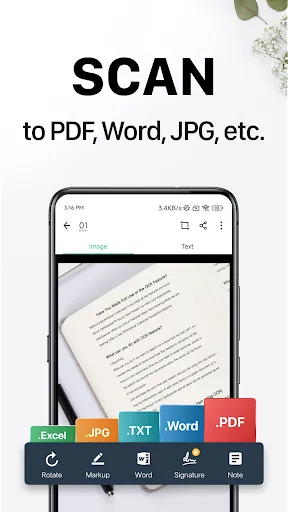
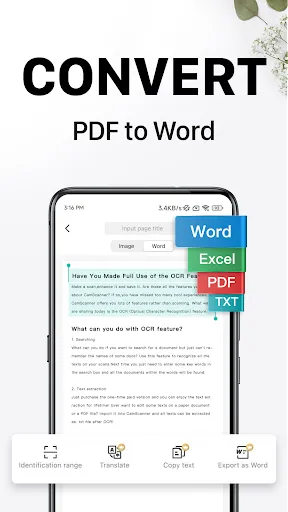
With CamScanner, converting your scans into PDF format is seamless and fast. You can easily compile multiple documents into a single PDF, making sharing and storage a breeze. This feature is perfect for both personal and professional use, ensuring your files are organized and accessible.

Smart Scanning

CamScanner offers a powerful smart scanning feature that automatically detects edges and enhances image quality, ensuring your documents look crisp and professional. This makes it easy to capture everything from receipts to contracts with just a few taps, providing you with high-quality scans every time.

Pros & Cons

Pros
  • High-quality scans with advanced image processing
  • Easily convert documents to PDF format
  • Share files quickly via email or cloud
  • Optical character recognition for editable text
  • User-friendly interface for seamless navigation
Cons
  • Limited editing features for scanned documents
  • Frequent ads disrupt user experience and workflow
  • Potential privacy concerns with cloud storage usage
  • Occasional inaccuracies in text recognition accuracy

Real Experience Using CamScanner- scanner, PDF maker

Application Scenarios

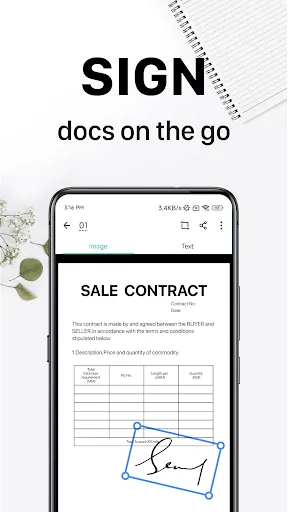
CamScanner is an incredibly versatile tool that caters to a wide range of scanning needs. Whether you are a student needing to digitize lecture notes, a business professional requiring quick document scans for meetings, or even a traveler wanting to preserve important receipts and travel documents, CamScanner has got you covered. The app allows users to easily capture images of documents, whiteboards, or even handwritten notes and convert them into high-quality PDFs. This functionality is particularly useful in academic settings, allowing students to share materials efficiently. Additionally, small business owners can utilize the app for invoicing and record-keeping, while freelancers can streamline their workflow by digitizing contracts and agreements on the go. The ability to share documents via email or cloud services further enhances its applicability in various scenarios.

User Experience

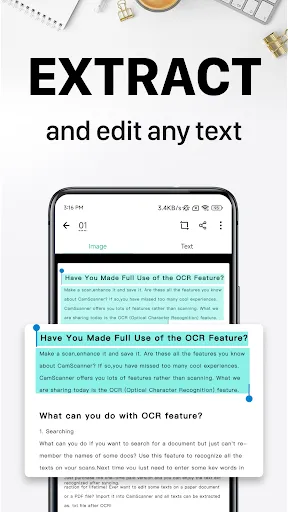
The user experience with CamScanner is generally smooth and intuitive. The interface is clean, making navigation straightforward for users of all tech backgrounds. Scanning documents is as simple as pointing your camera at the document and tapping a button. The app employs smart cropping and image enhancement features, ensuring that the scans are clear and readable. Users can adjust the scan quality and choose from multiple formats, which adds to the customization options available. Furthermore, the OCR (Optical Character Recognition) feature allows users to extract text from images, making it a powerful tool for those needing to edit or repurpose scanned content. The integration of cloud storage options like Google Drive and Dropbox makes it easy to back up documents and access them from multiple devices. However, some users have reported occasional glitches, particularly with the OCR feature, which may not always recognize handwriting accurately.

Pricing

CamScanner offers a free version that provides basic scanning functionality, but users may find the limitations somewhat restrictive. The premium subscription unlocks advanced features such as unlimited cloud space, enhanced OCR capabilities, and the removal of ads, providing a more comprehensive experience. The pricing is competitive compared to similar scanning apps, making it accessible for casual users while still offering enough value for professionals who rely heavily on document scanning. Premium pricing options typically include monthly, quarterly, and annual plans, allowing users to choose what best fits their needs.

Updates & Support

CamScanner is regularly updated to improve performance and introduce new features. The development team is proactive in addressing bugs and implementing user feedback, which is a testament to their commitment to the app's user base. Users can easily access support through the app, with options for FAQs, troubleshooting, and direct customer service. The online community is also active, providing additional resources and tips for maximizing the app's potential. Regular updates ensure that the app remains compatible with the latest operating systems and devices, making it a reliable choice for those who depend on scanning technology in their daily routines.

verified Security & Privacy Review

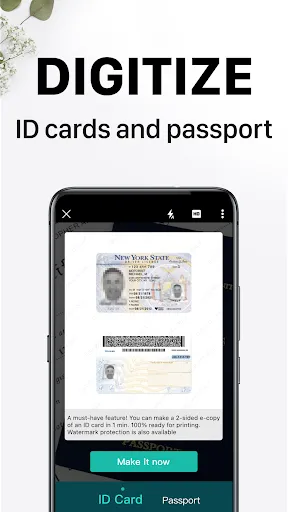
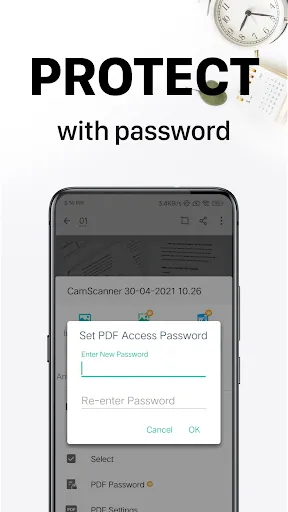
The security and privacy practices of CamScanner warrant careful consideration for users concerned about their data. The app employs encryption protocols to protect documents during upload and storage, ensuring that sensitive information remains confidential. However, past incidents have raised questions about the app's data handling, particularly regarding third-party data sharing. Users should be aware that CamScanner may collect personal information, including device identifiers and usage data, which can be used for analytics and advertising purposes. In terms of permissions, CamScanner requires access to the camera, storage, and occasionally internet connectivity, which may pose risks if not managed properly. Users are encouraged to review the permissions granted to the app and consider limiting access where possible. The app provides options for document security, such as password protection and watermarking, adding an extra layer of security for sensitive files. Overall, while CamScanner offers useful features for document management, users should remain vigilant about their privacy settings and data sharing practices to safeguard their personal information.

Reviews

4.8

“Easy to use and very efficient for scanning!”

“High-quality PDFs with great image clarity.”

“Convenient for on-the-go document management.”

“Love the OCR feature for text extraction.”

“Occasional ads can be distracting, but worth it.”

Editor's Choice