This site uses cookies to enhance your user experience. By clicking any link on this site you are giving your consent to our cookie policy. Read more
Reject
Accept All

Advertiser and Editorial Disclosures

Calorie Counter by Lose It!

Calorie Counter by Lose It!

verified

FitNow, Inc.

4.6
Rating
10,000,000+ Downloads
18.0.303 Version
  • category

    Category: Health & Fitness

  • price

    Price: free

  • age rating

    Age Rating: Everyone

  • rating

    Rating: 4.6

  • available on

    Available on: /

  • updated on

    Updated on: Jul 2, 2026

Screenshot 1
Screenshot 2
Screenshot 3
Screenshot 4
Screenshot 5
Screenshot 6
Screenshot 7
Screenshot 8
Screenshot 9
Screenshot 10
Screenshot 11
Screenshot 12
Screenshot 13
Screenshot 14
Screenshot 15
Screenshot 16
Screenshot 17
Screenshot 18
Screenshot 19
Screenshot 20
Screenshot 21
Screenshot 22
Screenshot 23
Screenshot 24

Features & Highlights

Barcode Scanner

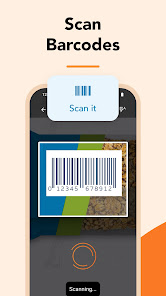
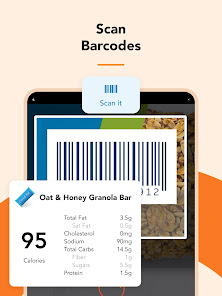
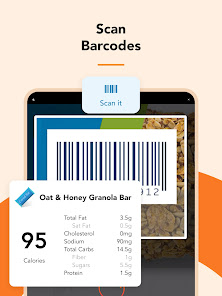
With its user-friendly barcode scanner, logging food becomes a breeze. Simply scan the barcodes of your favorite products to instantly add them to your food diary, saving you time and ensuring accuracy in tracking your calorie intake, making your meal planning effortless.

Community Support

Calorie Counter by Lose It! connects you with a supportive community of users who share similar goals. Engage with others for motivation, tips, and encouragement, fostering a sense of camaraderie that can make your weight loss journey feel less daunting and more rewarding.

Extensive Food Database

The app boasts an extensive food database, featuring millions of items from various brands and restaurants. This means you'll have no trouble finding and logging what you eat, whether it's a homemade meal or a quick snack on the go, ensuring you stay on track with your nutrition goals.

Personalized Goals

Calorie Counter by Lose It! helps you set personalized weight loss or maintenance goals based on your lifestyle and preferences. Whether you're aiming to shed pounds or simply track your intake, the app tailors recommendations to fit your unique needs, making your journey feel more achievable and enjoyable.

Pros & Cons

Pros
  • User-friendly interface for easy tracking
  • Extensive food database for accurate logging
  • Personalized goals tailored to your needs
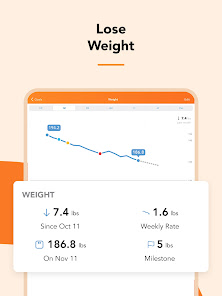
  • Real-time progress monitoring for motivation
  • Community support for encouragement and tips
Cons
  • Limited food database for certain regions
  • Frequent ads in free version
  • Requires premium for advanced features
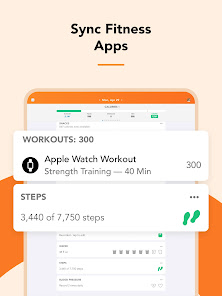
  • Sync issues with some devices

Real Experience Using Calorie Counter by Lose It!

Application Scenarios

Calorie Counter by Lose It! is designed for a variety of users, whether you're a fitness enthusiast, someone looking to lose weight, or simply aiming to maintain a healthy lifestyle. The app is perfect for those who want to track their food intake and monitor their caloric consumption throughout the day. Users can log meals and snacks easily, making it suitable for busy individuals who may not have time to prepare elaborate tracking methods. The app also caters to those with specific dietary goals, such as vegetarianism or low-carb diets, allowing for personalized meal plans and recommendations based on individual preferences. Additionally, athletes can benefit from the app by tracking their caloric needs to enhance performance and recovery.

User Experience

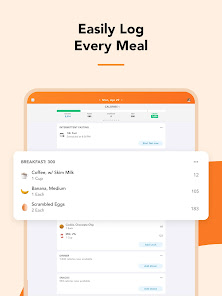
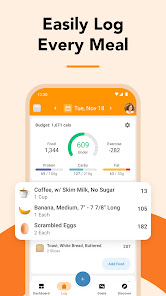
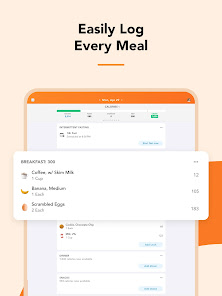
The user experience of Calorie Counter by Lose It! is intuitive and straightforward. The interface is clean and visually appealing, making navigation a breeze for users of all ages. Logging meals can be done via barcode scanning or by searching a comprehensive database of food items, which includes both common and brand-name products. This feature significantly reduces the time spent on manual entries. The app also provides insightful analytics and reports that help users understand their eating habits and progress toward their goals. Users appreciate the social aspect of the app, which allows them to connect with friends, share achievements, and offer support. Customization options, such as setting specific weight loss goals and adjusting daily caloric intake, further enhance the overall experience.

Pricing

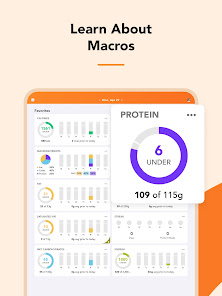
Calorie Counter by Lose It! offers a free version with essential features that cater to basic tracking needs. However, for those seeking a more advanced experience, the premium subscription unlocks additional features such as personalized meal planning, advanced insights, and the ability to track macronutrients. The pricing for the premium version is competitive within the market, with options for monthly, quarterly, or annual subscriptions. Many users find that the investment is worthwhile, especially given the comprehensive tools and resources available to support their health and fitness journeys.

Updates & Support

The development team behind Calorie Counter by Lose It! is committed to enhancing the app continually. Regular updates ensure that users have access to the latest features, bug fixes, and improvements based on user feedback. The app also includes a robust support system, with a dedicated help center that provides answers to common questions and troubleshooting guides. Additionally, users can reach out to the support team directly for more personalized assistance. This proactive approach to updates and customer service contributes significantly to user satisfaction and retention, making Calorie Counter by Lose It! a reliable companion in the pursuit of health and wellness.

verified Security & Privacy Review

The "Calorie Counter by Lose It!" app prioritizes user security and privacy through robust data practices. The app employs encryption protocols for data transmission, ensuring that personal information, such as dietary preferences and health metrics, is safeguarded against unauthorized access. Users are required to create an account, which allows for personalized experiences while also enabling the app to implement security measures effectively. In terms of permissions, the app requests access to certain device features, such as camera and storage, primarily for barcode scanning and food logging. Users are informed about these permissions during the setup process, allowing for informed consent. The app also adheres to privacy regulations, including GDPR and CCPA, giving users control over their data, including options to delete their accounts and associated information. Moreover, "Lose It!" maintains a clear privacy policy outlining data usage, sharing practices, and third-party partnerships. Users can rest assured that their data is handled responsibly, with options to opt out of data sharing for personalized advertising. Overall, the app demonstrates a commitment to protecting user privacy while delivering a functional and engaging experience.

User Reviews

  • Kris Bradbury
    2026/05/05

    This WAS my favorite app for my diet journey. And the old version deserves 5+ stars. I have the paid version. But I installed the update a couple of days ago and it totally sucks! If you have this app and like it DON'T install the update. It is NOT nearly as easy to use, especially when trying to mark finished logging for the day. You gotta hunt for that now. I will be seeking a different app for my weight loss journey, even though I paid for a year's membership.

  • Alisha L
    2026/02/25

    I've had this app for years. I even paid for it way back when and even though I'm not tracking my food as much, I'm still using it to track my weight. And, I could have sworn, there used to be a little + symbol in the bottom middle when first opening the app that no longer exists. This button opened up the menu to log things including weight. But now I have to scroll til I find the weight spot which is easy to miss while scrolling amongst everything else. Please add this button back!

  • Enzo P
    2026/02/11

    I really do love this app, it's nice and simple for the most part. I paid for the Lifetime so you know I'm a fan. However, there are some issues. There are A LOT of foods that just aren't on here so most days I'm straight up making new ones to then track. But if I take more than 30 seconds to create the food item, after I click done all the data is reset and I have to restart. This also happens when trying to make recipes (which is one of the best capabilities of the app). I would love a fix. 🙏

  • Paul
    2024/11/14

    I was very impressed my this app at first. The layout is good and practical and the database is nicely fleshed out. I started to get a bit unhappy when I found that barcode scanning was behind the paywall, which is unusual for this sort of app from my experience. Over time such annoyances have added up. I had a lot more to say but hit the limit. Put more succinctly, it's a great app that's dragged down badly by its choices in regard to monetization. Still usable, but irritating.

  • Doug Osgood
    2024/10/06

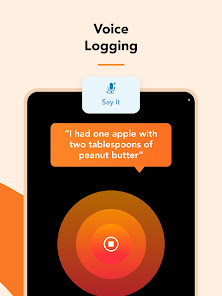
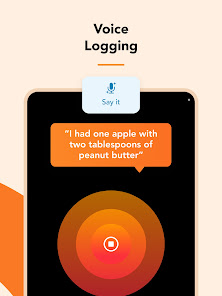
    The voice entry option is GREAT in the app. A lot of times knowing I can just rattle off the things I remember eating for a meal and that it'll get them right (including amount) super quick is a big thing that has kept me going. I DO pay for the premium version, but it also feels worth it. They have a lifetime premium option as well if that is something you are looking for. This app has grown a LOT since I had started using it about 15 years ago on an iPod touch 😁

Review Source: Google Play store public user reviews.

How to use Calorie Counter by Lose It!

1

How can I contact customer service for the Lose It! app?

You can contact customer service through the app by navigating to Settings > Help & Support > Contact Us. You can also email support

2

How do I activate my Lose It! subscription?

After purchasing a subscription, log in to the app, and your subscription will automatically activate. Check under Settings > Subscription to confirm.

3

How do I log in to my Lose It! account?

Open the app and tap ‘Log In’. Enter your email and password associated with your account. If you forget your password, use the ‘Forgot Password’ option.

4

What is the customer service phone number for Lose It!?

Lose It! does not provide a customer service phone number. Please use the in-app support or email for assistance.

What's New

Not a ton to update on this week, folks. Just squashing some bugs and making general improvements to keep things running smoothly for ya!

Editor's Choice