This site uses cookies to enhance your user experience. By clicking any link on this site you are giving your consent to our cookie policy. Read more
Reject
Accept All
Brother iPrint&Scan

Brother iPrint&Scan

verified Verified App

Developer: Brother Industries, Ltd.

  • category

    Category: Tools

  • price

    Price: free

  • age rating

    Age Rating: Everyone

  • rating

    Rating: 3.0

  • download

    Downloads: 10,000,000+

  • version

    Version: 6.14.0

Screenshot 1
Screenshot 2
Screenshot 3
Screenshot 4
Screenshot 5
Screenshot 6
Screenshot 7
Screenshot 8

Features & Highlights

Multi-Device Compatibility

Brother iPrint&Scan supports a wide range of devices, including iOS and Android smartphones, tablets, and various Brother printers. This versatility ensures that you can connect and manage your printing and scanning tasks seamlessly, regardless of the device you choose to use.

Scanning Made Easy

With Brother iPrint&Scan, scanning documents is a breeze. You can easily capture and save your scans directly to your mobile device or cloud storage services, streamlining your workflow and ensuring your important documents are always at your fingertips.

User-Friendly Interface

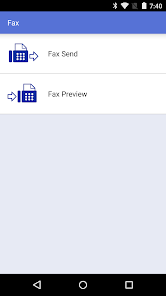
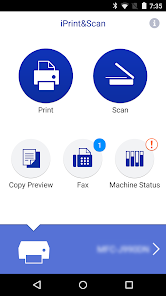
The app boasts a straightforward and intuitive interface, making it accessible for users of all tech levels. Navigating through various functionalities like printing, scanning, and managing settings is simple, allowing you to focus on your tasks without getting bogged down by complicated menus.

Wireless Printing

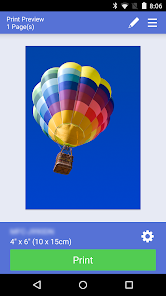
Brother iPrint&Scan allows you to print documents and photos directly from your smartphone or tablet using a wireless connection. This feature eliminates the need for cumbersome cables, making it easy to print from virtually anywhere in your home or office, enhancing convenience and flexibility.

Pros & Cons

Pros
  • Easy mobile printing from smartphones and tablets
  • User-friendly interface for quick navigation
  • Supports various file formats for flexibility
  • Seamless scanning directly to cloud services
  • Remote access for convenient printing anytime
Cons
  • Limited compatibility with non-Brother devices
  • Lacks advanced editing features
  • Slow document processing speeds
  • Requires constant software updates

Real Experience Using Brother iPrint&Scan

Application Scenarios

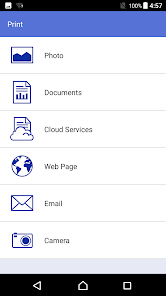
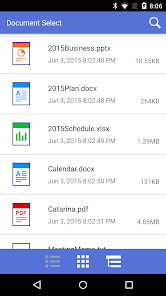
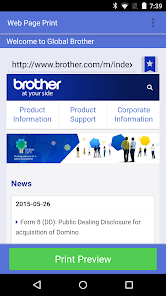
The Brother iPrint&Scan app is designed to cater to a wide range of printing and scanning needs, making it an essential tool for both home and office environments. Users can effortlessly print documents, photos, and even web pages directly from their smartphones or tablets. Whether you need to print a boarding pass for a last-minute trip or scan important documents for email, this app simplifies the entire process. The app also supports a variety of file formats, allowing users to print PDFs, Word documents, and images seamlessly. Additionally, it is particularly useful for students and professionals who frequently need to print presentations or research materials on the go. With its ability to connect to multiple Brother printers and scanners, the app ensures that users can easily find and utilize the nearest device, making it ideal for busy workspaces.

User Experience

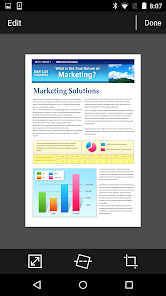
User experience with Brother iPrint&Scan is generally positive, as the app boasts a clean and intuitive interface. Setting up the app is straightforward, with users required to connect their devices to the same Wi-Fi network as their Brother printer or scanner. The printing process is quick and efficient, with users able to select print settings such as color, paper size, and quality with just a few taps. Scanning documents is equally simple, as the app allows users to preview their scans and adjust settings before finalizing the process. However, some users have reported occasional connectivity issues, which can be frustrating. Overall, the app delivers a reliable performance, making it a valuable addition for anyone who frequently utilizes Brother devices.

Pricing

Updates & Support Brother is known for its commitment to providing regular updates and support for its applications, and iPrint&Scan is no exception. The app receives periodic updates that enhance functionality, improve user experience, and ensure compatibility with the latest devices and operating systems. Users can easily access the support section within the app or visit Brother's official website for troubleshooting guides and FAQs. Customer support is responsive and helpful, addressing user inquiries or issues promptly. This dedication to user satisfaction reinforces the app's reliability and effectiveness as a companion to Brother printers and scanners.

verified Security & Privacy Review

The Brother iPrint&Scan app prioritizes user data security and privacy by implementing several key measures. Firstly, it requires minimal permissions, primarily focusing on access to local network and storage, which is essential for its core functionality. This approach limits unnecessary exposure of personal data. Data transmitted between the app and the printer is encrypted, safeguarding sensitive information from potential interception. However, users should be aware that the app may collect usage data to improve service quality. This data is anonymized and aggregated, ensuring individual user identities remain protected. Users are encouraged to review the app's privacy policy, which outlines data collection practices and user rights. The app does not request access to contacts or location, further enhancing privacy. Additionally, regular updates ensure that any identified vulnerabilities are promptly addressed, maintaining a robust security framework. In summary, Brother iPrint&Scan demonstrates a commitment to user privacy and data security, making it a reliable choice for those concerned about the handling of their personal information.

Reviews

3.0

“Easy to use and setup for printing!”

“Reliable scanning features, saves time.”

“Occasional connectivity issues, needs improvement.”

“Great app for mobile printing on the go.”

“User-friendly interface, very intuitive and helpful.”

Editor's Choice