This site uses cookies to enhance your user experience. By clicking any link on this site you are giving your consent to our cookie policy. Read more
Reject
Accept All
Blue Light Filter - Night Mode

Blue Light Filter - Night Mode

verified Verified App

Developer: Leap Fitness Group

  • category

    Category: Health & Fitness

  • price

    Price: free

  • age rating

    Age Rating: Everyone

  • rating

    Rating: 4.7

  • download

    Downloads: 10,000,000+

  • version

    Version: 1.5.8

Screenshot 1
Screenshot 2
Screenshot 3
Screenshot 4
Screenshot 5
Screenshot 6
Screenshot 7
Screenshot 8
Screenshot 9
Screenshot 10
Screenshot 11
Screenshot 12
Screenshot 13
Screenshot 14
Screenshot 15
Screenshot 16

Features & Highlights

Automatic Scheduling

The automatic scheduling feature lets you set specific times for the blue light filter to activate and deactivate. This means you can effortlessly transition to night mode as the sun sets, ensuring your screen adapts to the changing light conditions without any manual adjustments.

Blue Light Reduction

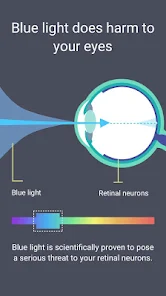
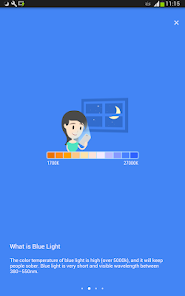
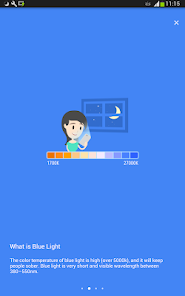
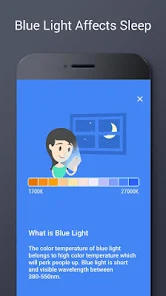
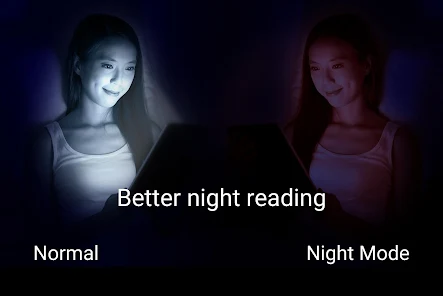
This feature effectively minimizes blue light exposure, helping to reduce eye strain during nighttime usage. By adjusting the screen's color temperature, it creates a more comfortable viewing experience, especially in low-light environments, allowing you to enjoy your favorite content without discomfort or disruption to your sleep cycle.

Customizable Filters

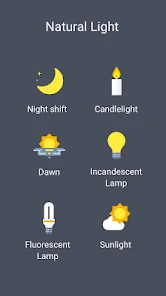
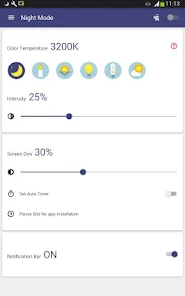
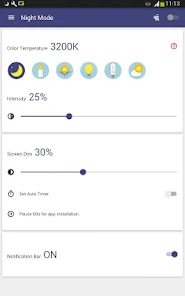
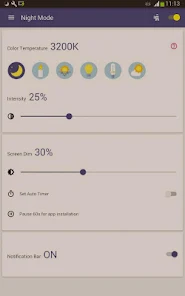
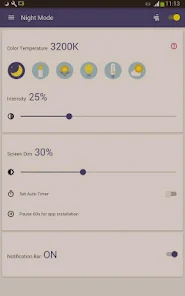
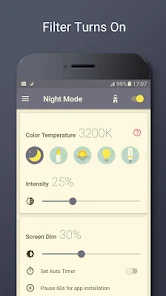
With a range of customizable filters, you can tailor the intensity of the blue light reduction to suit your preferences. Whether you prefer a warmer tone for reading or a subtle adjustment for browsing, the app allows you to easily modify settings to create your ideal display.

User-Friendly Interface

The app boasts a user-friendly interface that makes navigating through settings a breeze. With intuitive controls and easy access to all features, even those less tech-savvy can quickly learn to use the app and optimize their screen for a more comfortable viewing experience.

Pros & Cons

Pros
  • Reduces eye strain during nighttime use
  • Promotes better sleep quality
  • Minimizes blue light exposure before bed
  • Enhances screen comfort in dark environments
  • Helps maintain natural circadian rhythms
Cons
  • May distort color accuracy in images
  • Can reduce screen brightness excessively
  • Might lead to dependency on artificial lighting
  • Not a substitute for proper sleep hygiene

Real Experience Using Blue Light Filter - Night Mode

Application Scenarios

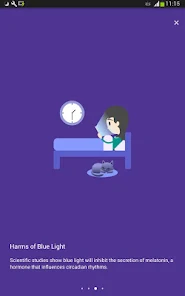
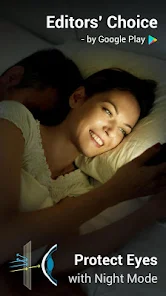
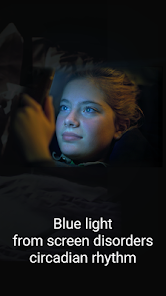
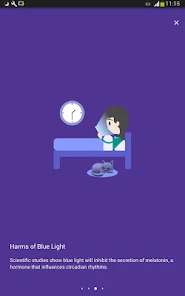
The Blue Light Filter - Night Mode app is designed for users who spend extended periods looking at screens, whether on smartphones, tablets, or laptops. In today's digital age, many people find themselves using their devices in low-light environments, such as during late-night reading or while watching movies. This app is particularly beneficial for those who suffer from eye strain or have difficulty sleeping after screen time. The blue light emitted by devices can interfere with melatonin production, making it harder to fall asleep. By applying a blue light filter, users can reduce eye fatigue and improve their overall comfort while using their devices. Additionally, gamers and night owls will find this app useful as it allows them to maintain their visual comfort without sacrificing screen quality during nighttime use.

User Experience

The user experience with the Blue Light Filter - Night Mode app is generally positive, as its interface is user-friendly and straightforward. Upon launching the app, users are greeted with an intuitive dashboard that allows for easy adjustments to the filter's intensity and color temperature. The app lets users customize settings based on their preferences, offering options like auto-scheduling to activate the filter at specific times. Many users appreciate the ability to toggle the filter on and off with ease, ensuring that they can switch to their preferred view quickly. The transition is smooth, and the app does not significantly impact device performance, which is a crucial factor for users who multitask. Overall, users report a noticeable reduction in eye strain and an improvement in sleep quality when using the app consistently before bedtime.

Pricing

The pricing model for the Blue Light Filter - Night Mode app is attractive, with a free version available that includes essential features. However, for those seeking an enhanced experience, a premium version is offered at a reasonable monthly or yearly subscription fee. The premium version provides additional features such as advanced customization options, ad-free usage, and priority support. Users often find that the benefits of the premium features justify the cost, particularly if they rely heavily on their devices during the evening. This flexible pricing structure makes it accessible for casual users while also catering to more dedicated users who may want to invest in a better experience.

Updates & Support

The developers of the Blue Light Filter - Night Mode app are committed to providing regular updates to enhance functionality and user experience. Users can expect periodic improvements and bug fixes that address any issues reported. The support team is responsive, offering assistance through various channels, including email and in-app feedback options. Users have noted that their queries are typically addressed promptly, which adds to the overall satisfaction with the app. This commitment to updates and support ensures that users can rely on the app for their nightly screen time needs without worrying about technical difficulties.

verified Security & Privacy Review

The Blue Light Filter - Night Mode app prioritizes user security and privacy, implementing several practices to safeguard personal information. The app requests minimal permissions, primarily focusing on screen overlay capabilities to adjust blue light levels, ensuring that unnecessary access to sensitive data is avoided. In terms of data handling, the app does not collect personal information or track user behavior, which significantly enhances privacy. Users can feel secure knowing that their usage patterns and personal data remain confidential. The app also adheres to industry-standard encryption protocols to protect any necessary data that may be temporarily stored during functionality. Additionally, the app provides clear information regarding its privacy policy, allowing users to understand what data is accessed and how it is used. Regular updates ensure that security measures are kept current, addressing any potential vulnerabilities. Overall, the Blue Light Filter - Night Mode app demonstrates a strong commitment to user security and privacy, making it a reliable choice for those seeking to reduce eye strain without compromising their data safety.

Reviews

4.7

“Great for reducing eye strain at night”

“User-friendly interface and easy to use”

“Effective blue light reduction, highly recommend”

“Helps improve sleep quality significantly”

“Customization options are a nice touch”

Editor's Choice