This site uses cookies to enhance your user experience. By clicking any link on this site you are giving your consent to our cookie policy. Read more
Reject
Accept All

Advertiser and Editorial Disclosures

Battery HD

Battery HD

verified

smallte.ch

4.6
Rating
10,000,000+ Downloads
1.99.43 (Google Play) Version
  • category

    Category: Tools

  • price

    Price: free

  • age rating

    Age Rating: Everyone

  • rating

    Rating: 4.6

  • available on

    Available on: /

  • updated on

    Updated on: Jan 12, 2026

Screenshot 1
Screenshot 2
Screenshot 3
Screenshot 4
Screenshot 5
Screenshot 6
Screenshot 7
Screenshot 8
Screenshot 9
Screenshot 10
Screenshot 11
Screenshot 12
Screenshot 13
Screenshot 14
Screenshot 15
Screenshot 16
Screenshot 17
Screenshot 18

Features & Highlights

Customizable Alerts

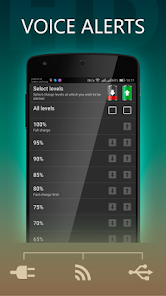
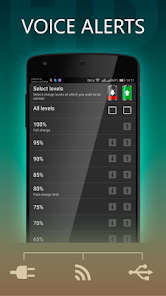
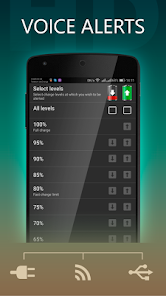
You can set personalized notifications to alert you when your battery reaches specific percentage levels. This way, you'll never be caught off guard by a low battery again, ensuring that you stay connected and productive without interruptions.

Detailed Usage Statistics

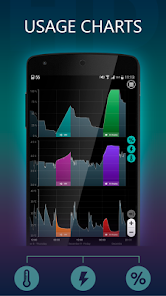
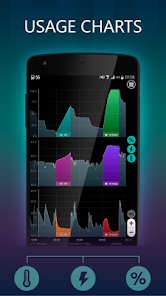
Battery HD provides comprehensive statistics on your battery usage, allowing you to identify which apps consume the most power. By understanding your usage habits, you can make informed decisions on app management, ultimately extending your battery life.

Smart Battery Monitoring

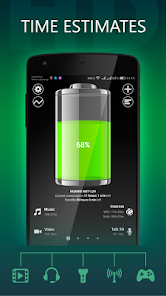
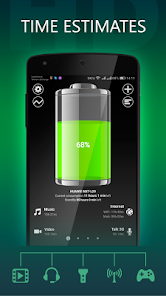
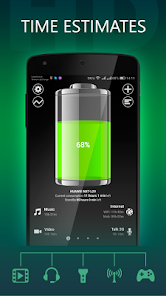
Battery HD offers real-time monitoring of your device's battery health, providing insightful data about usage patterns and remaining life. You'll be able to easily track how long your battery will last based on current activity, helping you manage your power more efficiently throughout the day.

User-Friendly Interface

With its sleek and intuitive design, Battery HD makes it incredibly easy to navigate through its features. The app presents essential information at a glance, so you can quickly gauge your battery status without any confusion or hassle, making it a user-friendly choice for everyone.

Pros & Cons

Pros
  • Real-time battery status monitoring for informed usage
  • Customizable alerts for low battery notifications
  • Detailed battery health insights for better maintenance
  • User-friendly interface for easy navigation and control
  • Power-saving tips to extend battery life effectively
Cons
  • Limited compatibility with older devices
  • Battery life predictions can be inaccurate
  • Interface may feel cluttered for some users
  • Frequent ads disrupt user experience

Real Experience Using Battery HD

Application Scenarios

The Battery HD app serves as a versatile tool for anyone seeking to optimize their device's battery performance. It's particularly useful in scenarios where users need to monitor their battery health during long trips, outdoor activities, or extended work hours away from a power source. For travelers, the app provides insights into how long their battery will last under various usage conditions, allowing for better planning and management of charging needs. Additionally, gamers and heavy app users can benefit significantly, as the app offers real-time data on battery consumption, helping them adjust settings to prolong usage during critical moments.

User Experience

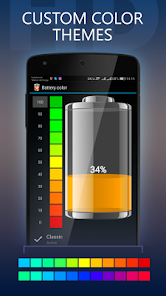
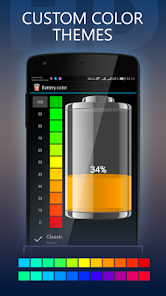
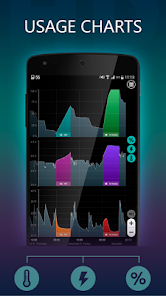
Users of Battery HD frequently commend its intuitive interface and ease of navigation. Upon launching the app, users are greeted with a clean and visually appealing dashboard that displays essential information at a glance, such as battery percentage, estimated time remaining, and usage statistics. The app allows for customization, letting users choose which metrics to display prominently. The interactive features, such as graphs that illustrate battery usage over time and detailed breakdowns of power consumption per app, enhance the overall user experience. Additionally, users have noted that the app’s alerts and notifications regarding charging cycles and health tips are timely and helpful, contributing to a more informed battery management approach.

Pricing

Battery HD adopts a freemium model that appeals to a broad audience. The basic version is free to download and offers a wealth of features that cater to everyday users. However, for those seeking an ad-free experience and additional premium features, a one-time in-app purchase is available. This pricing strategy is well-received, as it allows users to try the app without initial investment while providing an option to enhance their experience with advanced functionalities. The transparency in pricing and the value offered in both the free and paid versions make Battery HD an attractive choice for users across different budgets.

Updates & Support

The development team behind Battery HD is committed to continual improvement and user satisfaction. Regular updates ensure that the app remains compatible with the latest operating system changes and device models. Users can expect new features and enhancements based on feedback, showcasing the developers’ responsiveness to community needs. Support options are readily available within the app, including FAQs and direct contact for troubleshooting, making it easy for users to resolve any issues they encounter. This dedication to support and updates fosters a sense of trust and reliability, encouraging users to rely on Battery HD for their battery management needs.

verified Security & Privacy Review

Battery HD prioritizes user security and privacy by implementing a range of robust practices. The app requires minimal permissions, primarily focused on accessing battery information and device status, which helps maintain user privacy. Users can rest assured that their personal data, such as contacts and location, are not accessed or stored, minimizing the risk of data breaches. The app is designed with transparency in mind; users are informed about the permissions required at the time of installation. Battery HD does not collect sensitive user information or track user behavior, ensuring that personal data remains confidential. Additionally, the app does not engage in data monetization practices, such as selling user data to third parties. Regular updates and security patches are implemented to address potential vulnerabilities, further enhancing the app's reliability. Overall, Battery HD demonstrates a strong commitment to safeguarding user privacy while delivering essential battery management features.

User Reviews

  • KM7
    2022/04/18

    Update: (See original post below) Now the notifications don't work very well. The voice speaks very fast like it is set to 4x. The alarms will Not stop ringing. Stopping the app did not work. I had to completely shut down the phone. Original post: Simple to use. You can set warnings at various battery levels. Is there a way to make it start automatically?

  • Tyrone Slothrop
    2020/06/07

    The path to the app via the notification drop-down is easy, the graphs against time give a clear view of what's been going on charge-wise and temperature-wise (tho the graph labels seem to have gone a bit dim either in the last version or since I switched phones), and the easy link to the built-in power-usage breakdown is a welcome convenience. It keeps asking for reviews tho. Once again, "please review me!" Kind of pathetic. Still asking for another review today.

  • kj wilson
    2022/02/03

    Have this on my Samsung a71 5G running Android 11. I have this app set to never be put to sleep, to pull as much power as it needs and never be optimized, it's still disappears from my notification tray. I had it installed for about a year and it happens constantly. Edit: In your reply to this review you told me to email you about the problem. I have done so MULTIPLE times. EVERY reply back is that you're working on the issue. It still HASN'T gotten fixed even though you've updated the app.

  • A Google user
    2025/12/09

    Beware! This app gives false data. I wanted to use this Battery app to dynamically track my applications battery usage over time. I started an app, plugged in my charger, then unplugged it after it charged 30% of my battery. When I went to review my power usage later there was a clean downslope of battery discharge with no upslope showing a charger was ever used. There was no period of unreported data, just an obviously made up graph. DO NOT use this app to track battery usage over time.

  • A Google user
    2019/02/07

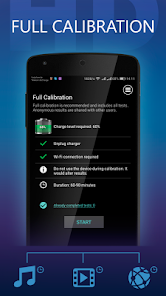
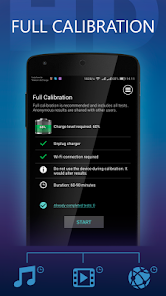
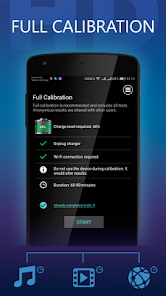
    Note 2 self: Confusing UI and statistics. Calibrating the phone need to be online, what's the real purpose for that? There is a bug where it always stop while calibrating video, saying it pause to long. It also turns my brightness all the way up. All I want is to see which apps used my battery that can't be detect by the phone battery usage. If I want to see my battery health, Accubattery is still the best, it show easy to understand statistic charts. Uninstalling.

Review Source: Google Play store public user reviews.

FAQ

1

Does Battery HD collect my personal data?

Battery HD prioritizes user privacy and does not collect personal data. It typically only accesses necessary information related to battery performance and usage.

2

Does Battery HD offer a free trial or free version?

Yes, Battery HD offers a free version with basic features, allowing users to test the app before deciding to purchase any premium features or subscriptions.

3

Does Battery HD require an internet connection?

No, Battery HD does not require an internet connection to function. It operates offline and provides real-time battery information without needing to connect to the internet.

4

How can I contact support or send feedback for Battery HD?

You can contact support or send feedback for Battery HD through the app's support section, or by visiting their official website where you can find contact details and submit inquiries.

5

How do I manage or cancel my Battery HD subscription?

You can manage or cancel your Battery HD subscription through your device's app store settings. For iOS, go to your Apple ID settings; for Android, visit the Google Play Store subscriptions section.

How to use Battery HD

1

How do I activate features in Battery HD?

If there are premium features, you may need to purchase them in-app. Open the app, navigate to the premium features section, and follow the prompts to activate.

2

How do I contact customer service for the Battery HD app?

You can reach customer service by visiting the app's website or through the support section in the app. Look for a contact form or email address for assistance.

3

How do I log in to my Battery HD account?

If the app requires an account, open the app and select the login option. Enter your registered email and password to access your account.

4

Is activation necessary for Battery HD?

Generally, Battery HD does not require activation. Simply download and install the app to start using it. Check the app information for any specific requirements.

5

What is the customer number for Battery HD support?

The customer number may vary based on your purchase or subscription. Check your app store receipt or the app's support page for specific contact details.

Editor's Choice