This site uses cookies to enhance your user experience. By clicking any link on this site you are giving your consent to our cookie policy. Read more
Reject
Accept All
Autodesk Fusion

Autodesk Fusion

verified Verified App

Developer: Autodesk Inc.

  • category

    Category: Productivity

  • price

    Price: free

  • age rating

    Age Rating: Everyone

  • rating

    Rating: 1.5

  • download

    Downloads: 1,000,000+

  • version

    Version: 2.9.3

Screenshot 1
Screenshot 2
Screenshot 3
Screenshot 4
Screenshot 5
Screenshot 6
Screenshot 7
Screenshot 8
Screenshot 9
Screenshot 10

Features & Highlights

Collaboration Features

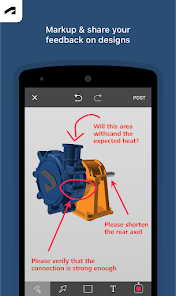
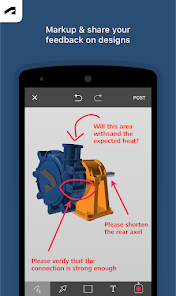
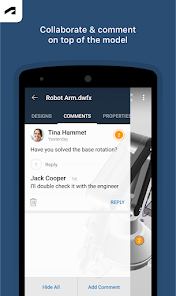
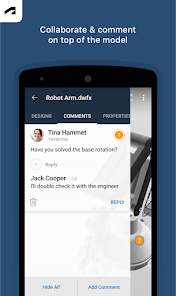
The collaboration features in Autodesk Fusion promote teamwork by allowing multiple users to work on the same project seamlessly. With cloud-based sharing, team members can comment and make changes in real-time, enhancing communication and streamlining the design workflow.

Comprehensive CAD Support

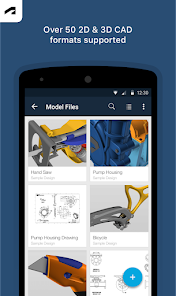
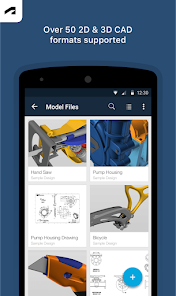
Autodesk Fusion supports a wide range of CAD file formats, making it easy to import and export designs. This flexibility ensures that users can integrate Fusion into their existing workflows regardless of the software they are currently using, enhancing overall productivity.

Integrated Simulation Tools

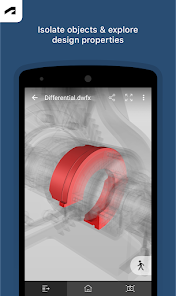
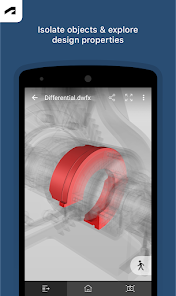
With integrated simulation tools, Autodesk Fusion enables users to test their designs under real-world conditions. This feature helps identify potential design flaws early in the process, saving time and resources while ensuring that products are optimized for performance and reliability.

Parametric Modeling

Autodesk Fusion offers robust parametric modeling capabilities, allowing users to create intricate designs that can be easily modified. By adjusting parameters, designers can see immediate updates, making it simple to explore variations and optimize their projects without starting from scratch.

Pros & Cons

Pros
  • Cloud-based collaboration enhances teamwork and accessibility.
  • Intuitive interface simplifies design processes for users.
  • Integrated simulation tools ensure effective product testing.
  • Extensive library accelerates design with ready-made components.
  • Cross-platform compatibility supports diverse workflows seamlessly.
Cons
  • Steep learning curve for beginners
  • Limited offline functionality may hinder access
  • Performance issues with large files and projects
  • Subscription costs can be expensive long-term

Real Experience Using Autodesk Fusion

Application Scenarios

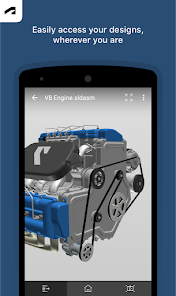
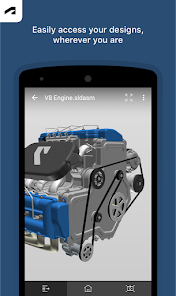
Autodesk Fusion is a versatile tool that caters to a wide array of design and engineering needs. It is particularly well-suited for product design and development, allowing users to create intricate 3D models and simulations with ease. Engineers and designers frequently utilize Fusion for creating prototypes that require both precision and creativity. The software excels in scenarios such as mechanical engineering, industrial design, and even architecture, making it a valuable asset for professionals across various fields. Moreover, its robust capabilities for collaboration enable teams to work seamlessly on projects, regardless of their geographic locations. Fusion's cloud-based functionality allows users to access their projects anytime, anywhere, enhancing productivity and flexibility.

User Experience

The user experience of Autodesk Fusion is largely positive, with its interface designed to be intuitive yet powerful. New users may initially find the learning curve steep, but the wealth of online resources, tutorials, and community forums greatly aids in overcoming this challenge. Once familiar with the software, users appreciate the fluidity and responsiveness of the tools, which facilitate a smooth design process. The integration of parametric modeling allows for easy adjustments and iterations, which is a significant advantage for those in fast-paced development environments. Furthermore, the ability to visualize designs through rendering and simulation features enhances the overall user experience, providing clarity and insight into the final product.

Pricing

Autodesk Fusion offers various pricing plans catering to different user needs, from individuals to larger enterprises. The subscription model is flexible, allowing users to choose between monthly, annual, or multi-year options. While the cost may be a consideration for some, many professionals find the investment worthwhile given the comprehensive features and continual updates. Additionally, Autodesk often provides discounts for students and educators, making it more accessible for those just starting their careers in design and engineering.

Updates & Support

Autodesk is committed to regularly updating Fusion to enhance its functionality and user experience. These updates often include new features, bug fixes, and performance improvements based on user feedback. The support system is well-structured, offering users access to extensive documentation, tutorials, and an active community forum. For those requiring more direct assistance, Autodesk provides customer support options, ensuring users can resolve any issues they encounter. Overall, the combination of continuous improvements and robust support makes Autodesk Fusion a reliable choice for professionals in the design and engineering sectors.

verified Security & Privacy Review

Autodesk Fusion places a strong emphasis on security and privacy, implementing robust measures to protect user data. The app uses encryption protocols to secure data both in transit and at rest, ensuring that sensitive information is safeguarded against unauthorized access. In terms of permissions, Autodesk Fusion requires access to device features that are essential for its functionality, such as storage for saving projects and camera access for capturing images. However, users have the option to manage these permissions, granting access only to what is necessary for their workflows. The app's privacy policy outlines how user data is collected, used, and shared. Autodesk commits to not selling personal information and provides transparency about data usage, allowing users to understand what data is collected and for what purposes. Additionally, users can request data deletion and review their privacy settings directly within the app. Overall, Autodesk Fusion demonstrates a commitment to maintaining high standards of data security and user privacy, making it a trustworthy choice for design professionals.

Reviews

1.5

“Intuitive interface makes design easy and efficient.”

“Powerful tools for 3D modeling and simulation.”

“Great for both beginners and experienced users.”

“Frequent updates improve functionality and user experience.”

“Excellent support resources and community engagement.”

Editor's Choice