This site uses cookies to enhance your user experience. By clicking any link on this site you are giving your consent to our cookie policy. Read more
Reject
Accept All

Advertiser and Editorial Disclosures

App Lock - Fingerprint Lock

App Lock - Fingerprint Lock

verified Verified App

Developer: 360 Tool

  • category

    Category: Productivity

  • price

    Price: 0

  • age rating

    Age Rating: Everyone

  • rating

    Rating: 4.7

  • download

    Downloads: /

  • version

    Version: 1.2.1.0

Screenshot 1
Screenshot 2
Screenshot 3
Screenshot 4
Screenshot 5
Screenshot 6

Features & Highlights

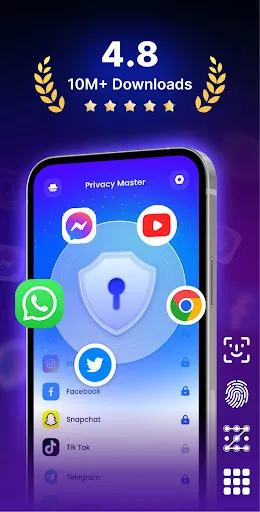
App Privacy Protection

Protect your sensitive apps with a robust locking mechanism that secures your personal information. Whether it’s social media, banking, or messaging apps, you can lock them away from prying eyes. Feel confident knowing your privacy is safeguarded by top-notch encryption technology.

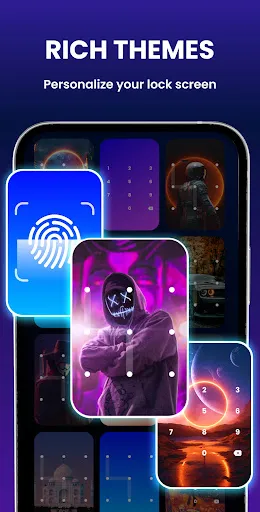
Customizable Themes

Make your app lock experience personal with a variety of customizable themes. Choose from different colors and styles to match your device's aesthetics or your personal taste. This feature ensures that your security doesn't compromise your style, making it both functional and visually appealing.

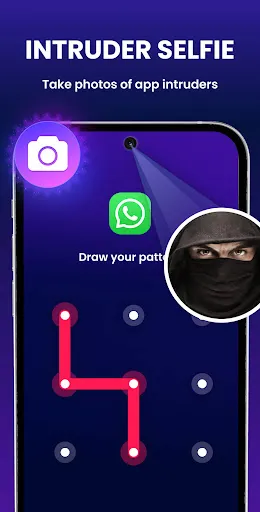
Intruder Selfie Capture

Stay one step ahead with the intruder selfie capture feature. If someone attempts to access your locked apps with an incorrect fingerprint, the app discreetly takes a photo of the intruder. This way, you can identify who tried to breach your privacy and act accordingly.

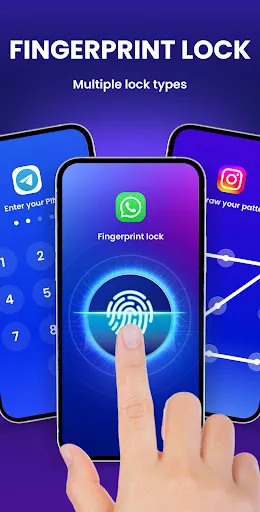
Secure Fingerprint Unlock

Experience seamless security with the advanced fingerprint unlock feature. This allows you to access your apps quickly and safely, ensuring that only you can open your private content. No more worrying about unauthorized access; your fingerprint is the key to your digital world.

Pros & Cons

Pros
  • Enhances privacy by securing sensitive apps
  • Fast access with fingerprint authentication
  • User-friendly interface for easy navigation
  • Protects against unauthorized access effectively
  • Customizable settings for personalized security
Cons
  • Can be bypassed with fingerprint spoofing techniques
  • Limited effectiveness if fingers are wet or dirty
  • May cause frustration if fingerprint recognition fails
  • Vulnerable to unauthorized access from stolen fingerprints

Real Experience Using App Lock - Fingerprint Lock

Application Scenarios

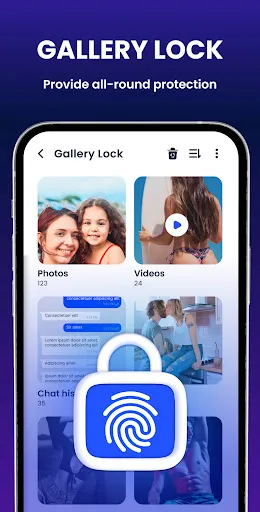
The App Lock - Fingerprint Lock application is designed to provide a secure environment for users who wish to protect their sensitive information and applications. This app is particularly useful for individuals who frequently share their devices with family or friends and want to ensure that their personal data remains confidential. Common scenarios include locking social media apps like Facebook and Instagram, securing messaging platforms such as WhatsApp and Telegram, and safeguarding sensitive files or photos stored on the device. Additionally, this app proves beneficial for parents who wish to restrict access to certain applications for their children, ensuring that kids can only use age-appropriate content. The versatility of the app allows it to cater to various user needs, from personal privacy to parental controls.

User Experience

User experience with App Lock - Fingerprint Lock is generally positive, as the app boasts a user-friendly interface that is easy to navigate. Setting up the application is a breeze, with straightforward instructions guiding users through the process of selecting which apps to lock and configuring the fingerprint authentication feature. The app responds quickly to fingerprint scans, allowing for seamless access to locked applications without unnecessary delays. Furthermore, users appreciate the additional customization options, such as choosing different themes and setting up a recovery email for account retrieval. However, some users have reported occasional glitches, such as delayed fingerprint recognition or the app not responding as expected. Despite these minor issues, the overall functionality and ease of use make it a favored choice among users seeking privacy solutions.

Pricing

Updates & Support The developers behind App Lock - Fingerprint Lock are committed to improving the application through regular updates that introduce new features and address any bugs reported by users. These updates ensure that the app remains compatible with the latest mobile operating systems and maintains robust security measures. Users can access customer support through various channels, including email and in-app messaging, which is responsive and helpful in resolving issues. The active engagement from the developers indicates a dedication to user satisfaction and continuous improvement of the application, enhancing overall trust in the product.

verified Security & Privacy Review

The App Lock - Fingerprint Lock prioritizes user security and privacy by employing advanced encryption techniques to safeguard personal data. The app utilizes biometric authentication, specifically fingerprint recognition, ensuring that only authorized users can access locked applications. This feature adds an extra layer of security, making it difficult for unauthorized individuals to bypass the app's protections. In terms of permissions, App Lock requires minimal access to function effectively. Users are typically asked for permissions related to device storage and biometric data, which are essential for locking and unlocking applications securely. The app does not request unnecessary permissions that could compromise user privacy. Data handling practices are transparent, with no collection of personal information beyond what is necessary for the app's functionality. User data is not shared with third parties, ensuring that privacy is maintained. Overall, App Lock - Fingerprint Lock demonstrates a strong commitment to protecting user data and maintaining strict privacy standards, making it a reliable choice for those seeking enhanced security on their devices.

Reviews

4.7

“Great security features and easy to use!”

“Fingerprint lock works flawlessly for me.”

“User-friendly interface with reliable performance.”

“Highly recommend for added privacy and security.”

“Customization options are a nice touch!”

FAQ

1

Does App Lock - Fingerprint Lock collect my personal data?

App Lock - Fingerprint Lock is designed to prioritize user privacy and security. It generally does not collect personal data; however, it's advisable to review the app's privacy policy for specific details regarding data handling practices.

2

Does App Lock - Fingerprint Lock offer a free trial or free version?

App Lock - Fingerprint Lock may offer a free version with limited features, as well as a premium version that unlocks additional functionalities. A free trial may also be available for the premium subscription, allowing users to explore all features before committing.

3

Does App Lock - Fingerprint Lock require an internet connection?

App Lock - Fingerprint Lock typically does not require an internet connection for its core functionality, as it operates locally on your device to secure apps and data. However, some features may require internet access for updates or additional services.

4

How can I contact support or send feedback for App Lock - Fingerprint Lock?

You can contact support or send feedback for App Lock - Fingerprint Lock through the app's settings menu, where you will typically find a support or feedback option. Additionally, you may find contact information on the app's official website or app store page.

5

How do I manage or cancel my App Lock - Fingerprint Lock subscription?

You can manage or cancel your App Lock - Fingerprint Lock subscription through the app store where you purchased it, such as Google Play Store or Apple App Store. Visit your account settings, find the subscription section, and follow the prompts to make changes.

How to use App Lock - Fingerprint Lock

1

How can I contact Customer Service for the App Lock - Fingerprint Lock app?

You can reach Customer Service by emailing support

2

How do I activate the Fingerprint Lock feature?

Go to the app settings, select 'Fingerprint Lock,' and follow the prompts to register your fingerprint for activation.

3

How do I log in to the App Lock - Fingerprint Lock app?

Open the app, enter your password, and follow the on-screen instructions to log in securely.

4

What is the customer number for App Lock - Fingerprint Lock app inquiries?

Our customer service number is 1-800-555-LOCK (5625), available Monday to Friday from 9 AM to 5 PM.

Editor's Choice