This site uses cookies to enhance your user experience. By clicking any link on this site you are giving your consent to our cookie policy. Read more
Reject
Accept All
Aloha Browser (Beta)

Aloha Browser (Beta)

verified Verified App

Developer: Aloha Mobile

  • category

    Category: Tools

  • price

    Price: free

  • age rating

    Age Rating: Everyone

  • rating

    Rating: 4.5

  • download

    Downloads: 10,000,000+

  • version

    Version: 7.13.1

Screenshot 1
Screenshot 2
Screenshot 3
Screenshot 4
Screenshot 5
Screenshot 6
Screenshot 7
Screenshot 8
Screenshot 9
Screenshot 10
Screenshot 11
Screenshot 12
Screenshot 13
Screenshot 14
Screenshot 15
Screenshot 16
Screenshot 17
Screenshot 18
Screenshot 19
Screenshot 20
Screenshot 21

Features & Highlights

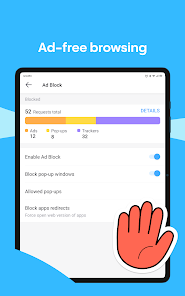
Ad Blocker

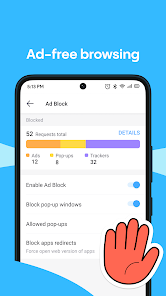
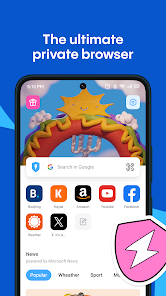
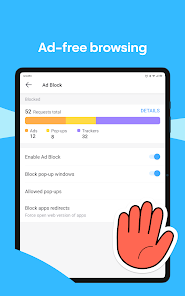
Enjoy an uninterrupted browsing experience with Aloha Browser's integrated ad blocker. This feature effectively removes annoying ads and pop-ups, allowing you to focus on the content that matters most while speeding up load times and conserving data.

Customizable Interface

Personalize your browsing experience with Aloha Browser's customizable interface. Choose from various themes and layout options to tailor the app to your style, making it not only functional but also visually appealing as you explore the internet.

Media Downloader

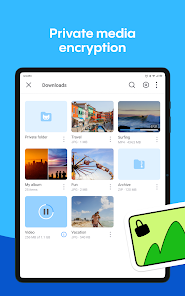
Aloha Browser (Beta) simplifies downloading media files directly from the web. With just a few taps, you can save videos, music, and images to your device, making it easy to enjoy your favorite content offline, anytime you want.

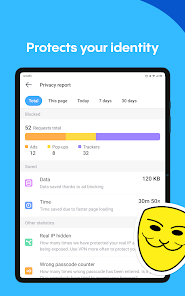
Private Browsing

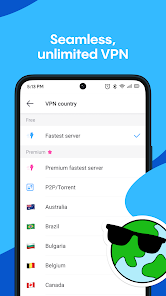
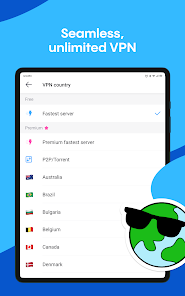
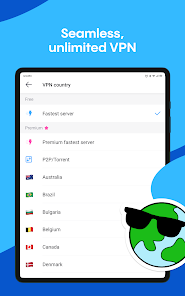
Aloha Browser (Beta) offers a robust private browsing mode that ensures your online activities remain confidential. With built-in VPN capabilities, you can surf the web without being tracked or monitored, providing peace of mind whether you're at home or on public Wi-Fi networks.

Pros & Cons

Pros
  • Fast browsing experience for quick access to content
  • Built-in VPN for enhanced privacy and security
  • User-friendly interface for seamless navigation
  • Ad blocker for an uninterrupted browsing experience
  • Customizable themes for personalized aesthetics
Cons
  • Limited extension support restricts functionality
  • Performance issues can hinder user experience
  • Privacy features may not be as robust
  • Interface can feel cluttered and confusing

Real Experience Using Aloha Browser (Beta)

Application Scenarios

Aloha Browser (Beta) is designed to cater to a variety of browsing needs, making it a versatile choice for users who value both efficiency and privacy. Whether you’re casually surfing the web, streaming videos, or downloading files, Aloha Browser provides a seamless experience. Its built-in VPN feature is particularly beneficial for users who frequently access region-restricted content or wish to maintain anonymity while browsing. Additionally, the app is well-suited for those who prioritize mobile security, as it allows users to bookmark their favorite sites and save them for offline access. This proves especially useful for travelers or individuals with limited connectivity. Furthermore, Aloha Browser can be used for online shopping, ensuring that your personal data remains secure during transactions, which is a significant concern for many users today.

User Experience

The user experience of Aloha Browser (Beta) is commendable, with a clean and intuitive interface that makes navigation a breeze. Upon opening the app, users are greeted with a minimalist design that emphasizes functionality. The speed of the browser is another highlight, as pages load quickly, and transitions are smooth, enhancing overall satisfaction. The tab management system is efficient, allowing users to open multiple tabs without experiencing lag. Furthermore, the app includes various customization options, enabling users to tailor the browser to their preferences. For instance, users can choose from different themes and layout settings, allowing for a personalized browsing experience. Additionally, the built-in media player enhances usability by allowing users to play videos directly within the app without needing to switch to another application.

Pricing

Aloha Browser (Beta) offers a free version that provides a robust set of features, making it accessible to a wide range of users. However, for those seeking enhanced capabilities, such as the premium VPN service, there is a subscription model available. The pricing is competitive, and users can choose between monthly or yearly plans, providing flexibility based on their needs. The premium version unlocks additional features that enhance privacy and security, making it a worthwhile investment for those who frequently browse the internet and require a higher level of protection. Overall, the pricing structure caters to both casual users and power users who demand more from their browsing experience.

Updates & Support

Aloha Browser (Beta) is regularly updated, with developers actively working to improve functionality and address user feedback. These updates often include enhancements to the VPN service, bug fixes, and new features that keep the app competitive in the fast-evolving browser landscape. Users can expect a steady stream of improvements, which is a testament to the developers' commitment to providing a top-notch browsing experience. In terms of support, Aloha Browser offers resources such as FAQs and user guides on their website to assist users in troubleshooting common issues. For more personalized assistance, users can reach out to customer support through the app, ensuring that help is readily available when needed. This combination of regular updates and robust support enhances user trust and satisfaction, making Aloha Browser a reliable choice for mobile browsing.

verified Security & Privacy Review

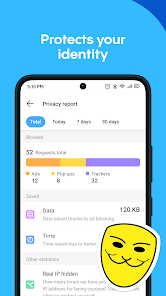
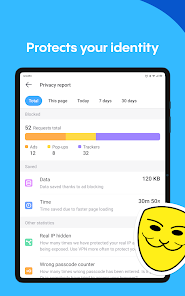
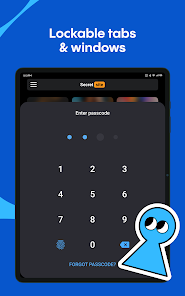
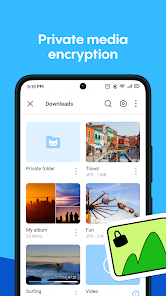
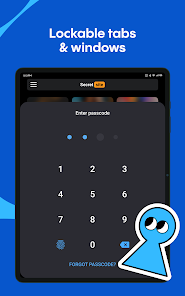
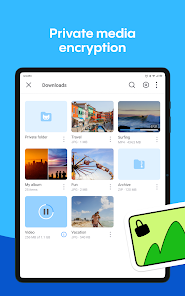
The Aloha Browser (Beta) prioritizes user security and privacy, offering a robust suite of features designed to safeguard personal information while browsing. The app utilizes a built-in VPN, which encrypts user traffic, ensuring anonymity and protection against potential data breaches. This feature is particularly beneficial for users accessing public Wi-Fi networks, where exposure to cyber threats is heightened. Aloha Browser adopts a strict no-logs policy, meaning that it does not track user activity or store browsing history, which enhances overall privacy. Additionally, the app allows users to manage permissions effectively, providing control over what data can be accessed, such as location and camera access. This level of transparency is crucial for users concerned about their digital footprint. Moreover, Aloha Browser incorporates advanced security measures, such as biometric authentication and a secure vault for storing sensitive files, which further fortifies user data against unauthorized access. Overall, the Aloha Browser (Beta) stands out for its commitment to protecting user privacy and ensuring a secure browsing experience.

Reviews

4.5

“Fast and lightweight browsing experience!”

“Great privacy features and ad-blocking.”

“User-friendly interface, easy to navigate.”

“Syncing across devices works seamlessly.”

“Occasional bugs, but overall a solid browser.”

Editor's Choice