This site uses cookies to enhance your user experience. By clicking any link on this site you are giving your consent to our cookie policy. Read more
Reject
Accept All
AirDroid Cast-screen mirroring

AirDroid Cast-screen mirroring

verified Verified App

Developer: SAND STUDIO

  • category

    Category: Tools

  • price

    Price: free

  • age rating

    Age Rating: Everyone

  • rating

    Rating: 3.8

  • download

    Downloads: 1,000,000+

  • version

    Version: 1.1.7.2

Screenshot 1
Screenshot 2
Screenshot 3
Screenshot 4
Screenshot 5
Screenshot 6
Screenshot 7
Screenshot 8

Features & Highlights

Cross-Platform Compatibility

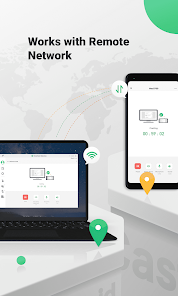
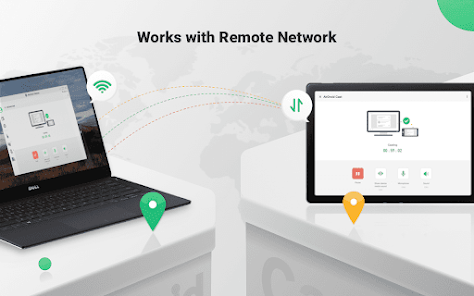
AirDroid Cast supports a wide range of devices, enabling you to mirror screens from Android, iOS, Windows, and Mac seamlessly. This cross-platform capability ensures that no matter what device you're using, you can easily connect and share your content without any hassle.

Real-Time Screen Mirroring

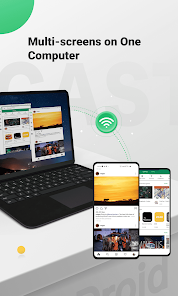
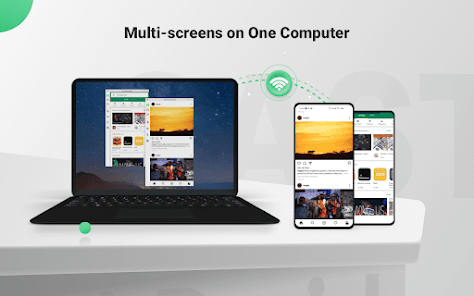
Experience seamless real-time screen mirroring with AirDroid Cast, allowing you to share your mobile or PC screen to larger displays effortlessly. This feature ensures that your presentations, videos, or games are displayed without lag, making it perfect for both work and entertainment purposes.

Remote Control Functionality

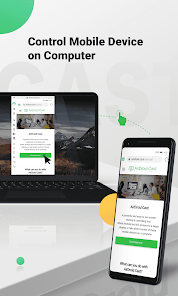
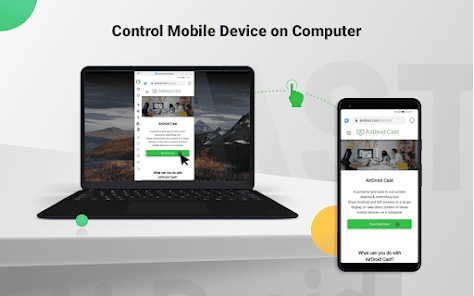
Take control of your devices remotely with AirDroid Cast's intuitive control feature. You can manage your mobile apps directly from your PC, making it easier to navigate, respond to messages, and even play games, all while enjoying the big screen experience.

User-Friendly Interface

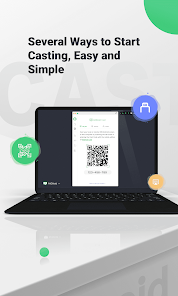
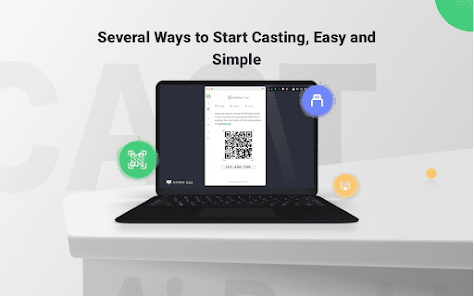
Designed with simplicity in mind, AirDroid Cast offers an easy-to-navigate interface that makes screen mirroring accessible for everyone. Whether you're a tech novice or a seasoned pro, you’ll find it simple to connect devices and start mirroring in just a few clicks.

Pros & Cons

Pros
  • Effortless screen sharing across multiple devices
  • High-definition streaming for clear visuals
  • Supports various platforms for flexibility
  • User-friendly interface for easy navigation
  • Real-time mirroring for seamless interactions
Cons
  • Limited compatibility with certain devices and platforms
  • Potential lag during screen mirroring sessions
  • Requires a stable internet connection to function
  • May have privacy concerns with data transmission

Real Experience Using AirDroid Cast-screen mirroring

Application Scenarios

AirDroid Cast is an incredibly versatile tool designed for various scenarios, making it ideal for both personal and professional use. For educators, it provides a seamless way to project presentations and educational content directly from their devices to larger screens, facilitating better interaction in classrooms. In corporate settings, professionals can mirror their devices during meetings, showcasing reports, charts, or any relevant data without the hassle of complicated setups. Additionally, gamers will appreciate the ability to stream their mobile gameplay to a bigger screen, creating an immersive experience that is more engaging for both the player and the audience. Social media enthusiasts can also benefit by sharing photos and videos during gatherings, enhancing the communal experience of content sharing. With its user-friendly interface and robust connectivity options, AirDroid Cast proves to be a valuable tool across various application scenarios.

User Experience

Users report a generally positive experience with AirDroid Cast, highlighting its intuitive interface and ease of use. The setup process is straightforward, requiring minimal technical knowledge, which is particularly beneficial for those unfamiliar with screen mirroring technology. Users can quickly connect their devices via Wi-Fi or USB, ensuring a stable connection and high-quality streaming. The application supports multiple platforms, including Android, iOS, Windows, and Mac, ensuring compatibility with a wide range of devices. Many users appreciate the mirror quality, which maintains clarity and responsiveness, crucial for presentations and gaming. However, some users have mentioned occasional lag or connectivity issues, particularly when using Wi-Fi. Overall, the user experience is enhanced by its simple navigation and effective performance, making it an appealing choice for those in need of a reliable mirroring solution.

Pricing

AirDroid Cast offers a free version, which provides basic mirroring features, perfect for casual users or those wanting to test the app's capabilities. For more advanced functionalities, such as higher resolution streaming and additional device compatibility, users can opt for a premium subscription. The pricing model is competitive compared to other screen mirroring applications, providing good value for the features offered. The premium version often includes benefits like ad-free usage, priority customer support, and regular updates, making it a worthwhile investment for frequent users. Overall, the pricing structure caters to a wide audience, ensuring both casual and professional users can find a suitable option.

Updates & Support

AirDroid Cast’s development team is committed to providing regular updates, ensuring that the app remains compatible with the latest devices and operating systems. Users have noted that these updates often include new features and performance improvements, addressing common issues and enhancing overall functionality. Support is readily available through various channels, including an online help center, user forums, and direct customer service options. The responsiveness of the support team has been praised by users, particularly when dealing with technical difficulties or inquiries. This dedication to customer satisfaction and continuous improvement solidifies AirDroid Cast as a reliable choice for anyone seeking screen mirroring solutions.

verified Security & Privacy Review

AirDroid Cast-screen mirroring prioritizes user security and privacy, implementing strong measures to safeguard data during screen mirroring sessions. The app uses encryption protocols to protect data transmitted over the network, ensuring that user information remains confidential and secure from unauthorized access. Regarding permissions, AirDroid Cast requires access to your device's storage and network connections, which are essential for its functionality. Users are informed about these permissions upfront, allowing for informed consent. The app adheres to privacy practices by minimizing data collection and focusing on essential functionalities. User data is not stored on external servers, reducing the risk of data breaches. The app also provides a user-friendly interface for managing permissions, enabling users to make adjustments as needed easily. Overall, AirDroid Cast demonstrates a commitment to protecting user privacy while delivering a reliable screen mirroring experience, making it a trustworthy choice for those concerned about data security.

Reviews

3.8

“Easy to use and set up for screen mirroring”

“Great performance with minimal lag during streaming”

“User-friendly interface makes casting a breeze”

“Reliable connection; works well with multiple devices”

“Excellent quality for presentations and video sharing”

Editor's Choice