This site uses cookies to enhance your user experience. By clicking any link on this site you are giving your consent to our cookie policy. Read more
Reject
Accept All

Advertiser and Editorial Disclosures

AI Voice Translator: Translate

AI Voice Translator: Translate

verified Verified App

Developer: AVIRISE LIMITED

  • category

    Category: Tools

  • price

    Price: free

  • age rating

    Age Rating: Everyone

  • rating

    Rating: 4.5

  • download

    Downloads: 10,000,000+

  • version

    Version: 3.6.8

Screenshot 1
Screenshot 2
Screenshot 3
Screenshot 4
Screenshot 5
Screenshot 6
Screenshot 7

Features & Highlights

Instant Voice Translation

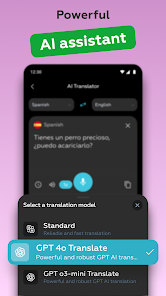
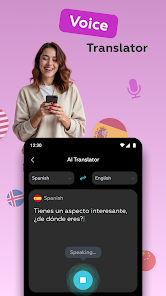
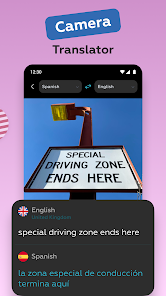
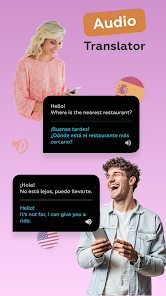
With AI Voice Translator: Translate, you can communicate effortlessly across language barriers. The app provides real-time voice translation, ensuring that your conversations flow naturally without the need for cumbersome text input or lengthy pauses.

Multi-Language Support

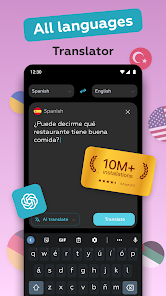
This app boasts an extensive library of languages, allowing you to translate over 100 languages instantly. Whether you're traveling abroad or connecting with friends from different cultures, you can easily switch between languages and engage in meaningful conversations.

Offline Mode

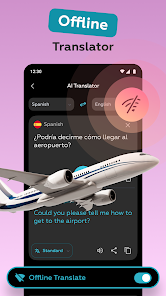
AI Voice Translator: Translate offers an offline mode, allowing you to translate languages without needing an internet connection. This is particularly useful when you're in remote areas or traveling abroad, ensuring you stay connected no matter where you are.

User-Friendly Interface

Designed with simplicity in mind, the app features an intuitive interface that makes navigation a breeze. Even if you're not tech-savvy, you'll find it easy to access translation features and start communicating without any hassle.

Pros & Cons

Pros
  • Instant translations enhance communication across language barriers
  • User-friendly interface makes it accessible for everyone
  • Supports multiple languages for diverse global interactions
  • Real-time voice translation facilitates seamless conversations
  • Improves travel experiences with quick language assistance
Cons
  • Limited context understanding can lead to inaccurate translations.
  • Some languages may have insufficient support, affecting translation quality.
  • Reliance on technology can hinder interpersonal communication skills and cultural nuances.

Real Experience Using AI Voice Translator: Translate

Application Scenarios

The AI Voice Translator: Translate app is designed to cater to a variety of scenarios where effective communication across language barriers is essential. Whether you are traveling abroad, attending international conferences, or simply engaging in conversations with non-English speakers, this app serves as a reliable tool to facilitate seamless dialogue. Tourists can use it to ask for directions, order food, or interact with locals without the stress of miscommunication. Business professionals can rely on it to conduct meetings with overseas clients or partners, ensuring that language differences do not hinder their negotiations. Additionally, students learning new languages can practice pronunciation and comprehension by conversing with the app, making it a versatile tool for both casual users and language learners alike.

User Experience

The user experience of AI Voice Translator: Translate is intuitive and user-friendly. Upon launching the app, users are greeted with a clean interface that makes navigation straightforward. The voice recognition feature is impressively accurate, allowing users to speak naturally without needing to adjust their tone or speed. The app quickly processes the spoken input and delivers translations in real-time, which is particularly useful in fast-paced conversations. Users have praised the app's ability to handle multiple languages, making it a valuable resource for multilingual interactions. Furthermore, the option to save frequently used phrases and access them quickly enhances the overall experience, allowing users to communicate more effectively and efficiently.

Pricing

The AI Voice Translator: Translate app offers a competitive pricing structure, making it accessible to a wide range of users. The app is available for free with basic features, allowing users to explore its capabilities without any financial commitment. For those who require more advanced functionalities, such as offline translation and additional language packs, a subscription plan is available at a reasonable monthly or annual fee. This tiered pricing model ensures that users can select a plan that best fits their needs, whether they are casual travelers or frequent business communicators. The value provided by the premium features justifies the cost, given the convenience and efficiency the app brings to language translation.

Updates & Support

The developers of AI Voice Translator: Translate are committed to providing regular updates to enhance the app's performance and user experience. Frequent updates include improvements to voice recognition accuracy, the addition of new languages, and enhancements to the user interface based on user feedback. Furthermore, the app provides a comprehensive support system, including a detailed FAQ section, user guides, and customer service options for troubleshooting. Users have reported prompt responses to their inquiries, demonstrating the developers' dedication to maintaining user satisfaction. Overall, the combination of ongoing updates and responsive support ensures that AI Voice Translator: Translate remains a reliable tool for effective communication across languages.

verified Security & Privacy Review

The AI Voice Translator: Translate app takes user security and privacy seriously. The app employs end-to-end encryption for all voice and text translations, ensuring that sensitive information remains confidential during transmission. User data is not stored on servers longer than necessary, as the app is designed to process translations in real-time, minimizing the risk of data breaches. When it comes to permissions, the app requires access to the device's microphone for voice input and may request location services to provide localized translations. Users are informed about these permissions upfront and can choose to grant or deny them based on their comfort level. The app adheres to strict privacy policies that comply with relevant data protection regulations, such as GDPR. Additionally, the AI Voice Translator does not share personal information with third-party advertisers, ensuring a more secure user experience. Regular updates are implemented to address any potential vulnerabilities, reinforcing the app's commitment to maintaining a secure environment for its users. Overall, the app prioritizes user privacy while delivering efficient translation services.

Reviews

4.5

“Accurate translations in real-time conversations.”

“User-friendly interface and quick responses.”

“Great for travel, very helpful!”

“Voice recognition works surprisingly well.”

“Supports multiple languages effortlessly.”

FAQ

1

Can I submit suggestions or feedback to AI Voice Translator: Translate?

Yes, users are encouraged to submit suggestions or feedback through the app’s feedback feature or by contacting customer support via their official website or social media channels.

2

Does AI Voice Translator: Translate collect my personal data?

AI Voice Translator: Translate may collect certain personal data to enhance user experience and improve services, but it adheres to privacy policies to protect user information.

3

Does AI Voice Translator: Translate support offline use?

Yes, AI Voice Translator: Translate offers offline translation capabilities, allowing users to download specific language packs for use without an internet connection.

4

How do I cancel my AI Voice Translator: Translate subscription?

To cancel your subscription, you can go to your account settings within the app or the app store from which you downloaded it, and follow the cancellation instructions provided.

5

How much does a subscription to AI Voice Translator: Translate cost?

Subscription costs for AI Voice Translator: Translate vary based on the plan chosen, typically offering monthly and yearly options with different pricing tiers for premium features.

How to use AI Voice Translator: Translate

1

Can I update my customer number after creating my account?

No, customer numbers are permanent once created. If you need help, contact customer service for further assistance.

2

How can I contact customer service for my AI Voice Translator account?

You can reach customer service by using the support option in the app or visiting our website for chat and email options.

3

How do I log in if I have two-factor authentication enabled?

If you have two-factor authentication, enter your password and then input the code sent to your registered device to log in.

4

How do I log in to my AI Voice Translator account?

To log in, open the app and enter your registered email and password. If you have trouble, try resetting your password.

5

How do I reach customer service if I have activation issues?

For activation issues, please contact customer service through the app or website, and they will guide you through the process.

Editor's Choice