This site uses cookies to enhance your user experience. By clicking any link on this site you are giving your consent to our cookie policy. Read more
Reject
Accept All

Advertiser and Editorial Disclosures

ADT Pulse ®

ADT Pulse ®

verified Verified App

Developer: ADT LLC

  • category

    Category: Lifestyle

  • price

    Price: free

  • age rating

    Age Rating: Everyone

  • rating

    Rating: 4.6

  • download

    Downloads: 1,000,000+

  • version

    Version: 12.3.0

Screenshot 1
Screenshot 2
Screenshot 3
Screenshot 4
Screenshot 5
Screenshot 6
Screenshot 7
Screenshot 8
Screenshot 9
Screenshot 10
Screenshot 11
Screenshot 12
Screenshot 13
Screenshot 14

Features & Highlights

Energy Management

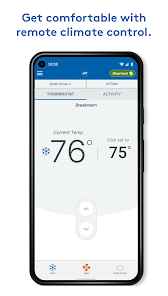
Save on energy costs with ADT Pulse ®'s energy management features. You can monitor energy usage and automate settings for lights and thermostats, ensuring your home is not only secure but also efficient, helping you reduce your carbon footprint.

Real-Time Alerts

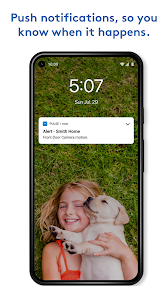
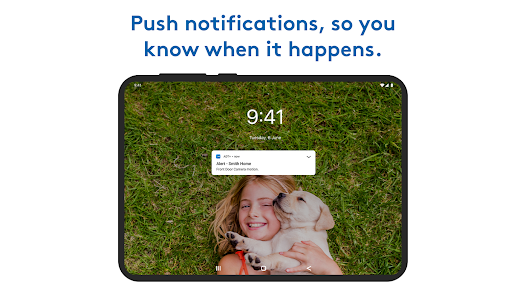
Stay informed with real-time alerts sent directly to your device. Whether it's a door opening, motion detected, or any unusual activity, you’ll receive immediate notifications, allowing you to respond swiftly and keep your home secure.

Remote Home Control

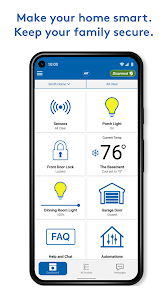
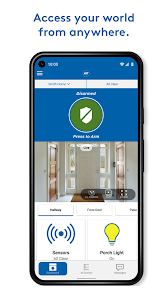
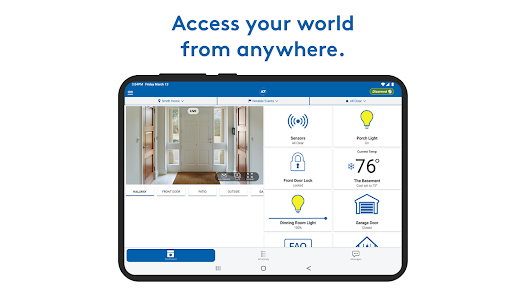
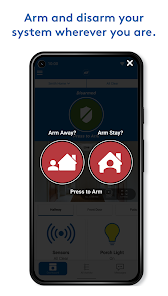
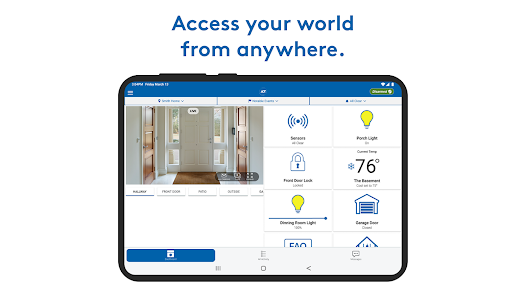
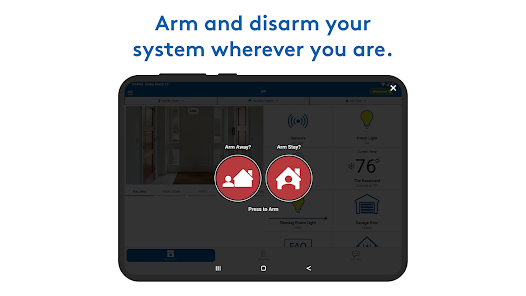
With ADT Pulse ®, you can manage and control your home from anywhere using your smartphone or tablet. Whether it's adjusting your thermostat, turning lights on or off, or locking doors, everything is just a tap away, giving you peace of mind while you're away.

Video Monitoring

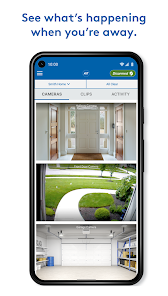
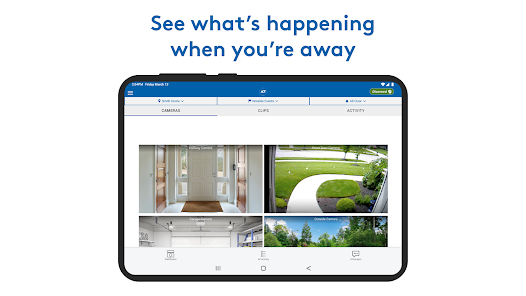
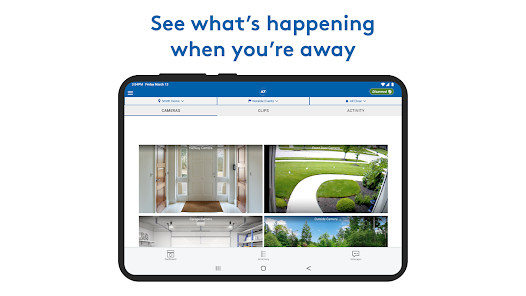
ADT Pulse ® offers live video feeds and recorded clips from your security cameras, so you can monitor your property in real-time. This feature ensures that you never miss a moment, whether you're checking in on pets or verifying the arrival of a family member.

Pros & Cons

Pros
  • ADT Pulse® offers remote access to your security system anytime, anywhere.
  • Enjoy real-time alerts for any security breaches or unusual activity.
  • Control smart home devices seamlessly through a single user-friendly app.
  • Integration with security cameras allows for instant video monitoring and recording.
  • Professional monitoring ensures rapid emergency response for your safety.
Cons
  • Limited compatibility with third-party smart home devices may restrict functionality.
  • High monthly fees can add up over time, impacting budget.
  • Complex setup process may deter users unfamiliar with technology.

Real Experience Using ADT Pulse ®

Application Scenarios

ADT Pulse® is designed to provide a comprehensive home security and automation solution, making it suitable for various scenarios. Homeowners can use this app to monitor their property in real-time, receive alerts about unusual activity, and control their security systems remotely. Whether you are on vacation or at work, ADT Pulse® allows you to keep an eye on your home through live video feeds and notifications, ensuring peace of mind. Additionally, the app integrates with smart home devices, enabling users to manage lighting, climate control, and even appliances. This versatility makes it ideal not only for residential security but also for managing energy consumption efficiently.

User Experience

The user experience of ADT Pulse® is generally positive, with an intuitive interface that facilitates easy navigation. Users can quickly access key features such as live video feeds, alarm settings, and home automation controls. The app's design is clean and organized, allowing even less tech-savvy individuals to feel comfortable while using it. However, some users have reported occasional glitches, such as delays in video streaming or difficulty in connecting to devices. Despite these minor setbacks, the overall functionality remains robust, and many users appreciate the ability to customize their settings for notifications and alerts, making it a tailored experience for each individual.

Pricing

ADT Pulse® operates on a subscription-based pricing model, which can vary based on the level of security services and smart home integrations chosen by the user. Monthly plans typically start at a competitive rate, including essential monitoring services and mobile access. However, as users add more features, such as additional cameras or specialized security devices, the pricing can increase. While some may find the costs higher than standard security systems, many users justify the investment due to the advanced technology and comprehensive service provided by ADT, which includes professional monitoring and support.

Updates & Support

ADT continuously updates the Pulse® app to enhance performance and add new features. Users can expect regular software updates that improve functionality and security. The support team is generally responsive, offering assistance through various channels, including phone, email, and live chat. However, some users have expressed frustration with wait times during peak hours. Overall, the combination of consistent updates and a dedicated support team ensures that users have the resources they need to optimize their experience with ADT Pulse®, making it a reliable choice for home security and automation.

verified Security & Privacy Review

The ADT Pulse ® app prioritizes user security and privacy, implementing robust measures to protect sensitive information. The app employs end-to-end encryption for data transmission, ensuring that user commands and surveillance feeds are securely handled. ADT's commitment to privacy is reflected in its transparent data handling practices, which clearly outline how user information is collected, used, and shared. When installing the app, users are required to grant specific permissions, including access to location, camera, and storage. These permissions are necessary for the app's functionality, such as remote monitoring and notifications. However, users should be aware of the permissions they are granting and adjust settings as needed to maintain control over their data. ADT Pulse ® adheres to industry standards for data security and privacy regulations, providing users with peace of mind. Regular updates further enhance security features, addressing potential vulnerabilities promptly. Overall, the app demonstrates a strong commitment to protecting user data while offering comprehensive home management capabilities.

Reviews

4.6

“Easy to use and set up.”

“Great customer service experience!”

“Reliable monitoring, peace of mind.”

“Mobile app needs improvement, sometimes slow.”

“Excellent features, worth the investment.”

FAQ

1

Can I submit suggestions or feedback to ADT Pulse ®?

Yes, users can submit suggestions or feedback through the app or by contacting ADT customer support to help improve the service.

2

Does ADT Pulse ® collect my personal data?

Yes, ADT Pulse ® collects certain personal data to provide services and improve user experience, but it adheres to privacy regulations to protect user information.

3

Does ADT Pulse ® support offline use?

ADT Pulse ® primarily requires an internet connection to function, and offline use is limited since most features rely on cloud connectivity.

4

How do I cancel my ADT Pulse ® subscription?

To cancel your ADT Pulse ® subscription, you can contact ADT customer service directly or manage your account through the ADT website or app settings.

5

How much does a subscription to ADT Pulse ® cost?

Subscription costs for ADT Pulse ® vary based on the specific services and features chosen, so it's best to check with ADT for the latest pricing information.

How to use ADT Pulse ®

1

Can I change my customer number?

Customer numbers cannot be changed. If you have concerns, please contact customer service for further assistance.

2

How can I contact customer service for ADT Pulse?

You can reach customer service by calling the number provided on your account statement or visiting the ADT website for live chat options.

3

How can I reset my password if I can't log in?

Use the "Forgot Password" link on the login page to receive a reset link via email. If needed, contact customer service for further assistance.

4

How do I activate my ADT Pulse account?

To activate your account, follow the instructions in the activation email you received or contact customer service for help.

5

How do I log in to my ADT Pulse account?

To log in, visit the ADT Pulse website, enter your email and password, and click 'Log In.'

Editor's Choice