This site uses cookies to enhance your user experience. By clicking any link on this site you are giving your consent to our cookie policy. Read more
Reject
Accept All
2FA Authenticator (2FAS)

2FA Authenticator (2FAS)

verified Verified App

Developer: 2FAS

  • category

    Category: Tools

  • price

    Price: free

  • age rating

    Age Rating: Everyone

  • rating

    Rating: 4.3

  • download

    Downloads: 5,000,000+

  • version

    Version: 5.5.2

Screenshot 1
Screenshot 2
Screenshot 3
Screenshot 4
Screenshot 5
Screenshot 6
Screenshot 7
Screenshot 8
Screenshot 9
Screenshot 10

Features & Highlights

Backup Codes Generation

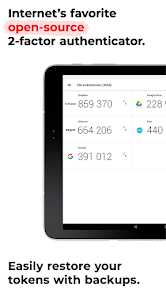
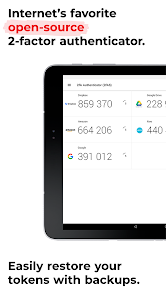
2FAS provides users with the option to generate backup codes, which can be crucial in case you lose access to your primary authentication method. This feature adds an extra layer of security and peace of mind, knowing you have a fallback when needed.

Customizable Notifications

The app allows you to customize notifications based on your preferences, so you can stay informed about your account security without unnecessary distractions. This flexibility helps you manage your security alerts in a way that fits your lifestyle.

Secure Multi-Platform Support

2FAS is designed to work seamlessly across various platforms, including iOS, Android, and web browsers. This ensures that you can access your accounts securely from any device, making it a versatile choice for users who are always on the go.

User-Friendly Interface

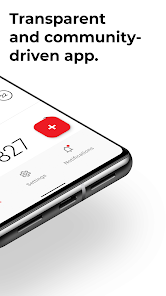
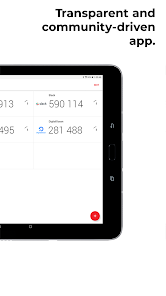
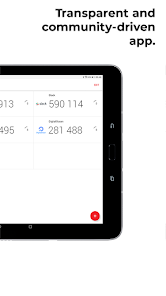
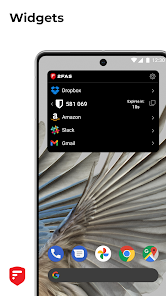
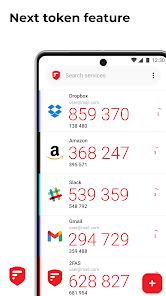
Navigating through 2FAS is a breeze, thanks to its intuitive design. Even those new to two-factor authentication will find it easy to set up and use, allowing for a smooth transition to enhanced security without the usual technical headaches.

Pros & Cons

Pros
  • Enhances security with an extra verification layer
  • Protects against unauthorized access and hacking attempts
  • User-friendly interface for easy setup and use
  • Works offline, ensuring accessibility anytime, anywhere
  • Supports multiple accounts for convenient management
Cons
  • Requires a second device for access
  • Can be complicated for non-tech users
  • May lead to lockout if device is lost
  • Vulnerable to phishing attacks despite added security

Real Experience Using 2FA Authenticator (2FAS)

Application Scenarios

The 2FA Authenticator (2FAS) app serves as an essential tool for enhancing the security of various online accounts. Users ranging from individuals seeking personal security to businesses requiring robust protection for sensitive data can benefit from this application. In an age where cyber threats are rampant, the necessity for two-factor authentication (2FA) cannot be overstated. Whether it is for social media platforms, banking apps, or corporate portals, 2FAS seamlessly integrates into the login process, providing an extra layer of security. Users can easily set up 2FA for their accounts by linking them to the app, allowing for time-based one-time passwords (TOTPs) that are generated in real-time. This flexibility makes it ideal for everyday users and professionals alike.

User Experience

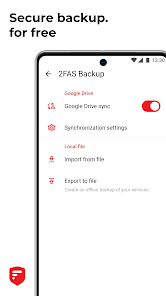
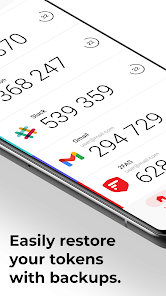
The user experience of the 2FA Authenticator app is commendable, characterized by its intuitive interface and straightforward navigation. Upon launching the app, users are greeted with a clean and organized layout that simplifies the process of adding accounts. The app supports multiple authentication methods, including QR code scanning and manual entry, catering to a wide range of users' preferences. Notifications for new authentication requests are timely and unobtrusive, ensuring users can respond without disruption. Furthermore, the app also features a backup and recovery option, alleviating concerns regarding lost access to accounts due to device changes or failures. Overall, the user experience is designed to be efficient and user-friendly, making it accessible for both tech-savvy individuals and those new to 2FA.

Pricing

2FA Authenticator (2FAS) adopts a competitive pricing structure that makes it accessible to a wide audience. The app is free to download and offers a robust range of features without any upfront costs. For users seeking advanced functionalities or additional support, there are premium subscription options available at reasonable rates. These premium features may include enhanced security protocols and priority customer support. The combination of a free base version and optional premium upgrades allows users to tailor their experience according to their needs and budget, making it an attractive choice for anyone looking to improve their online security.

Updates & Support

Regular updates are crucial for any security application, and 2FA Authenticator excels in this regard. The development team consistently rolls out updates to enhance features, improve user experience, and address any security vulnerabilities. Users can easily install updates through their respective app stores, ensuring that they always have access to the latest version. In terms of support, 2FAS offers a comprehensive help center, complete with FAQs and troubleshooting guides. Should users require further assistance, they can access customer support through various channels, ensuring that help is readily available. This commitment to regular updates and robust support underscores the app's reliability and dedication to user security.

verified Security & Privacy Review

The 2FA Authenticator (2FAS) app prioritizes user security and privacy by implementing robust encryption methods to safeguard sensitive data. The app generates time-based one-time passwords (TOTPs) locally on the device, ensuring that authentication codes are never transmitted over the internet, thereby reducing exposure to potential cyber threats. In terms of privacy practices, 2FAS does not collect personal information or require unnecessary permissions, which minimizes the risk of data leaks. Users have full control over their data, with no reliance on cloud storage or third-party servers, further enhancing privacy. The app operates offline, meaning that all authentication processes happen without needing an internet connection, which adds an additional layer of security. Moreover, 2FAS adheres to industry standards for data protection, ensuring compliance with regulations regarding user privacy. With its user-centric design, the app empowers individuals to manage their two-factor authentication needs without compromising their personal data, making it a reliable choice for those seeking enhanced security in their digital lives.

Reviews

4.3

“User-friendly and reliable two-factor authentication solution!”

“Great performance, easy setup and use.”

“Highly secure, feels safe using it.”

“Seamless integration with multiple accounts.”

“Best 2FA app I've tried so far!”

Editor's Choice