
 Home
Home  Apps
Apps  Games
Games  Windows
  Topics
  Terms of Service
  Cookies & Privacy Policy
  About us
 Pencil Sketch Photo Editor vs Snapseed : Which One Should You Choose?
Sketch Drawing Photo Editor is a versatile app that allows users to create and modify images with sketching tools and filters. Snapseed, on the other hand, is a comprehensive photo editing app that offers advanced editing features and enhancements. The main difference lies in their focus: Sketch emphasizes drawing, while Snapseed prioritizes photo enhancement and editing.
Quick Verdict
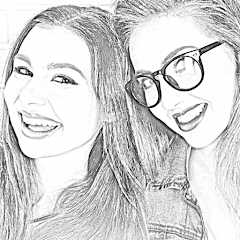
Pencil Sketch Photo Editor
 4.6
4.6 Transform your photos into stunning pencil sketches effortlessly, perfect for artists and creative enthusiasts.
View Details
Snapseed
3.6 Snapseed is a powerful photo editing app for enthusiasts seeking professional-quality adjustments and creative filters.
View DetailsFeature Comparison
| App Name | Pencil Sketch Photo Editor | Snapseed |
|---|---|---|
| App Type | Photo Editing | Photo Editing |
| Limitations | Limited features in free version, ads present, requires internet for some features | Limited export options, no batch processing, lacks some advanced features. |
| Pricing Model | Freemium | Free |
| Primary Use Case | Convert photos into pencil sketches with filters and effects. | Edit and enhance photos using advanced tools and filters. |
| Target Audience | Photography enthusiasts and casual users | Photographers and casual users looking to improve images. |
Compare APP
Pencil Sketch Photo Editor
Pros

-
 Transform photos into stunning pencil sketches effortlessly
 - Enjoy a user-friendly interface for easy navigation
- Experiment with various artistic styles and effects
- Share your creations directly on social media
- Save and print your sketches in high resolution
Cons

-
 Limited editing options may restrict creativity in refining sketches.
 - The app's performance can lag on older devices, affecting user experience.
- Some users may find the interface unintuitive, complicating the drawing process.
Snapseed
Pros
- User-friendly interface for quick editing
- Powerful tools for professional-grade enhancements
- Wide variety of filters for creative expression
- Non-destructive editing preserves original images
- Supports various file formats for flexibility
Cons
- Limited advanced editing tools compared to desktop software
- User interface can be confusing for beginners
- No support for batch processing of images
- Lacks comprehensive tutorials within the app
Which One Should You Choose ?
Key Differences
Sketch Drawing Photo Editor and Snapseed cater to different aspects of photo editing and enhancement. Sketch Drawing Photo Editor is primarily focused on creating sketches and artistic modifications, allowing users to transform photos into drawing-like images. It offers a range of brushes and drawing tools, making it ideal for artists and hobbyists looking to add a personal touch to their photos.
In contrast, Snapseed is a comprehensive photo editing app that provides a wide array of professional-grade editing tools. It includes features for adjusting exposure, color balance, and sharpness, making it suitable for users who want to enhance their images without altering them into a different style. Snapseed is more versatile in its editing capabilities, serving both casual users and photography enthusiasts.
Features Comparison
Sketch Drawing Photo Editor boasts features like customizable brushes, various sketch styles, and the ability to draw directly on photos. It emphasizes creativity with options for layering and blending, allowing users to create unique artworks. Additionally, it includes filters that mimic traditional drawing techniques.
Snapseed, on the other hand, includes features such as selective adjustment, healing tools, and a wide range of filters and presets. It offers advanced controls like curves and white balance adjustments, enabling precise editing. The app also supports non-destructive editing, allowing users to revert to the original image at any time. This makes Snapseed a robust choice for users looking to fine-tune their photos without losing the original quality.
Pricing and Value
Sketch Drawing Photo Editor is generally available for free, with optional in-app purchases for additional brushes and features. This pricing structure makes it accessible for users who want to experiment with artistic photo editing without a financial commitment. However, the value may diminish if users want to unlock premium features.
Snapseed is completely free and does not include any in-app purchases, making it an exceptional value for users seeking professional-level editing tools. The app's extensive features and lack of financial barriers make it an attractive option for anyone looking to enhance their photography skills without incurring costs.
Ease of Use and Experience
Sketch Drawing Photo Editor is designed with a user-friendly interface that encourages creativity. However, the variety of tools can be overwhelming for beginners, requiring a learning curve to fully utilize its capabilities. Users may need time to familiarize themselves with different brushes and effects to achieve their desired results.
Snapseed prioritizes a streamlined user experience, featuring intuitive controls that make it easy for users to navigate its extensive editing options. The app provides tutorials and tips, helping users quickly understand how to use its tools effectively. Overall, Snapseed offers a smoother experience for those looking to enhance their photos without extensive prior knowledge in editing.
Pencil Sketch Photo Editor Vs Snapseed - FAQ
1
Are there any notable performance differences between the apps?
Snapseed is known for its smooth performance and quick processing times even with high-resolution images. Sketch Drawing Photo Editor may experience lag with complex edits, especially on older devices, which could impact user experience during editing sessions.
2
Can I use both apps together for enhanced results?
Yes, using both apps together can be beneficial. Users can create sketches in Sketch Drawing Photo Editor and then refine and enhance those images in Snapseed, combining the strengths of both applications for a more polished final product.
3
How do the apps handle image exports?
Snapseed allows users to export images in high resolution without any watermarks, making it ideal for professional use. Sketch Drawing Photo Editor also supports high-resolution exports but may include watermarks in its free version, which could be a drawback for some users.
4
What are recommended alternatives to these apps?
For those looking for alternatives, Adobe Photoshop Express offers robust editing features similar to Snapseed, while Procreate is an excellent choice for sketching and drawing enthusiasts, providing advanced tools that cater specifically to artists.
5
What are the key feature differences between the two apps?
Sketch Drawing Photo Editor focuses on sketching and drawing enhancements for photos, offering unique artistic filters. Snapseed, on the other hand, provides a broader range of editing tools, including precision masking and advanced color correction, catering to general photo editing needs.
Compare APP
THV11 Weather
1
vs

AccuWeather: Weather Radar
3.5
THV11 Weather provides localized forecasts, severe weather alerts, and radar imagery tailored for the Arkansas region. In contrast, AccuWeather offers a broader global coverage with detailed forecasts, real-time alerts, and advanced weather tracking tools. This comparison highlights their geographical focus and range of features.
Compare Now
Video Call
4.0
vs

Zoom Workplace
4.1
FaceTime is a video and audio calling application exclusive to Apple devices, enabling seamless communication among users within the Apple ecosystem. Zoom, on the other hand, is a versatile video conferencing platform widely used for virtual meetings and webinars across various operating systems. The main difference lies in their target audience and functionality.
Compare NowSimilar Apps
Shot Fx - Super power Video Fx
Southern Studio

4.5

Hype AI - AI Photo & Video
ORIGO Game
4.5

Geni Art
LeafMotion Software
4.4

Video Status Maker: Playvo
AI Dreamweaver
4.4
GIF Maker, GIF Editor Pro
GIF Maker & GIF Editor & Video Maker
4.6

Video Editor & Maker - InShot
InShot Video Editor
4.8

Flickr
Flickr, Inc.
3.6
Pixel Camera
Google LLC
2.9
Open Camera
Mark Harman
4.0
PicCollage: Photo Video Editor
Cardinal Blue Software, Inc.
4.7