This site uses cookies to enhance your user experience. By clicking any link on this site you are giving your consent to our cookie policy. Read more
Reject
Accept All

Advertiser and Editorial Disclosures

Telehealth by SimplePractice

Telehealth by SimplePractice

verified Verified App

Developer: SimplePractice

  • category

    Category: Medical

  • price

    Price: free

  • age rating

    Age Rating: Everyone

  • rating

    Rating: 4.5

  • download

    Downloads: 1,000,000+

  • version

    Version: 4.1.7

Screenshot 1
Screenshot 2
Screenshot 3
Screenshot 4
Screenshot 5
Screenshot 6
Screenshot 7

Features & Highlights

Client Portal Access

Empower your clients with a dedicated portal where they can access their information, complete forms, and communicate with you securely. This feature enhances engagement and allows clients to take an active role in their treatment, fostering a collaborative therapeutic relationship.

Easy Appointment Scheduling

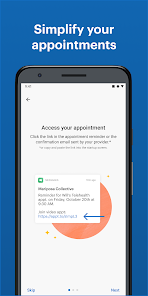
Streamline your practice with user-friendly scheduling tools that allow clients to book appointments at their convenience. With customizable reminders and notifications, you can reduce no-shows and keep your calendar organized, making it easier to manage your time and client needs.

Integrated Billing Solutions

Simplify your billing process with integrated features that allow you to create invoices, process payments, and manage insurance claims all in one place. This ensures that you can focus more on your clients and less on the administrative workload, enhancing overall practice efficiency.

Secure Video Sessions

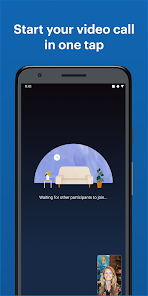
Enjoy high-quality, HIPAA-compliant video sessions that ensure privacy and security for both practitioners and clients. Telehealth by SimplePractice makes it easy to connect seamlessly from anywhere, fostering a comfortable environment for therapy and consultations without the hassles of in-person visits.

Pros & Cons

Pros
  • Accessible care from anywhere, anytime.
  • Seamless integration with practice management tools.
  • Enhanced patient engagement through secure messaging.
  • Flexible scheduling options for clients and providers.
  • Improved efficiency with reduced no-show rates.
Cons
  • Limited personal interaction during consultations
  • Potential technical issues disrupt sessions
  • Some insurance plans may not cover services
  • Privacy concerns with online data security

Real Experience Using Telehealth by SimplePractice

Application Scenarios

The Telehealth by SimplePractice app is designed to meet the needs of healthcare professionals and their clients, making it an ideal solution for teletherapy, telehealth consultations, and remote patient management. It serves a variety of scenarios, such as mental health therapy sessions, physical therapy consultations, and regular check-ins for chronic disease management. With its HIPAA-compliant platform, practitioners can confidently conduct virtual appointments, ensuring the confidentiality and security of their clients' data. The app is particularly beneficial for professionals who want to expand their reach beyond geographic limitations, allowing them to connect with clients in rural areas or those who may have difficulty attending in-person appointments.

User Experience

Users have praised the Telehealth by SimplePractice app for its intuitive interface and ease of use. The appointment scheduling feature is straightforward, allowing both practitioners and clients to set up and manage appointments with minimal hassle. Participants in virtual sessions have reported high-quality video and audio, which significantly enhances the overall experience. The app also includes features such as screen sharing and chat functionality, enabling more interactive and engaging sessions. Additionally, clients appreciate the flexibility to access their sessions from various devices, including smartphones, tablets, and computers. However, some users have mentioned occasional technical glitches, particularly during peak usage times, which could interrupt the flow of a session.

Pricing

The Telehealth by SimplePractice app operates on a subscription-based pricing model, making it accessible for a wide range of professionals. Users can choose between monthly and annual plans, which vary in cost based on the features included. While some may find the pricing slightly on the higher side, many users feel that the comprehensive suite of tools offered justifies the investment. This includes features like billing, client management, and telehealth capabilities. Additionally, SimplePractice often provides promotional discounts for new users, making it easier for practitioners to try out the service without a significant initial financial commitment.

Updates & Support

SimplePractice is committed to providing regular updates to enhance app functionality and user experience. Users can expect new features and improvements that reflect the evolving needs of healthcare professionals and their clients. The support team is readily available through various channels, including email and live chat, ensuring that users can get assistance when needed. Many users have reported positive experiences with customer support, noting that representatives are knowledgeable and responsive. There is also a robust knowledge base and community forum available, which can help users troubleshoot issues independently or learn about best practices for using the app effectively.

verified Security & Privacy Review

The Telehealth by SimplePractice app prioritizes user security and privacy, adhering to stringent standards to protect sensitive health information. The app is compliant with HIPAA regulations, ensuring that all communications and data storage meet federal guidelines for confidentiality and security. This compliance is crucial for users in the healthcare sector, as it guarantees that personal health information is handled with the utmost care. Data encryption is implemented both in transit and at rest, safeguarding user data from unauthorized access. The app employs secure servers and regularly updates its security protocols to counter emerging threats. User permissions are clearly defined, requiring explicit consent for data sharing and access to personal information. Additionally, the app provides users with control over their data, allowing them to manage privacy settings and understand how their information is utilized. SimplePractice emphasizes transparency in its privacy practices, ensuring users are informed about data handling procedures. Overall, Telehealth by SimplePractice demonstrates a strong commitment to maintaining user privacy and securing sensitive health information.

Reviews

4.5

“User-friendly interface, easy to navigate.”

“Excellent video quality for virtual sessions.”

“Reliable platform for managing appointments effectively.”

“Great customer support and responsiveness.”

“Seamless integration with billing and documentation tools.”

FAQ

1

Does Telehealth by SimplePractice collect my personal data?

Yes, Telehealth by SimplePractice collects personal data necessary for account creation and appointment management, but it prioritizes user privacy and complies with HIPAA regulations to protect sensitive information.

2

Does Telehealth by SimplePractice offer a free trial or free version?

Telehealth by SimplePractice does not offer a free version, but it typically provides a free trial period for new users to explore the features and functionalities before committing to a subscription.

3

Does Telehealth by SimplePractice require an internet connection?

Yes, Telehealth by SimplePractice requires a stable internet connection for both providers and clients to ensure smooth video conferencing and communication during appointments.

4

How can I contact support or send feedback for Telehealth by SimplePractice?

You can contact support or send feedback for Telehealth by SimplePractice through their website, where you can access a help center, submit a support ticket, or utilize their live chat feature for immediate assistance.

5

How do I manage or cancel my Telehealth by SimplePractice subscription?

You can manage or cancel your Telehealth by SimplePractice subscription directly through your account settings on the SimplePractice website or app, where you can follow the prompts to adjust your subscription.

How to use Telehealth by SimplePractice

1

How do I activate my SimplePractice account?

After signing up, check your email for an activation link. Click on the link to activate your account and set your password.

2

How do I contact customer service for SimplePractice?

You can reach SimplePractice customer service by visiting their website and accessing the support section or by calling their dedicated support number.

3

How do I log in to my SimplePractice account?

Go to the SimplePractice website and click on the "Log In" button. Enter your email and password to access your account.

4

What is the customer number for SimplePractice?

SimplePractice does not publicly list a customer support number. It's best to visit their website for assistance through chat or email.

Editor's Choice