This site uses cookies to enhance your user experience. By clicking any link on this site you are giving your consent to our cookie policy. Read more
Reject
Accept All

Advertiser and Editorial Disclosures

SingleCare - Rx Coupons

SingleCare - Rx Coupons

verified Verified App

Developer: Singlecare, LLC

  • category

    Category: Medical

  • price

    Price: 0

  • age rating

    Age Rating: Everyone

  • rating

    Rating: 4.7

  • download

    Downloads: /

  • version

    Version: 5.9.0

Screenshot 1
Screenshot 2
Screenshot 3
Screenshot 4
Screenshot 5
Screenshot 6

Features & Highlights

Easy Prescription Savings

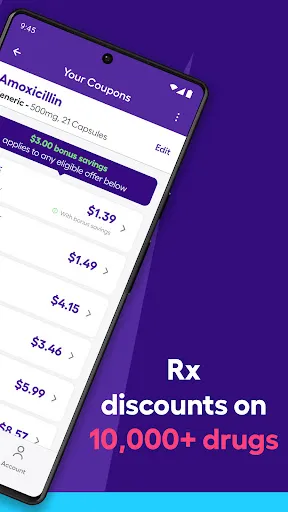
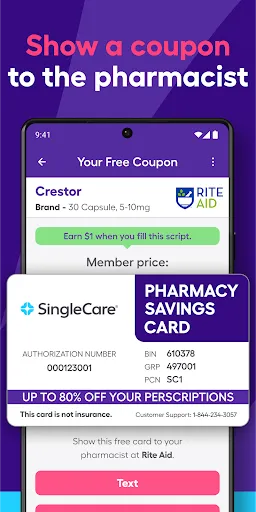
SingleCare simplifies the process of saving on prescriptions by providing users with accessible coupon options. Just enter your medication and find discounts at local pharmacies, making it easier than ever to manage healthcare costs without breaking the bank.

Transparent Pricing

SingleCare offers clear and upfront pricing, allowing you to see the potential savings before you even head to the pharmacy. This transparency helps you make informed decisions about your healthcare spending and gives you peace of mind.

User-Friendly App

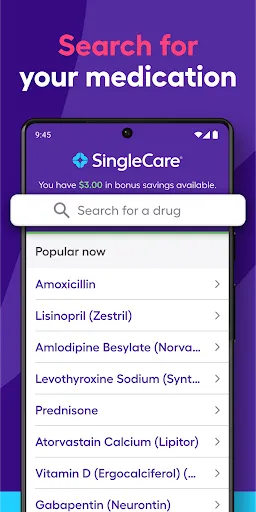
The SingleCare app is designed with ease of use in mind, featuring a straightforward interface that lets you quickly search for medications and coupons. With just a few taps, you can access savings and manage your prescriptions effortlessly.

Wide Pharmacy Network

With a vast network of participating pharmacies, SingleCare ensures that you can find savings at a location near you. Whether it's a large chain or a local drugstore, you'll have options that fit your convenience and budget.

Pros & Cons

Pros
  • Save up to 80% on prescription medications with ease.
  • Access thousands of pharmacies nationwide for convenience.
  • No insurance needed; everyone can benefit from savings.
  • User-friendly app simplifies coupon retrieval and usage.
  • Receive instant discounts without complicated paperwork or fees.
Cons
  • Limited pharmacy partnerships may reduce coupon acceptance.
  • Coupons can be confusing to navigate for first-time users.
  • Savings may not apply to all medications or prescriptions.

Real Experience Using SingleCare - Rx Coupons

Application Scenarios

SingleCare - Rx Coupons is designed to simplify the process of obtaining prescription medications at a lower cost. It is particularly useful for individuals who are uninsured or underinsured, as well as those whose insurance may not cover certain medications. Users can access the app in various situations, such as before visiting a pharmacy to check the best prices for their prescriptions or while at the pharmacy counter to see if they can save money with a coupon. Additionally, the app can be utilized by caregivers managing prescriptions for family members, making it a versatile tool for different demographics. Whether you need a quick price comparison or ongoing medication management, SingleCare is tailored to meet diverse needs.

User Experience

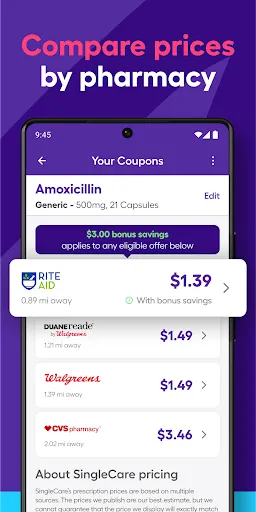
The user experience of the SingleCare app is intuitive and straightforward. Upon downloading and creating an account, users are greeted with a clean interface that allows easy navigation. The search function enables users to look up specific medications quickly, and the app displays a list of pharmacies nearby along with their prices. Many users appreciate the instant access to coupons, which can be redeemed at the pharmacy with ease. The ability to save favorite medications and pharmacies further enhances user convenience. Feedback indicates that the app performs well, with minimal load times and a smooth experience overall. However, some users have reported occasional discrepancies in pricing, which can be frustrating. Despite this, the overall user experience is positive, as many find significant savings through the app.

Pricing

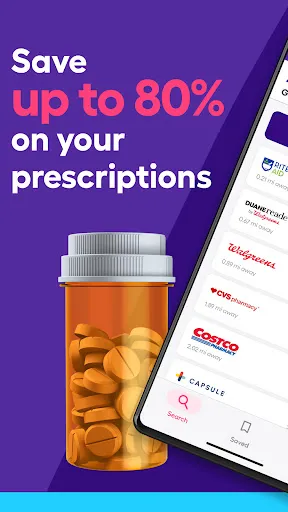
SingleCare operates on a unique pricing model where users can access prescription discounts without any upfront costs. The app is free to download and use, allowing users to search and save on medications without any subscription fees or hidden charges. The savings can be substantial, with discounts often reaching up to 80% off retail prices. Users are encouraged to compare prices across different pharmacies, as savings can vary significantly. This transparent pricing model has made SingleCare an appealing option for many, as it allows users to make informed decisions regarding their healthcare costs without financial commitment.

Updates & Support

The developers of SingleCare are committed to providing regular updates to enhance functionality and user experience. Users can expect periodic enhancements that introduce new features, improve performance, and address any bugs. The app also provides a robust support system, offering users easy access to customer service via the app or official website. Users can find answers to frequently asked questions, submit inquiries, or report issues directly. This proactive approach to support ensures that users feel valued and have the necessary resources to maximize their experience with the app. Overall, the combination of consistent updates and responsive customer service contributes to a reliable and user-friendly application.

verified Security & Privacy Review

SingleCare - Rx Coupons prioritizes user security and privacy throughout its operations. The app employs industry-standard encryption protocols to protect sensitive information, ensuring that personal data, including prescription details, remains secure during transmission and storage. The app's privacy policy outlines its commitment to safeguarding user information. SingleCare collects minimal personal data necessary for providing its services, such as users’ names, email addresses, and location data, while ensuring that this information is not shared with third parties without explicit consent. Users have control over their data, with options to manage preferences and opt-out of non-essential data sharing. SingleCare requests permissions that are relevant to its functionality, such as access to location services for finding nearby pharmacies. Users are informed about the necessity of these permissions and can choose what to grant. Overall, SingleCare demonstrates a responsible approach to data handling, emphasizing transparency and user trust while adhering to applicable regulations such as HIPAA.

Reviews

4.7

“Easy to use and saves me money!”

“Great discounts on prescriptions.”

“User-friendly interface, highly recommend.”

“Helps me afford my medications.”

“Reliable and efficient coupon service.”

FAQ

1

Can I submit suggestions or feedback to SingleCare - Rx Coupons?

Yes, users can submit suggestions or feedback through the app's support feature or by contacting customer service directly to help improve the app.

2

Does SingleCare - Rx Coupons collect my personal data?

Yes, the app may collect some personal data to provide its services effectively, but it is committed to maintaining user privacy and complying with relevant regulations.

3

Does SingleCare - Rx Coupons support offline use?

Yes, SingleCare - Rx Coupons allows users to access certain features offline, such as previously downloaded coupons and medication information.

4

How do I cancel my SingleCare - Rx Coupons subscription?

Since SingleCare - Rx Coupons does not have a subscription model, there is no need for cancellation; users can simply stop using the app at any time.

5

How much does a subscription to SingleCare - Rx Coupons cost?

SingleCare - Rx Coupons does not require a subscription fee; it is entirely free to use for accessing discounts on prescriptions.

How to use SingleCare - Rx Coupons

1

Can I access my account from multiple devices?

Yes, you can log in to your SingleCare account from multiple devices. Just use your Customer Number and password. If you encounter issues, contact Customer Service.

2

Can I update my Customer Number if I change my account information?

No, your Customer Number remains the same. If you need to update your account information, log in and make the changes in your profile or contact Customer Service for help.

3

How can I change my password if I can't log in?

Use the "Forgot Password" option on the login page. Follow the instructions sent to your email to reset your password. If you need help, contact Customer Service.

4

How can I contact Customer Service for help with my SingleCare account?

You can reach Customer Service by calling the support number found on our website or using the chat feature for immediate assistance.

5

How do I activate my SingleCare account?

After signing up, check your email for the activation link. Click it to activate your account. If you didn't receive the email, check your spam folder or contact Customer Service.

Editor's Choice