This site uses cookies to enhance your user experience. By clicking any link on this site you are giving your consent to our cookie policy. Read more
Reject
Accept All

Advertiser and Editorial Disclosures

Signia App

Signia App

verified

Sivantos Pte. Ltd.

2.9
Rating
1,000,000+ Downloads
2.7.32.17769 Version
  • category

    Category: Medical

  • price

    Price: free

  • age rating

    Age Rating: Everyone

  • rating

    Rating: 2.9

  • available on

    Available on: /

  • updated on

    Updated on: Jun 18, 2026

Screenshot 1
Screenshot 2
Screenshot 3
Screenshot 4
Screenshot 5
Screenshot 6
Screenshot 7
Screenshot 8

Features & Highlights

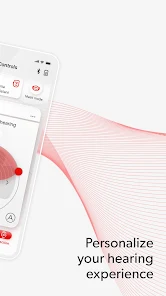
Personalized Hearing Profiles

The Signia App allows users to create personalized hearing profiles tailored to their unique hearing needs. By adjusting settings based on individual preferences and environments, users can enjoy a more customized listening experience that enhances their overall audio clarity and comfort in various situations.

Real-Time Sound Adjustments

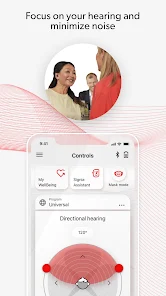
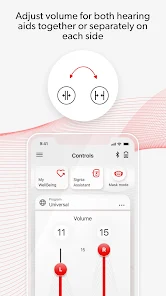
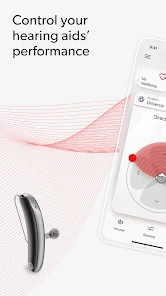
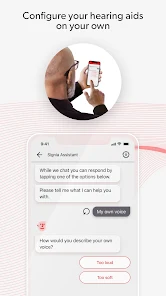
With real-time sound adjustments, the Signia App empowers users to modify their hearing aids on the fly. Whether in a bustling café or a quiet library, you can easily tweak settings to optimize sound quality, ensuring that you never miss a moment of conversation or music.

Remote Care Support

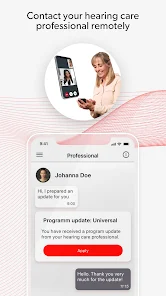
The app provides seamless remote care support, enabling users to connect with their audiologists from the comfort of home. This feature allows for convenient adjustments and troubleshooting, making it easier than ever to maintain optimal hearing aid performance without the need for in-person appointments.

User-Friendly Interface

Designed with user experience in mind, the Signia App boasts a user-friendly interface that simplifies navigation and settings management. Its intuitive design ensures that users of all ages can easily access features and make adjustments, promoting confidence in their hearing aid usage.

Pros & Cons

Pros
  • Personalized hearing adjustments for optimal sound quality
  • User-friendly interface for easy navigation and control
  • Real-time feedback for immediate sound environment adaptation
  • Remote support from audiologists for convenient troubleshooting
  • Integration with smartphone features for enhanced usability
Cons
  • Limited compatibility with older hearing aids
  • Requires a stable internet connection
  • User interface can be confusing for some
  • Occasional connectivity issues with Bluetooth devices

Real Experience Using Signia App

Application Scenarios

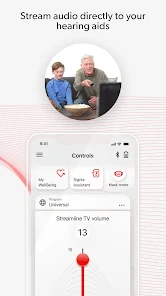
The Signia App is designed to cater to a variety of scenarios where hearing aids play a crucial role in enhancing the auditory experience. Users can utilize the app in everyday situations such as attending social gatherings, watching television, or participating in conference calls. The app allows users to customize their hearing aid settings based on specific environments, automatically adjusting sound levels to improve clarity and focus. For instance, in a crowded restaurant, the app can reduce background noise, making conversations more intelligible. Additionally, the app supports features for outdoor activities, where users may require different sound profiles to accommodate wind noise. This versatility makes the Signia App suitable for diverse lifestyles, appealing to a wide range of users from seniors to younger individuals with hearing impairments.

User Experience

User feedback on the Signia App has been predominantly positive, highlighting its intuitive interface and seamless integration with hearing aids. The app's design is user-friendly, allowing easy navigation through various settings and features. Users appreciate the ability to control their hearing aids directly from their smartphones, enabling them to make real-time adjustments without the need for additional devices. Features such as remote assistance provide added convenience, allowing audiologists to fine-tune settings from a distance, which is particularly beneficial for those with mobility constraints. However, some users have reported occasional connectivity issues, which can disrupt the overall experience. Overall, the app significantly enhances the usability of hearing aids, providing a modern solution for improved hearing management.

Pricing

The Signia App is free to download on both iOS and Android platforms, but it is important to note that its full functionality is dependent on the purchase of compatible Signia hearing aids. Pricing for these hearing aids varies based on the model and features, generally ranging from mid-tier to premium options. While the initial investment may seem substantial, many users find that the advanced technology and customization options offered justify the cost. Additionally, some insurance plans may cover a portion of the hearing aid expenses, making it more accessible for users. Overall, the app provides significant value when paired with the appropriate hearing aids, enhancing the auditory experience at a reasonable price point.

Updates & Support

The developers of the Signia App are committed to continuous improvement, regularly releasing updates that enhance functionality and address user feedback. These updates often include new features, performance optimizations, and bug fixes, ensuring a smooth user experience. Support is readily available through the app, offering users access to FAQs, troubleshooting guides, and customer service contacts. Many users have reported prompt and helpful responses from the support team, further enhancing the overall satisfaction with the app. This dedication to user support and regular updates demonstrates the developers' commitment to providing an effective tool for hearing management, making the Signia App a reliable choice for users seeking to improve their auditory experience.

verified Security & Privacy Review

The Signia App prioritizes user security and privacy, implementing robust measures to protect sensitive information. The app utilizes encryption protocols to secure data during transmission, ensuring that personal and health-related information remains confidential. User data is stored securely and is only accessible to authorized personnel, adhering to strict data protection regulations. The app requires certain permissions to function effectively, including access to the device's microphone and location services. Users are informed about these permissions during the setup process, allowing them to make informed decisions about their data sharing. The app also provides clear privacy policies outlining how user data is collected, used, and shared. Signia is committed to transparency, offering users the ability to manage their privacy settings and control what data is shared. Regular updates and security patches are implemented to address potential vulnerabilities, ensuring that user data remains safeguarded against emerging threats. Overall, the Signia App demonstrates a strong commitment to maintaining user trust through responsible data handling and privacy practices.

User Reviews

  • Rebeca Davis
    2026/07/03

    I tried everything to adjust the app to get the echo off, of my voice. It doesn't matter what setting I use, I still hear a tinny echo when I speak. Also, there is no save when you do get a setting that somewhat works. It resets all settings back to default when you put your hearing aids back in their case at the end of the day. In fact, it has reset back to default after I left the app and my hearing aids were still in my ears. This app has a long way to go! At least allow us to save settings!

  • Wade Crumwell
    2026/07/01

    I received my Signia hearing aids and installed the app two days ago at the VA Audiology Clinic. Both worked only marginally there, likely because the clinic was much quieter than a normal environment. Outside the clinic, the app has become nearly useless. Most of the adjustment features no longer work, making it impossible to customize the hearing aids. This has been a very frustrating experience.

  • Phil Rohe
    2026/06/21

    I'm approaching my 60-day trial on my Signia hearing aids. I don't think I'm going to keep them, just because of the poor functionality of the app. Continuously disconnecting from Bluetooth. I keep my phone on me all the time to see if that helps and it doesn't. The sound quality is not that good, a lot of white background noise, it's just not a natural sound. 😕

  • Barbara Romero
    2026/06/15

    haven't had my hearing aids very long, 5 days, & having app problems, app shows not connected to my phone & turn them on, they are on, working just fine with my TV & hearing everything, I restarted my phone after 3 days, app worked for 2 days & problems again, hearing aids won't connect to the phone, I am extremely disappointed with the app.

  • robert
    2026/05/29

    I get so frustrated every time I open the app. it takes a long time to sync with the hearing aids, and rarely syncs on the first try. I found that the only way it will sync is to turn off Bluetooth and turn it back on. soooo frustrating! This app is terrible. These hearing aids are terrible. Even more so given their exorbitant cost. if I knew what I know now, before I bought these, I would have chosen another brand.

Review Source: Google Play store public user reviews.

FAQ

1

Does Signia App collect my personal data?

Yes, the Signia App may collect personal data as part of its functionality, including usage data and preferences, to enhance user experience and provide personalized services.

2

Does Signia App offer a free trial or free version?

The Signia App is free to download and use, but some advanced features may require a subscription or in-app purchases.

3

Does Signia App require an internet connection?

While the Signia App can function without an internet connection for basic features, an internet connection is recommended for accessing remote support and updates.

4

How can I contact support or send feedback for Signia App?

You can contact support or send feedback through the app's help section, or visit the official Signia website for additional resources and contact information.

5

How do I manage or cancel my Signia App subscription?

You can manage or cancel your Signia App subscription through your app store account settings or directly within the app, depending on your device.

How to use Signia App

1

How can I contact Customer Service for the Signia App?

You can reach Customer Service through the app's support section or by calling the dedicated helpline listed on the Signia website.

2

How do I activate the Signia App?

Download the app from your app store, open it, and follow the on-screen instructions to set up your account and connect your hearing aids.

3

How do I log in to the Signia App?

Open the app, enter your email and password, then tap 'Log In.' If you forgot your password, use the 'Forgot Password' option.

4

What is the Customer Number for the Signia App?

The Customer Number can typically be found in the app's settings or your user profile within the app.

What's New

• Updated Slovenian translations for improved localization.

Editor's Choice