This site uses cookies to enhance your user experience. By clicking any link on this site you are giving your consent to our cookie policy. Read more
Reject
Accept All

Advertiser and Editorial Disclosures

Patient Gateway

Patient Gateway

verified Verified App

Developer: Mass General Brigham, Inc

  • category

    Category: Medical

  • price

    Price: free

  • age rating

    Age Rating: Everyone

  • rating

    Rating: 4.6

  • download

    Downloads: 100,000+

  • version

    Version: 11.5.100

Screenshot 1
Screenshot 2
Screenshot 3
Screenshot 4
Screenshot 5
Screenshot 6

Features & Highlights

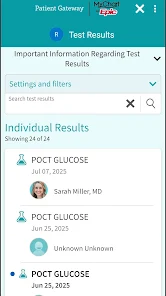
Access to Lab Results

With Patient Gateway, you can quickly access your lab results online as soon as they are available. This feature empowers you to stay informed about your health status and discuss results with your provider, enhancing your overall healthcare experience.

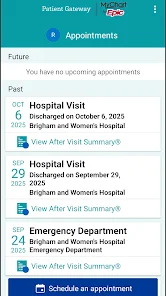
Appointment Management

Easily manage your healthcare appointments through Patient Gateway. You can view upcoming appointments, reschedule or cancel as needed, and receive reminders, helping you stay organized and on top of your health commitments.

Personal Health Records

Patient Gateway consolidates your medical history, medications, and immunizations in one secure location. This easy access to your personal health records not only promotes better self-management but also facilitates more informed conversations with your healthcare team.

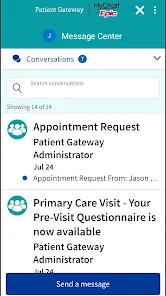
Secure Messaging

Patient Gateway offers secure messaging that allows you to communicate directly with your healthcare providers. You can ask questions, request prescription refills, and receive timely responses, ensuring you stay informed about your health without the hassle of waiting on hold or scheduling unnecessary appointments.

Pros & Cons

Pros
  • Convenient access to health information anytime.
  • Secure messaging with healthcare providers available.
  • Easy appointment scheduling and reminders.
  • Streamlined prescription refill requests online.
  • Personalized health resources and educational materials.
Cons
  • Limited accessibility for non-tech-savvy patients
  • Potential for data security breaches
  • Interface might be confusing for some users
  • Not all providers participate in the system

Real Experience Using Patient Gateway

Application Scenarios

The Patient Gateway app serves as a vital tool for patients looking to manage their healthcare efficiently. It is particularly beneficial for individuals with chronic conditions who require regular check-ups and medication management. Users can easily schedule appointments, access lab results, and communicate directly with their healthcare providers. Families managing appointments for children or elderly relatives also find the app to be an invaluable resource. It simplifies the process of tracking multiple health records and appointments, ensuring that caregivers are well-informed and organized. Moreover, during times of increased telehealth services, the app’s integration for virtual visits further enhances its utility, allowing patients to connect with their doctors from the comfort of their homes.

User Experience

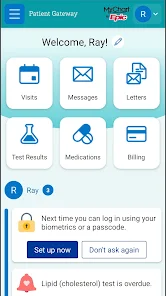
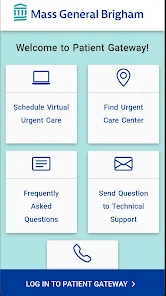
The overall user experience of Patient Gateway is designed to be intuitive and user-friendly. Upon launching the app, users are greeted with a clean interface that makes navigation seamless. The dashboard provides quick access to essential features, such as appointment scheduling and medical history. Many users appreciate the ability to receive notifications for upcoming appointments and medication reminders, which aids in adherence to treatment plans. Some users have reported occasional glitches, such as slow loading times during peak hours, but the app generally functions smoothly. Customer feedback highlights the importance of the secure messaging feature that allows for easy communication with healthcare providers, making it a top choice for those seeking a proactive approach to their health management.

Pricing

Patient Gateway is available for free to patients whose healthcare providers are part of the supported network. This accessibility allows a wide range of users to take advantage of its features without financial constraints. However, some premium features may be available for a fee, depending on the healthcare provider's policies. The app's free model is particularly appealing in today’s healthcare landscape, where individuals are often seeking ways to manage medical costs while still receiving quality care. Users can check with their healthcare provider for any specific charges related to premium services, but overall, the app is very cost-effective.

Updates & Support

The development team behind Patient Gateway is committed to continuous improvement, releasing regular updates that enhance functionality and security. Users can expect new features and bug fixes that address any issues or requests they have reported. The app also offers robust customer support, with a dedicated help section that provides answers to frequently asked questions, as well as options to contact support directly for more complex issues. This proactive approach to updates and customer service ensures that users feel supported and valued, fostering a positive relationship between patients and their healthcare providers.

verified Security & Privacy Review

The Patient Gateway app prioritizes user security and privacy, employing robust encryption protocols to safeguard sensitive health information. Data transmitted between the app and servers is secured using industry-standard SSL encryption, ensuring that personal health records remain confidential during transmission. In terms of privacy practices, Patient Gateway adheres to HIPAA regulations, which govern the protection of personal health information. The app clearly outlines its privacy policy, informing users about the types of data collected, how it is used, and with whom it may be shared. Users are given control over their data, allowing them to manage permissions and access settings effectively. When it comes to app permissions, Patient Gateway requests access only to necessary features, such as location services for appointment scheduling and notifications for reminders. This minimizes the risk of unauthorized access to personal data. Regular security updates are implemented to address vulnerabilities, ensuring ongoing protection for users. Overall, Patient Gateway demonstrates a strong commitment to maintaining the security and privacy of its users' sensitive health information.

Reviews

4.6

“User-friendly interface makes managing appointments easy”

“Great for accessing medical records quickly”

“Helpful reminders for upcoming appointments”

“Inconsistent login issues frustrate users”

“Excellent customer support resolves problems promptly”

FAQ

1

Does Patient Gateway collect my personal data?

Yes, Patient Gateway collects personal health information to provide services, but it adheres to privacy regulations and takes measures to protect user data.

2

Does Patient Gateway offer a free trial or free version?

Patient Gateway is generally offered as a free application for users, but specific features or services may vary based on healthcare provider agreements.

3

Does Patient Gateway require an internet connection?

Yes, Patient Gateway requires an internet connection to access features and information, as it operates through a secure online platform.

4

How can I contact support or send feedback for Patient Gateway?

Support can be contacted through the app's help section or by reaching out to the customer service team of the healthcare provider associated with your Patient Gateway account. Feedback can often be submitted directly through the app as well.

5

How do I manage or cancel my Patient Gateway subscription?

Users can manage their account settings or cancel their access directly through the app or by contacting their healthcare provider's support team for assistance.

How to use Patient Gateway

1

How can I download the Patient Gateway app?

The app can be downloaded from the Apple App Store or Google Play Store by searching for "Patient Gateway."

2

How can I update my personal information in the Patient Gateway app?

You can update your personal information by logging into the app, going to your profile settings, and editing the necessary fields.

3

How do I activate my Patient Gateway account?

To activate your account, follow the link sent to your email during registration or enter the activation code provided by your healthcare provider.

4

How do I contact Customer Service for the Patient Gateway app?

You can reach Customer Service by calling the support number provided on the app or visiting the official website for contact details.

5

How do I log in to the Patient Gateway app?

To log in, enter your username and password on the app’s main screen. If you don’t have an account, you will need to register first.

Editor's Choice