This site uses cookies to enhance your user experience. By clicking any link on this site you are giving your consent to our cookie policy. Read more
Reject
Accept All

Advertiser and Editorial Disclosures

NHS App

NHS App

verified Verified App

Developer: NHS Digital

  • category

    Category: Medical

  • price

    Price: free

  • age rating

    Age Rating: Everyone

  • rating

    Rating: 3.4

  • download

    Downloads: 10,000,000+

  • version

    Version: 5.4.0

Screenshot 1
Screenshot 2
Screenshot 3
Screenshot 4
Screenshot 5
Screenshot 6
Screenshot 7
Screenshot 8
Screenshot 9
Screenshot 10
Screenshot 11
Screenshot 12
Screenshot 13
Screenshot 14
Screenshot 15
Screenshot 16
Screenshot 17
Screenshot 18
Screenshot 19
Screenshot 20
Screenshot 21
Screenshot 22
Screenshot 23
Screenshot 24

Features & Highlights

Appointment Booking

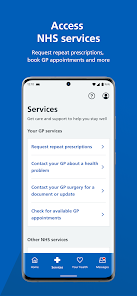
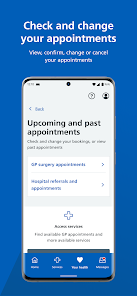
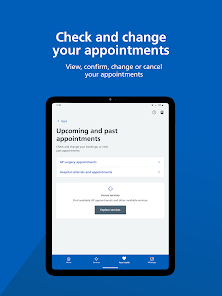
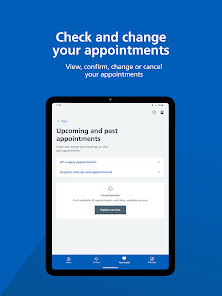
Easily schedule and manage your medical appointments directly through the NHS App. With just a few taps, you can check available slots, book your visit, or even reschedule if necessary, making healthcare more accessible and convenient than ever before.

Health Records Access

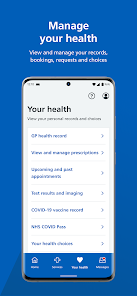
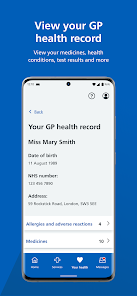
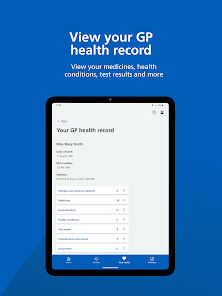
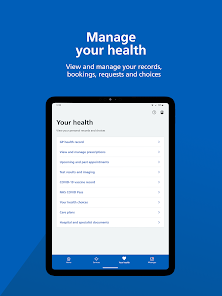
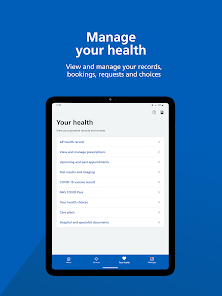
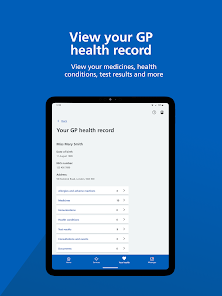
Stay informed about your health with instant access to your medical records through the NHS App. You can view your test results, vaccination history, and other important health information, empowering you to take charge of your wellbeing.

Prescription Management

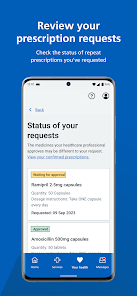
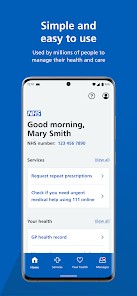
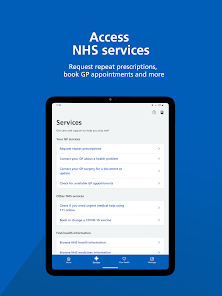
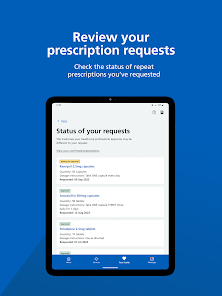
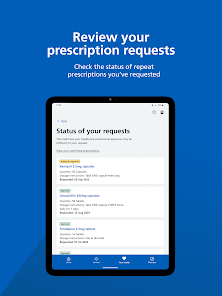
The NHS App allows you to order repeat prescriptions effortlessly. You can view your current medications, request refills, and track the status of your prescriptions, ensuring you never run out of essential medications again.

Symptom Checker

The built-in symptom checker is a handy tool for assessing your health concerns. By answering a few questions, you can receive tailored advice and guidance on whether you should seek medical help, helping you make informed decisions about your health.

Pros & Cons

Pros
  • NHS provides universal healthcare access for all residents.
  • Patients receive treatment without financial burdens.
  • Services include preventative care to promote overall health.
  • Highly trained professionals ensure quality medical services.
  • Emergency care is available 24/7 for urgent needs.
Cons
  • Long waiting times for treatments can lead to delayed care.
  • Limited resources may affect the quality of services provided.
  • Staff shortages often result in increased pressure on healthcare professionals.

Real Experience Using NHS App

Application Scenarios

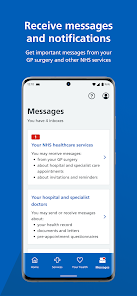
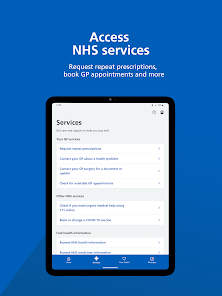
The NHS App proves to be an invaluable tool for patients seeking seamless access to healthcare services. It is particularly beneficial for individuals managing chronic conditions, allowing them to easily book appointments, order repeat prescriptions, and access their medical records from the comfort of their homes. Parents can utilize the app to keep track of their children's vaccination schedules and health records, ensuring they are always up to date. Moreover, it serves as a reliable source for locating nearby healthcare facilities, including GP surgeries and pharmacies, making it essential for anyone new to an area or in need of immediate medical assistance. The app also provides quick access to health information and advice, which can be especially useful during emergencies or when users are uncertain about their symptoms.

User Experience

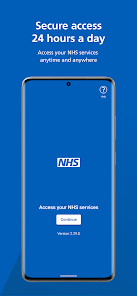
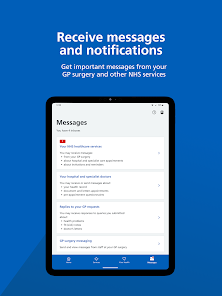
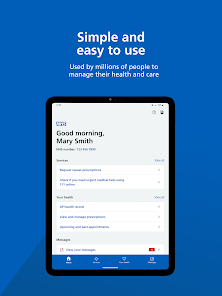
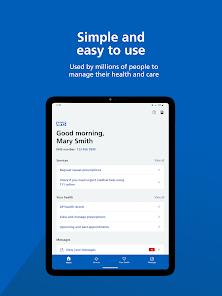
Users generally report a positive experience with the NHS App due to its user-friendly interface and straightforward navigation. The layout is clean and intuitive, making it easy for users of all ages to find the information they need. Most features, such as appointment booking and prescription requests, are just a few taps away, streamlining the process significantly. Many users appreciate the secure login options, which provide peace of mind when accessing sensitive medical information. However, some users have encountered occasional bugs or slow loading times, particularly during peak hours. Despite these minor issues, the overall functionality and reliability of the app have earned it a solid reputation among its user base.

Pricing

One of the most attractive aspects of the NHS App is that it is completely free to download and use. This accessibility allows all users, irrespective of their financial situations, to take advantage of the app's numerous features without incurring any costs. There are no hidden fees or subscriptions required, making it an ideal solution for individuals looking to manage their health care efficiently. Given the growing importance of digital health solutions, the NHS App stands out as a cost-effective tool that prioritizes user accessibility and convenience.

Updates & Support

The NHS App is regularly updated to enhance functionality and address user feedback. These updates often include new features, security enhancements, and bug fixes, ensuring that the app remains relevant and user-friendly. The support system is robust, with a dedicated help section within the app that provides answers to frequently asked questions and troubleshooting tips. Users can also reach out to NHS customer support directly for personalized assistance, ensuring that any issues are resolved promptly. Overall, the commitment to continuous improvement and user support makes the NHS App a reliable companion for navigating the healthcare system.

verified Security & Privacy Review

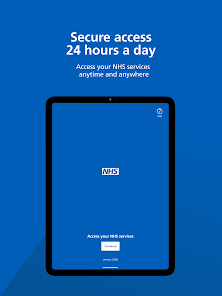
The NHS App prioritizes user security and privacy, implementing robust measures to protect sensitive health information. The app employs end-to-end encryption to secure data transmission, ensuring that personal health records are accessible only to authorized users. Additionally, user authentication processes, including biometric options, enhance account security by preventing unauthorized access. In terms of permissions, the NHS App requests only essential access to device features, such as location services for finding nearby healthcare facilities. This approach minimizes potential privacy risks by limiting data collection to what is necessary for functionality. Furthermore, the app adheres to strict GDPR regulations, ensuring that user data is handled with transparency and respect. User data is stored securely, with stringent protocols in place to prevent breaches. The NHS App also provides users with clear options to manage their data preferences, including the ability to delete their account and associated information. Overall, the NHS App demonstrates a strong commitment to maintaining user privacy and security, making it a reliable tool for accessing healthcare services.

Reviews

3.4

“User-friendly interface, easy to navigate and use”

“Quick appointment booking, saves me time”

“Health records accessible anytime, very convenient”

“Reliable reminders for medications, helps me stay on track”

“Occasional glitches, but overall a helpful tool”

FAQ

1

Can I submit suggestions or feedback to NHS?

Yes, users can submit suggestions or feedback through the app or via the official NHS website to help improve the services offered.

2

Does NHS collect my personal data?

Yes, the NHS app collects personal data to provide personalized services, but it adheres to strict data protection regulations to ensure user privacy and security.

3

Does NHS support offline use?

While some features may be available offline, many functionalities, such as booking appointments or accessing the latest medical advice, require an internet connection.

4

How do I cancel my NHS subscription?

Since the NHS app does not require a subscription, there is no cancellation process needed; users can simply stop using the app at any time.

5

How much does a subscription to NHS cost?

There is no subscription fee for using the NHS app; all features are available at no cost to users.

How to use NHS App

1

How can I find the customer number for the NHS App?

The customer number is typically found in the app's settings or help section. Alternatively, check the NHS website for further assistance.

2

How do I activate the NHS App?

To activate the NHS App, download it, then follow the on-screen instructions to verify your identity using your NHS number or personal details.

3

How do I contact NHS App customer service?

You can reach NHS App customer service through the support section in the app or visit the official NHS website for contact details.

4

How do I log in to the NHS App?

Open the app, enter your email and password, then tap "Log in." If you haven't registered, you'll need to create an account first.

Editor's Choice