This site uses cookies to enhance your user experience. By clicking any link on this site you are giving your consent to our cookie policy. Read more
Reject
Accept All

Advertiser and Editorial Disclosures

Easy Mail - Email Launcher

Easy Mail - Email Launcher

verified Verified App

Developer: App Lab Studios

  • category

    Category: Personalization

  • price

    Price: free

  • age rating

    Age Rating: Teen

  • rating

    Rating: 4.2

  • download

    Downloads: 1,000,000+

  • version

    Version: 1.02.44

Screenshot 1
Screenshot 2
Screenshot 3
Screenshot 4
Screenshot 5
Screenshot 6

Features & Highlights

Intuitive User Interface

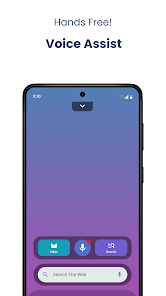
The app boasts a clean and user-friendly interface designed for seamless navigation. With its intuitive layout, even those new to email apps can easily find their way around, making your email experience enjoyable and efficient.

Quick Access Shortcuts

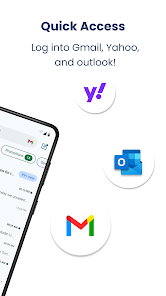
Easy Mail - Email Launcher allows you to create customizable shortcuts for your most-used email accounts. With just a tap, you can jump straight into composing a new message or checking your inbox, saving you time and making email management a breeze.

Smart Notifications

Stay on top of important emails with smart notifications tailored to your preferences. You can choose to receive alerts for specific contacts or keywords, ensuring you never miss an essential message while keeping distractions to a minimum.

Unified Inbox View

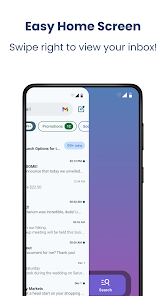
Experience the convenience of a unified inbox that aggregates emails from all your accounts in one place. This feature simplifies your email experience, letting you manage multiple accounts effortlessly without the hassle of switching between apps.

Pros & Cons

Pros
  • Streamlined email creation for quick communication
  • User-friendly interface simplifies email management
  • Customizable templates enhance professional appearance
  • Integrated scheduling boosts productivity and organization
  • Seamless integration with popular email providers
Cons
  • Limited customization options for email templates
  • Frequent bugs disrupt user experience
  • Slow performance on older devices
  • Lacks advanced security features for sensitive data

Real Experience Using Easy Mail - Email Launcher

Application Scenarios

Easy Mail - Email Launcher is designed for users who seek a streamlined and efficient way to manage their email communications. Whether you are a busy professional juggling multiple accounts or a student organizing correspondence with peers and professors, this app caters to various scenarios. For instance, users can quickly access their preferred email services directly from the home screen, allowing for instant communication without the hassle of navigating through multiple apps. Additionally, the app is ideal for those who manage business inquiries, as it allows for swift replies and efficient organization of important emails. The customizable shortcuts facilitate access to frequently used contacts, making it easy to stay connected in both personal and professional contexts.

User Experience

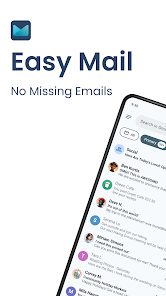
The user experience of Easy Mail is intuitive and user-friendly. Upon launching the app, users are greeted with a clean and organized interface that minimizes clutter. The navigation is straightforward, allowing users to easily switch between different email accounts with just a few taps. The app's design is aesthetically pleasing, with vibrant colors and simple icons that enhance usability. One of the standout features is the ability to customize the launcher with specific email templates and signatures, which can save time for users who send similar messages frequently. Notifications are managed effectively, ensuring users are promptly alerted to new emails without overwhelming them. Overall, the app provides a satisfying experience, allowing users to manage their email with ease and efficiency.

Pricing

Easy Mail - Email Launcher offers a competitive pricing model that appeals to various users. The app is available for free with basic features, making it accessible to anyone looking to improve their email management. For those seeking enhanced functionalities, a premium subscription is offered at a reasonable monthly or yearly rate. This subscription unlocks additional features such as advanced customization options, ad-free browsing, and priority customer support. The pricing structure is transparent, and users can easily determine which option best suits their needs without any hidden fees. Overall, the pricing reflects the value provided, making it a worthwhile investment for efficient email management.

Updates & Support

The developers of Easy Mail are committed to providing regular updates to enhance functionality and user experience. Recent updates have included performance improvements and new features based on user feedback, demonstrating a dedication to continuous improvement. The support team is responsive and available through multiple channels, including in-app support and email. Users can access a comprehensive FAQ section that addresses common issues, ensuring they have the resources needed for troubleshooting. This proactive approach to updates and support fosters a positive relationship with users, making them feel valued and heard.

verified Security & Privacy Review

Easy Mail - Email Launcher prioritizes user security and privacy by implementing robust data protection measures. The app employs end-to-end encryption for email communications, ensuring that your messages remain private and secure from unauthorized access. In terms of privacy practices, Easy Mail is transparent about the data it collects. The app only requests necessary permissions, such as access to your contacts and storage, which are essential for seamless email integration. Users have the option to manage these permissions easily within their device settings. Furthermore, Easy Mail adheres to strict data handling policies, ensuring that any user data collected is stored securely and is never shared with third parties without explicit consent. The app also includes features like two-factor authentication, adding an extra layer of security to user accounts. Overall, Easy Mail - Email Launcher demonstrates a strong commitment to safeguarding user information while providing a convenient and efficient email management experience.

Reviews

4.2

“User-friendly interface, quick email access!”

“Great customization options, love the themes!”

“Smooth performance, no lag at all!”

“Perfect for managing multiple accounts easily.”

“Highly recommend for efficient email handling!”

FAQ

1

Can I customize the email templates in Easy Mail?

Yes, Easy Mail allows users to create and customize email templates. You can save frequently used text, subject lines, and formatting to streamline the emailing process.

2

Can I schedule emails to be sent later using Easy Mail?

Yes, Easy Mail includes a feature that allows users to schedule emails for later delivery. You can set a specific date and time for the email to be sent, making it convenient for planning communications.

3

Can I use Easy Mail offline?

While Easy Mail requires an internet connection to send and receive emails, you can draft messages and read previously downloaded emails while offline. The app will sync changes once you are back online.

4

Does Easy Mail support multiple languages?

Yes, Easy Mail supports multiple languages, allowing users from different regions to enjoy a localized experience. You can change the language settings in the app's preferences.

5

How do I add my email account to Easy Mail?

To add your email account, open the app and navigate to the settings or account section. From there, select the option to add a new account, enter your email address and password, and follow any additional prompts for verification.

How to use Easy Mail - Email Launcher

1

How can I contact customer service for the Easy Mail app?

You can reach Easy Mail customer service through the app's settings or their official website for assistance.

2

How do I log in to my Easy Mail account?

To log in, open the app, enter your email address and password, then tap the login button.

3

Is there a way to activate the Easy Mail app?

Usually, activation is automatic upon installation. If needed, check the settings section for activation options.

4

What is the customer support number for Easy Mail?

The customer support number for Easy Mail is available in the app's help section or on their official website.

Editor's Choice