This site uses cookies to enhance your user experience. By clicking any link on this site you are giving your consent to our cookie policy. Read more
Reject
Accept All
Dark Mode

Dark Mode

verified Verified App

Developer: Julian Eggers

  • category

    Category: Personalization

  • price

    Price: free

  • age rating

    Age Rating: Everyone

  • rating

    Rating: 3.2

  • download

    Downloads: 10,000,000+

  • version

    Version: 2.29

Screenshot 1
Screenshot 2
Screenshot 3
Screenshot 4
Screenshot 5
Screenshot 6

Features & Highlights

Battery Saving Benefits

For devices with OLED screens, Dark Mode can significantly extend battery life by using less power. Dark pixels consume less energy, which means you can enjoy longer screen time without constantly searching for a charger, making it perfect for those on the go.

Enhanced Visual Comfort

Dark Mode reduces eye strain by providing a softer contrast between text and background, especially in low-light environments. This makes reading and interacting with your device more comfortable during nighttime or in dimly lit spaces, allowing for longer usage without discomfort.

Focus and Productivity

By minimizing distractions, Dark Mode helps users concentrate better on their tasks. The darker interface can reduce the clutter of bright colors, allowing for a more streamlined workflow, which is particularly beneficial for those working long hours or engaging in creative projects.

Stylish Aesthetic

Dark Mode offers a sleek and modern look, appealing to users who prefer a minimalist design. It not only enhances the visual appeal of apps and interfaces but also allows for a more immersive experience when gaming or watching videos, giving everything a sophisticated touch.

Pros & Cons

Pros
  • Reduces eye strain in low-light environments
  • Saves battery life on OLED screens
  • Improves focus by minimizing distractions
  • Enhances readability for some users
  • Provides a modern, sleek aesthetic
Cons
  • May cause eye strain in bright environments
  • Colors can appear less vibrant
  • Difficult to read in sunlight
  • Not all apps support it effectively

Real Experience Using Dark Mode

Application Scenarios

The Dark Mode app serves a variety of scenarios that cater to users across different environments and needs. Whether you are working late into the night, reading an e-book, or simply browsing social media in low-light settings, this app enhances your experience by reducing eye strain and improving readability. For professionals who spend hours in front of screens, Dark Mode is invaluable, providing a more comfortable viewing experience. For students studying in dimly lit rooms, it ensures that they can focus without the harsh glare of bright screens. Furthermore, gamers can enjoy immersive environments without being distracted by bright backgrounds, making it perfect for those late-night gaming sessions. Overall, the app is versatile and adapts seamlessly to various user scenarios, improving comfort and usability.

User Experience

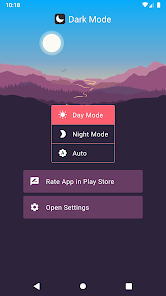
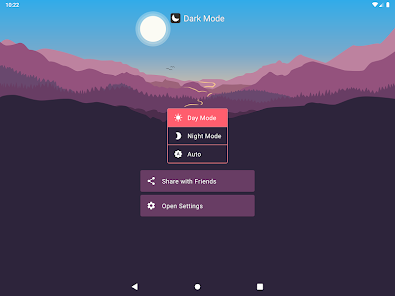
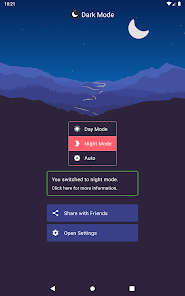
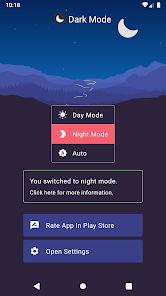
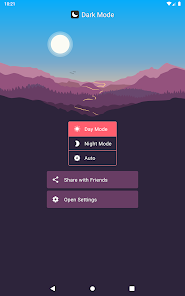
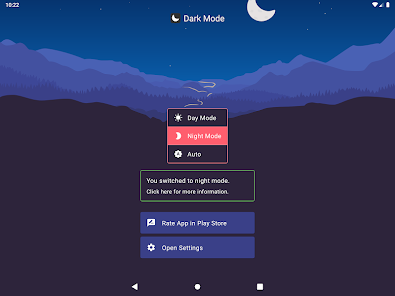
The user experience with Dark Mode is intuitive and user-friendly. Upon installation, users are greeted with a simple interface that allows for easy navigation through the app's features. Users can quickly toggle between light and dark themes, customizing settings to suit their preferences. The app offers multiple dark themes, each with its own unique aesthetic, allowing users to select one that resonates with their personal style. Feedback from users highlights the smooth transitions and the minimal impact on device performance, making it a lightweight option that doesn’t slow down other applications. Additionally, the app includes a scheduling feature, enabling users to automatically switch between modes based on the time of day. This enhances convenience and provides a seamless experience, making it an essential tool for daily use.

Pricing

Dark Mode adopts a competitive pricing model, offering a free version with basic features that provide substantial value. Users can enjoy the fundamental functionalities without any financial commitment, which is a significant advantage for those who are hesitant to invest in new apps. For users seeking additional features such as advanced customization options and enhanced support, the app offers a premium subscription plan. This plan is reasonably priced, considering the extensive functionalities it unlocks. The pricing strategy aligns well with user expectations, providing a good balance between free and premium offerings, thus catering to a wide range of users.

Updates & Support

The development team behind Dark Mode is committed to providing regular updates to enhance user experience and address any emerging issues. Users can expect frequent improvements, bug fixes, and new features that keep the app relevant and efficient. The support system is robust, with a dedicated help center that offers FAQs, troubleshooting guides, and direct customer support channels. Feedback from users indicates that the support team is responsive and helpful, often resolving issues promptly. The commitment to continuous improvement and user satisfaction makes Dark Mode not just an app, but a reliable companion in the digital realm.

verified Security & Privacy Review

The Dark Mode app prioritizes user security and privacy, ensuring that personal data is handled with the utmost care. The app employs advanced encryption protocols to safeguard user information, minimizing the risk of unauthorized access. When it comes to permissions, Dark Mode requests only the essential access required for its functionality. Users can rest assured that no unnecessary data is collected or shared with third parties. The app's privacy policy is transparent, clearly outlining what data is collected, how it is used, and the user’s rights regarding their information. Dark Mode also provides users with options to customize their privacy settings. This includes the ability to control data sharing and manage notifications effectively. Regular updates ensure that the app stays compliant with the latest privacy regulations, offering users peace of mind. Overall, Dark Mode demonstrates a strong commitment to protecting user privacy while delivering a seamless experience.

Reviews

3.2

“So easy on the eyes at night!”

“Love the sleek look in Dark Mode.”

“Makes reading so much more comfortable.”

“Perfect for low-light environments!”

“Dark Mode is a game changer for me!”

Editor's Choice