This site uses cookies to enhance your user experience. By clicking any link on this site you are giving your consent to our cookie policy. Read more
Reject
Accept All

Advertiser and Editorial Disclosures

Dexcom G6

Dexcom G6

verified

Dexcom

3.0
Rating
1,000,000+ Downloads
1.16.0.291 Version
  • category

    Category: Medical

  • price

    Price: free

  • age rating

    Age Rating: Everyone

  • rating

    Rating: 3.0

  • available on

    Available on: /

  • updated on

    Updated on: Jan 8, 2026

Screenshot 1
Screenshot 2
Screenshot 3
Screenshot 4
Screenshot 5
Screenshot 6
Screenshot 7
Screenshot 8
Screenshot 9
Screenshot 10
Screenshot 11
Screenshot 12

Features & Highlights

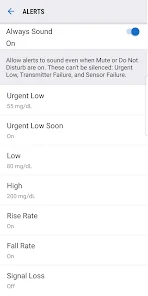
Customizable Alerts

With Dexcom G6, users can set personalized alerts for high and low glucose levels, ensuring they stay aware of their body’s fluctuations. These timely notifications help users take proactive steps to manage their diabetes, preventing potential health complications and making life a bit easier.

Data Sharing Capability

The Dexcom G6 allows users to share their glucose data with family, friends, or healthcare professionals. This feature fosters a support system for those managing diabetes, enabling loved ones to stay informed and provide assistance when needed, enhancing overall care and peace of mind.

Easy Sensor Application

The Dexcom G6 boasts a simple, one-touch sensor application process that makes it easy for users to get started. This convenience eliminates the need for multiple steps, allowing for a smoother experience while ensuring accurate readings from the very first application.

Real-Time Glucose Monitoring

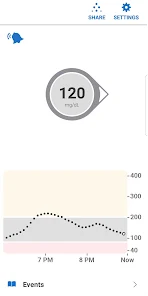
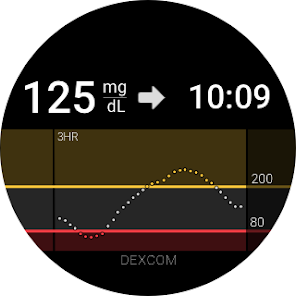
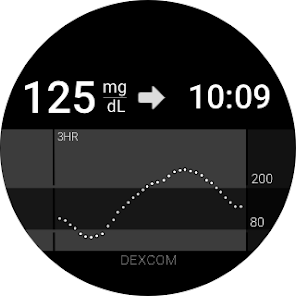
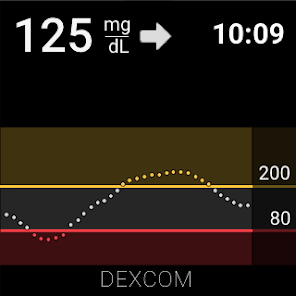
The Dexcom G6 offers continuous glucose monitoring, delivering real-time glucose readings directly to your smartphone or smartwatch. This feature allows users to track their glucose levels throughout the day, helping them make informed decisions about their diet and insulin use, ultimately improving their diabetes management experience.

Pros & Cons

Pros
  • Real-time glucose monitoring for instant feedback
  • No fingersticks needed for convenient testing
  • Customizable alerts for proactive management
  • User-friendly app for easy tracking and insights
  • Discreet design for comfortable, everyday wear
Cons
  • High cost of sensors and supplies
  • Limited sensor wear time
  • Requires calibration for accuracy
  • May cause skin irritation

Real Experience Using Dexcom G6

Application Scenarios

The Dexcom G6 app is primarily designed for individuals with diabetes, particularly those who require continuous glucose monitoring. It is particularly beneficial for people managing Type 1 or Type 2 diabetes who need to keep a close eye on their glucose levels throughout the day. The app allows users to track their blood glucose in real-time, providing alerts for highs and lows that can help prevent dangerous fluctuations. Additionally, caregivers and family members can remotely monitor the glucose levels of their loved ones, making it an excellent choice for those who need additional support in managing their diabetes. The app can be used in various scenarios, including during exercise, meals, or at night, giving users a comprehensive overview of their glucose levels throughout the day.

User Experience

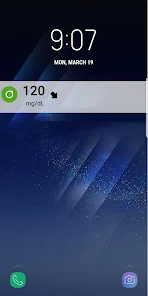
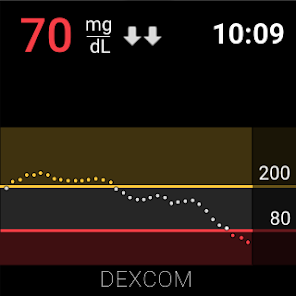
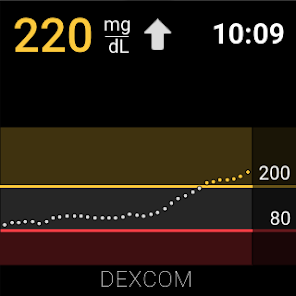
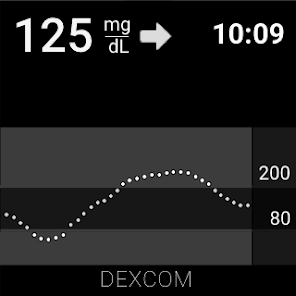
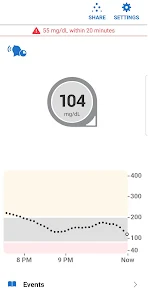
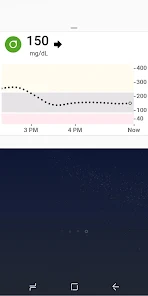
User experience with the Dexcom G6 app is generally positive, with many users praising its intuitive interface and user-friendly design. The app's dashboard displays glucose levels in an easy-to-read format, allowing users to quickly grasp their current situation. The trend arrows indicate whether glucose levels are rising, falling, or stable, which is valuable for making immediate decisions regarding food intake or insulin administration. Notifications for high and low glucose levels are customizable, ensuring that users receive alerts tailored to their preferences. However, some users have reported occasional connectivity issues between the app and the sensor, which can be frustrating. Overall, the app's ability to provide real-time data and insights into glucose trends significantly enhances the diabetes management experience.

Pricing

Updates & Support The developers of the Dexcom G6 app are committed to continuous improvement and regularly release updates to enhance functionality and user experience. These updates often include bug fixes, performance enhancements, and new features based on user feedback. Customer support is readily available through various channels, including the Dexcom website and app. Users can access comprehensive FAQs, troubleshooting guides, and direct support from customer service representatives. Many users appreciate the responsiveness of the support team, which helps resolve issues efficiently. Overall, the dedication to updates and user support contributes to the app’s reliability in managing diabetes effectively.

verified Security & Privacy Review

The Dexcom G6 app prioritizes user security and privacy, implementing robust measures to protect sensitive health information. The app utilizes encryption protocols to safeguard data transmitted between the device and the user's smartphone, ensuring that personal health metrics remain confidential. In terms of permissions, the app requires access to Bluetooth for device connectivity and location services to enhance user experience. Users are informed about these permissions during the installation process, allowing for informed consent. The app also provides options for users to manage data sharing, which can include sharing glucose levels with caregivers or healthcare professionals. Dexcom adheres to strict privacy practices, complying with regulations such as HIPAA, which governs the handling of personal health information. Users can review and adjust their privacy settings within the app, giving them control over who can access their data. Overall, the Dexcom G6 app demonstrates a commitment to maintaining the highest standards of security and privacy for its users, making it a reliable choice for managing diabetes care.

User Reviews

  • Tammy Baker
    2026/06/30

    Update: Still haven't fixed this problem. This is a bad look for you Dexcom, not caring for your customers after you have been notified of the issue. I'm truly disappointed. The numbers from the last 24 hours isn't showing up when I use the bar to scroll across my data. I've seen others with the same problem. you need to get this fixed ASAP. Also, you never applied Daylight Savings Time to the graph.

  • Will Smith
    2026/06/17

    As of late, I have been unable to log in to the application. While it still displays my current glucose trends, the data is not being uploaded and therefore shared with my endocrinologist. When I attempt to log in, I get nothing but a white page. The application really should use a cached and tokenized system to retain log in status between application updates.

  • Cyn Cornett
    2026/06/20

    I have been using Dexcom G6 for several years and it was great, until they decided to quit manufacturing it. I guess they decided the app was no longer worth updating, because it is completely useless now. Over the last 3 months, I have spent more time receiving alerts that the signal has been lost than I have getting my glucose readings. Changing transmitters and sensors has not made a difference. I'm going to stop using Dexcom all together.

  • Cdogg T
    2026/02/23

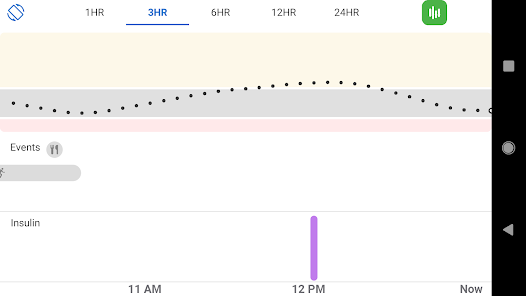
    I've been using the G6 for almost 2 years now and it started off great, but lately it's inaccurate and I have to constantly calibrate it using the old finger stick method. Now the app doesn't even show your readings throughout the day no matter what time frame you choose (1, 3, 6, 12 or 24hr) which is really dumb. It only shows what's reading at that time. Customer support said to download the Clarity App, but that has nothing to do with the glucose history on the G6 app. Switching to Libre.

  • Gary
    2026/02/25

    I can only view historical readings within the hour. It keeps a record of it, a log, by hovering over the little dot that represents a five-minute increment. But anything more than that, the three hours or six hours or 12 hours or 24 hours, I can't see anything. I'll drink the line across each of the 5 minute increments in any of those other windows, 3, 6, 12, 24 hours, It doesn't show me any numbers. I've cleared the data, the cache and data for the app. I've logged out and back in, reinstall

Review Source: Google Play store public user reviews.

FAQ

1

Does Dexcom G6 collect my personal data?

Yes, Dexcom G6 collects personal data related to glucose levels and usage patterns to enhance user experience and improve the app's functionality, but it is subject to privacy policies and regulations.

2

Does Dexcom G6 offer a free trial or free version?

Dexcom G6 does not offer a free trial or free version; it requires a subscription or purchase of the sensor for continued use.

3

Does Dexcom G6 require an internet connection?

Dexcom G6 does not require a constant internet connection for real-time monitoring, but an internet connection is needed for features like sharing data and accessing cloud-based services.

4

How can I contact support or send feedback for Dexcom G6?

You can contact Dexcom support through their official website or app, where you can find resources for customer service, FAQs, and options to submit feedback or inquiries.

5

How do I manage or cancel my Dexcom G6 subscription?

You can manage or cancel your Dexcom G6 subscription through the app or the Dexcom website by following the account settings and subscription management options provided.

How to use Dexcom G6

1

How can I contact Dexcom customer service?

You can reach Dexcom customer service at 1-888-738-3646 for assistance with your device.

2

How do I activate my Dexcom G6 system?

To activate, open the Dexcom G6 app, select "Start," and follow the on-screen instructions to pair your sensor.

3

How do I log in to the Dexcom G6 app?

Open the app and enter your registered email and password. If you forget your password, you can reset it via the app.

4

What is the customer number for Dexcom support?

The customer number for Dexcom support is 1-888-738-3646.

What's New

Bug fixes and performance enhancements

Editor's Choice