This site uses cookies to enhance your user experience. By clicking any link on this site you are giving your consent to our cookie policy. Read more
Reject
Accept All

Advertiser and Editorial Disclosures

Wikipedia

Wikipedia

verified Verified App

Developer: Wikimedia Foundation

  • category

    Category: Books & Reference

  • price

    Price: free

  • age rating

    Age Rating: Everyone

  • rating

    Rating: 4.4

  • download

    Downloads: 50,000,000+

  • version

    Version: 50565-r-2026-01-12

Screenshot 1
Screenshot 2
Screenshot 3
Screenshot 4
Screenshot 5
Screenshot 6
Screenshot 7
Screenshot 8
Screenshot 9

Features & Highlights

Collaborative Editing

Wikipedia allows users from around the world to edit articles collaboratively, fostering a sense of community and shared knowledge. This feature enables real-time updates and improvements, ensuring that the content remains accurate and relevant as new information becomes available.

Comprehensive Referencing

Every article on Wikipedia is meticulously cited with references, which enhances the credibility and reliability of the information provided. This emphasis on verifiable sources empowers users to explore topics further and encourages responsible information consumption.

Diverse Language Support

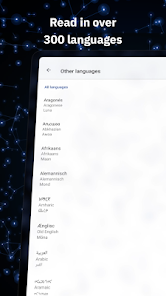
With content available in over 300 languages, Wikipedia ensures accessibility to a global audience. This feature allows users to contribute and consume information in their native languages, promoting inclusivity and cultural diversity in the knowledge-sharing process.

User-Generated Content

Wikipedia thrives on user-generated content, where anyone can contribute their expertise or knowledge on various subjects. This democratic approach not only enriches the information available but also encourages a sense of ownership and responsibility among contributors.

Pros & Cons

Pros
  • Easily accessible information for everyone online
  • Collaborative content creation by diverse contributors
  • Regularly updated to reflect current knowledge
  • Free to use without any subscription fees
  • Supports multiple languages for global reach
Cons
  • Vandalism can easily occur and persist
  • Content may lack reliable citations
  • Information can be biased or outdated
  • Editing rules can discourage new contributors

Real Experience Using Wikipedia

Application Scenarios

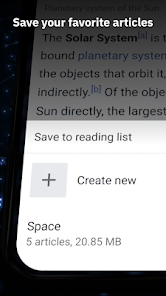
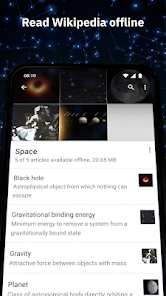
The Wikipedia app serves a multitude of purposes, making it an invaluable resource for a wide range of users. Students often turn to it for quick references while researching assignments or preparing for exams. Professionals may use it to brush up on industry-specific knowledge or to gain insights into historical events during meetings. Travelers frequently rely on the app to learn about local cultures, landmarks, and customs before visiting new destinations. Additionally, casual users enjoy the app for its vast repository of information that caters to diverse interests, from science and technology to arts and humanities. The app’s offline mode allows users to save articles for later reading, making it a handy tool for those who may not always have internet access, such as during commutes or while traveling.

User Experience

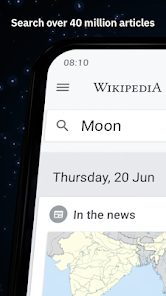
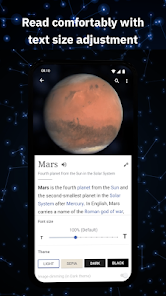
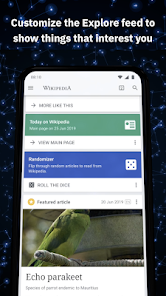
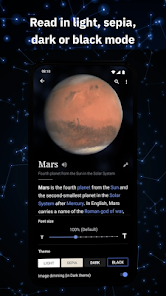
The Wikipedia app offers a clean and intuitive interface, making navigation seamless for users of all ages. Upon launching the app, users are greeted with a personalized homepage showcasing trending articles and topics based on their interests. The search functionality is robust, allowing users to find specific articles with ease. The app's text is easy to read, and users can customize font sizes for enhanced accessibility. One of the standout features is the ability to save articles for offline reading, which ensures that users can access information anytime, anywhere. However, some users have reported occasional bugs, such as crashes during extensive searches or difficulties in loading images. Overall, the user experience is largely positive, with the app striking a balance between simplicity and comprehensive content.

Pricing

The Wikipedia app is completely free to download and use, which is a significant advantage for users seeking a wealth of information without any financial commitment. There are no hidden fees, subscriptions, or advertisements, which allows for an uninterrupted experience while exploring the vast database of knowledge. This free access aligns with Wikipedia's mission of making information freely available to everyone around the globe, reinforcing the app's value proposition as a go-to resource for learners and knowledge seekers alike.

Updates & Support

The Wikipedia app receives regular updates aimed at improving functionality and fixing bugs. Users can expect enhancements that often include new features, performance improvements, and updates to content accuracy. The support system is robust, with a dedicated help center accessible within the app. Users can report bugs or issues directly, and there are extensive FAQs to assist with common questions. The Wikipedia community is active and responsive, ensuring that user feedback is taken into account for future updates. Overall, the commitment to continuous improvement makes the Wikipedia app a reliable tool for anyone looking to expand their knowledge base.

verified Security & Privacy Review

The Wikipedia app prioritizes user privacy and data security, adhering to robust practices to protect user information. The app does not require users to create an account to access the vast majority of its content, allowing for anonymous browsing. When accounts are created, users have control over their personal data, with options to manage visibility and privacy settings. In terms of permissions, the Wikipedia app typically requests access to network connectivity to load content efficiently. It does not ask for unnecessary permissions, minimizing potential data exposure. The app also employs encryption protocols to safeguard any data transmitted over the internet, ensuring that user interactions remain confidential. Moreover, Wikipedia’s commitment to privacy is reflected in its transparent data handling policies. It does not sell user data to third parties and provides clear information on how user data is collected, used, and stored. Overall, the Wikipedia app demonstrates a strong commitment to maintaining a secure and private environment for users.

Reviews

4.4

“Informative and reliable resource for quick facts”

“Love the vast amount of information available”

“User-friendly interface makes browsing easy”

“Great for academic research and casual reading”

“Occasionally outdated, but generally trustworthy content”

FAQ

1

Does Wikipedia collect my personal data?

Wikipedia does not collect personal data in the traditional sense, but it may log IP addresses and user activity for the purpose of improving the service and maintaining site security.

2

Does Wikipedia offer a free trial or free version?

Wikipedia is completely free to use and does not offer a trial period or paid version, as its content is available to everyone at no cost.

3

Does Wikipedia require an internet connection?

Yes, Wikipedia generally requires an internet connection to access its content, although users can download articles for offline reading using its mobile app.

4

How can I contact support or send feedback for Wikipedia?

You can contact Wikipedia support or send feedback through the "Help" or "Contact us" sections found on the website. Additionally, you can engage with the community on discussion pages related to specific articles.

5

How do I manage or cancel my Wikipedia subscription?

Since Wikipedia does not offer any subscription services, there is no need to manage or cancel a subscription. Users can access the platform freely at any time.

How to use Wikipedia

1

How can I contact Customer Service for the Wikipedia app?

You can reach Wikipedia's Customer Service through their Help page or by visiting the community forums for assistance.

2

How do I find my Customer Number for the Wikipedia app?

Wikipedia does not use a Customer Number; instead, you can log in with your username and password.

3

How do I log in to the Wikipedia app?

Open the app, tap on the menu, select "Log in," and enter your username and password.

4

Is activation necessary for the Wikipedia app?

No activation is required; simply download the app and log in with your existing Wikipedia account.

Editor's Choice