This site uses cookies to enhance your user experience. By clicking any link on this site you are giving your consent to our cookie policy. Read more
Reject
Accept All

Advertiser and Editorial Disclosures

YouVersion Bible App + Audio

YouVersion Bible App + Audio

verified Verified App

Developer: Life.Church

  • category

    Category: Books & Reference

  • price

    Price: free

  • age rating

    Age Rating: Teen

  • rating

    Rating: 4.9

  • download

    Downloads: 100,000,000+

  • version

    Version: 11.15.2+7086395

Screenshot 1
Screenshot 2
Screenshot 3
Screenshot 4
Screenshot 5
Screenshot 6
Screenshot 7
Screenshot 8

Features & Highlights

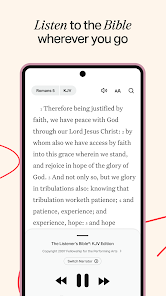
Audio Bible Experience

With the integrated audio feature, users can listen to their favorite Bible passages on the go. This is perfect for busy individuals or those who prefer auditory learning, allowing scripture to be absorbed while driving, exercising, or relaxing at home.

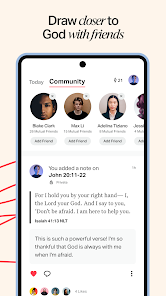
Community Features

YouVersion Bible App + Audio includes community-oriented features that enable users to connect with friends, share insights, and discuss scripture. This fosters a supportive environment for spiritual growth and encourages meaningful conversations around faith.

Multiple Translations

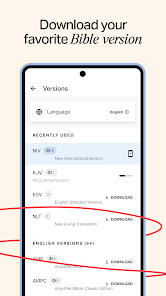
YouVersion Bible App + Audio offers a vast array of Bible translations in various languages, allowing users to explore scripture in the version that resonates most with them. This feature helps enhance understanding and engagement with the text, making it easier to connect with the messages conveyed in the Bible.

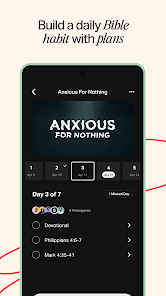
Reading Plans

The app provides a selection of curated reading plans that guide users through the Bible over a set period. These plans cater to different themes and topics, making it easier for users to deepen their faith and comprehension in a structured way.

Pros & Cons

Pros
  • Access thousands of Bible translations anytime, anywhere.
  • Experience immersive audio for engaging scripture listening.
  • Customize reading plans to fit your personal journey.
  • Highlight, bookmark, and share favorite verses easily.
  • Join a community for discussions and spiritual growth.
Cons
  • Limited offline functionality for audio access
  • Audio quality may vary significantly
  • User interface can be confusing for newcomers
  • Frequent ads disrupt the reading experience

Real Experience Using YouVersion Bible App + Audio

Application Scenarios

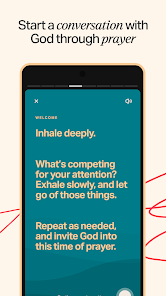
The YouVersion Bible App + Audio is designed for a diverse range of users, making it an ideal companion for anyone looking to deepen their understanding of the Bible. Whether you're at home, commuting, or enjoying some quiet time in nature, this app provides easy access to the scriptures. Many users leverage the app for personal study, daily devotionals, or group Bible studies, allowing for seamless sharing of verses and notes. Furthermore, the audio feature enables users to listen to the Bible while multitasking, making it perfect for those who prefer auditory learning or are on the go. Additionally, the app includes reading plans that cater to specific needs, such as spiritual growth, healing, or relationships, ensuring that users can find relevant content that resonates with their current life situations.

User Experience

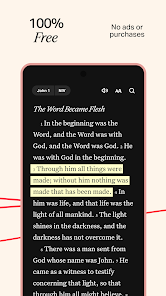
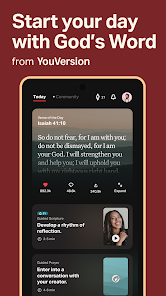
The user experience of the YouVersion Bible App is notably intuitive and user-friendly. Upon opening the app, users are greeted with a clean, minimalistic interface that allows for easy navigation. The search functionality is robust, enabling users to find specific verses or topics with minimal effort. The ability to personalize the app by selecting different Bible translations enhances the reading experience, catering to various preferences. Furthermore, the app's highlight and note-taking features allow users to mark important passages, creating a personalized digital Bible that can be referenced anytime. The community aspect is also commendable, as users can share verses and insights with friends or within groups, fostering a sense of connection among believers. Overall, the app successfully combines functionality with a pleasant aesthetic, making scripture engagement enjoyable and enriching.

Pricing

The YouVersion Bible App + Audio is completely free to download and use, which is a significant advantage for users. There are no hidden fees or subscriptions required to access the core features, including the vast library of Bible translations and audio options. While some premium features may be available through third-party integrations, the app itself provides ample resources at no cost. This accessibility ensures that individuals from all backgrounds can engage with the Bible without financial barriers, enhancing its outreach and impact.

Updates & Support

YouVersion consistently updates its app to improve functionality and user experience. These updates often include new features, bug fixes, and additional Bible translations, ensuring that the app remains relevant and useful. Users can easily report issues or seek assistance through the app’s support section, which offers a comprehensive FAQ and direct contact options for further help. The developers are responsive to user feedback, making it clear that they value the community's input. This commitment to continuous improvement and user support contributes to a reliable and satisfying overall experience.

verified Security & Privacy Review

The YouVersion Bible App + Audio places a strong emphasis on user security and privacy. The app requires minimal permissions, primarily accessing storage for downloading audio files and resources. Users can rest assured that their personal information is not shared with third parties, as the app maintains a strict policy against data selling. YouVersion employs industry-standard encryption practices to safeguard any data transmitted between the app and its servers. Additionally, the app includes features that allow users to manage their privacy settings effectively, such as the ability to control data sharing and visibility within community features. User data, including reading plans and notes, is stored securely and can be backed up to the cloud, ensuring that personal content remains private and accessible only to the user. The app's privacy policy is transparent, clearly outlining what data is collected and how it is used, which fosters trust among its user base. Overall, YouVersion Bible App + Audio demonstrates a commitment to protecting user privacy while providing a rich and engaging experience for Bible study and community interaction.

Reviews

4.9

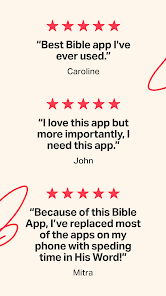
“Great resource for daily Bible reading and study.”

“Audio feature enhances my listening experience.”

“User-friendly interface, easy to navigate.”

“Wide variety of translations available.”

“Love the verse of the day notifications!”

FAQ

1

Does YouVersion Bible App + Audio collect my personal data?

Yes, YouVersion Bible App + Audio may collect personal data such as user preferences and activity to enhance the user experience, but it prioritizes user privacy and complies with data protection regulations.

2

Does YouVersion Bible App + Audio offer a free trial or free version?

YouVersion Bible App + Audio is completely free to download and use, with no trial period; all of its features are available at no cost.

3

Does YouVersion Bible App + Audio require an internet connection?

While YouVersion Bible App + Audio offers many features that can be accessed offline, you will need an internet connection to download specific translations, audio files, and access certain features such as sharing and syncing.

4

How can I contact support or send feedback for YouVersion Bible App + Audio?

You can contact support or send feedback for YouVersion Bible App + Audio through the app itself by accessing the settings menu, or by visiting the official YouVersion website for additional resources.

5

How do I manage or cancel my YouVersion Bible App + Audio subscription?

Since YouVersion Bible App + Audio does not have a subscription model, there is no need to manage or cancel any subscriptions; all services are available for free.

How to use YouVersion Bible App + Audio

1

Can I recover my account if I forget my login information?

Yes, tap "Forgot Password?" on the login screen to receive instructions for account recovery via email.

2

Do I need to activate the YouVersion Bible App after downloading?

No activation is necessary. Simply download the app, and it’s ready to use.

3

How can I change my login details for the YouVersion Bible App?

To change your login details, go to Settings > Account and follow the prompts to update your information.

4

How can I contact customer service for the YouVersion Bible App?

You can contact customer service through the app by navigating to Settings > Help & Feedback. You can also visit their website for support.

5

How do I activate the audio feature in the YouVersion Bible App?

Go to the settings in the app and enable the audio feature. Select the passage you want to listen to, and tap the audio icon.

Editor's Choice