This site uses cookies to enhance your user experience. By clicking any link on this site you are giving your consent to our cookie policy. Read more
Reject
Accept All

Advertiser and Editorial Disclosures

Goodreads: Book Reviews

Goodreads: Book Reviews

verified

Goodreads

4.6
Rating
10,000,000+ Downloads
2.72.1 Build 1 Version
  • category

    Category: Books & Reference

  • price

    Price: free

  • age rating

    Age Rating: Teen

  • rating

    Rating: 4.6

  • available on

    Available on: /

  • updated on

    Updated on: May 27, 2026

Screenshot 1
Screenshot 2
Screenshot 3
Screenshot 4
Screenshot 5
Screenshot 6
Screenshot 7
Screenshot 8
Screenshot 9
Screenshot 10
Screenshot 11
Screenshot 12
Screenshot 13
Screenshot 14
Screenshot 15
Screenshot 16
Screenshot 17
Screenshot 18
Screenshot 19
Screenshot 20
Screenshot 21
Screenshot 22
Screenshot 23
Screenshot 24

Features & Highlights

Community Engagement

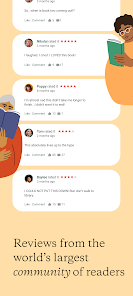
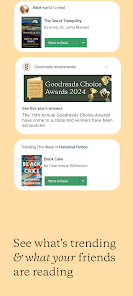
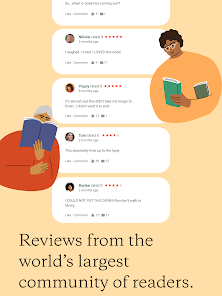
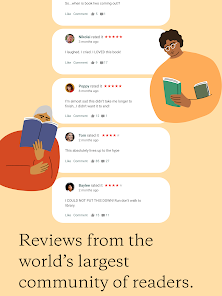
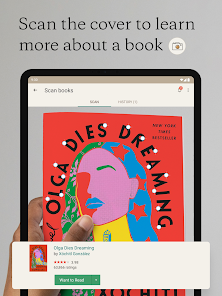
Join a vibrant community of readers by sharing your thoughts and reviews on books you've read. Engage in discussions, follow friends, and see what others are reading, creating a social experience that enhances your love for literature.

Personalized Recommendations

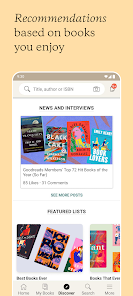
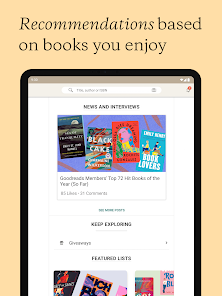
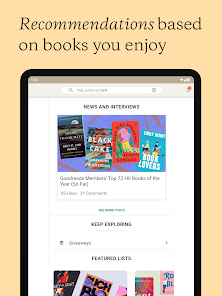
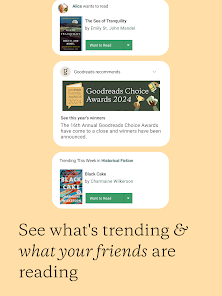
Goodreads offers tailored book suggestions based on your reading history and preferences, helping you discover new titles that align with your interests. This feature makes it easier to find your next favorite read, ensuring that your bookshelf stays fresh and engaging.

Reading Challenges

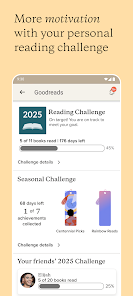
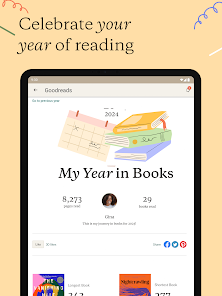
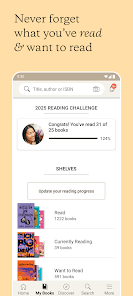
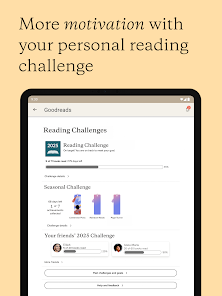
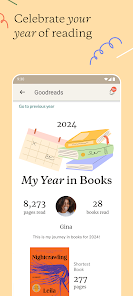
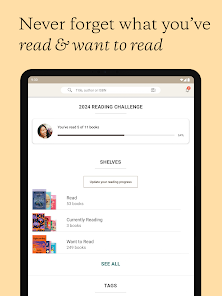
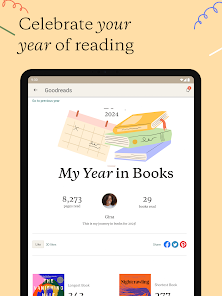
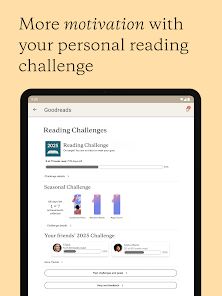
Set and track your annual reading goals with customizable challenges that motivate you to read more. This feature allows you to celebrate your progress and encourages a fun, competitive spirit among friends and fellow book lovers.

User-Friendly Interface

Navigate through the app with ease thanks to its intuitive design that allows for quick access to your bookshelves, reviews, and reading lists. The clean layout makes it simple to interact with content, whether you're browsing or posting your thoughts.

Pros & Cons

Pros
  • Discover personalized book recommendations based on your reading preferences
  • Easily track your reading progress and set annual reading goals
  • Join a vibrant community to share reviews and connect with fellow readers
  • Access extensive book ratings and reviews for informed reading choices
  • Participate in engaging reading challenges and giveaways throughout the year
Cons
  • Limited control over privacy settings may expose user data.
  • Algorithmic recommendations can be inaccurate or misleading.
  • User interface can be cluttered and overwhelming for new users.

Real Experience Using Goodreads: Book Reviews

Application Scenarios

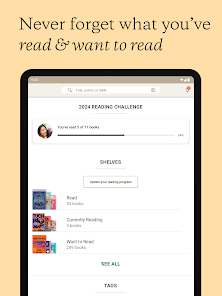
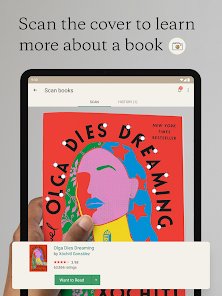
Goodreads: Book Reviews serves multiple purposes for a diverse audience of book lovers. Whether you are an avid reader seeking new recommendations, a student looking to track your reading assignments, or an author wanting to engage with your audience, this app caters to all. It allows users to create a virtual bookshelf where they can add books they wish to read, are currently reading, or have completed. Users can also join reading challenges, participate in book clubs, and follow friends to see their reading habits. The app's extensive database of books makes it easy to discover new titles, and its personalized recommendations help users find books that match their interests and reading history.

User Experience

The user experience on Goodreads is generally positive, thanks to its intuitive interface and vast community of readers. Navigating through the app is seamless, allowing users to easily search for books, rate them, and write reviews. The social aspect of Goodreads enhances user engagement; readers can interact with friends and see their reviews and ratings, fostering a sense of community. The app also features a clean layout that makes it easy to browse through different genres and categories. However, some users have reported occasional glitches and bugs, particularly after updates. Despite this, the overall experience is enjoyable, especially for those who appreciate reading as a social activity.

Pricing

Goodreads is free to use, making it an accessible platform for anyone interested in books. Users can create an account without any financial commitment, which allows them to enjoy most features without restrictions. While there are no premium options, the free version provides ample functionality for tracking books, writing reviews, and connecting with other readers. However, users may encounter advertisements within the app, which can be slightly distracting but are generally not intrusive. The absence of a paid subscription model ensures that the app remains inclusive for all readers, regardless of their budget.

Updates & Support

Goodreads regularly updates its app to improve functionality and address user feedback. These updates often include bug fixes, performance enhancements, and new features based on community suggestions. Users can easily report issues through the app, and the support team is responsive, providing assistance to resolve any queries or problems users may encounter. The active development and commitment to user satisfaction create a reliable platform for readers. Additionally, the Goodreads community forums offer a space for users to discuss issues, share tips, and provide feedback, further enhancing the support experience.

verified Security & Privacy Review

The Goodreads app prioritizes user security and privacy by implementing robust data handling practices. Users can create accounts using email or link their Amazon accounts, which adds a layer of convenience while maintaining secure authentication methods. The app employs encryption protocols to protect user data during transmission, ensuring that personal information remains confidential. Goodreads collects a range of data, including reading preferences, book reviews, and social interactions. Users should be aware of the permissions requested by the app, which may include access to contacts and location services. While these permissions enhance social features, users can customize settings to limit data sharing according to their preferences. Goodreads has a clear privacy policy outlining how user data is collected, used, and shared. The app allows users to manage their privacy settings effectively, including options to control visibility of their profiles and interactions. Overall, Goodreads demonstrates a commitment to user privacy while providing a rich social reading experience, although users should remain vigilant about their personal data management.

User Reviews

  • Rose Pearce
    2026/04/10

    I can't log into my account since they no longer support Facebook login. They claim that you can use the email linked with your Facebook account and put "forgot password." That is a complete lie. It says it doesn't recognize me by that email. I created another account with that same email and couldn't add friends because "my email is linked to another goodreads account"!!!! I can't send anything to their customer support because any screenshot I can take is "too large." Garbage company!!!

  • Zachary (Z)
    2026/01/09

    this app sucks; it doesn't replicate what is on the website for days and you can barely make edits to your profile. can't make any edits to groups on it at all. apps are supposed to be easier access tools for the websites. this one looks nice but makes the website look like disney world in comparison. also I somehow can find books my friend wrote but I can't find the exact copy of a book I'm looking for so when I'm tracking how much I've read I can't track accurately.

  • Ciara Allen
    2024/10/13

    I am in love with this app! It helps me keep track of what I'm reading and my progress which is a great motivator!! It also allows me to easily create a to be read list! The only thing for me is I wish I could sort my to be read list or even filter it when I am looking for a specific genre, so if looking for a horror book out of that list I can select horror and have all that genre that I've added to the list brought up on one page without having to scroll through the rest!

  • Sara Garver
    2025/05/21

    I love being able to keep track of what I have read and listened too, however it's extremely tedious having to edit dates and instead of it just linking up with said audiobook apps. The giveaways is an excellent idea for authors to get their new books in front of people, however I have entered hundreds and never been chosen (given the number of giveaways I enter daily it's almost laughable that I haven't won a single one) ..... curious on how the choosing process works for this!!

  • Tracy K
    2026/06/20

    Its nice to have something to keep track of the Books I've read so I don't read them or buy them twice. It would be nice if you could remove tags from books, but you can't. Also, there's no way to look at other additions, ie audiobooks. And if you mark a currently reading book as read on the app, it will automatically change the book to a hardcover book, even though you specifically started 'reading' the audio.At least it loads SO MUCH faster than the actual website. Wish I could review that.

Review Source: Google Play store public user reviews.

FAQ

1

Can I submit suggestions or feedback to Goodreads - Find & Track Books?

Yes, users can submit suggestions or feedback through the app's support section or by contacting their customer service team directly.

2

Does Goodreads - Find & Track Books collect my personal data?

Yes, the app collects personal data to enhance user experience, including preferences and reading habits, as outlined in their privacy policy.

3

Does Goodreads - Find & Track Books support offline use?

Yes, users can access certain features of the app offline, such as viewing their reading lists and previously downloaded content.

4

How do I cancel my Goodreads - Find & Track Books subscription?

Users can cancel their subscription through the app settings or their account settings on the website, following the provided instructions.

5

How much does a subscription to Goodreads - Find & Track Books cost?

The subscription cost varies, but typically it offers premium features for around $5 per month or $50 per year.

How to use Goodreads: Book Reviews

1

Can I retrieve my customer number if I can't log in?

If you can't log in, use the "Forgot Password" option to reset your password and access your account, where you can find your customer number.

2

How can I change my email if I can't log in to my Goodreads account?

If you can't access your account, contact customer service for help in changing your email address.

3

How can I contact customer service for my Goodreads account issues?

You can reach Goodreads customer service through the help center on their website or by emailing them directly.

4

How do I log in to my Goodreads account?

To log in, visit the Goodreads website or app and enter your email and password associated with your account.

5

How do I report a problem to customer service regarding my reviews?

You can report issues with your reviews by visiting the Goodreads help center and submitting a support request.

What's New

This release contains bug fixes and other improvements.

Editor's Choice