This site uses cookies to enhance your user experience. By clicking any link on this site you are giving your consent to our cookie policy. Read more
Reject
Accept All

Advertiser and Editorial Disclosures

Libby, the Library App

Libby, the Library App

verified Verified App

Developer: OverDrive, Inc.

  • category

    Category: Books & Reference

  • price

    Price: 0

  • age rating

    Age Rating: Teen•Diverse Content: Discretion Advised

  • rating

    Rating: 4.8

  • download

    Downloads: /

  • version

    Version: 8.0.1

Screenshot 1
Screenshot 2
Screenshot 3
Screenshot 4
Screenshot 5
Screenshot 6
Screenshot 7
Screenshot 8

Features & Highlights

Easy Library Access

Libby makes it simple to connect with your local library, allowing you to borrow eBooks, audiobooks, and magazines from the comfort of your home. Just sign in with your library card, and you’re ready to explore a vast collection of titles at your fingertips.

Offline Reading

With Libby, you can download your borrowed titles for offline access, ensuring you can enjoy your books and audiobooks anytime, anywhere. This is perfect for long commutes or trips where internet access might be limited, keeping your library with you at all times.

Personalized Recommendations

Libby offers tailored suggestions based on your reading preferences and borrowing history, helping you discover new authors and genres that you might love. This feature enhances your reading experience by making it easier to find your next favorite book.

User-Friendly Interface

The app is designed with a sleek and intuitive interface, making it easy for users of all ages to navigate and find what they’re looking for. Whether you’re searching for a specific title or browsing categories, Libby ensures a smooth and enjoyable experience.

Pros & Cons

Pros
  • Access thousands of ebooks and audiobooks anytime, anywhere.
  • Enjoy a user-friendly interface for easy navigation.
  • Sync your reading progress across multiple devices seamlessly.
  • Discover personalized recommendations tailored to your interests.
  • Borrow titles instantly without late fees or waitlists.
Cons
  • Limited selection of titles compared to physical libraries
  • Offline access requires prior downloads
  • User interface can be confusing for new users

Real Experience Using Libby, the Library App

Application Scenarios

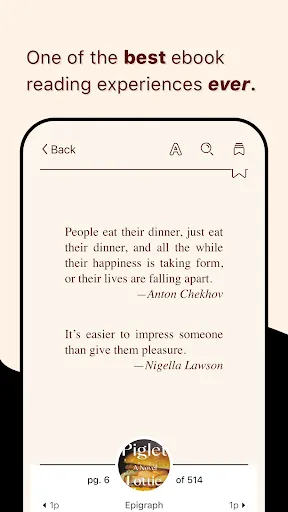
Libby, the Library App, seamlessly integrates into the daily lives of avid readers and casual book enthusiasts alike. Whether you’re commuting to work, lounging at home, or on a family vacation, Libby provides a vast library of ebooks and audiobooks at your fingertips. Users can easily browse their local library’s collection, making it an ideal tool for students needing research materials or parents looking for bedtime stories. In addition, Libby caters to various reading preferences, allowing users to switch between formats, ensuring that whether you're on a treadmill or curled up on the couch, you can enjoy your favorite titles. The app also accommodates different reading habits; users can highlight, bookmark, and make notes directly in the text, making it perfect for academic purposes or personal reflection.

User Experience

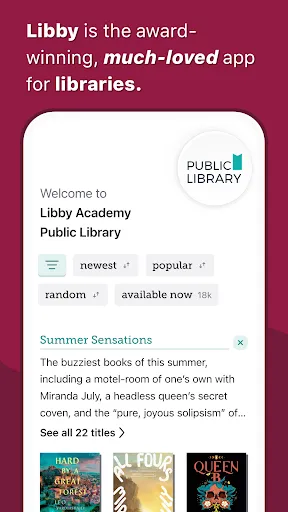
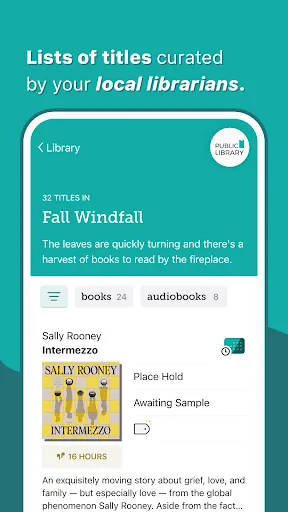
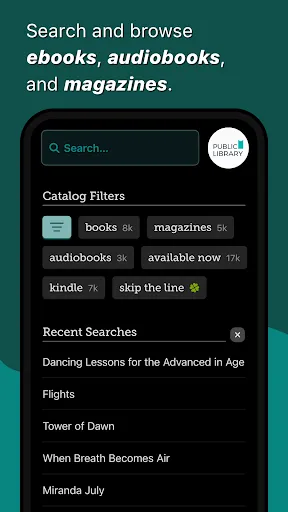
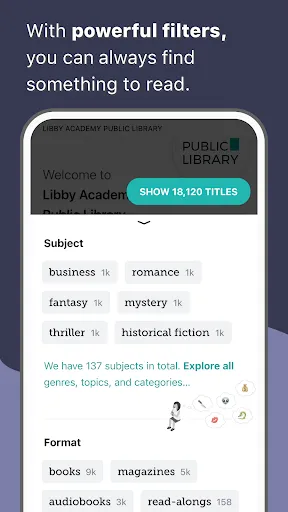
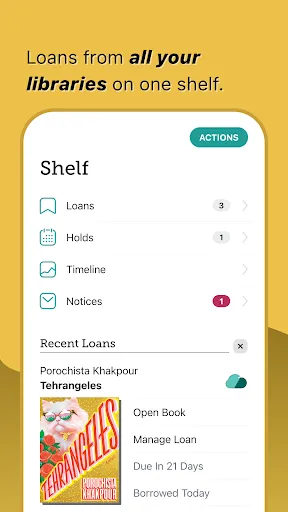
The user experience of Libby is remarkably intuitive, designed with a clean and user-friendly interface. Upon opening the app, users are greeted with a personalized home screen showcasing their borrowed titles and recommended reads. The search functionality is robust, enabling users to filter by genre, availability, and format, ensuring that finding a desired book is both quick and efficient. One standout feature is the “Shelf” option, where users can manage their loans and holds effortlessly. Audiobook enthusiasts will also appreciate the playback speed control and sleep timer features, enhancing their listening experience. Additionally, the integration of reading statistics provides readers with insights into their reading habits, which can motivate them to set and achieve personal reading goals.

Pricing

Libby operates on a unique pricing model since it connects users to their local library’s digital collection. This means that, for many users, access to thousands of titles comes at no cost, provided they have a valid library card. There are no hidden fees or premium subscriptions, making it a budget-friendly choice for readers of all ages. Libraries fund their digital collections through various channels, which allows Libby to provide free access to a wide range of books and audiobooks. Users can enjoy borrowing titles for several weeks and have the ability to renew loans if needed, making this app not only economical but also a fantastic resource for literature lovers.

Updates & Support

Libby frequently updates its software to enhance functionality and expand its library offerings. Recent updates have introduced improved search algorithms and enhanced accessibility features, catering to a broader audience. The app also provides attentive customer support, with a comprehensive FAQ section and a user-friendly feedback system. Users can easily report issues or suggest features, and the responsive support team is dedicated to ensuring a smooth reading experience. Regular communication about new features and library partnerships keeps users informed and engaged, making Libby not just an app but a continuously evolving reading companion.

verified Security & Privacy Review

Libby, the Library App, prioritizes user security and privacy through stringent data protection practices. The app employs encryption protocols to safeguard user data during transmission, ensuring that sensitive information remains secure. Libby does not store personal information on its servers unless necessary for functionality, such as account creation and borrowing history. In terms of permissions, Libby requires access to the device's library and internet connection to facilitate borrowing and downloading of eBooks and audiobooks. Users are informed about these permissions during the installation process, and they can manage them within their device settings. Importantly, Libby does not request excessive permissions beyond those essential for its core functions. Additionally, the app adheres to privacy regulations, such as GDPR, offering users control over their data. Users can access their data, request deletion, and understand how their information is utilized. Overall, Libby demonstrates a solid commitment to protecting user privacy while providing a seamless library experience.

Reviews

4.8

“Easy to use, great selection of books!”

“Love borrowing audiobooks on the go.”

“User-friendly interface, makes reading enjoyable.”

“Fantastic resource for avid readers.”

“Wish there were more titles available!”

Compare APP

FAQ

1

Can I submit suggestions or feedback to Libby, the Library App?

Yes, users can submit suggestions or feedback through the app or by visiting the Libby support website to share their thoughts.

2

Does Libby, the Library App collect my personal data?

Libby does collect some personal data to enhance user experience, but it adheres to strict privacy policies and does not sell personal information.

3

Does Libby, the Library App support offline use?

Yes, Libby allows users to download borrowed content for offline access, making it convenient to read or listen without an internet connection.

4

How do I cancel my Libby, the Library App subscription?

Since Libby does not require a subscription, there is no cancellation process; simply stop using the app if you choose not to use it anymore.

5

How much does a subscription to Libby, the Library App cost?

There is no subscription fee for Libby; it is completely free as long as you have access to a library that offers the service.

How to use Libby, the Library App

1

Can I change my customer number in the app?

No, your customer number is assigned by your library and cannot be changed within the app.

2

How can I log in if I have multiple library accounts?

You can log in to one library account at a time; switch libraries in the app to access different accounts.

3

How do I activate my Libby account after signing up?

To activate your account, click the activation link sent to your email after registration.

4

How do I contact customer service for help with Libby?

You can reach customer service through the app by navigating to Help and selecting Contact Us.

5

How do I log in to my Libby account?

To log in, open the app, select your library, and enter your library card number and PIN.

Editor's Choice