This site uses cookies to enhance your user experience. By clicking any link on this site you are giving your consent to our cookie policy. Read more
Reject
Accept All

Advertiser and Editorial Disclosures

Google Play Books & Audiobooks

Google Play Books & Audiobooks

verified Verified App

Developer: Google LLC

  • category

    Category: Books & Reference

  • price

    Price: free

  • age rating

    Age Rating: Teen

  • rating

    Rating: 4.7

  • download

    Downloads: 1,000,000,000+

  • version

    Version: /

Screenshot 1
Screenshot 2
Screenshot 3
Screenshot 4
Screenshot 5
Screenshot 6
Screenshot 7
Screenshot 8
Screenshot 9
Screenshot 10
Screenshot 11
Screenshot 12
Screenshot 13
Screenshot 14
Screenshot 15
Screenshot 16
Screenshot 17
Screenshot 18
Screenshot 19
Screenshot 20
Screenshot 21
Screenshot 22
Screenshot 23
Screenshot 24
Screenshot 25

Features & Highlights

Customizable Reading Experience

Tailor your reading experience with adjustable fonts, background colors, and text sizes to suit your comfort. The app also features a night mode for easier reading in low-light conditions, ensuring that everyone can enjoy their literary adventures anytime, anywhere.

Extensive Library Access

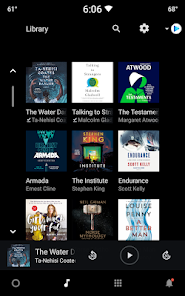
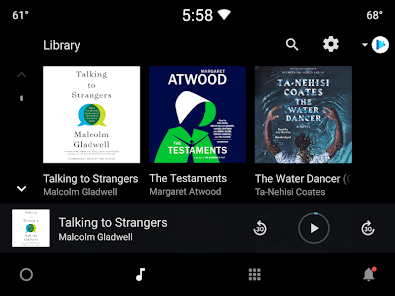
Enjoy access to millions of books and audiobooks, including bestsellers, classics, and indie gems, all in one place. With options for purchase or rental, you can explore a diverse range of genres and authors without any hassle, catering to every mood and preference.

Personalized Recommendations

Google Play Books & Audiobooks offers tailored suggestions based on your reading habits and preferences, ensuring you discover new titles that resonate with your interests. This feature helps you explore a vast library without feeling overwhelmed, making it easier to find your next favorite read or listen.

Sync Across Devices

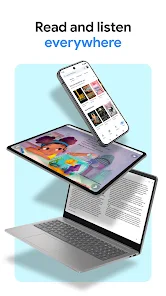
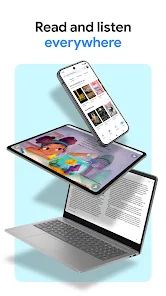
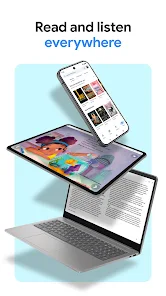
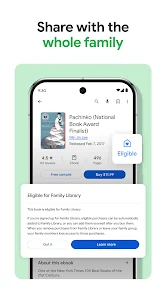
Seamlessly switch between your phone, tablet, or computer with automatic syncing of your reading progress and bookmarks. This means you can pick up right where you left off, no matter the device, making it convenient for on-the-go readers and listeners alike.

Pros & Cons

Pros
  • Access a vast library of ebooks and audiobooks anytime, anywhere.
  • Enjoy seamless integration with your Google account for easy access.
  • Discover personalized recommendations tailored to your reading preferences.
  • Sync your progress across devices for a continuous reading experience.
  • Read or listen offline, perfect for travel or commutes.
Cons

  • Limited selection compared to other platforms may restrict user choices.
  • User interface can be clunky and less intuitive for some readers.
  • Audiobook features may lack synchronization with eBook text for seamless transitions.

Real Experience Using Google Play Books & Audiobooks

Application Scenarios

Google Play Books & Audiobooks serves as a versatile companion for readers and listeners alike. Whether you are commuting, relaxing at home, or exercising, this app fits seamlessly into various scenarios. For daily commuters, the audiobook feature is a game-changer, allowing users to enjoy their favorite stories or learn something new while stuck in traffic or on public transport. For those who prefer reading, the ebook section offers a vast library of titles that can be accessed anytime, anywhere. The app is also ideal for students who need to refer to textbooks or supplementary materials on-the-go. Its ability to sync across devices means that you can start a book on your tablet and finish it on your smartphone without losing your place. Additionally, the app supports multiple formats, making it perfect for users who enjoy a mix of fiction, non-fiction, and instructional content.

User Experience

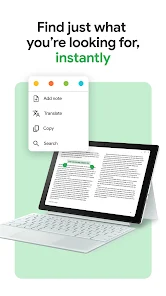
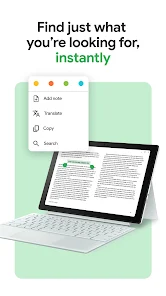
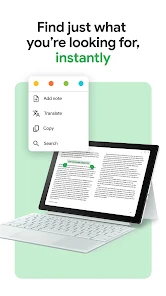
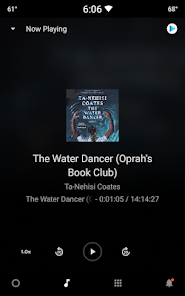
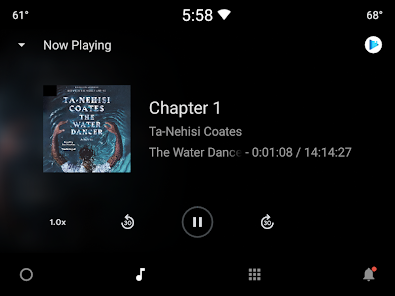
The user experience on Google Play Books & Audiobooks is generally smooth and intuitive. The interface is clean and user-friendly, making it easy to navigate through extensive libraries. Users can easily find their favorite genres, search for specific titles, or browse curated lists. Features like adjustable font sizes, background colors, and night mode significantly enhance the reading experience, catering to individual preferences. The audiobook player is equipped with useful functions such as speed control and sleep timers, allowing users to personalize their listening experience. Many users appreciate the option to highlight text and take notes, especially for educational purposes. However, some have reported occasional glitches, such as the app lagging during large downloads or syncing issues across devices. Overall, the app provides a satisfying experience for both avid readers and casual listeners.

Pricing

Google Play Books & Audiobooks operates on a pay-per-title basis, which means there is no subscription fee required to access its library. Users can purchase books and audiobooks individually, making it flexible for those who only want to buy specific titles rather than committing to a monthly subscription. Prices vary depending on the book's popularity and format, with frequent discounts and promotions available. This model is appealing for users who prefer to own their books rather than subscribing to a service. Additionally, the app often provides free samples, allowing users to preview content before making a purchase, which adds value to the overall experience.

Updates & Support

Google Play Books & Audiobooks is regularly updated to enhance functionality and user experience. These updates often include new features, bug fixes, and performance improvements. The development team actively listens to user feedback, implementing changes that address common concerns and requests. Support is readily available through the app’s help center, providing users with FAQs and troubleshooting tips. For more complex issues, users can contact customer support directly via email or chat. The responsiveness and effectiveness of the support team have generally been praised, ensuring that users can resolve their issues swiftly. Overall, the commitment to continuous improvement and user support adds to the app's reliability and user satisfaction.

verified Security & Privacy Review

The Google Play Books & Audiobooks app prioritizes user security and privacy by implementing industry-standard encryption protocols for data transmission and storage. This ensures that personal information, reading habits, and payment details are safeguarded against unauthorized access. Users can review and manage their privacy settings directly within the app, providing transparency regarding data collection practices. Google adheres to strict privacy policies, outlining what data is collected and how it is used, allowing users to make informed choices. The app requires various permissions to function effectively, including access to storage for book downloads and audio playback. Users are prompted to grant these permissions during installation, with the option to revoke them later. Google emphasizes minimizing data collection to what is necessary for service improvement and personalization. Overall, Google Play Books & Audiobooks demonstrates a commitment to protecting user data through robust security measures and transparent privacy practices, making it a reliable option for readers and audiobook enthusiasts alike.

Reviews

4.7

“Great selection of books and audiobooks!”

“User-friendly interface makes reading enjoyable.”

“Excellent syncing across devices.”

“Audiobook narrators are top-notch.”

“Love the personalized recommendations!”

Compare APP

FAQ

1

Can I submit suggestions or feedback to Google Play Books & Audiobooks?

Yes, users can submit feedback and suggestions through the app’s support features or the Google Play Store review section.

2

Does Google Play Books & Audiobooks collect my personal data?

Yes, the app may collect personal data such as your purchase history and preferences to enhance user experience and provide personalized recommendations.

3

Does Google Play Books & Audiobooks support offline use?

Yes, users can download eBooks and audiobooks for offline access, allowing them to enjoy content without an internet connection.

4

How do I cancel my Google Play Books & Audiobooks subscription?

Users can cancel their subscription through their Google Play account settings or directly in the app under the subscription management section.

5

How much does a subscription to Google Play Books & Audiobooks cost?

Subscription costs may vary based on the plan selected, and users can typically find pricing information within the app.

How to use Google Play Books & Audiobooks

1

Can I have my customer number sent to my email?

Unfortunately, customer numbers cannot be sent via email. You can view it by logging into your Google Play account.

2

How can I activate my Google Play Books account?

To activate your account, log in using your Google credentials and follow the on-screen instructions for account setup.

3

How do I contact customer service for issues with my Google Play Books account?

You can reach customer service through the Google Play Help Center or directly via the Google Play app. Just select "Help" and follow the prompts.

4

How do I reset my password if I can’t log in?

To reset your password, click on "Forgot Password?" on the login screen and follow the instructions sent to your registered email.

5

I forgot my customer number; how can I retrieve it?

To retrieve your customer number, log in to your Google Play account, navigate to account settings, and look for your customer details.

Editor's Choice