This site uses cookies to enhance your user experience. By clicking any link on this site you are giving your consent to our cookie policy. Read more
Reject
Accept All
Sygic GPS Navigation & Maps

Sygic GPS Navigation & Maps

verified Verified App

Developer: Sygic.

  • category

    Category: Maps & Navigation

  • price

    Price: free

  • age rating

    Age Rating: Everyone

  • rating

    Rating: 4.2

  • download

    Downloads: 50,000,000+

  • version

    Version: /

Screenshot 1
Screenshot 2
Screenshot 3
Screenshot 4
Screenshot 5
Screenshot 6
Screenshot 7
Screenshot 8
Screenshot 9
Screenshot 10
Screenshot 11
Screenshot 12
Screenshot 13
Screenshot 14
Screenshot 15
Screenshot 16

Features & Highlights

Offline Maps

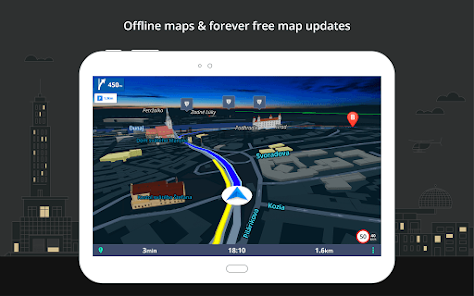
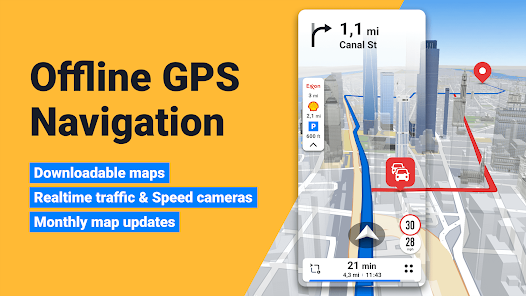
With Sygic GPS Navigation & Maps, you can download detailed maps for offline use, allowing you to navigate without an internet connection. This feature is perfect for traveling in remote areas or managing data usage while on the go, ensuring you always have access to crucial navigation tools.

Points of Interest

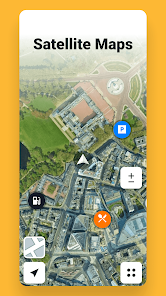
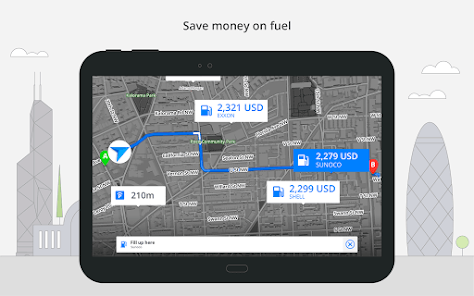
Explore your surroundings with Sygic's extensive database of Points of Interest (POIs). Whether you’re looking for restaurants, gas stations, or tourist attractions, Sygic helps you discover nearby options and plan your stops effectively, ensuring you never miss out on local gems.

Real-Time Traffic Updates

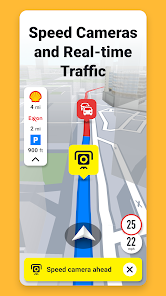
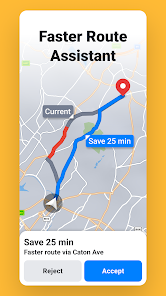
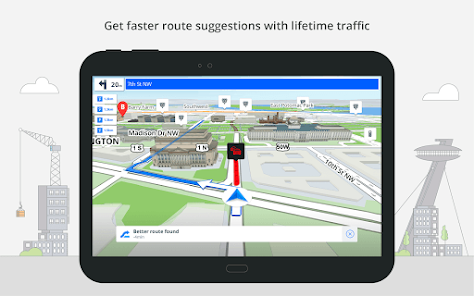
Stay ahead of the game with real-time traffic updates that keep you informed about road conditions, accidents, and delays. Sygic uses live data to suggest alternative routes, helping you save time and avoid congestion on your journey, no matter where you're headed.

Voice Navigation

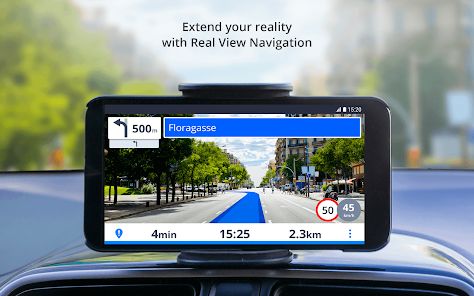
Sygic offers clear and accurate voice navigation, guiding you with turn-by-turn instructions. This hands-free feature allows you to focus on the road while receiving reliable directions, making your driving experience safer and more enjoyable, especially in unfamiliar areas.

Pros & Cons

Pros
  • Offline maps for reliable navigation without data usage
  • Real-time traffic updates for faster route planning
  • Voice-guided directions for hands-free driving convenience
  • Customizable routes tailored to personal preferences
  • User-friendly interface for easy navigation access
Cons
  • Limited offline map updates available
  • User interface can be confusing
  • High storage space required for maps
  • Occasional inaccuracies in traffic data

Real Experience Using Sygic GPS Navigation & Maps

Application Scenarios

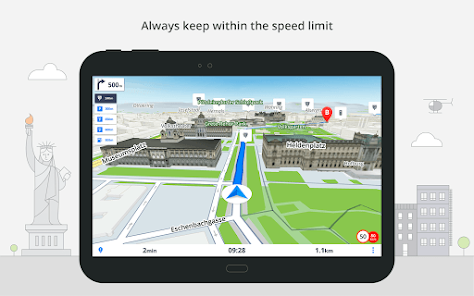
Sygic GPS Navigation & Maps is a versatile application designed for a variety of navigation scenarios. Whether you are embarking on a road trip across the country, navigating through urban areas, or even exploring off-the-beaten-path destinations, Sygic adapts to your needs. The app provides offline maps, which is particularly useful in areas with limited or no internet connectivity. Users can also take advantage of real-time traffic updates, helping to avoid congestion and save time. For those who enjoy outdoor activities like hiking or cycling, Sygic offers specialized maps tailored for these pursuits, making it an all-encompassing navigation tool. Additionally, the app includes features like voice-guided navigation, lane guidance, and speed limit warnings, ensuring that users remain informed and safe on the road.

User Experience

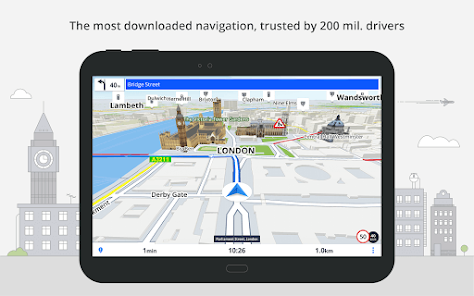
The user experience of Sygic GPS Navigation & Maps is largely positive, characterized by an intuitive interface that makes navigation seamless. Upon opening the app, users are greeted with a clean layout that allows for easy access to key features. The map visuals are detailed and user-friendly, with clear landmarks and route suggestions. Users appreciate the customizable settings, which enable them to tailor the navigation experience to their preferences, such as choosing between different map views or altering route preferences. The voice-guided navigation is often highlighted as particularly helpful, providing clear directions without distracting the driver. However, some users have reported occasional glitches or slow loading times, especially when using certain features, which can be frustrating during critical navigation moments.

Pricing

Sygic GPS Navigation & Maps operates on a freemium model, offering a free version with basic features and a premium subscription that unlocks advanced functionalities. The premium version includes features like offline maps, real-time traffic data, and route planning for multiple stops. Pricing is competitive compared to other navigation apps, with options for monthly, yearly, or lifetime subscriptions. This flexibility allows users to choose a payment plan that best fits their needs. While some users find the premium features worth the investment for enhanced navigation capabilities, others may prefer to stick with the free version, which still offers essential mapping services.

Updates & Support

Regular updates are a hallmark of Sygic GPS Navigation & Maps, ensuring that users have access to the latest maps and features. The app frequently releases updates to improve functionality and address any bugs or issues reported by users. Additionally, Sygic provides a robust support system, including an extensive FAQ section, troubleshooting guides, and customer support channels for personalized assistance. Users have reported prompt responses from the support team, which enhances the overall experience with the app. The commitment to regular updates and effective support helps Sygic maintain its position as a reliable navigation tool in a competitive market.

verified Security & Privacy Review

The Sygic GPS Navigation & Maps app places significant emphasis on user security and privacy. It employs advanced encryption methods to protect sensitive data, ensuring that personal information remains secure during transmission. The app is transparent about its data collection practices, outlining the types of information gathered, such as location data, usage statistics, and user preferences. Sygic requests specific permissions to access device features, including location services for accurate navigation. Users are informed of these permissions during the installation process, allowing for informed consent. Additionally, the app provides options for users to manage their privacy settings, enabling them to control what data is shared and with whom. While Sygic uses collected data to enhance user experience and improve app functionality, it also adheres to strict data retention policies. User data is not shared with third parties without explicit consent, reinforcing the app's commitment to maintaining user privacy. Overall, Sygic GPS Navigation & Maps demonstrates a responsible approach to security and privacy, prioritizing user trust and data protection.

Reviews

4.2

“Accurate navigation with detailed offline maps”

“User-friendly interface and great voice guidance”

“Frequent updates keep the maps current”

“Excellent for road trips and exploring new places”

“Battery-efficient with minimal data usage”

Editor's Choice