This site uses cookies to enhance your user experience. By clicking any link on this site you are giving your consent to our cookie policy. Read more
Reject
Accept All
GPS, Maps, Driving Directions

GPS, Maps, Driving Directions

verified Verified App

Developer: AppVerge Technologies, LLC

  • category

    Category: Maps & Navigation

  • price

    Price: free

  • age rating

    Age Rating: Everyone

  • rating

    Rating: 4.0

  • download

    Downloads: 50,000,000+

  • version

    Version: 13.82

Screenshot 1
Screenshot 2
Screenshot 3
Screenshot 4
Screenshot 5
Screenshot 6
Screenshot 7
Screenshot 8
Screenshot 9
Screenshot 10
Screenshot 11
Screenshot 12
Screenshot 13
Screenshot 14
Screenshot 15
Screenshot 16
Screenshot 17
Screenshot 18
Screenshot 19
Screenshot 20
Screenshot 21
Screenshot 22
Screenshot 23
Screenshot 24

Features & Highlights

Customizable Route Preferences

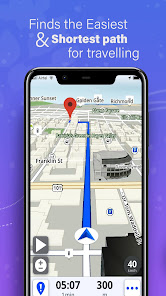
Tailor your travel experience with customizable route preferences that let you choose the best path for your needs. Whether you prefer scenic drives, the fastest routes, or avoiding tolls, the app adapts to your preferences. This feature empowers you to take control of your journey and explore the roads you love.

Offline Maps Access

Never worry about losing connectivity again with offline maps access. Download your favorite routes and maps for use when you're out of service, ensuring you can navigate even in remote areas. This feature is a lifesaver for road trips or travels to places with limited internet access.

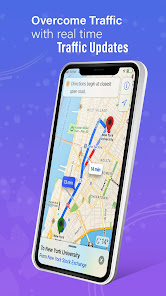
Real-Time Traffic Updates

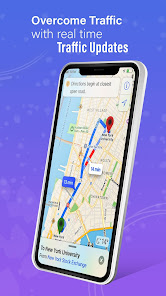
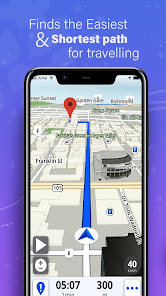
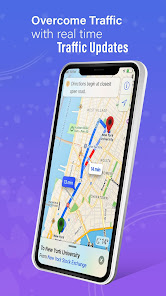
Stay informed with real-time traffic updates that help you avoid congestion and delays. The app analyzes current road conditions and suggests alternate routes to save you time and ensure a smoother journey. With this feature, you can drive with confidence, knowing you’re taking the best path available.

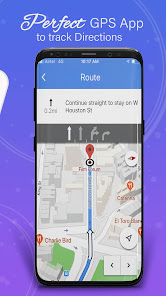
Voice Navigation Guidance

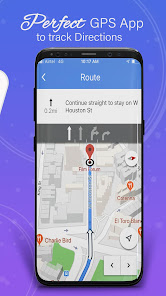
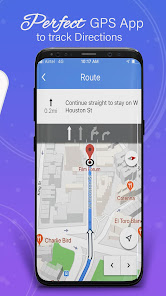
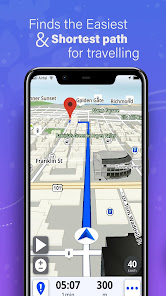
Experience hands-free convenience with voice navigation guidance that keeps your eyes on the road. The app provides clear, turn-by-turn instructions, making it easy to follow directions without distraction. It’s like having a co-pilot that guides you every step of the way, ensuring you stay on track.

Pros & Cons

Pros
  • Real-time traffic updates ensure the fastest possible route
  • Offline maps provide reliable navigation without cell service
  • Voice-guided turn-by-turn directions allow for safer driving
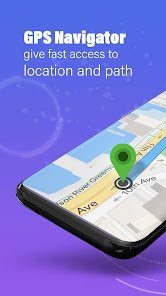
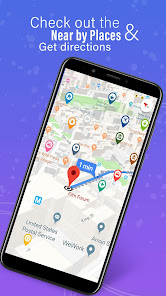
  • Precision location tracking simplifies finding unfamiliar destinations
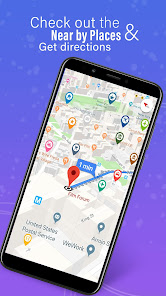
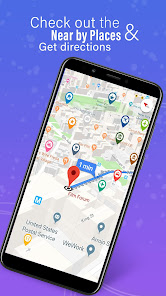
  • Integrated local search identifies nearby amenities and services
Cons
  • Signal loss in remote areas can disrupt navigation
  • Over-reliance leads to poor map-reading skills
  • Updates may not reflect real-time road changes
  • Battery drain affects long journeys significantly

Real Experience Using GPS, Maps, Driving Directions

Application Scenarios

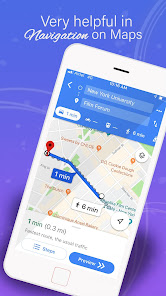
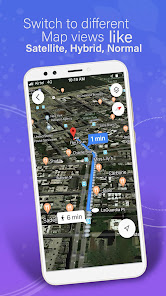
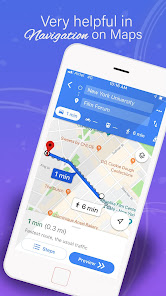
The GPS, Maps, Driving Directions app is designed for a variety of navigation needs, making it a versatile tool for everyday users. Whether you are commuting to work, planning a road trip, or exploring a new city, this app provides reliable guidance to help you reach your destination efficiently. The app excels in urban environments, where it can navigate through complex street layouts and heavy traffic. Users can also take advantage of its offline maps feature, which is particularly beneficial for those traveling in areas with limited internet connectivity. Additionally, the app includes options for walking, cycling, and public transportation routes, catering to different travel preferences and needs.

User Experience

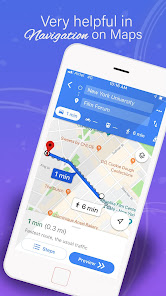
The user experience of the GPS, Maps, Driving Directions app is generally smooth and intuitive. Upon opening the app, users are greeted with a clean interface that allows for easy access to various features. The search functionality is robust, enabling users to find locations quickly, while saved favorites and recent destinations streamline the navigation process. One of the standout features is real-time traffic updates, which help users avoid congested areas and find the fastest routes. Voice-guided navigation provides hands-free assistance, ensuring that drivers can focus on the road. However, occasional bugs and slow loading times have been reported, which can detract from the overall experience. Nevertheless, the app's user-friendly design and helpful features make it a solid choice for many travelers.

Pricing

The GPS, Maps, Driving Directions app offers a freemium model, allowing users to access basic navigation features at no cost. For those seeking an enhanced experience, a premium subscription is available, which unlocks additional functionalities such as ad-free navigation, offline map downloads, and advanced routing options. The pricing is competitive compared to other navigation apps in the market, making it an attractive option for budget-conscious users. The free version remains functional for most users, but the premium features can significantly improve the overall experience for frequent travelers.

Updates & Support

The developers of the GPS, Maps, Driving Directions app are committed to providing regular updates to enhance functionality and user experience. Users can expect frequent improvements, including bug fixes and new features based on user feedback. The app also includes a dedicated support section, where users can access FAQs, troubleshooting tips, and contact information for further assistance. The responsiveness of the support team has received praise, with many users reporting quick resolutions to their issues. Overall, the commitment to updates and support ensures that users have a reliable tool at their disposal, making their travel experiences more enjoyable.

verified Security & Privacy Review

The GPS, Maps, Driving Directions app prioritizes user security and privacy through several key practices. It employs robust encryption methods to protect location data during transmission, ensuring that sensitive information remains secure from unauthorized access. The app's privacy policy outlines how user data is collected, used, and shared, providing transparency regarding its data handling practices. When installing the app, users are prompted to grant specific permissions, such as access to location services and storage. While these permissions are essential for optimal functionality, users are encouraged to review and manage them according to their comfort level. The app offers options to limit data sharing with third-party services, enhancing user control over personal information. The developers are committed to adhering to applicable data protection regulations, which further reinforces user trust. Regular updates are provided to address potential security vulnerabilities, ensuring that the app remains a safe tool for navigation and driving directions. Overall, the GPS, Maps, Driving Directions app demonstrates a strong commitment to maintaining user privacy and data security throughout the user experience.

Reviews

4.0

“Accurate directions every time I use it!”

“User-friendly interface makes navigation a breeze.”

“Traffic updates help me avoid delays.”

“Search function is quick and reliable.”

“Great for road trips and daily commutes!”

Editor's Choice