This site uses cookies to enhance your user experience. By clicking any link on this site you are giving your consent to our cookie policy. Read more
Reject
Accept All

Advertiser and Editorial Disclosures

Trucker Path: Truck GPS & Fuel

Trucker Path: Truck GPS & Fuel

verified Verified App

Developer: Trucker Path

  • category

    Category: Maps & Navigation

  • price

    Price: 0

  • age rating

    Age Rating: Everyone

  • rating

    Rating: 4.5

  • download

    Downloads: /

  • version

    Version: 6.4.7

Screenshot 1
Screenshot 2
Screenshot 3
Screenshot 4
Screenshot 5
Screenshot 6
Screenshot 7
Screenshot 8

Features & Highlights

Community Insights

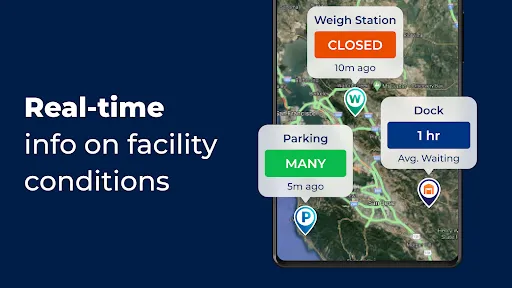
Join a vibrant community of truck drivers sharing valuable insights and experiences. Trucker Path provides a platform for users to report road conditions, hazards, and rest area availability, fostering a helpful network that enhances your driving experience.

Fuel Price Comparison

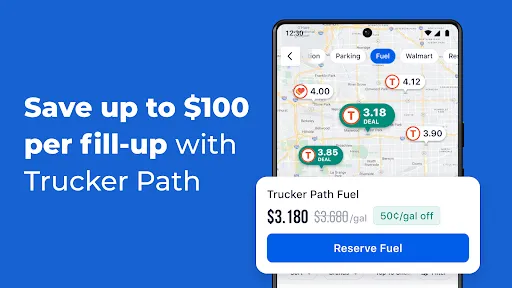
Save money on your trips with Trucker Path's fuel price comparison feature. It allows you to find the best fuel prices at nearby truck stops, ensuring you can fuel up without breaking the bank, all while on the go.

Real-Time GPS Navigation

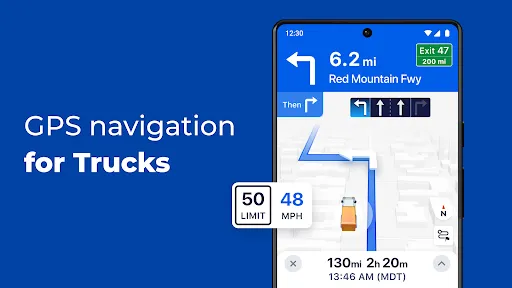
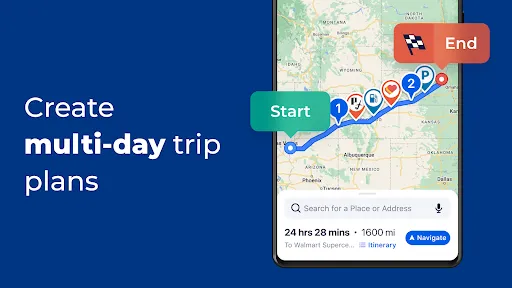
Trucker Path offers reliable real-time GPS navigation specifically designed for truck drivers. With optimized routes that consider truck restrictions and road conditions, you can navigate with confidence and avoid potential obstacles along your journey.

Truck Stop Locator

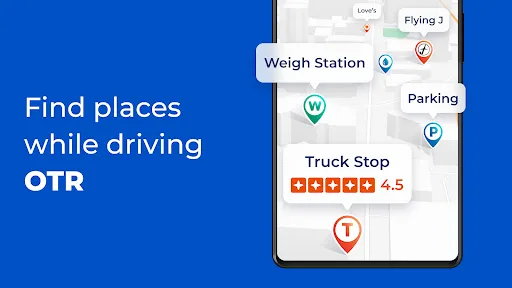
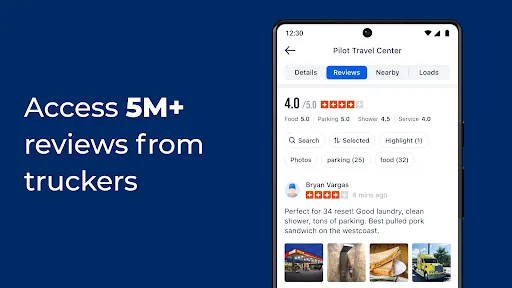
Easily locate truck stops and rest areas with Trucker Path's comprehensive truck stop locator. This feature provides essential information such as amenities, parking availability, and user reviews, making your travel planning smoother and more efficient.

Pros & Cons

Pros
  • Trucker Path offers real-time truck-specific GPS navigation for efficient routing.
  • Find nearby truck stops and fuel stations easily to save time.
  • Access community reviews for truck stops to ensure quality services.
  • Utilize fuel price comparisons to maximize savings on every trip.
  • Stay updated on weigh station statuses to avoid unexpected delays.
Cons
  • Limited offline functionality can hinder navigation in remote areas.
  • Some users report inaccuracies in real-time traffic updates.
  • The app may drain battery quickly during extended use.

Real Experience Using Trucker Path: Truck GPS & Fuel

Application Scenarios

Trucker Path: Truck GPS & Fuel is tailored specifically for the needs of truck drivers navigating the complexities of long-haul transportation. This app excels in providing not only GPS navigation but also essential information such as truck stops, fuel prices, and rest areas. Whether you're planning a long route across multiple states or a quick delivery within a city, Trucker Path equips drivers with the necessary tools to make informed decisions. The app is particularly beneficial during long hauls, allowing users to find nearby truck-friendly services and amenities, check real-time fuel prices, and even locate weigh stations along their route. With a community-driven aspect, drivers can share and access valuable insights about road conditions and potential hazards, making it an indispensable companion on the road.

User Experience

The user experience of Trucker Path is designed with the truck driver in mind. The interface is intuitive, enabling users to quickly access crucial information without distraction. The GPS navigation system is robust, offering real-time traffic updates and route optimization based on truck specifications. Users have reported that the app is easy to navigate, with features organized in a way that minimizes the time spent searching for information. Additionally, the social aspect allows drivers to connect and share experiences, which enhances the sense of community. Most users appreciate the ability to filter searches based on their truck size and weight, ensuring that they receive relevant information that suits their specific needs.

Pricing

Trucker Path offers a free version that provides a solid foundation of features, making it accessible for all drivers. However, for those seeking enhanced functionality, such as advanced route planning and ad-free usage, there is a premium subscription available. The pricing for the premium version is competitive in the market, and many users find the additional features well worth the investment. The app often runs promotions, allowing new users to experience premium features at a discounted rate or even for free during a trial period. This approach enables drivers to evaluate the full capabilities of the app before committing to a subscription.

Updates & Support

Trucker Path is regularly updated to enhance usability and incorporate user feedback, ensuring that the app remains relevant and functional. The development team actively listens to its user base, implementing new features and fixing any issues as they arise. Customer support is readily available, with a responsive team that assists users with inquiries or problems. The app also includes a comprehensive FAQ section, providing users with quick answers to common questions. Overall, the commitment to continuous improvement and user support contributes to a positive experience for truck drivers, making Trucker Path a reliable partner on the road.

verified Security & Privacy Review

The security and privacy of users are paramount in the Trucker Path app, which is designed specifically for truck drivers seeking reliable navigation and fuel information. The app requires certain permissions to function effectively, including access to location services, which is essential for providing accurate GPS navigation. Users are advised to review these permissions carefully during the installation process. Trucker Path implements industry-standard encryption protocols to protect user data during transmission, ensuring that sensitive information remains secure. The app's privacy policy outlines how user data is collected, used, and shared, emphasizing transparency in its practices. Users can expect their location data to be used primarily for navigation and route optimization purposes, although aggregated data may be utilized for improving services and features. Overall, Trucker Path demonstrates a commitment to user privacy, with options to manage data sharing preferences. However, users are encouraged to stay informed about their privacy settings and be proactive in safeguarding their personal information while using the app.

Reviews

4.5

“Great for finding truck stops and fuel prices!”

“User-friendly interface with accurate routing options.”

“Helpful community features for real-time updates.”

“Essential app for long-haul drivers.”

“Saved me time and money on trips!”

FAQ

1

Can I submit suggestions or feedback to Trucker Path: Truck GPS & Fuel?

Yes, users can submit suggestions or feedback through the app's support section, allowing the development team to consider user input for future updates.

2

Does Trucker Path: Truck GPS & Fuel collect my personal data?

The app may collect personal data to enhance user experience and provide services, but it includes privacy settings to control what information is shared.

3

Does Trucker Path: Truck GPS & Fuel support offline use?

Yes, Trucker Path: Truck GPS & Fuel allows users to download maps for offline use, ensuring navigation is available even without a mobile data connection.

4

How do I cancel my Trucker Path: Truck GPS & Fuel subscription?

Users can cancel their subscription directly through the app settings or their respective app store account settings, depending on how they subscribed.

5

How much does a subscription to Trucker Path: Truck GPS & Fuel cost?

The subscription costs vary depending on the plan chosen, with options for monthly or yearly subscriptions available, providing flexibility for users.

How to use Trucker Path: Truck GPS & Fuel

1

Can I activate my account without a customer number?

No, a customer number is required to activate your account. Please check your email for this information.

2

How can I update my customer number in the app?

You will need to contact customer service directly to update your customer number, as this cannot be done in-app.

3

How do I change my email for logging in?

To change your email, please contact customer service, as they will assist you in updating your account information.

4

How do I contact customer service if I have issues with my account?

You can reach customer service through the app by navigating to the support section or by calling the provided customer number.

5

How do I log in if I am using a new device?

Simply download the app on your new device and log in using your existing credentials. If you forgot them, use the password reset option.

Editor's Choice