This site uses cookies to enhance your user experience. By clicking any link on this site you are giving your consent to our cookie policy. Read more
Reject
Accept All

Advertiser and Editorial Disclosures

PlantNet Plant Identification

PlantNet Plant Identification

verified Verified App

Developer: PlantNet

  • category

    Category: Education

  • price

    Price: free

  • age rating

    Age Rating: 10+

  • rating

    Rating: 4.5

  • download

    Downloads: 10,000,000+

  • version

    Version: 3.24.9

Screenshot 1
Screenshot 2
Screenshot 3
Screenshot 4
Screenshot 5
Screenshot 6
Screenshot 7
Screenshot 8
Screenshot 9
Screenshot 10
Screenshot 11
Screenshot 12

Features & Highlights

Community Contributions

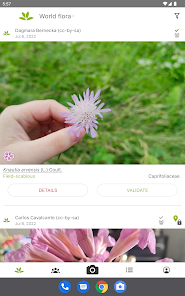
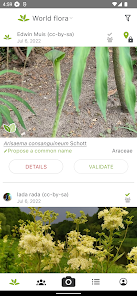
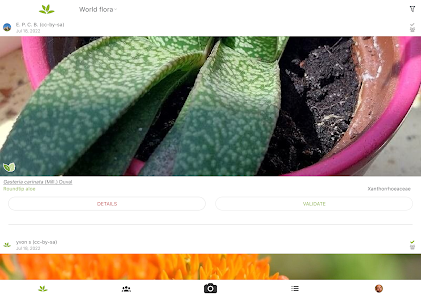
The app thrives on a vibrant community of plant enthusiasts who contribute to its database. Users can share their own findings and identification results, enhancing the accuracy of the app and fostering a sense of connection among nature lovers around the world.

Extensive Database

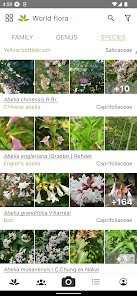
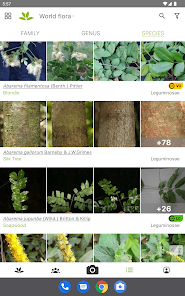
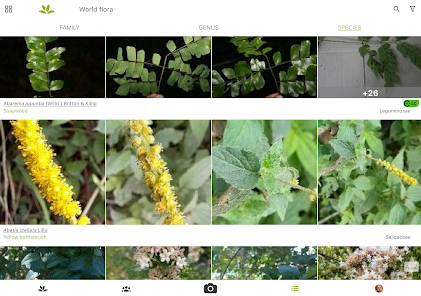
With thousands of plant species cataloged, PlantNet offers a comprehensive resource for anyone interested in botany. The database is continually updated, ensuring you have access to accurate and relevant information about various plants native to different regions.

Image Recognition

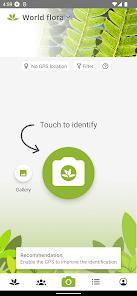
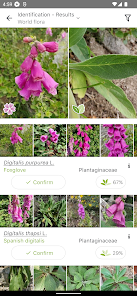
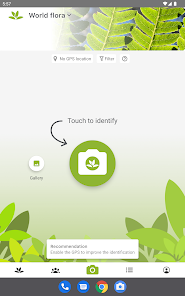
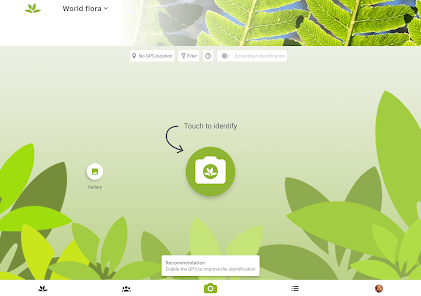
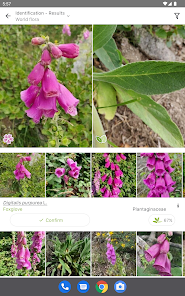
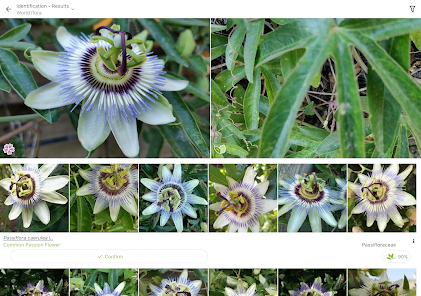
PlantNet uses advanced image recognition technology to identify plants from photos you upload. Simply snap a picture of a leaf, flower, or fruit, and the app will provide you with potential matches, making plant identification quick and easy for everyone, from beginners to seasoned botanists.

Learning Resources

Beyond identification, PlantNet provides educational resources to deepen your understanding of plant biology. Users can explore detailed descriptions, habitats, and uses of plants, transforming the app into a valuable tool for both casual users and dedicated learners.

Pros & Cons

Pros
  • Identify plants quickly with just a photo upload.
  • Access a vast database of plant species globally.
  • Learn about plant characteristics and care tips easily.
  • Connect with a community of plant enthusiasts for support.
  • Enjoy an intuitive interface designed for all skill levels.
Cons
  • Limited accuracy in plant identification can lead to misidentification.
  • Requires a good internet connection for optimal functionality.
  • User-contributed data may lack reliability and consistency.

Real Experience Using PlantNet Plant Identification

Application Scenarios

PlantNet Plant Identification is a versatile app that caters to a variety of users, from casual plant enthusiasts to serious botanists. One common scenario is during nature walks, where users can quickly identify unknown plants using their smartphone camera. Simply take a picture of the plant, and the app analyzes it against its extensive database to provide an identification. Gardeners often utilize this app to ensure they are nurturing the right species in their gardens. Additionally, educators can leverage PlantNet as a teaching tool in biology classes, helping students learn about plant diversity and ecosystems. The app also serves as a valuable resource for researchers conducting field studies, enabling them to document and identify flora on-site efficiently.

User Experience

The user experience of PlantNet is remarkably intuitive and user-friendly. The interface is clean, allowing for easy navigation between features. Users appreciate the straightforward process of uploading images and receiving instant feedback on plant identification. The app’s accuracy is commendable, with a high success rate in recognizing common plants. Furthermore, the community aspect of the app allows users to contribute to the database by sharing their own plant photos, enriching the resource for everyone. Users have reported that the app’s educational content, including descriptions and care tips for identified plants, enhances their overall experience. However, some users have noted that the app struggles with certain rare or exotic species, which can lead to occasional inaccuracies.

Pricing

PlantNet Plant Identification operates on a freemium model, making it accessible to a wide audience. The basic features, including plant identification and community contributions, are available for free. However, users also have the option to subscribe to a premium version that unlocks additional features such as advanced search filters, offline access to the database, and an ad-free experience. The pricing for the premium subscription is competitive and provides good value for avid users who wish to enhance their plant identification journey. Many users find the free version sufficient for casual use, while dedicated botanists may appreciate the extra features offered in the premium package.

Updates & Support

The developers of PlantNet are committed to continuous improvement and regularly release updates to enhance functionality and user experience. Users have praised the timely updates that often include new features and bug fixes, ensuring the app remains relevant and user-friendly. Support is readily available through the app’s help section, which provides FAQs and troubleshooting tips. Additionally, users can contact support directly for assistance with specific issues. The active user community also contributes to support, as users often share tips and advice on plant identification in forums and social media groups. Overall, the combination of reliable updates and solid support makes PlantNet a trustworthy app for plant lovers.

verified Security & Privacy Review

The PlantNet Plant Identification app prioritizes user privacy and data security, implementing several measures to protect personal information. The app requires minimal permissions, primarily accessing the device's camera and storage to facilitate plant identification. Users can choose to submit their photos for identification, but this process is optional, allowing for a degree of anonymity. Data collected during usage is primarily used to enhance the app’s functionality and improve plant identification accuracy. The app does not share personal data with third parties without user consent, and it adheres to relevant data protection regulations. Users can review the app’s privacy policy for detailed insights into data handling practices. While the app does not require an account to use, opting for account creation may provide additional features, such as saving identified plants. Overall, PlantNet demonstrates a commitment to safeguarding user information while providing valuable plant identification services.

Reviews

4.5

“Accurate plant identification every time!”

“User-friendly interface and design.”

“Great for gardening enthusiasts and beginners alike.”

“Community feedback enhances identification accuracy.”

“Helpful for learning about local flora.”

FAQ

1

Can I submit suggestions or feedback to PlantNet Plant Identification?

Yes, users can submit suggestions and feedback through the app or via the official PlantNet website to help improve the service.

2

Does PlantNet Plant Identification collect my personal data?

PlantNet respects user privacy and does not collect personal data unless users explicitly provide it for specific features or feedback.

3

Does PlantNet Plant Identification support offline use?

Yes, PlantNet offers some offline functionality, allowing users to access previously identified species and information without an internet connection.

4

How do I cancel my PlantNet Plant Identification subscription?

Since PlantNet does not have a subscription model, there is no need for cancellation; users can simply stop using the app at any time.

5

How much does a subscription to PlantNet Plant Identification cost?

Currently, PlantNet does not require a subscription fee, as it offers its services for free, but users can support the app through donations.

How to use PlantNet Plant Identification

1

Can I change my customer number after account creation?

Unfortunately, customer numbers are assigned and cannot be changed. Please contact customer service for further inquiries.

2

How can I contact customer service for PlantNet?

You can reach our customer service via the support section in the app or email us at support

3

How do I log in to my PlantNet account?

To log in, open the app, enter your email and password, then tap 'Log In.'

4

How do I update my customer information?

To update your customer information, log in to your account and navigate to the profile settings section.

5

I forgot my customer number. How can I retrieve it?

If you’ve lost your customer number, please check your registration email or contact customer service for assistance.

Editor's Choice