This site uses cookies to enhance your user experience. By clicking any link on this site you are giving your consent to our cookie policy. Read more
Reject
Accept All
Kahoot! Play & Create Quizzes

Kahoot! Play & Create Quizzes

verified Verified App

Developer: Kahoot!

  • category

    Category: Education

  • price

    Price: free

  • age rating

    Age Rating: Everyone

  • rating

    Rating: 4.7

  • download

    Downloads: 50,000,000+

  • version

    Version: 6.5.8

Screenshot 1
Screenshot 2
Screenshot 3
Screenshot 4
Screenshot 5
Screenshot 6
Screenshot 7
Screenshot 8
Screenshot 9
Screenshot 10
Screenshot 11
Screenshot 12
Screenshot 13
Screenshot 14
Screenshot 15
Screenshot 16
Screenshot 17
Screenshot 18
Screenshot 19
Screenshot 20
Screenshot 21
Screenshot 22
Screenshot 23
Screenshot 24

Features & Highlights

Analytics Dashboard

Kahoot! provides insightful analytics that help users track performance and understanding. After each game, you can review results to see which questions were most challenging, enabling informed adjustments to future quizzes and enhancing the learning experience.

Customizable Content

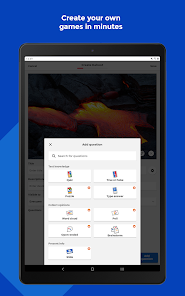
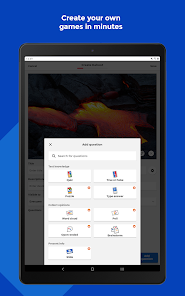
Users can personalize their quizzes by adding images, videos, and even music, making each game unique and tailored to specific audiences. This level of customization helps keep participants engaged and allows educators to align quizzes with their curriculum.

Interactive Quizzes

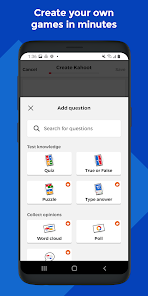
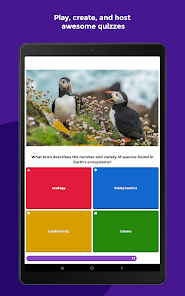
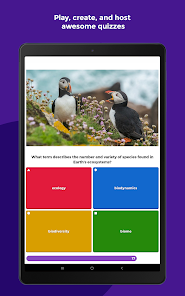
Kahoot! allows users to create engaging quizzes that can be played in real-time or asynchronously. With a variety of question types, including multiple choice and true/false, it ensures that learning is both fun and effective for players of all ages.

Multiplayer Experience

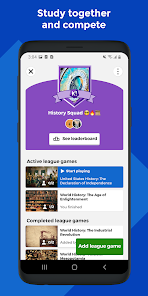
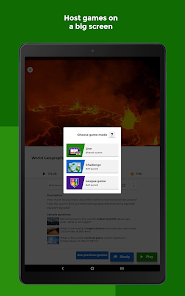
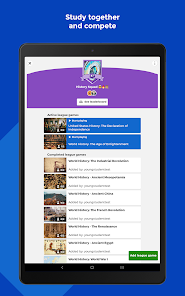
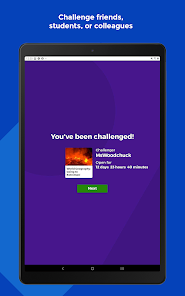
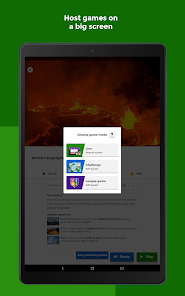
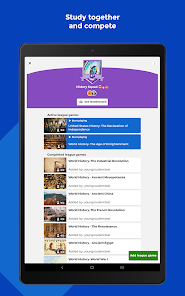
Kahoot! enhances learning through its multiplayer feature, enabling users to compete against friends, classmates, or colleagues in real-time. This social aspect fosters a sense of community and encourages healthy competition, making learning memorable and exciting.

Pros & Cons

Pros
  • Engaging platform fosters active learning and participation
  • Customizable quizzes cater to diverse learning needs
  • User-friendly interface simplifies quiz creation and play
  • Instant feedback enhances understanding and retention
  • Supports collaboration, boosting teamwork and communication
Cons
  • Limited question types reduce creativity in quizzes.
  • Connectivity issues can disrupt gameplay experience.
  • Time constraints may stress participants unnecessarily.
  • Lack of customization options for branding purposes.

Real Experience Using Kahoot! Play & Create Quizzes

Application Scenarios

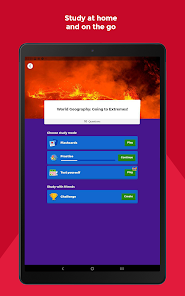
Kahoot! Play & Create Quizzes is designed for a diverse range of scenarios, making it an invaluable tool for educators, corporate trainers, and social gatherings. In classrooms, teachers can engage students by creating interactive quizzes that promote active learning. The app’s gamified approach encourages participation and retention, transforming the conventional learning environment into a dynamic and enjoyable experience. In corporate settings, trainers can utilize Kahoot! for team-building activities or to assess employees’ knowledge on specific topics, fostering a sense of camaraderie. Additionally, the app shines at social events, where friends and family can create quizzes to challenge each other, perfect for game nights or celebrations. Its versatility makes it suitable for any gathering where knowledge sharing and fun are key components.

User Experience

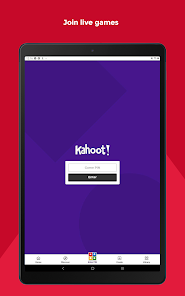
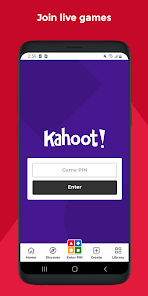
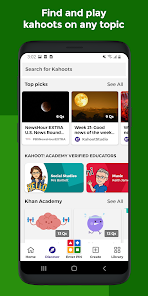
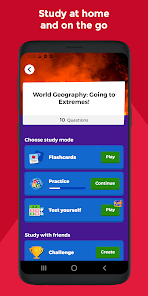
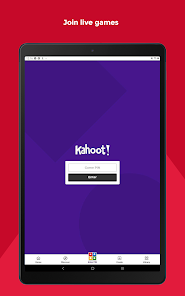
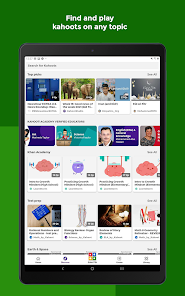
The user experience of Kahoot! is intuitive and engaging. Upon launching the app, users are greeted with a colorful and vibrant interface that is easy to navigate. Creating a quiz is a straightforward process; users can add questions, images, and even videos to enhance the quiz experience. The platform offers a variety of question types, including multiple-choice, true/false, and puzzles, allowing for creativity and customization. Players can join games seamlessly using a unique PIN, ensuring a quick and hassle-free experience. The thrill of competing against others in real-time adds an exciting element that keeps users coming back. Furthermore, the app is accessible on multiple devices, ensuring that players can join from anywhere, whether it be through a smartphone, tablet, or computer.

Pricing

Kahoot! offers a freemium model, which provides a robust free version while also offering premium subscriptions for those seeking advanced features. The free version allows users to create and play quizzes, but the premium plans unlock additional functionalities like advanced reporting, customization options, and the ability to host larger games. The pricing is competitive, catering to individuals, educators, and businesses alike. With options for monthly or yearly subscriptions, users can choose a plan that best fits their needs and budget. The value offered in terms of engagement and educational outcomes makes Kahoot! a worthwhile investment for both personal and professional use.

Updates & Support

Kahoot! is committed to providing regular updates that enhance user experience and introduce new features. The development team actively listens to user feedback, regularly rolling out improvements based on community suggestions. Support is readily available through comprehensive FAQs, tutorials, and a dedicated customer service team that assists users with any issues they may encounter. The app also features a vibrant community forum where users can share ideas and tips, fostering a collaborative environment. This proactive approach to updates and support ensures that Kahoot! remains relevant and continues to meet the evolving needs of its user base.

verified Security & Privacy Review

The Kahoot! Play & Create Quizzes app prioritizes user security and privacy through various measures. The app employs industry-standard encryption protocols to safeguard user data during transmission, ensuring that sensitive information remains protected. Regarding privacy practices, Kahoot! adheres to strict data protection regulations, including GDPR for European users, demonstrating a commitment to transparency in data collection and usage. Users are informed about what data is collected, which primarily includes quiz performance and user-generated content. The app requires certain permissions to function effectively, such as access to the device's network and storage. However, it does not mandate unnecessary permissions that could compromise user privacy. Users can manage their privacy settings within the app, allowing them to control what information is shared. Overall, Kahoot! takes a responsible approach to user data handling while providing a secure environment for learning and interaction. Regular updates and security audits further bolster its commitment to maintaining a safe user experience.

Reviews

4.7

“Fun and engaging way to learn new topics!”

“Great for interactive classroom activities.”

“User-friendly interface makes quiz creation easy.”

“Kids love competing in quizzes together.”

“A fantastic tool for remote learning sessions!”

Editor's Choice