This site uses cookies to enhance your user experience. By clicking any link on this site you are giving your consent to our cookie policy. Read more
Reject
Accept All

Advertiser and Editorial Disclosures

Quizlet: More than Flashcards

Quizlet: More than Flashcards

verified Verified App

Developer: Quizlet Inc.

  • category

    Category: Education

  • price

    Price: free

  • age rating

    Age Rating: Everyone

  • rating

    Rating: 4.7

  • download

    Downloads: 50,000,000+

  • version

    Version: 10.21

Screenshot 1
Screenshot 2
Screenshot 3
Screenshot 4
Screenshot 5
Screenshot 6
Screenshot 7
Screenshot 8
Screenshot 9
Screenshot 10
Screenshot 11
Screenshot 12
Screenshot 13
Screenshot 14
Screenshot 15
Screenshot 16

Features & Highlights

Collaborative Study Groups

Connect with friends or classmates to form study groups and share resources. With collaborative features, you can work together in real-time, quiz each other, and enhance your learning experience through teamwork and shared insights.

Custom Study Sets

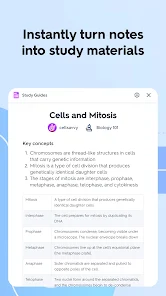
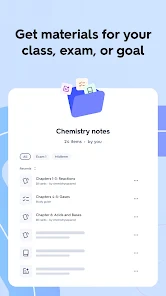
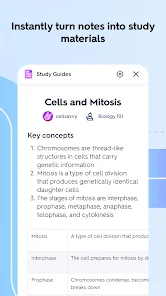
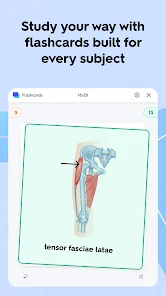
Create personalized study sets tailored to your learning needs with Quizlet. Whether you're preparing for an exam or mastering a new language, you can easily add your own terms and definitions, making study sessions more relevant and effective.

Gamified Learning Experience

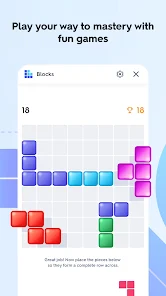
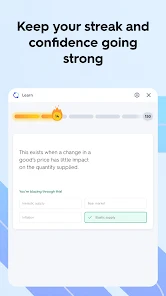
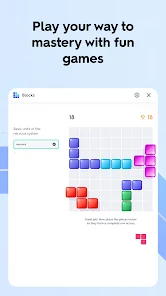
Transform study sessions into fun challenges with Quizlet's gamified learning features. Compete against yourself or others in games that make learning enjoyable, helping to reinforce knowledge while keeping motivation high.

Interactive Learning Modes

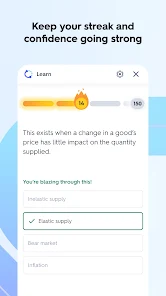
Engage with the material through various interactive learning modes like Learn, Write, and Match. These diverse formats cater to different learning styles, ensuring that you not only memorize facts but also understand concepts deeply and retain information longer.

Pros & Cons

Pros
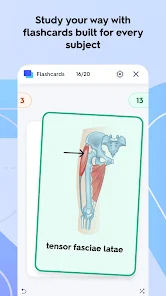
  • Quizlet offers interactive flashcards for engaging learning experiences.
  • Users can customize flashcards to fit their study needs.
  • The platform supports various study modes for diverse learning styles.
  • Collaborative features allow sharing and studying with peers effectively.
  • Progress tracking helps users monitor their learning advancements over time.
Cons
  • Limited customization options may restrict user creativity in studying.
  • Reliance on user-generated content can lead to inaccuracies and inconsistencies.
  • Overemphasis on memorization may neglect deeper understanding of the material.

Real Experience Using Quizlet: More than Flashcards

Application Scenarios

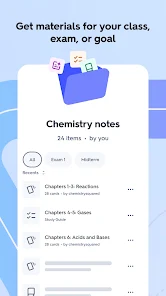
Quizlet: More than Flashcards is designed to cater to a wide range of learning scenarios, making it a versatile tool for students, educators, and lifelong learners alike. Whether you're preparing for an exam, learning a new language, or trying to memorize complex concepts, Quizlet provides a variety of study modes and resources. The app allows users to create customized flashcard sets, engage in interactive games, and take practice tests, all of which cater to different learning styles. Teachers can also leverage Quizlet to create class-specific study materials, making it easier for students to access relevant resources. Additionally, the app's collaborative features allow groups of students to study together, enhancing group learning dynamics.

User Experience

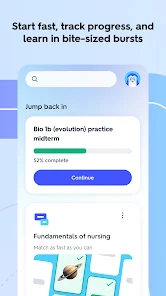
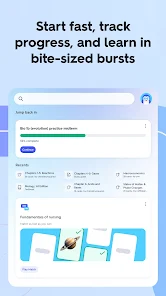
The user experience on Quizlet is generally intuitive and user-friendly. Upon opening the app, users are greeted with a clean interface that allows for easy navigation across its various features. Creating flashcards is straightforward, and the ability to add images and audio enhances the learning experience. The app also offers an array of study modes, such as Learn, Write, and Test, which keep the studying process engaging. The interactive games, such as Match and Gravity, not only make learning fun but also help reinforce memory retention. Furthermore, Quizlet's progress tracking feature allows users to monitor their learning journey, providing motivation and insight into areas that may need additional focus. Overall, the app is designed to keep users engaged and motivated throughout their learning journey.

Pricing

Quizlet operates on a freemium model, providing a robust free version that offers plenty of features for casual users. However, for those seeking a more enhanced experience, the Quizlet Plus subscription is available at a reasonable monthly or annual fee. The Plus version unlocks additional features such as offline access, advanced learning tools, and an ad-free experience, making it a worthwhile investment for serious learners or educators. The pricing is competitive compared to other educational apps, and the free version offers sufficient resources for users who may not need the extra features.

Updates & Support

Quizlet is continuously evolving, with regular updates that enhance functionality and user experience. The developers frequently introduce new features based on user feedback, ensuring that the app remains relevant and effective for its audience. The support system is also commendable, with a comprehensive help center that addresses common questions and concerns. Users can find tutorials, troubleshooting tips, and FAQs to assist them in navigating the app. Additionally, Quizlet's responsive customer support team is available to help with more complex issues, ensuring that users can fully utilize the app's capabilities without frustration.

verified Security & Privacy Review

The security and privacy practices of Quizlet: More than Flashcards are designed to safeguard user information while offering an engaging learning experience. The app employs robust encryption protocols to protect data during transmission, ensuring that personal information remains confidential. Quizlet’s privacy policy outlines how user data is collected, stored, and utilized, with a commitment to transparency in data handling practices. Users are informed about the specific permissions required for the app, such as access to device storage for saving study materials. Quizlet allows users to manage their privacy settings, including options to control visibility on shared content and limit personal data usage. Moreover, Quizlet does not sell user data to third parties, reinforcing its dedication to user privacy. Regular updates and security patches are implemented to address potential vulnerabilities, keeping user information secure. Overall, Quizlet’s approach to security and privacy fosters a trusted environment for users to learn and share knowledge without compromising their personal data.

Reviews

4.7

“Great for studying with diverse learning tools!”

“User-friendly interface makes learning fun!”

“Flashcards are helpful, but games are the best!”

“Perfect for memorizing and retaining information.”

“Love the variety of subjects available!”

FAQ

1

Can I submit suggestions or feedback to Quizlet: Flashcards that Teach?

Yes, users can submit suggestions or feedback through the app's support section or via their official website.

2

Does Quizlet: Flashcards that Teach collect my personal data?

Yes, Quizlet: Flashcards that Teach may collect personal data in accordance with its privacy policy, including information such as usage data and account details.

3

Does Quizlet: Flashcards that Teach support offline use?

Yes, Quizlet: Flashcards that Teach allows users to access certain features and flashcards offline, provided they have been previously downloaded.

4

How do I cancel my Quizlet: Flashcards that Teach subscription?

To cancel your subscription, you can go to your account settings in the app or on the website and follow the cancellation instructions provided.

5

How much does a subscription to Quizlet: Flashcards that Teach cost?

A subscription to Quizlet: Flashcards that Teach typically costs around $35.99 per year, but pricing may vary based on promotions or location.

How to use Quizlet: More than Flashcards

1

Can customer service help me with changing my email address?

Yes, customer service can assist you with changing your email address. Reach out through the help section for guidance.

2

How can I reach customer service for help with my account?

You can contact customer service through the help section of the Quizlet website or app, where you'll find options for live chat and email support.

3

How do I activate my Quizlet account after signing up?

To activate your account, check your email for an activation link from Quizlet and follow the instructions provided.

4

How do I recover my account if I can't log in?

If you're unable to log in, use the "Forgot password?" option to reset your password and regain access to your account.

5

I can't log in to my Quizlet account. What should I do?

If you're having trouble logging in, try resetting your password using the "Forgot password?" link on the login page.

Editor's Choice