This site uses cookies to enhance your user experience. By clicking any link on this site you are giving your consent to our cookie policy. Read more
Reject
Accept All

Advertiser and Editorial Disclosures

Canvas

Canvas

verified Verified App

Developer: Instructure

  • category

    Category: Education

  • price

    Price: free

  • age rating

    Age Rating: Everyone

  • rating

    Rating: 4.6

  • download

    Downloads: 10,000,000+

  • version

    Version: 8.4.2

Screenshot 1
Screenshot 2
Screenshot 3
Screenshot 4
Screenshot 5
Screenshot 6
Screenshot 7
Screenshot 8
Screenshot 9
Screenshot 10
Screenshot 11
Screenshot 12
Screenshot 13
Screenshot 14
Screenshot 15

Features & Highlights

Comprehensive Analytics Dashboard

The comprehensive analytics dashboard in Canvas provides valuable insights into student performance and engagement. Educators can track progress, identify trends, and make data-driven decisions to enhance their teaching strategies, ultimately supporting student success and improving course outcomes.

Customizable Course Design

One of the standout features of Canvas is its customizable course design, allowing educators to tailor their courses to meet diverse student needs. Instructors can create engaging content using multimedia elements, quizzes, and discussions, fostering an interactive learning environment that caters to various learning styles.

Robust Collaboration Tools

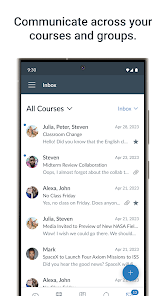
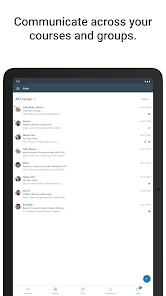
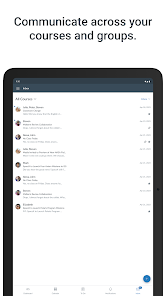
Canvas enhances collaboration with its built-in tools that facilitate communication among students and instructors. Features like discussion boards, group assignments, and real-time messaging empower users to engage with one another, share ideas, and work together seamlessly, enriching the educational experience.

User-Friendly Interface

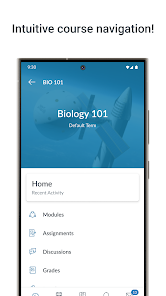
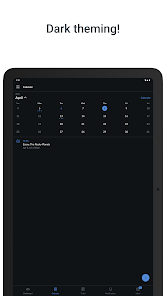
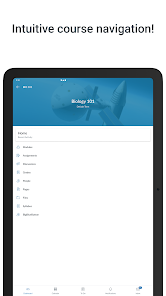
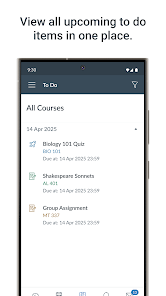
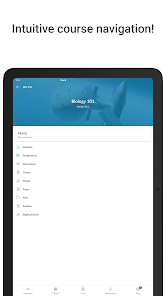
Canvas boasts an intuitive and user-friendly interface that simplifies navigation for both instructors and students. With its clean design, users can easily access course materials, assignments, and grades, making the learning experience more enjoyable and efficient for all parties involved.

Pros & Cons

Pros
  • Canvas offers an intuitive user interface for easy navigation and course management.
  • It supports multimedia integration, enhancing engagement through videos and interactive content.
  • The platform allows for seamless collaboration among students and instructors.
  • Mobile accessibility ensures learning can continue anytime, anywhere.
  • Robust analytics help track student progress and improve outcomes effectively.
Cons
  • Limited offline access can hinder learning in low-connectivity areas.
  • User interface can be overwhelming for new users.
  • Integration with third-party tools may be inconsistent or problematic.

Real Experience Using Canvas

Application Scenarios

Canvas is an innovative app designed to enhance creativity and streamline productivity across various scenarios. Whether you are a student working on a group project, a professional drafting business plans, or an artist sketching your next masterpiece, Canvas serves as an adaptable tool to meet diverse needs. In educational settings, students can collaborate in real-time, sharing ideas and resources seamlessly. Professionals can utilize Canvas to brainstorm, organize thoughts, and create compelling presentations. For artists, the app provides an intuitive interface with rich tools that allow for the creation of intricate designs and artwork. The versatility of Canvas makes it a perfect solution for anyone looking to express their creativity or enhance their workflow.

User Experience

The user experience of Canvas is where the app truly shines. The interface is sleek, modern, and user-friendly, making it accessible for users of all skill levels. New users can quickly familiarize themselves with the app through its intuitive design and guided tutorials. The drag-and-drop functionality allows for easy manipulation of elements, enabling users to create visually appealing projects without any hassle. Additionally, the app supports various multimedia formats, allowing users to incorporate images, videos, and audio into their projects. The collaboration features are particularly noteworthy; users can invite others to join their projects, providing a shared workspace that fosters teamwork and creativity. Overall, the user experience is smooth and engaging, ensuring that users remain focused on their creative tasks without distractions.

Pricing

Canvas offers a range of pricing options to cater to different user needs. The app is available for free, which provides access to basic features, making it suitable for casual users or those just starting. For more advanced functionalities, such as premium templates, additional storage, and enhanced collaboration tools, users can opt for a subscription model. The pricing is competitive compared to similar apps in the market, providing good value for the features offered. Moreover, Canvas often runs promotional offers, which can make the premium options even more accessible. This tiered pricing structure ensures that users can select the plan that best fits their requirements and budget.

Updates & Support

Canvas is consistently updated to improve functionality and user experience. The development team is proactive in addressing user feedback, which results in regular enhancements and feature additions. Users can expect new tools and updates that keep the app fresh and relevant. Support is readily available through various channels, including an extensive help center, user forums, and direct customer service. The responsiveness of the support team is commendable, ensuring that any issues or questions are promptly addressed. This commitment to ongoing improvement and user support makes Canvas a reliable choice for those seeking a powerful creative tool.

verified Security & Privacy Review

The Canvas app prioritizes user security and privacy, implementing robust encryption protocols to safeguard data during transmission and storage. All user information, including personal and academic details, is protected using industry-standard security measures, ensuring that sensitive data remains confidential. In terms of privacy practices, Canvas adheres to strict guidelines regarding user data collection and usage. It clearly outlines its data handling policies in its privacy policy, allowing users to understand what information is collected and how it is utilized. Users have control over their data, with options to manage privacy settings directly within the app. The app requests essential permissions only, ensuring minimal intrusion into the user's personal space. Permissions related to location, camera, and storage are carefully justified, and users are prompted to grant access only when necessary for functionality. Overall, Canvas demonstrates a strong commitment to maintaining user privacy and security, making it a reliable choice for students and educators who value data protection in their digital learning environment.

Reviews

4.6

“User-friendly interface makes learning enjoyable and efficient.”

“Great integration with other tools enhances productivity.”

“Mobile app is convenient for on-the-go access.”

“Occasional glitches can be frustrating during critical tasks.”

“Excellent resources for students and educators alike.”

FAQ

1

Can I submit suggestions or feedback to Canvas?

Yes, Canvas encourages users to submit suggestions and feedback through their support channels, helping improve the app and user experience.

2

Does Canvas collect my personal data?

Canvas may collect personal data to enhance user experience, improve services, and comply with regulations, but it prioritizes user privacy and data security.

3

Does Canvas support offline use?

Yes, Canvas allows users to access certain features offline, enabling them to download course materials and complete assignments without an internet connection.

4

How do I cancel my Canvas subscription?

To cancel your Canvas subscription, you can go to your account settings and follow the prompts for cancellation, or contact customer support for assistance.

5

How much does a subscription to Canvas cost?

The cost of a Canvas subscription can vary based on the features and services selected, and institutions typically negotiate pricing for access to the platform.

How to use Canvas

1

Can I change my customer number if needed?

Customer numbers are generally fixed, but you can contact customer service for specific concerns or requests regarding your account.

2

How can I contact customer service for help with my account?

You can reach customer service by calling the support number listed on our website or by using the live chat feature.

3

How do I activate my Canvas account?

To activate your account, click on the activation link sent to your email and follow the instructions provided.

4

How do I recover my account if I can't access my email?

If you can't access your email, please contact customer service with your customer number or other identification for recovery options.

5

I forgot my customer number; how can I retrieve it?

Please check your email confirmation or reach out to customer service for assistance in retrieving your customer number.

Editor's Choice