This site uses cookies to enhance your user experience. By clicking any link on this site you are giving your consent to our cookie policy. Read more
Reject
Accept All

Advertiser and Editorial Disclosures

Offline Maps, GPS, Speedometer

Offline Maps, GPS, Speedometer

verified Verified App

Developer: Appcentric Team

  • category

    Category: Maps & Navigation

  • price

    Price: 0

  • age rating

    Age Rating: Everyone

  • rating

    Rating: 4.1

  • download

    Downloads: /

  • version

    Version: 1.3.7

Screenshot 1
Screenshot 2
Screenshot 3
Screenshot 4
Screenshot 5
Screenshot 6
Screenshot 7
Screenshot 8

Features & Highlights

Accurate GPS Tracking

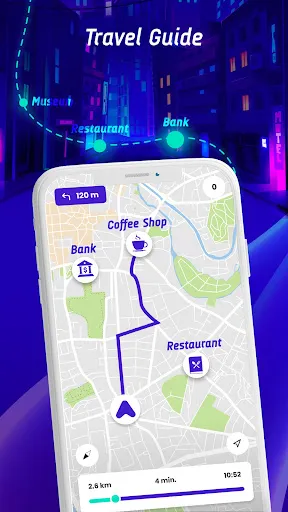
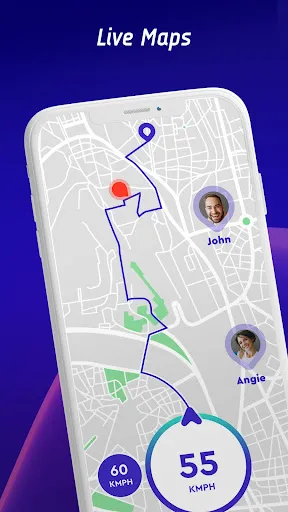
Utilize precise GPS tracking to pinpoint your location in real-time, making navigation a breeze. Whether you're hiking in the mountains or driving through the city, the app ensures you stay on course, providing turn-by-turn directions and estimated arrival times to your destination.

Customizable Routes

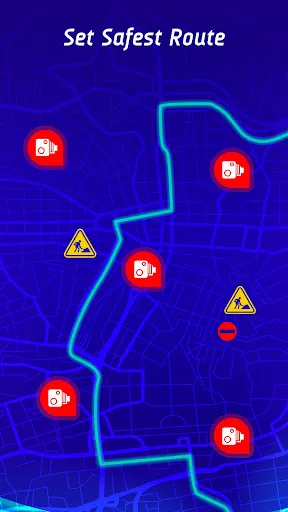
Plan your journeys effortlessly with customizable routing options that cater to your travel preferences. Choose between scenic routes, fastest paths, or avoid tolls to create an experience that suits your needs, making every trip enjoyable and tailored just for you.

Offline Map Access

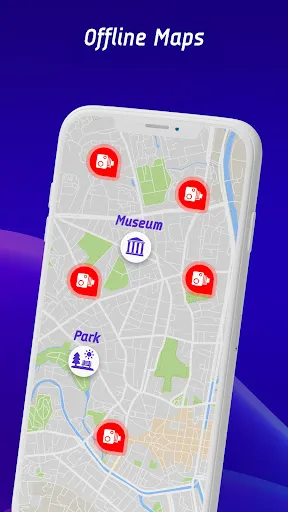
Never get lost again with comprehensive offline maps that allow you to navigate without an internet connection. Download your desired areas ahead of time and access detailed routes, points of interest, and terrain information anytime, anywhere, ensuring you're always on the right track, even in remote locations.

Speed Monitoring

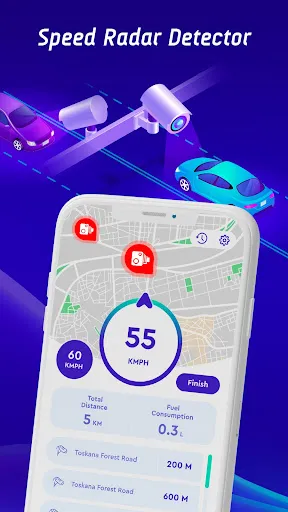
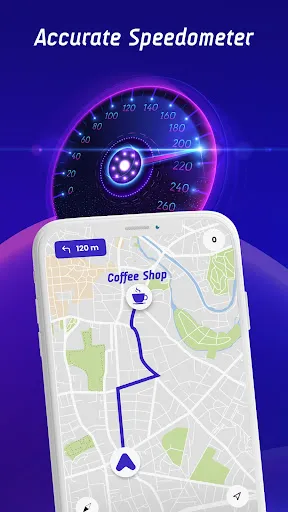
Keep track of your speed with the built-in speedometer feature, which displays your current speed and alerts you if you exceed the limit. This useful tool not only helps you stay safe on the road but also allows you to monitor your driving habits and improve fuel efficiency over time.

Pros & Cons

Pros
  • Access maps without internet connection
  • Accurate navigation in remote areas
  • Track speed without cellular data
  • Save on mobile data usage
  • Easier route planning in advance
Cons
  • Limited updates reduce map accuracy over time
  • Dependence on pre-downloaded data for navigation
  • No real-time traffic information available during use
  • Cannot adjust routes dynamically while driving

Real Experience Using Offline Maps, GPS, Speedometer

Application Scenarios

The Offline Maps, GPS, Speedometer app is a versatile tool that caters to a wide range of users. Whether you're an avid hiker exploring remote trails, a road trip enthusiast navigating through unfamiliar territories, or simply someone who prefers to avoid data charges while traveling, this app has you covered. One of its standout features is the ability to download maps for offline use, which is especially beneficial in areas with poor cell reception. Users will find themselves relying on this app for everything from outdoor adventures to daily commutes, making it a must-have for anyone who values reliable navigation without the constant need for internet connectivity.

User Experience

The user experience offered by Offline Maps, GPS, Speedometer is intuitive and user-friendly. Upon launching the app, users are greeted with a clean interface that makes navigation simple and efficient. The map display is visually appealing, with clear indicators for routes, points of interest, and speed limits. Users appreciate the speedometer feature, which provides real-time speed data, crucial for complying with traffic regulations. The app's offline functionality is seamless; once maps are downloaded, users can navigate without any interruptions. Additionally, the app includes voice-guided directions, enhancing the hands-free experience. Overall, users report high satisfaction levels, citing the app's reliability and ease of use as key factors in their positive experiences.

Pricing

Updates & Support The developers of Offline Maps, GPS, Speedometer are committed to providing regular updates and robust customer support. Users can expect frequent improvements and new features that enhance functionality and user experience. The update process is straightforward, ensuring that users always have access to the latest maps and features. Additionally, the support team is responsive and helpful, addressing user concerns and queries in a timely manner. Whether through in-app support or external customer service channels, users feel reassured knowing that assistance is readily available. This commitment to updates and support contributes significantly to the app’s overall reliability and user satisfaction.

verified Security & Privacy Review

The “Offline Maps, GPS, Speedometer” app takes user security and privacy seriously, employing various measures to safeguard personal data. The app operates primarily offline, minimizing the risk of data breaches associated with online connectivity. This feature not only enhances privacy but also ensures that users can access maps and navigation tools without relying on an internet connection. User data handling practices are designed to be transparent, with clear guidelines on what information is collected. The app typically requires location permissions, which are essential for its core functionality. However, it allows users to customize these settings, providing options to limit data sharing as per individual preferences. Furthermore, the app does not store sensitive user information on external servers, reducing the potential for unauthorized access. Although it may collect anonymized usage statistics to improve service quality, this data is aggregated and does not identify individual users. Overall, “Offline Maps, GPS, Speedometer” demonstrates a strong commitment to user privacy, making it a reliable choice for those concerned about data security.

Reviews

4.1

“Incredibly useful for navigating without internet access!”

“Accurate GPS and speed tracking, highly recommend!”

“Offline maps are detailed and easy to use.”

“Speedometer feature is a game changer for road trips.”

“User-friendly interface makes it a pleasure to use.”

FAQ

1

Does Offline Maps, GPS, Speedometer collect my personal data?

The app may collect certain data to improve functionality and user experience, but it typically does not require personal information to use its core features. Always check the privacy policy for specifics.

2

Does Offline Maps, GPS, Speedometer offer a free trial or free version?

Yes, the app often provides a free version with limited features, and may also offer a free trial period for users to explore premium features before committing to a subscription.

3

Does Offline Maps, GPS, Speedometer require an internet connection?

No, Offline Maps, GPS, Speedometer allows users to access downloaded maps and utilize GPS features without an internet connection, making it ideal for areas with limited or no service.

4

How can I contact support or send feedback for Offline Maps, GPS, Speedometer?

You can typically contact support or send feedback through the app's help section, or by visiting the official website where support contact details are provided.

5

How do I manage or cancel my Offline Maps, GPS, Speedometer subscription?

You can manage or cancel your subscription through the app's settings or your device's app store, where you can find subscription management options.

How to use Offline Maps, GPS, Speedometer

1

How can I contact customer service for the Offline Maps app?

You can reach customer service through the app's settings or visit the official website for support contact information.

2

How can I reach customer support for the GPS app?

Customer support details are available in the app under "Support" or on the official website.

3

How do I activate the GPS app features?

Activate features by going to the app settings and enabling the desired options or subscriptions.

4

How do I activate the Offline Maps app?

To activate, open the app, go to settings, and follow the prompts to download maps for offline use.

5

How do I log in to the Speedometer app?

Open the app and tap on the "Log In" button, then enter your credentials or create a new account if necessary.

Editor's Choice