This site uses cookies to enhance your user experience. By clicking any link on this site you are giving your consent to our cookie policy. Read more
Reject
Accept All

Advertiser and Editorial Disclosures

English Dictionary - Offline

English Dictionary - Offline

verified Verified App

Developer: Livio

  • category

    Category: Books & Reference

  • price

    Price: free

  • age rating

    Age Rating: 10+

  • rating

    Rating: 4.7

  • download

    Downloads: 10,000,000+

  • version

    Version: 9.5.1-1jwz3

Screenshot 1
Screenshot 2
Screenshot 3
Screenshot 4
Screenshot 5
Screenshot 6
Screenshot 7
Screenshot 8
Screenshot 9
Screenshot 10
Screenshot 11
Screenshot 12
Screenshot 13
Screenshot 14
Screenshot 15
Screenshot 16
Screenshot 17
Screenshot 18

Features & Highlights

Comprehensive Word Database

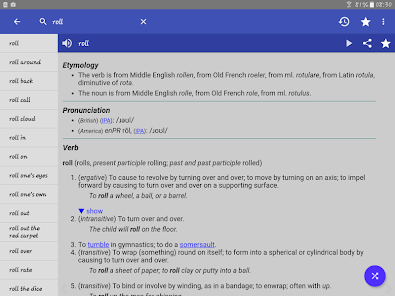
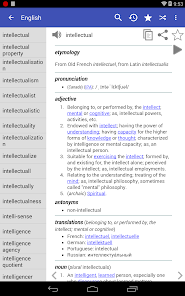
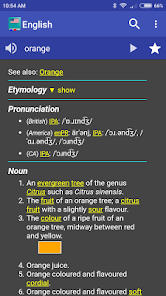
With an extensive collection of words, the English Dictionary - Offline provides users with detailed definitions, synonyms, and antonyms. This rich database ensures that you have access to a wide variety of terms, making it an invaluable resource for language enthusiasts and learners alike.

Offline Access

One of the standout features is its offline capability, allowing users to access the dictionary without an internet connection. This means you can look up words anytime, anywhere, making it perfect for travel or study sessions on the go.

Regular Updates

The English Dictionary - Offline is regularly updated to include new words and phrases, ensuring that you always have the most current information at your fingertips. This commitment to keeping the content fresh enhances your learning experience and keeps you in the loop with the evolving language.

User-Friendly Interface

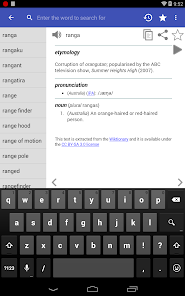
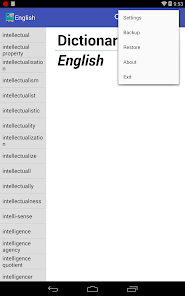
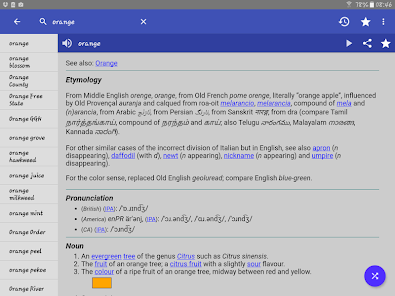
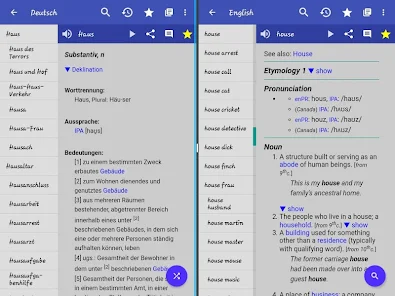
The app boasts an intuitive interface that makes navigation a breeze. Whether you're searching for a specific word or browsing through categories, the design ensures a smooth experience, allowing you to find what you need quickly and efficiently.

Pros & Cons

Pros
  • Access definitions anytime, without internet required
  • Comprehensive word database for extensive learning
  • User-friendly interface for easy navigation
  • Audio pronunciation aids in correct speech
  • Regular updates ensure accurate and relevant content
Cons
  • Limited vocabulary compared to online versions
  • Requires storage space on devices
  • Lacks real-time updates and new entries
  • May not include pronunciation guides

Real Experience Using English Dictionary - Offline

Application Scenarios

The English Dictionary - Offline app is an invaluable tool for a variety of users, ranging from students and professionals to travelers and language enthusiasts. For students, it serves as a reliable reference when writing papers or preparing for exams, ensuring that they have access to accurate definitions and usage examples. Professionals can use the app to enhance their communication skills, making sure their vocabulary is precise and appropriate for their field. For travelers, this app eliminates the hassle of searching for internet connectivity while abroad, allowing them to quickly look up words or phrases on the go. Additionally, language learners benefit greatly from the app's extensive database, which supports their journey towards fluency by providing synonyms, antonyms, and example sentences that help contextualize new vocabulary.

User Experience

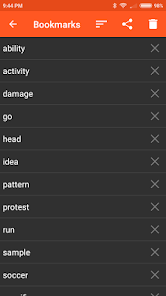
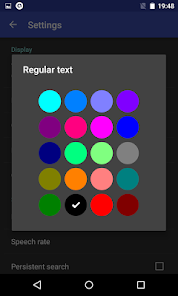
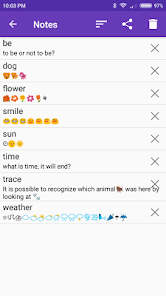
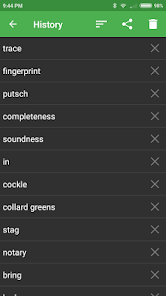
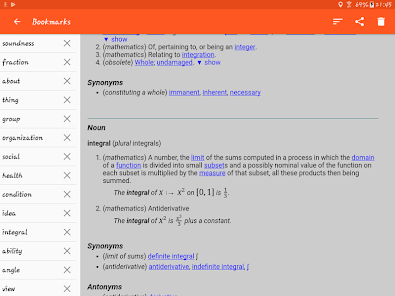
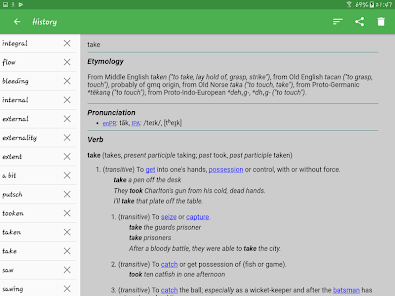
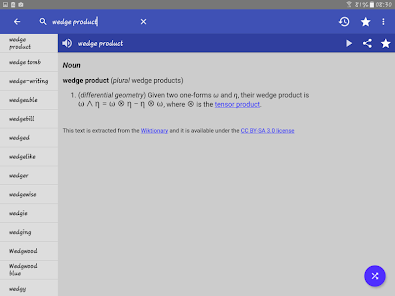
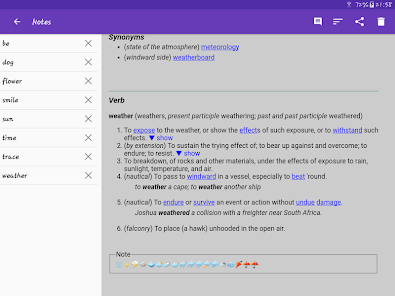
The user experience of the English Dictionary - Offline app is designed to be intuitive and straightforward. Upon launching the app, users are greeted with a clean and simple interface that prioritizes ease of navigation. The search function is highly responsive, allowing users to find definitions within seconds. The app also features a favorites option, enabling users to bookmark words they frequently reference or wish to revisit later. The offline capability means that users can access the dictionary anywhere, without worrying about data limits or connectivity issues. Additionally, the app offers various customization options, such as changing the font size for better readability, which enhances the overall experience. Overall, the app's user-friendly design and efficient functionality make it a pleasure to use.

Pricing

The English Dictionary - Offline app operates on a freemium model, which means that users can download and access basic features at no cost. However, for those looking for an ad-free experience or additional features such as advanced search capabilities and specialized dictionaries, a premium version is available for a one-time fee. This pricing strategy ensures that the app remains accessible to a wide audience while also providing options for users who want to enhance their experience. Considering the extensive offline database and constant updates, the premium version offers excellent value for anyone who relies heavily on a dictionary in their daily life.

Updates & Support

The developers of the English Dictionary - Offline app are committed to providing regular updates to enhance functionality and enrich the user experience. Users can expect periodic improvements and new features based on community feedback, ensuring the app remains relevant and effective. In terms of support, the app offers a comprehensive FAQ section within the app itself, addressing common queries and troubleshooting issues. For more personalized assistance, users can reach out through the app’s support email, where a responsive team is available to help resolve any concerns. This level of dedication to updates and user support reflects the developers' commitment to maintaining a high-quality product.

verified Security & Privacy Review

The "English Dictionary - Offline" app prioritizes user security and privacy, providing a secure environment for language enthusiasts. As an offline dictionary, it minimizes the risk of data breaches associated with online services, as no internet connection is required for basic functionality. This feature inherently protects user data from potential cyber threats. The app requests minimal permissions, primarily focusing on storage access to save and retrieve dictionary files. Users can be assured that their personal information, such as location or contacts, is not collected or utilized, which aligns with best privacy practices. The absence of intrusive advertisements further enhances the user experience, reducing the likelihood of data tracking by third parties. In addition, the app does not require user registration, allowing individuals to use it without sharing any personal information. Overall, "English Dictionary - Offline" demonstrates a commendable commitment to data security and user privacy, ensuring that language learners can access the resources they need without compromising their personal information.

Reviews

4.7

“Highly accurate definitions, very useful offline access”

“User-friendly interface, easy to navigate”

“Great for quick word searches, love it”

“Offline mode works flawlessly, no internet needed”

“Covers a vast range of vocabulary, impressive resource”

FAQ

1

Does English Dictionary - Offline collect my personal data?

English Dictionary - Offline prioritizes user privacy and does not collect personal data. Any information used within the app is solely for improving user experience and functionality.

2

Does English Dictionary - Offline offer a free trial or free version?

Yes, English Dictionary - Offline offers a free version with essential features. Users can explore the app's functionalities before deciding to upgrade to a premium version for additional features.

3

Does English Dictionary - Offline require an internet connection?

No, English Dictionary - Offline does not require an internet connection to function. Once downloaded, all dictionary content is available offline, allowing you to access it anytime, anywhere.

4

How can I contact support or send feedback for English Dictionary - Offline?

You can contact support or send feedback by accessing the help or support section within the app. Alternatively, you can visit the app's official website for additional contact options and support resources.

5

How do I manage or cancel my English Dictionary - Offline subscription?

To manage or cancel your subscription for English Dictionary - Offline, you can go to your device's settings, navigate to the subscriptions section, and follow the prompts to modify or cancel your subscription.

How to use English Dictionary - Offline

1

Do I need to log in to use the English Dictionary - Offline app?

No, the app can be used without logging in; however, creating an account may offer additional features.

2

How can I contact customer service for the English Dictionary - Offline app?

You can contact customer service through the app's support section or email their support team directly listed on their website.

3

How do I activate the English Dictionary - Offline app?

Activation is typically automatic upon installation. If needed, follow the on-screen instructions or check the settings menu.

4

What is the customer number for the English Dictionary - Offline app?

The customer number is usually provided in the app's settings or support section; check there for specific details.

Editor's Choice