This site uses cookies to enhance your user experience. By clicking any link on this site you are giving your consent to our cookie policy. Read more
Reject
Accept All

Advertiser and Editorial Disclosures

Dictionary - Merriam-Webster

Dictionary - Merriam-Webster

verified Verified App

Developer: Merriam-Webster Inc.

  • category

    Category: Books & Reference

  • price

    Price: free

  • age rating

    Age Rating: Everyone

  • rating

    Rating: 3.8

  • download

    Downloads: 50,000,000+

  • version

    Version: 5.6.0

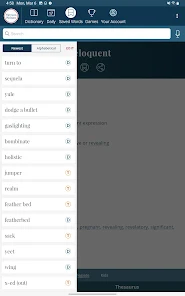
Screenshot 1
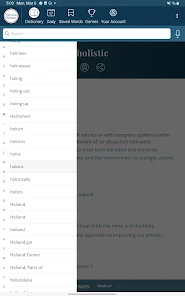
Screenshot 2
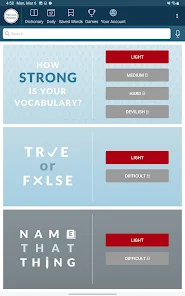
Screenshot 3
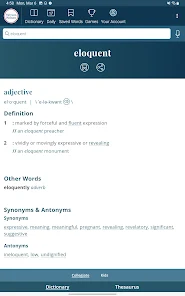
Screenshot 4
Screenshot 5
Screenshot 6
Screenshot 7
Screenshot 8
Screenshot 9
Screenshot 10
Screenshot 11
Screenshot 12
Screenshot 13
Screenshot 14
Screenshot 15
Screenshot 16
Screenshot 17
Screenshot 18
Screenshot 19
Screenshot 20
Screenshot 21

Features & Highlights

Offline Access

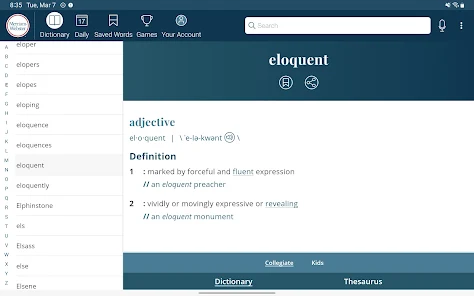
Enjoy the convenience of offline access to the complete dictionary database, allowing you to look up words anytime, anywhere without needing an internet connection. This feature is perfect for travelers or anyone in areas with limited connectivity, ensuring you have the resources you need at your fingertips.

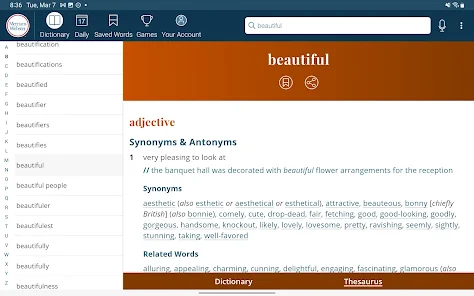
Thesaurus Integration

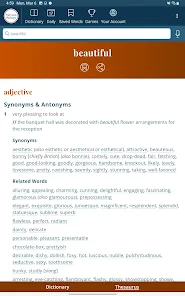
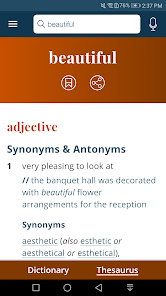
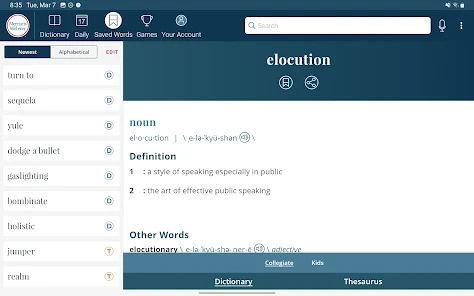
Enhance your writing with the built-in thesaurus that offers synonyms and antonyms for a richer vocabulary. This feature not only helps you find the right word but also improves your understanding of nuances and variations in meaning, making your communication more effective.

Voice Search

Easily find the words you need with the convenient voice search function. Just speak the word you're looking for, and the app will provide you with instant results, making it a great tool for those on the go or for anyone who prefers auditory learning.

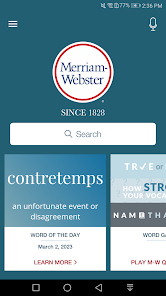
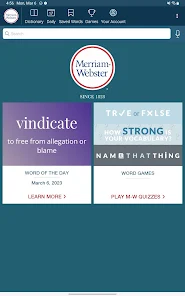
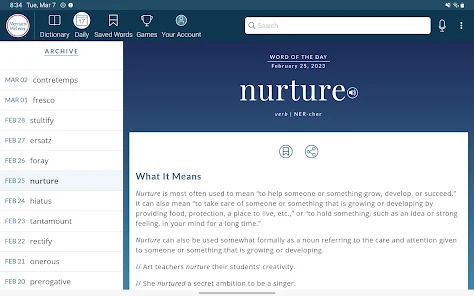
Word Of The Day

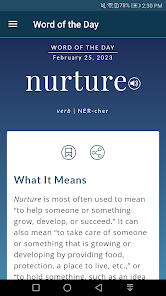
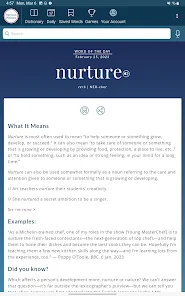
Expand your vocabulary with the daily 'Word of the Day' feature, designed to introduce you to new words and their usage. Each word comes with clear definitions, pronunciation guides, and example sentences to help you incorporate it into your everyday language effortlessly.

Pros & Cons

Pros
  • Comprehensive definitions for clarity and understanding
  • User-friendly interface for easy navigation
  • Includes pronunciation guides for accurate speaking
  • Offers word origins for deeper insight
  • Regular updates ensure current language trends
Cons
  • Limited coverage of slang and modern terms
  • Definitions can be overly complex for casual users
  • Lacks audio pronunciation for some words
  • Subscription model may deter some users

Real Experience Using Dictionary - Merriam-Webster

Application Scenarios

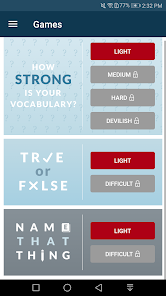
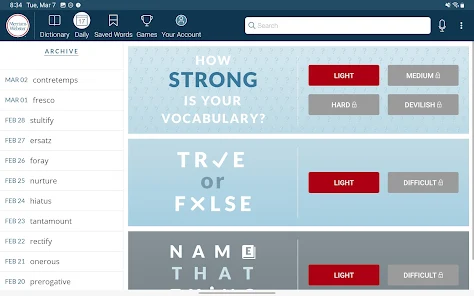
The Merriam-Webster Dictionary app is an indispensable tool for a wide range of users, from students and educators to professionals and casual language enthusiasts. It shines in academic settings, where students can quickly look up definitions, synonyms, and antonyms while studying for exams or completing assignments. For writers and journalists, the app serves as a reliable resource for enhancing vocabulary and ensuring precise word choice. Additionally, it proves invaluable for non-native English speakers seeking to improve their language skills or understand complex terminology in various fields. The app’s built-in features, such as word of the day and quizzes, further encourage daily learning and engagement with the language.

User Experience

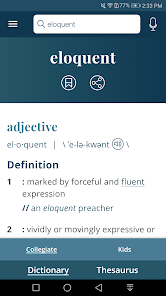
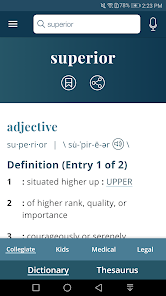
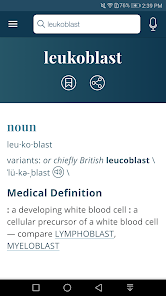
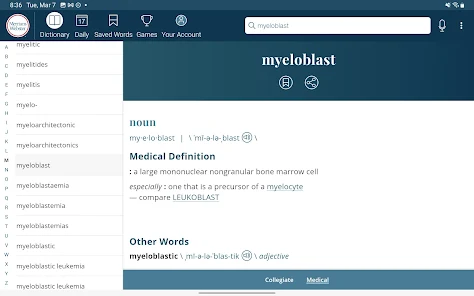
The user experience of the Merriam-Webster Dictionary app is polished and intuitive. The interface is clean and straightforward, allowing users to navigate effortlessly through various features. Searching for words is swift and efficient, with suggestions appearing almost instantaneously as you type. The app’s voice search feature adds an extra layer of convenience, particularly for those who may struggle with spelling. Definitions are presented clearly, often accompanied by audio pronunciations, example sentences, and related words, enriching the overall learning experience. Users appreciate the customizable settings, including options to adjust text size and toggle between light and dark modes. The integration of learning games and quizzes makes vocabulary expansion enjoyable, turning what could be a mundane task into an engaging activity.

Pricing

The Merriam-Webster Dictionary app is available for free, offering a substantial amount of content and features without any initial cost. However, users have the option to upgrade to a premium version that unlocks additional features such as an ad-free experience, expanded word lists, and advanced learning tools. The pricing for the premium subscription is competitive compared to other language apps, making it accessible for students and professionals alike. The free version is sufficient for casual users, while those seeking a deeper dive into language learning will find the premium option well worth the investment.

Updates & Support

The developers of Merriam-Webster regularly update the app to enhance its functionality and ensure that users have access to the latest words and definitions. These updates often include bug fixes, performance improvements, and new features based on user feedback. The support team is responsive and helpful, providing assistance through various channels, including an FAQ section on their website and direct customer support. Users can submit feedback or report issues, contributing to the app's continuous improvement. Overall, the commitment to updates and user support reflects the developers' dedication to maintaining the quality and reliability of the Merriam-Webster Dictionary app.

verified Security & Privacy Review

The Dictionary - Merriam-Webster app prioritizes user security and privacy through its robust data protection measures. The app employs encryption protocols to safeguard data transmission, ensuring that user interactions remain confidential. In terms of permissions, the app requests access to essential features such as the internet for content updates and offline functionality, but does not demand unnecessary access to personal data or device features. This minimalistic approach helps mitigate potential privacy risks. The app's privacy policy outlines its commitment to user data protection, specifying that it does not sell personal information to third parties. User data is primarily utilized to enhance the app experience, providing personalized content and features. Additionally, users can manage their privacy settings, allowing them to control their data sharing preferences. Overall, the Dictionary - Merriam-Webster app demonstrates a strong commitment to user security and privacy, making it a trustworthy option for those seeking reliable dictionary services without compromising their personal information.

Reviews

3.8

“User-friendly interface makes searching for words easy.”

“Great resource for students and professionals alike.”

“Voice search feature is incredibly helpful and convenient.”

“Definitions are clear and comprehensive, very reliable.”

“Frequent updates keep the content fresh and relevant.”

FAQ

1

Does Dictionary - Merriam-Webster collect my personal data?

Dictionary - Merriam-Webster may collect certain personal data to improve app functionality and user experience, but it adheres to privacy policies that outline what data is collected and how it is used.

2

Does Dictionary - Merriam-Webster offer a free trial or free version?

Yes, Dictionary - Merriam-Webster offers a free version with basic features, as well as a premium subscription that provides additional functionalities and content.

3

Does Dictionary - Merriam-Webster require an internet connection?

While some features of Dictionary - Merriam-Webster require an internet connection, such as accessing new content and updates, the app also offers offline access to previously downloaded definitions and resources.

4

How can I contact support or send feedback for Dictionary - Merriam-Webster?

You can contact support or send feedback through the app's help section or by visiting the official Merriam-Webster website, where you can find additional support resources and contact information.

5

How do I manage or cancel my Dictionary - Merriam-Webster subscription?

You can manage or cancel your subscription through your device's app store settings, where you can find subscription management options for apps you have enrolled in.

How to use Dictionary - Merriam-Webster

1

Can I activate my account if I didn't receive the activation email?

Yes, please check your spam folder. If you still can’t find it, contact customer service for help.

2

How can I activate my Merriam-Webster account?

After signing up, check your email for the activation link and follow the instructions to activate your account.

3

How can I contact customer service for Merriam-Webster?

You can reach our customer service team via the contact form on our website or by calling the provided phone number.

4

How do I log in to my Merriam-Webster account?

Click the "Log In" button on the website, enter your email and password, then click "Submit."

5

I am unable to log in. What should I do?

Ensure your email and password are correct. If you still can't log in, try resetting your password or contact customer service.

Editor's Choice