This site uses cookies to enhance your user experience. By clicking any link on this site you are giving your consent to our cookie policy. Read more
Reject
Accept All

Advertiser and Editorial Disclosures

Zepp(formerly Amazfit)

Zepp(formerly Amazfit)

verified Verified App

Developer: Zepp, Inc.

  • category

    Category: Sports

  • price

    Price: 0

  • age rating

    Age Rating: Everyone

  • rating

    Rating: 4.2

  • download

    Downloads: /

  • version

    Version: 9.1.2-play

Screenshot 1
Screenshot 2
Screenshot 3
Screenshot 4
Screenshot 5
Screenshot 6
Screenshot 7

Features & Highlights

Customizable Watch Faces

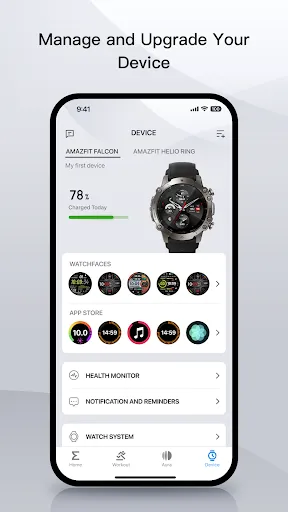
Zepp allows users to personalize their watch experience with customizable watch faces, ensuring that your device reflects your style and preferences. Choose from a vast library or create your own, making your smartwatch not just functional but also a fashionable accessory.

Fitness Modes

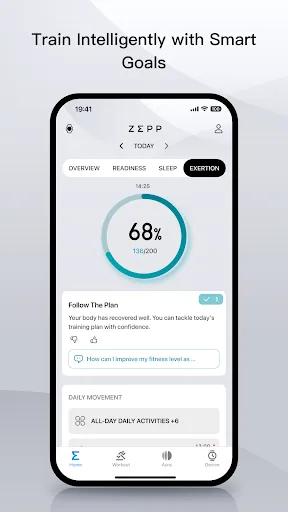
With over 90 sports modes, Zepp caters to various fitness enthusiasts, whether you're into running, cycling, or yoga. Each mode provides tailored metrics, helping you track your performance and progress, while the built-in GPS ensures accurate distance and route tracking during your activities.

Health Tracking

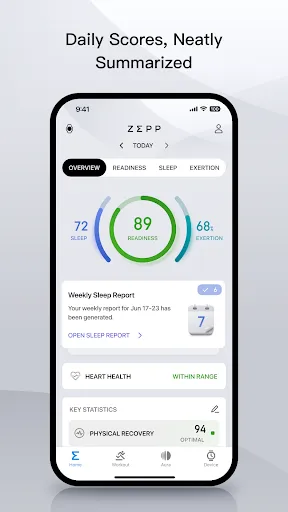
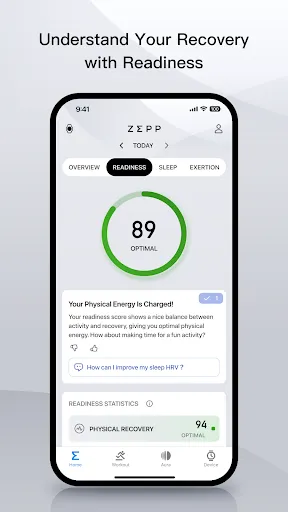
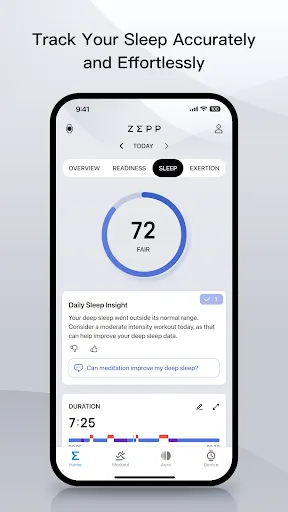
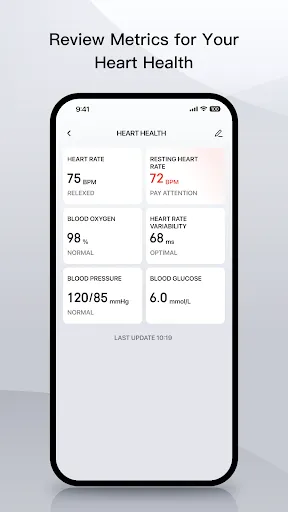
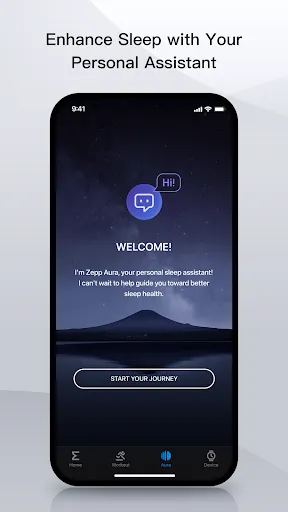
Zepp offers comprehensive health tracking features, including heart rate monitoring, sleep analysis, and SpO2 measurement. These tools empower users to gain valuable insights into their overall health and well-being, making it easier to stay on top of fitness goals and develop healthier habits.

Long Battery Life

One of the standout features of Zepp is its impressive battery life, lasting up to two weeks on a single charge. This means you can wear it continuously without the hassle of frequent recharging, allowing you to focus on your activities without interruption.

Pros & Cons

Pros
  • Zepp devices offer long battery life for extended usage without frequent charging.
  • They provide comprehensive health tracking, including heart rate and sleep analysis.
  • The sleek design ensures style while maintaining functionality in daily wear.
  • Advanced fitness features cater to various sports and activities for all users.
  • Seamless app integration enhances data visualization and user experience.
Cons
  • Limited third-party app compatibility restricts user customization options.
  • Battery life may not meet heavy usage demands.
  • Software updates can be inconsistent, affecting device performance.

Real Experience Using Zepp(formerly Amazfit)

Application Scenarios

Zepp, formerly known as Amazfit, is a versatile fitness and health management application that caters to a wide range of user needs. Whether you are an avid runner, a casual walker, or someone focused on overall wellness, Zepp provides tailored features to enhance your lifestyle. Users can track various activities such as running, cycling, swimming, and even yoga sessions. The app's built-in GPS functionality allows for accurate distance tracking without needing a smartphone, making it ideal for outdoor enthusiasts. Additionally, Zepp offers sleep monitoring and heart rate tracking, which are essential for those looking to improve their health metrics. The app also integrates with smartwatches and fitness bands, allowing users to sync their data seamlessly and monitor their progress over time.

User Experience

The user experience of Zepp is largely positive, characterized by an intuitive interface that is easy to navigate. Upon opening the app, users are greeted with a clear dashboard that displays key statistics at a glance. The app's design is visually appealing, with vibrant colors and well-organized sections that make it simple to find the information you need. Customization options allow users to tailor their experience further, whether it’s setting personal fitness goals or adjusting the layout of their dashboard. Notifications and reminders keep users engaged and motivated to meet their fitness targets. However, some users have noted occasional syncing issues with their devices, which can be frustrating. Overall, the app succeeds in making fitness tracking engaging and manageable.

Pricing

Zepp is free to download and provides a variety of features at no cost. This includes basic activity tracking, sleep monitoring, and integration with various wearable devices. For those who seek advanced analytics and personalized coaching, a premium subscription is available. The premium model offers additional features such as detailed performance insights and customized training plans. The pricing is competitive compared to other fitness applications, making it accessible for a broader audience. Users can choose to subscribe on a monthly or yearly basis, with discounts typically available for annual plans.

Updates & Support

Zepp is regularly updated, ensuring that users benefit from the latest features and improvements. The development team actively listens to user feedback, addressing bugs and enhancing usability with each release. Customer support is accessible through the app and the official website, providing users with various options to resolve issues or seek assistance. The support team is generally responsive, offering timely help for common queries. Furthermore, Zepp maintains a vibrant online community where users can exchange tips and experiences, fostering a sense of belonging among fitness enthusiasts. Overall, Zepp demonstrates a commitment to continuous improvement and user satisfaction.

verified Security & Privacy Review

The Zepp app, previously known as Amazfit, prioritizes user security and privacy through a range of robust measures. The app employs encryption protocols to protect user data both in transit and at rest, ensuring that personal information remains secure against unauthorized access. Upon installation, the app requests several permissions, including access to location services, notifications, and health data. Users are encouraged to review these permissions carefully, as some features may not function optimally without them. Transparency in data collection is a key aspect of Zepp's privacy policy, which outlines what information is gathered and how it is used. Users can manage their data preferences within the app, including options to opt-out of certain data-sharing practices. Additionally, Zepp adheres to industry standards for data protection and complies with relevant privacy regulations. Overall, the app demonstrates a commitment to safeguarding user information while providing a personalized experience, but users should remain vigilant about their privacy settings and data sharing choices.

Reviews

4.2

“Great fitness tracking features and accurate heart rate monitoring”

“Long battery life makes it perfect for daily use”

“User-friendly interface with customizable watch faces”

“Syncing with my phone is quick and seamless”

“Comfortable design for all-day wear and workouts”

FAQ

1

Can I submit suggestions or feedback to Zepp(formerly Amazfit)?

Yes, users can submit suggestions or feedback through the app's support section or official website, where they can contact the support team directly.

2

Does Zepp(formerly Amazfit) collect my personal data?

Yes, Zepp collects personal data to provide tailored services and improve user experience, but it follows strict privacy policies to protect users' information.

3

Does Zepp(formerly Amazfit) support offline use?

While certain features of the app can be accessed offline, a stable internet connection is required for syncing data and accessing all functionalities.

4

How do I cancel my Zepp(formerly Amazfit) subscription?

Users can cancel their subscription through the app's settings or directly via the app store where they purchased the subscription, following the cancellation instructions provided.

5

How much does a subscription to Zepp(formerly Amazfit) cost?

The subscription cost for premium features varies by region and can be billed monthly or annually, with promotional offers occasionally available.

How to use Zepp(formerly Amazfit)

1

Can I change my customer number on my Zepp account?

Unfortunately, you cannot change your customer number once assigned. Please contact customer service for further assistance.

2

How can I contact customer service for Zepp?

You can reach Zepp customer service through the app's Help section or by visiting the official website for support options.

3

How can I log in to my Zepp account on a new device?

Download the app on your new device and use your existing credentials to log in to your account.

4

How do I activate my Zepp account?

After downloading the app, follow the on-screen instructions to create and activate your account using your email.

5

How do I update my account information in Zepp?

Log in to your account, go to settings, and select the option to update your personal information.

Editor's Choice