
 Home
Home  Apps
Apps  Games
Games  Windows
  Topics
  Terms of Service
  Cookies & Privacy Policy
  About us
 Daily Word Selection
Discover a new word every day, carefully curated to expand your vocabulary. Each selection comes with definitions, usage examples, and synonyms to help you understand and incorporate it into your everyday language effortlessly.


Vocabulous US
 4.0
4.0 
Category: Education

Price: free

Age Rating: Everyone

Rating: 4.0

Available on: /

Updated on: Apr 23, 2026
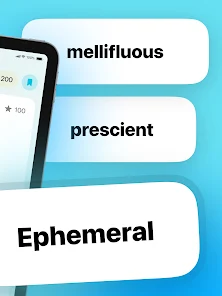
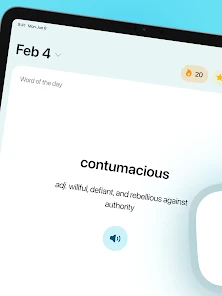

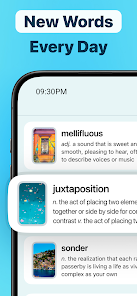

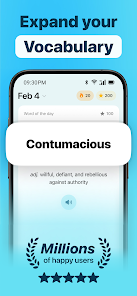
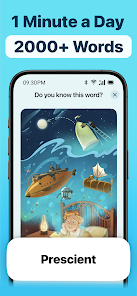
Discover a new word every day, carefully curated to expand your vocabulary. Each selection comes with definitions, usage examples, and synonyms to help you understand and incorporate it into your everyday language effortlessly.
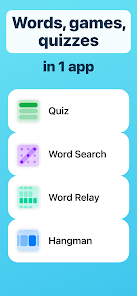
Test your knowledge and retention with engaging quizzes designed around the daily words. These interactive challenges make learning fun and help reinforce your understanding, ensuring that you remember the meanings and contexts in which to use them.
Tailor your vocabulary journey by selecting specific themes or categories that interest you. This feature allows you to focus on words that align with your personal or professional goals, making learning more relevant and enjoyable.
Stay motivated by tracking your learning progress over time. With visual indicators of how many words you've mastered, you'll be able to see your growth and set achievable goals, making your vocabulary-building journey both rewarding and fulfilling.

 Enhances your vocabulary with daily new words for effective communication. Improves language skills through consistent learning and practice. Boosts confidence in speaking and writing with richer word choices. Encourages curiosity about language, making learning enjoyable and engaging. Supports professional and academic growth by expanding expressive capabilities.
 Limited context may hinder practical usage of new words Frequent updates can overwhelm learners Focus on individual words neglects broader language skills development
 The "Word of the Day: Vocabulary" app serves a variety of users seeking to enhance their vocabulary. It is particularly beneficial for students preparing for standardized tests like the SAT or GRE, where a robust vocabulary can significantly impact scores. Additionally, professionals in fields that require strong communication skills—such as law, education, and marketing—can find value in the app’s daily word features. Language enthusiasts and those learning new languages can also use the app to expand their lexicon and improve their fluency. The app is designed to be accessible and engaging, making it a perfect fit for anyone looking to incorporate vocabulary building into their daily routine, whether during commutes, breaks, or leisurely evenings.
User experience is at the forefront of the "Word of the Day" app, offering a clean and intuitive interface that makes navigation seamless. Upon opening the app, users are greeted by the daily word along with its definition, pronunciation guide, and example sentences. This structure not only aids in comprehension but also encourages retention. The app features interactive quizzes that allow users to test their understanding of previous words, which adds an element of gamification to the learning process. Notifications can be customized, allowing users to receive reminders at their preferred times, ensuring that vocabulary practice becomes a consistent part of their day. Overall, the app fosters an engaging environment for learning without feeling overwhelming.
Updates & Support The developers of "Word of the Day: Vocabulary" consistently push updates that enhance functionality and introduce new features based on user feedback. This commitment to improvement reflects a user-centric approach, making the app feel dynamic and responsive to the needs of its audience. Customer support is readily available through the app’s help section, where users can find FAQs and contact information for direct assistance. The community aspect is also highlighted through social media channels, where users can engage with the development team and fellow learners, sharing tips and experiences. This sense of community adds an extra layer of support and motivation for users on their vocabulary journey.
Security & Privacy Review
 Google Play
  App Store


I honestly love the app, though I wish there was a widget that I could put on my home screen and my screen saver so that I could see the word of the day throughout the day. Because then it helps me practice my vocabulary more thoroughly. It had a widget like that when I had an iPhone, but I switched back to my old android because I can't stand the new iOS 26 update. Though hopefully they can add the widget to Android too.
What in the world happened to this app??? I LOVE this app so much that I purchased the premium version. However, apparently it's no longer supported and maintained on the Android platform??? ( no update since 2020) Additionally, I've emailed the developer several times to no avail. Really frustrating as it's available on IOS, but what sense does it make for me to buy it for my iPad when I only use it to read books. I use my phone for everything else. Arrrrggghhh.
Beyond too many ads. I opened app to read the definition of the word of the day and got an ad. I waited, then read, then clicked random, and got another ad. Then I needed to put my phone down and when I came back to close out of the last ad, it played another ad. Also widget doesn't show the definition, making you open it to see ads.
Be teachable and use the app consistently you'll be better than you are. It's simple direct and easy to use.
The app is quite nice for me to expand my vocabulary, though just a suggestion; maybe advertise your app with a more serene image? like those quiz apps with calm music and nature in the background, I think it'd attract more users than if you were to keep the ads with the uncanny ai animations and irritating halloween music
Review Source: Google Play store public user reviews.
Yes, users are encouraged to submit suggestions or feedback through the app's support section or via the official website, helping to improve features and user experience.
Word of the Day ・ Vocabulary may collect some personal data to enhance user experience, but it prioritizes user privacy and complies with applicable data protection regulations. Users can review the privacy policy for detailed information.
Yes, Word of the Day ・ Vocabulary allows users to access previously learned words and definitions offline, making it convenient for learning on the go without an internet connection.
Users can cancel their subscription to Word of the Day ・ Vocabulary through their device's app store settings or within the app itself, following the cancellation instructions provided in the app.
The subscription cost for Word of the Day ・ Vocabulary varies depending on the chosen plan, with options for monthly or annual subscriptions typically available. Users can check the app for the most current pricing information.
Yes, after logging in, navigate to your account settings where you can update your personal information and preferences.
You can contact customer service via email or phone. Visit the "Contact Us" section on our website for the details. We're here to help!
After logging in, go to your account settings and select the payment information section to update your details. If you encounter issues, contact customer service for assistance.
To activate your account, check your email for an activation link and click on it. If you didn't receive it, please check your spam folder or contact customer service.
To log in, visit the website and enter your registered email and password. If you forgot your password, use the "Forgot Password" link to reset it.
Home Screen Widgets. Choose from three sizes and pin your daily word right to your Home Screen, so it’s always front and center.

Duolingo: Language Lessons

Epic: Kids' Books & Reading

Gauth: AI Study Companion

Finelo: Master Trading

PictureThis - Plant Identifier

Minecraft Education

ClassDojo

Kahoot! Play & Create Quizzes

Elevate - Brain Training Games

IXL

Quizlet: More than Flashcards

Stellarium Mobile - Star Map




















