This site uses cookies to enhance your user experience. By clicking any link on this site you are giving your consent to our cookie policy. Read more
Reject
Accept All

Advertiser and Editorial Disclosures

Volume Booster-Sound Booster

Volume Booster-Sound Booster

verified

VAVA Music Player - MP3 Player, Volume Booster

4.7
Rating
/ Downloads
/ Version
  • category

    Category: Music & Audio

  • price

    Price: free

  • age rating

    Age Rating: /

  • rating

    Rating: 4.7

  • available on

    Available on: /

  • updated on

    Updated on: Jun 4, 2026

Screenshot 1
Screenshot 2
Screenshot 3
Screenshot 4
Screenshot 5
Screenshot 6
Screenshot 7
Screenshot 8

Features & Highlights

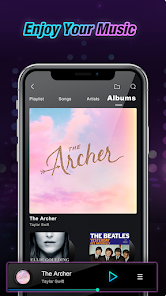
Background Music Playback

Enjoy uninterrupted audio with the ability to boost volume while using other apps. This feature allows you to listen to your favorite tunes or podcasts without any interruptions, making it a fantastic companion for multitasking or while you're on the go.

Boost Volume Levels

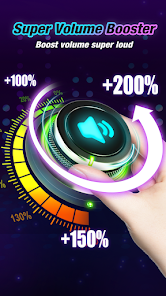
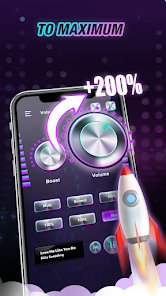
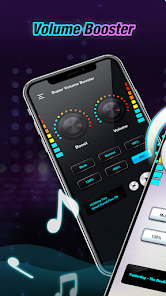
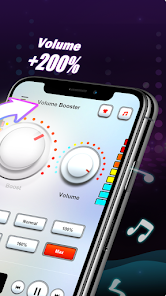
With Volume booster - Sound Booster, you can effortlessly increase your device's volume beyond the standard limits. This feature ensures that you can enjoy music, videos, and games with a richer sound experience, making it perfect for loud environments or just when you want that extra boost.

Equalizer Settings

Tailor your audio experience with customizable equalizer settings that let you adjust frequencies to your liking. Whether you prefer deep bass or crisp treble, this feature allows you to fine-tune the sound output, so you can enjoy your favorite tracks just the way you want them.

User-Friendly Interface

The app boasts a sleek and intuitive interface that makes it easy for anyone to navigate and adjust settings quickly. You won’t have to sift through complicated menus; just a few taps will have you boosting your sound in no time, enhancing your listening experience effortlessly.

Pros & Cons

Pros
  • Enhances audio volume beyond device limits
  • Improves sound clarity for a better experience
  • Easy-to-use interface for quick adjustments
  • Compatible with various media apps and formats
  • Customizable settings for personalized audio control
Cons
  • May cause audio distortion at high volumes
  • Battery drain can increase significantly
  • Limited compatibility with some devices
  • Risk of damaging speakers over time

Real Experience Using Volume Booster-Sound Booster

Application Scenarios

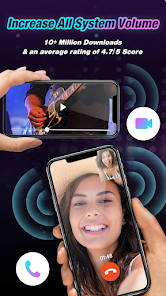
The Volume Booster - Sound Booster app serves a variety of practical scenarios that cater to users looking to enhance their audio experience. Whether you are listening to music, watching movies, or engaging in video calls, this app aims to elevate the sound output of your device. It is particularly useful in environments where background noise is a common issue, such as crowded cafes or public transport. Users can also benefit from the app during outdoor activities like picnics or camping, where the built-in speakers of devices may struggle to deliver adequate sound. Furthermore, for those who enjoy gaming on their mobile devices, the app can significantly enhance immersive sound effects, making the gaming experience more engaging and enjoyable. Overall, Volume Booster - Sound Booster is designed to provide a solution for various audio challenges encountered in everyday life.

User Experience

The user experience provided by the Volume Booster - Sound Booster app is generally intuitive and straightforward. Upon launching the app, users are greeted with a clean and user-friendly interface that makes navigation easy. The app allows users to adjust the volume levels with a simple slider, enabling them to find their preferred sound settings quickly. Many users appreciate the instant feedback provided by the app, allowing them to listen to audio in real-time as they make adjustments. Additionally, the app includes various presets for different audio scenarios, which can save time for users who frequently switch between activities. However, some users have reported occasional glitches or crashes, particularly when using the app on older devices. Overall, the user experience is largely positive, with most users praising the noticeable improvement in sound quality.

Pricing

The Volume Booster - Sound Booster app adopts a freemium pricing model, offering users both a free version with basic features and a premium subscription that unlocks additional functionalities. The free version provides adequate sound enhancement for casual users, making it accessible for those who do not wish to spend money upfront. For users seeking a more robust experience, the premium version comes at a reasonable monthly or yearly subscription fee, which is competitive compared to similar apps in the market. Many users find the additional features worth the investment, especially if they frequently listen to audio content on their devices. Overall, the pricing structure is flexible and caters to a wide range of users.

Updates & Support

The development team behind Volume Booster - Sound Booster is committed to providing regular updates and enhancements to the app. Users can expect periodic improvements that address bugs, enhance performance, and introduce new features based on user feedback. The app's support system is also commendable; users can access a comprehensive FAQ section and contact customer service for more personalized help. Many users have reported prompt and helpful responses from the support team, which adds to the overall positive experience with the app. The ongoing commitment to updates and customer support reflects the developers' dedication to maintaining a high-quality product that meets user needs.

verified Security & Privacy Review

When it comes to security and privacy, the Volume Booster - Sound Booster app takes user protection seriously. The app requires minimal permissions, primarily focusing on audio enhancement features. This limited access helps ensure that personal data remains secure and reduces the risk of unauthorized data collection. The app's privacy policy is transparent, clearly outlining how user data is handled. It does not collect sensitive information such as location or personal identifiers, which is a significant advantage for privacy-conscious users. Additionally, any data that may be collected is used solely for improving the app's functionality and user experience. Moreover, the app employs industry-standard encryption methods to protect any data transmitted over the internet. Users can feel confident that their information is safeguarded against potential threats. Overall, Volume Booster - Sound Booster demonstrates a commendable commitment to security and privacy, making it a reliable choice for users seeking to enhance their audio experience without compromising their personal information.

User Reviews

  • A Google user
    2019/09/27

    Deleted immediately. It started begging for a rating as soon as I opened it before I could use it. I couldn't close the friggin pop-up without force closing. It also vibrates every time you use it without the chance to change it from what I can tell. No OBVIOUS way that is. The vibration drains the friggin battery. DUH! That's one of the dumbest designs I've seen yet. Moving forward to something else.

  • A Google user
    2019/05/07

    I 'm cool with it as long as it doesn't cut out on me every few minutes like the last app I tried. Maybe they were worried I would go deaf after 10 seconds but why offer the volume boost then? I think at the age of 51 I can decide for myself if it's too loud. I will continue to use this app if you don't worry and remind me constantly of how loud my music is. I'm an adult and can think for myself. AND DON'T BOMBARD ME WITH ADS!!! Thanks

  • DJ Parker
    2021/05/20

    This does increase the volume, however, it frequently requires adjusting as it often does not maintain the volume you set. The preset options, I find, either are not loud enough or too high. Using the phone volume adjustment buttons to lower what was too high often cancels what you've set. Therefore, I don't use the presets. I manually set the volume dial all the way up and the other dial between 55% & 65%, depending on the program. That's what works for me for visual media.

  • A Google user
    2019/10/17

    It does work, you just need to have sound or music already playing in order to adjust the boost. I recommend a cool 30-35% boost for most headphones, easy 20% for in-phone speakers. (Don't wanna blow them out after all, you are technically "over clocking" your speakers). Ads are manageable, fairly infrequent, rarely obtrusive, and always skipable. Definitely worth a look if you're in the market for a good free booster. Use it with YouTube, Spotify or your own, it'll boost it.

  • Lake Fett
    2021/01/18

    When I say I've used basically everyone volume booster app, take my word for it. I've got experience with most all of them on the Google Play Store. This one "Volume Booster Pro" is THE best. Ive used it coming up on 4 weeks. It has yet to crash/fail/bug out. Most have to be Uninstalled and reinstalled to regain functionality after anywhere from 1 day to 1wk. This has lasted 1 month and going still. It has just as many control options as the other apps. No more no less. Highly recommend! 5 star

Review Source: Google Play store public user reviews.

FAQ

1

Does Volume Booster-Sound Booster collect my personal data?

Volume Booster-Sound Booster prioritizes user privacy and does not collect personal data without consent. However, it may gather anonymous usage statistics to improve the app.

2

Does Volume Booster-Sound Booster offer a free trial or free version?

Yes, Volume Booster-Sound Booster offers a free version with basic features, allowing users to test the app before deciding on a subscription for additional features and enhancements.

3

Does Volume Booster-Sound Booster require an internet connection?

No, Volume Booster-Sound Booster does not require an internet connection to function. Users can enjoy enhanced sound even while offline.

4

How can I contact support or send feedback for Volume Booster-Sound Booster?

Users can contact support or send feedback via the app's help section, where they can submit inquiries or suggestions directly to the development team.

5

How do I manage or cancel my Volume Booster-Sound Booster subscription?

You can manage or cancel your subscription through your device's app store settings, where you can view your subscriptions and make changes as needed.

How to use Volume Booster-Sound Booster

1

Can I change my customer number?

Unfortunately, customer numbers cannot be changed. Please contact customer service if you need further assistance.

2

Can I log in using social media accounts?

Yes, you can log in using your social media accounts linked to Volume Booster for easier access.

3

How can I contact customer service for Volume Booster?

You can reach our customer service team through the app's support section or email us directly at support

4

How do I activate my Volume Booster account?

To activate your account, follow the link in your confirmation email and complete the setup process.

5

How do I reach customer service for activation issues?

For activation issues, please contact customer service through the app or email us at support

What's New

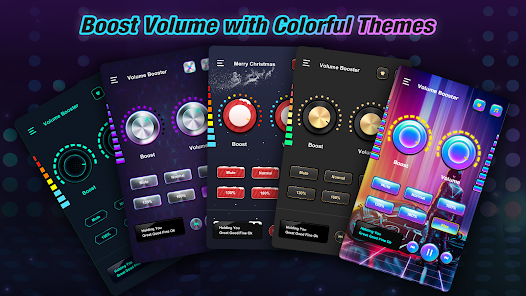
Volume Booster - Sound Booster🎧Boost the volume of all your music and media🎧Works with most popular music players🎧Stable, high-quality audio output🎧Pick from a range of colorful themes🎧Amplify volume for music, videos, and calls

Editor's Choice