This site uses cookies to enhance your user experience. By clicking any link on this site you are giving your consent to our cookie policy. Read more
Reject
Accept All

Advertiser and Editorial Disclosures

StarMaker: Sing Karaoke Songs

StarMaker: Sing Karaoke Songs

verified Verified App

Developer: SKYWORK AI PTE. LTD.

  • category

    Category: Music & Audio

  • price

    Price: free

  • age rating

    Age Rating: Teen

  • rating

    Rating: 4.4

  • download

    Downloads: 500,000,000+

  • version

    Version: 9.3.5

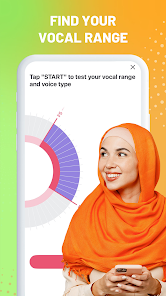
Screenshot 1
Screenshot 2
Screenshot 3
Screenshot 4
Screenshot 5
Screenshot 6
Screenshot 7
Screenshot 8
Screenshot 9
Screenshot 10
Screenshot 11
Screenshot 12
Screenshot 13

Features & Highlights

Customizable Vocal Effects

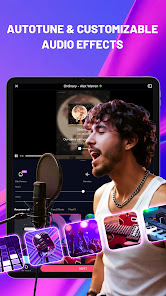
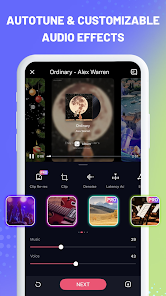
The app features a range of customizable vocal effects to enhance your performances. You can experiment with different reverb, echo, and other effects to create a unique sound that fits your style. This flexibility empowers users to explore their creativity and discover their true vocal potential.

Real-Time Pitch Correction

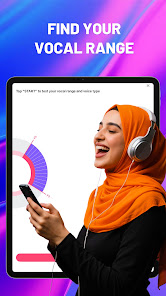
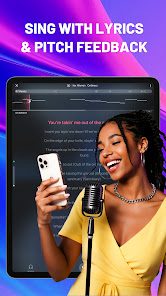
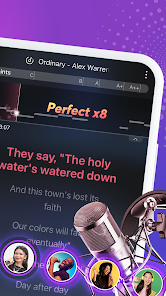
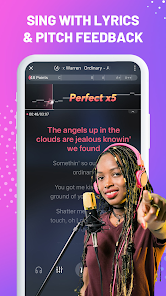
StarMaker offers real-time pitch correction to enhance your singing experience. This feature helps you stay on key while you sing, making it easier for beginners to feel confident and for seasoned performers to polish their skills. It’s like having a personal vocal coach right in your pocket.

Social Sharing Options

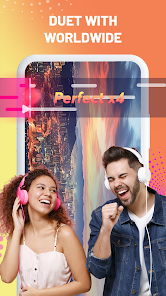
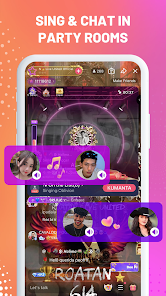
StarMaker allows you to share your performances with friends and the wider community. You can connect with fellow singers, receive feedback, and even collaborate on duets. This social aspect makes singing more enjoyable and encourages creativity among users.

Vast Song Library

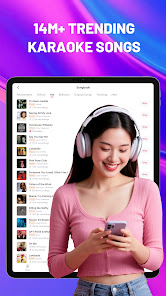
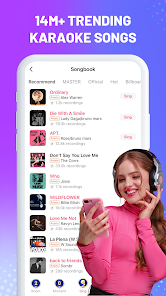
With an extensive library of songs across various genres, StarMaker ensures that every user can find their favorite tracks. Whether you’re into pop, rock, or classics, there’s something for everyone. New songs are regularly added, keeping the experience fresh and exciting.

Pros & Cons

Pros
  • Enjoy a vast library of songs across various genres for endless fun.
  • Connect with friends and other users for a social singing experience.
  • Record your performances and share them easily on social media.
  • Access real-time pitch correction to improve your singing skills.
  • Participate in exciting challenges and contests to showcase your talent.
Cons
  • Limited song selection may not satisfy all musical tastes
  • In-app purchases can lead to unexpected costs
  • Audio quality may vary, impacting the overall singing experience

Real Experience Using StarMaker: Sing Karaoke Songs

Application Scenarios

StarMaker: Sing Karaoke Songs is an engaging platform that appeals to a wide range of users, from casual singers to aspiring vocalists. The app caters to various scenarios, making it a versatile choice for different occasions. Users can join in on solo performances, collaborate with friends in duets, or participate in group performances with fellow enthusiasts from around the world. Whether you’re hosting a karaoke night at home, warming up before a performance, or simply looking to unwind after a long day, StarMaker offers an array of songs across genres to suit every mood. With the option to record and share your performances on social media, it also serves as a creative outlet for users looking to showcase their talent.

User Experience

The user experience in StarMaker is generally seamless, thanks to its intuitive interface and user-friendly features. Upon entering the app, users are greeted with a well-organized library of songs, making it easy to search for favorites or discover new hits. The sound quality is impressive, with real-time pitch correction and vocal effects that enhance performances. Additionally, the app allows users to customize their recordings with various audio effects, ensuring each performance is unique. Community engagement is another highlight, as users can interact with others through comments, likes, and shares. However, some may find that getting accustomed to the app’s extensive features takes time, but the rewards of creative expression are worth the initial learning curve.

Pricing

StarMaker offers a free version that provides access to many features, but users can unlock a more comprehensive experience through its premium subscription. The pricing model is relatively flexible, with options for monthly, quarterly, or annual subscriptions. Premium users benefit from additional features like unlimited song access, enhanced vocal effects, and the ability to download songs for offline use. While the free version is sufficient for casual users, those who are serious about karaoke or want to take their singing to the next level will find the premium subscription worthwhile. Overall, the pricing structure is competitive compared to other karaoke apps, offering great value for dedicated users.

Updates & Support

StarMaker is committed to continuous improvement, regularly updating the app with new songs, features, and bug fixes. The development team actively listens to user feedback and implements changes that enhance the overall experience. Additionally, the app provides a robust support system that includes FAQs, a help center, and customer support options for more complex inquiries. Users can easily report issues or suggest improvements, which reflects the app's dedication to user satisfaction. Overall, the combination of frequent updates and attentive support ensures that StarMaker remains relevant and user-friendly in the ever-evolving world of karaoke.

verified Security & Privacy Review

StarMaker: Sing Karaoke Songs prioritizes user security and privacy by implementing a range of measures to protect personal information. The app requires permissions such as microphone access to facilitate singing and recording, but users are informed of these requirements during installation. The app’s privacy policy is accessible, detailing how personal data is collected, used, and shared, ensuring transparency for users. Data handling practices are designed to minimize risk, with user information being anonymized where possible. StarMaker complies with relevant data protection regulations, offering users the ability to manage their privacy settings directly within the app. Users can control their profile visibility and choose whether to share recordings publicly or keep them private. However, as with any social platform, users should remain vigilant about the information they share. While StarMaker employs encryption for data transmission, it is crucial for users to familiarize themselves with the privacy settings to enhance their security. Overall, StarMaker demonstrates a commitment to safeguarding user data while encouraging a fun and engaging karaoke experience.

Reviews

4.4

“Fun to sing along with friends and family!”

“Great selection of songs and easy to use.”

“Love the community features and challenges!”

“High-quality audio and effects enhance performances.”

“Addictive and entertaining for karaoke lovers!”

FAQ

1

Can I submit suggestions or feedback to StarMaker: Sing Karaoke Songs?

Yes, users can submit suggestions or feedback directly through the app or via their official support channels.

2

Does StarMaker: Sing Karaoke Songs collect my personal data?

Yes, StarMaker may collect personal data to enhance user experience and for account management purposes, as outlined in their privacy policy.

3

Does StarMaker: Sing Karaoke Songs support offline use?

StarMaker requires an internet connection to access its full features and song library, so offline use is limited.

4

How do I cancel my StarMaker: Sing Karaoke Songs subscription?

Users can cancel their subscriptions through the app's settings or their respective app store account settings, depending on the platform used.

5

How much does a subscription to StarMaker: Sing Karaoke Songs cost?

Subscription prices for StarMaker vary based on the plan selected, with options for monthly, quarterly, or yearly subscriptions available.

How to use StarMaker: Sing Karaoke Songs

1

Can I change my customer number in StarMaker?

Unfortunately, customer numbers cannot be changed. If you have concerns, please contact customer service for further assistance.

2

How can I contact customer service for StarMaker?

You can reach customer service through the app's help section or by emailing support

3

How can I get help with my StarMaker account activation?

For activation help, please check the FAQ section in the app or contact customer service for assistance.

4

How do I activate my StarMaker account?

To activate your account, open the app and follow the prompts to verify your email or phone number.

5

How do I contact customer service if I'm having trouble activating my account?

You can contact customer service through the app's support section or by emailing support

Editor's Choice