This site uses cookies to enhance your user experience. By clicking any link on this site you are giving your consent to our cookie policy. Read more
Reject
Accept All

Advertiser and Editorial Disclosures

Volume Booster - Loud Speaker

Volume Booster - Loud Speaker

verified

Coocent

4.6
Rating
5,000,000+ Downloads
1.4.5 Version
  • category

    Category: Music & Audio

  • price

    Price: free

  • age rating

    Age Rating: Everyone

  • rating

    Rating: 4.6

  • available on

    Available on: /

  • updated on

    Updated on: May 27, 2026

Screenshot 1
Screenshot 2
Screenshot 3
Screenshot 4
Screenshot 5
Screenshot 6
Screenshot 7
Screenshot 8
Screenshot 9
Screenshot 10
Screenshot 11
Screenshot 12
Screenshot 13
Screenshot 14
Screenshot 15
Screenshot 16
Screenshot 17
Screenshot 18
Screenshot 19
Screenshot 20
Screenshot 21
Screenshot 22
Screenshot 23
Screenshot 24
Screenshot 25
Screenshot 26
Screenshot 27
Screenshot 28
Screenshot 29

Features & Highlights

Customizable Volume Levels

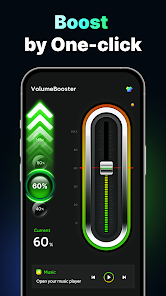
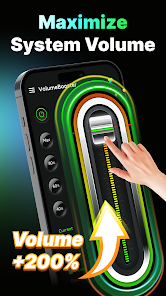
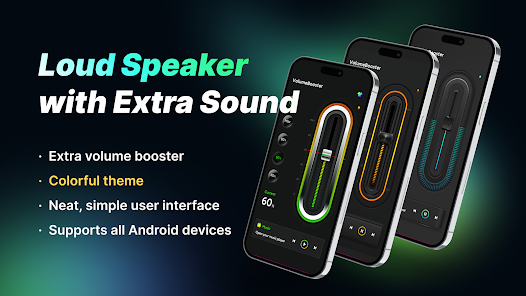
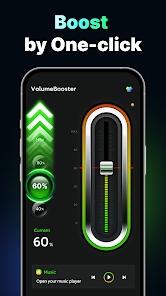
Tailor your listening experience with customizable volume settings that let you choose the perfect sound level for any environment. Whether you're at home, outdoors, or in a crowded place, you can easily optimize your audio to suit your surroundings and personal taste.

Enhanced Sound Quality

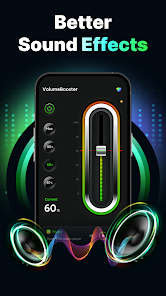
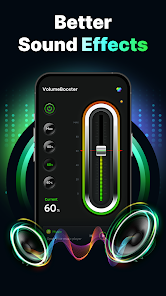
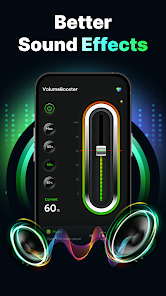
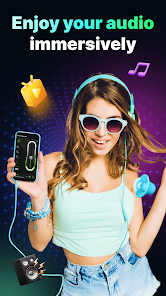
Experience a significant boost in your audio clarity with our advanced sound enhancement technology. Whether you're listening to music, watching movies, or playing games, every sound detail is amplified, providing a rich and immersive audio experience that truly brings your content to life.

Equalizer Settings

Take charge of your sound with built-in equalizer settings that allow you to adjust frequencies to match your audio preferences. Fine-tune your listening experience by selecting preset modes or creating your own custom settings for different music genres, ensuring you get the best sound every time.

User-Friendly Interface

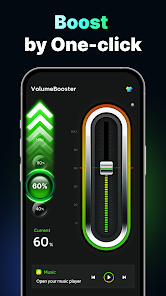
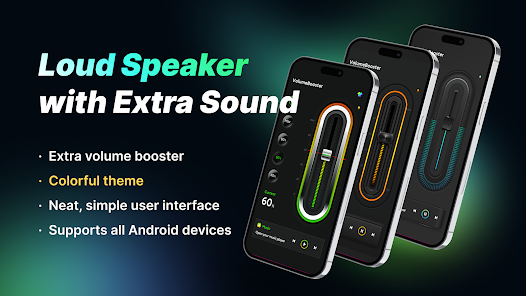
Navigating through the app is a breeze thanks to its intuitive design. With just a few taps, you can adjust the volume levels to your preference, making it accessible for users of all ages. Enjoy seamless control without any complicated settings to figure out.

Pros & Cons

Pros
  • Enhances sound clarity for a better listening experience
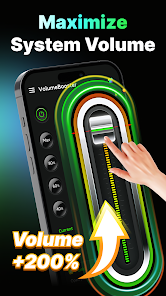
  • Increases volume beyond standard limits for loudness
  • User-friendly interface for effortless operation
  • Compatible with various devices for versatility
  • Boosts bass for richer audio quality
Cons
  • Increases distortion at high volumes
  • May damage speakers over time
  • Limited compatibility with certain devices
  • Can drain battery quickly

Real Experience Using Volume Booster - Loud Speaker

Application Scenarios

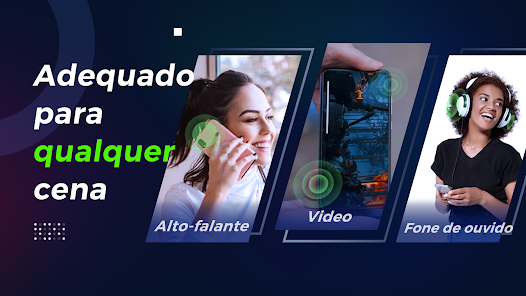
The Volume Booster - Loud Speaker app shines in various scenarios where sound enhancement is essential. Whether you are hosting a backyard barbecue, enjoying a picnic at the park, or trying to amplify your music during a workout, this app can significantly improve your audio experience. Users have found it particularly useful for watching movies on their mobile devices when the built-in speaker is not sufficient. Additionally, gamers appreciate the app for enhancing sound effects, creating a more immersive gaming environment. The app is also ideal for those who listen to podcasts or audiobooks in noisy settings, ensuring clarity without straining to hear. Overall, its versatility makes it an excellent companion for any audio-related activity.

User Experience

Users have reported a generally positive experience with the Volume Booster app. The interface is user-friendly, making it easy for individuals of all ages to navigate and utilize its features. Many appreciate the simplicity of the app, as it does not require complex settings or adjustments. Just a few taps, and users can enjoy enhanced sound quality. The app provides various presets tailored for different scenarios, allowing users to customize their audio experience according to their preferences. However, some users have noted that while the volume boost is impressive, it may occasionally lead to audio distortion at maximum settings. Despite this minor drawback, the overall feedback highlights the app's effectiveness in elevating sound levels without compromising quality significantly.

Pricing

The Volume Booster - Loud Speaker app is available for free, making it accessible to a wide audience. While the free version offers a substantial range of features, there is a premium option that unlocks additional functionalities for those seeking an enhanced experience. The premium subscription is reasonably priced, offering users the chance to support the developers while enjoying an ad-free experience and advanced sound settings. Many users find the investment worthwhile, especially if they frequently engage in audio-related activities that require superior sound quality.

Updates & Support

The developers of Volume Booster are committed to providing regular updates, ensuring the app remains compatible with the latest devices and operating systems. Users have noted that updates often include new features, bug fixes, and performance enhancements, which contribute to an overall better experience. In terms of customer support, the app offers a dedicated help section with FAQs and troubleshooting tips. Users can also reach out to the support team via email for more specific inquiries or issues. The prompt response from the support team has been appreciated, as it shows the developers’ commitment to user satisfaction.

verified Security & Privacy Review

The Volume Booster - Loud Speaker app prioritizes user privacy and data security, adhering to industry standards in its operations. The app requires minimal permissions, primarily accessing audio settings to enhance volume output without compromising other personal data. Users can expect transparency in how their data is handled, as the app does not collect sensitive information such as location, contacts, or personal identifiers. Moreover, the app's privacy policy clearly outlines its data collection practices, ensuring users are informed about what information, if any, is collected during usage. Users have the option to provide feedback or contact support, but this communication does not require personal data beyond what's necessary for interaction. The app does not engage in sharing or selling user data to third parties, enhancing user trust. In summary, Volume Booster - Loud Speaker takes a responsible approach to security and privacy, making it a reliable choice for users seeking to amplify their audio experience without compromising their personal information.

User Reviews

  • Noreen Ann Annuzzi Rahni
    2021/04/22

    I have about three different music enhancement applications on my phone. One is sound booster, bass booster and equalizer. They are all on in use when I listen to music on youtube. The sound is great. This app. Let's you set the level of volume. Mine is always at Max and it works great. It doesn't collide with the other music applications. That's the truth. Other's my tell something different. Don't know. It might be the kind of phone as well. I have a Moto e6 and it's compatible with this app.

  • WMD 707 (W)
    2022/04/19

    I didn't expect this to actually work, but it did. Lately the sound on my phone seems low, eventhough volume is all the way up. I searched through the apps to find something that works & won't be a pain to use. I saw all the highest rated ones but reviews weren't great. I tried this & it was so easy to use. I moved the level to about 40% & played a video. It was so loud I actually had to turn it down. The sound was not distorted at all. I hope this keeps working without issues. So far it's great

  • William Stone
    2024/07/04

    The app worked great for a long time, but lately it has major issues! Whenever I Fast Forward or rewind a movie or video the volume changes as well! Before the volume stayed the same all of the time unless I changed it myself! I know it's the app because when I uninstalled it the volume worked normally! I really like it so I installed it again hoping that it gets fixed! I'd like to purchase the Pro version but I'm afraid that the same thing will happen! It wakes up my roommate!

  • Th “om” C
    2021/10/23

    I don't usually write reviews, but I am making an exception for this app because I'm grateful. When choosing a volume boosting app I read a lot of reviews. But every negative review I read about this app was wrong, at least for my Android phone. The app works exactly as described, and the ads are not at all intrusive. In fact the only time I see an ad is after opening another app and then returning to the volume booster. My only "problem" has been having to reduce the boost to 25% lol.

  • Mr Man
    2025/05/27

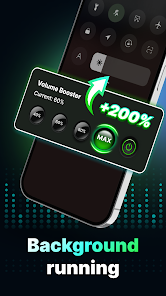
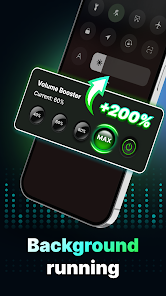
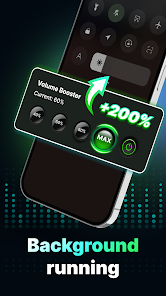
    I must say this app is great, it amplification is clear. I'm using the equalizer that came with my phone for music. Headphones are sennheiser Bluetooth. It runs in the background and never turns off,,unless I turn it off. It works great for videos and it also works for music, your going to need a high definition equalizer for your music to sound best however. well it's 9 mouths later and this has worked perfectly. No problem what so ever. Great job.

Review Source: Google Play store public user reviews.

FAQ

1

Does Volume Booster - Loud Speaker collect my personal data?

Volume Booster - Loud Speaker prioritizes user privacy and generally does not collect personal data, although it may gather non-personal usage statistics to improve the app.

2

Does Volume Booster - Loud Speaker offer a free trial or free version?

Yes, Volume Booster - Loud Speaker offers a free version with basic features, as well as a trial period for users to explore premium features before committing to a subscription.

3

Does Volume Booster - Loud Speaker require an internet connection?

No, Volume Booster - Loud Speaker does not require an internet connection to function; it can be used offline once downloaded.

4

How can I contact support or send feedback for Volume Booster - Loud Speaker?

You can contact support or send feedback for Volume Booster - Loud Speaker through the app's help section, or by visiting the official website where you can find contact information and a support form.

5

How do I manage or cancel my Volume Booster - Loud Speaker subscription?

You can manage or cancel your Volume Booster - Loud Speaker subscription through your device's app store settings or directly within the app under the subscription management section.

How to use Volume Booster - Loud Speaker

1

How can I contact customer service for the Volume Booster - Loud Speaker app?

You can reach customer service by emailing support

2

How do I activate the Volume Booster - Loud Speaker app?

Activation is automatic upon download. Simply open the app and follow the on-screen instructions to enhance your device's volume.

3

How do I log in to my Volume Booster - Loud Speaker app account?

You can log in using your registered email and password within the app. If you forgot your password, use the "Forgot Password" option.

4

Is there a customer number I can call for assistance with the Volume Booster app?

Currently, there is no customer service phone number available. Please use the email support for queries.

What's New

🐞 Bug Fixes & Performance Boost

Editor's Choice