This site uses cookies to enhance your user experience. By clicking any link on this site you are giving your consent to our cookie policy. Read more
Reject
Accept All

Advertiser and Editorial Disclosures

Voice Recorder & Voice Memos

Voice Recorder & Voice Memos

verified Verified App

Developer: Dairy App & Notes & Audio Editor & Voice Recorder

  • category

    Category: Music & Audio

  • price

    Price: free

  • age rating

    Age Rating: Everyone

  • rating

    Rating: 4.7

  • download

    Downloads: 10,000,000+

  • version

    Version: 1.02.32.0126.1

Screenshot 1
Screenshot 2
Screenshot 3
Screenshot 4
Screenshot 5
Screenshot 6
Screenshot 7
Screenshot 8

Features & Highlights

Customizable Settings

Tailor your recording experience to fit your needs with adjustable settings for audio quality, file format, and more. This flexibility ensures that you can optimize your recordings for various situations, whether you want a high-fidelity sound or a more compressed file for easy sharing.

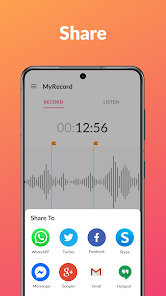
Easy Sharing Options

Effortlessly share your recordings via email, messaging apps, or cloud storage. With just a few taps, you can send your voice memos to friends, colleagues, or yourself for quick access later. This feature makes collaboration and communication seamless, so you can stay connected and organized.

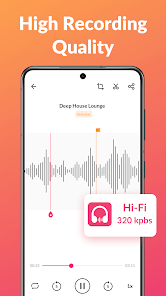
High-Quality Recording

Capture crystal-clear audio with the app's advanced recording technology, ensuring that every word is heard loud and clear. Whether you're recording a lecture, meeting, or personal notes, you'll appreciate the clarity and detail in every playback, making it perfect for both personal and professional use.

User-Friendly Interface

Navigate the app with ease thanks to its intuitive design that prioritizes user experience. Whether you're a tech-savvy individual or a beginner, you'll find it simple to start recording, manage your files, and access features, allowing you to focus on what matters most: your voice.

Pros & Cons

Pros
  • Captures ideas instantly, ensuring you never forget important thoughts
  • Facilitates easy note-taking during meetings or lectures for better focus
  • Allows for hands-free recording, promoting multitasking and convenience
  • Provides high-quality audio playback for clear listening and review
  • Enables easy sharing of recordings with friends or colleagues for collaboration
Cons
  • Voice recorders can lack advanced editing features for enhancing recordings.
  • Battery life may be limited, leading to interruptions during use.
  • Audio quality can suffer in noisy environments, making clarity a challenge.

Real Experience Using Voice Recorder & Voice Memos

Application Scenarios

The Voice Recorder & Voice Memos app is designed for a wide array of practical applications, making it an essential tool for various users. Students can use it to record lectures, ensuring they capture every important detail for later review. Professionals find it invaluable for capturing meeting notes or brainstorming sessions, allowing them to focus on the discussion rather than scrambling to jot down notes. Journalists and content creators can utilize the app for interviews, ensuring they have high-quality audio files to reference during their writing process. Additionally, musicians can record song demos or practice sessions on-the-go, ensuring that inspiration is never lost. The versatility of this app makes it suitable for anyone needing to capture audio efficiently and effortlessly.

User Experience

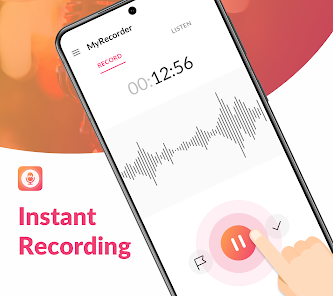
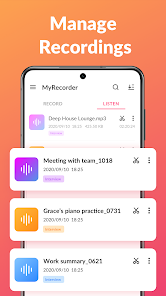
The user experience of Voice Recorder & Voice Memos is notably intuitive and user-friendly. Upon launching the app, users are greeted with a clean and simple interface that emphasizes functionality. The recording button is prominently displayed, enabling quick access for immediate use. Users can easily navigate through recorded files, with options to rename, delete, or share audio clips at their fingertips. The app also features various audio quality settings, allowing users to choose between standard and high-quality recordings based on their needs. Playback controls are straightforward, making it easy to listen to recordings without frustration. Additionally, the app supports cloud integration, ensuring that recordings can be backed up and accessed across multiple devices, enhancing convenience and reliability.

Pricing

Voice Recorder & Voice Memos offers a freemium model, providing users with essential recording features at no cost. This free version is ideal for casual users who only need basic functionalities. For those looking for advanced features, such as unlimited recording time, cloud storage options, and additional editing tools, a premium subscription is available. The pricing is competitive compared to similar apps in the market, and often includes a free trial period, allowing users to explore the full capabilities before committing. This flexible pricing structure makes the app accessible to various user demographics, from students on a budget to professionals seeking advanced recording features.

Updates & Support

The developers of Voice Recorder & Voice Memos are committed to providing regular updates to enhance user experience and fix any bugs or issues that may arise. Users can expect new features and improvements to be rolled out frequently, ensuring that the app remains up-to-date with the latest technology trends. Support is readily available through in-app assistance and a dedicated customer support team, making it easy for users to get help with any concerns or questions. Feedback from users is taken seriously, and many updates have been influenced by user suggestions, showcasing the developers' dedication to creating a responsive and user-centered application.

verified Security & Privacy Review

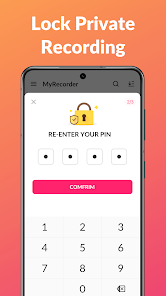
The "Voice Recorder & Voice Memos" app places a strong emphasis on user security and privacy. It utilizes encryption protocols to safeguard recordings, ensuring that sensitive audio files remain protected from unauthorized access. Users should be aware that the app requires certain permissions, including microphone access, which is essential for capturing audio. This access is clearly stated during the installation process, allowing users to make informed decisions. Privacy practices are transparent, with the app's privacy policy detailing how user data is collected, used, and stored. The app does not store recordings on external servers unless explicitly permitted by the user, thus minimizing the risk of data breaches. Furthermore, users have the option to delete their audio files permanently, ensuring that no lingering data remains. The app does not share user information with third parties, reinforcing its commitment to user privacy. Overall, "Voice Recorder & Voice Memos" is designed with a user-centric approach to security and privacy, making it a reliable choice for those seeking to protect their audio recordings.

Reviews

4.7

“Easy to use with great sound quality”

“Perfect for recording lectures and meetings”

“User-friendly interface makes it a breeze”

“Syncs well with other devices, love it”

“Wish it had more editing features”

FAQ

1

Can I submit suggestions or feedback to Voice Recorder & Voice Memos?

Yes, users can typically submit suggestions or feedback through the app's support section or via the developer’s official website.

2

Does Voice Recorder & Voice Memos collect my personal data?

The app may collect certain user data for functionality and improvement purposes but typically adheres to privacy policies that limit data collection.

3

Does Voice Recorder & Voice Memos support offline use?

Yes, Voice Recorder & Voice Memos allows users to record audio offline without the need for an internet connection.

4

How do I cancel my Voice Recorder & Voice Memos subscription?

You can cancel your subscription through your app store account settings or directly within the app’s subscription management section.

5

How much does a subscription to Voice Recorder & Voice Memos cost?

Subscription prices can vary, but they generally range from a few dollars per month to a discounted rate for annual subscriptions.

How to use Voice Recorder & Voice Memos

1

Can I change my customer number for the Voice Memos app?

Customer numbers are typically fixed, but you can ask customer service for options regarding your account.

2

How can I contact customer service for my Voice Recorder issues?

You can reach customer service by calling our support line or emailing us through the app's help section.

3

How can I find my customer number for Voice Recorder support?

You can find your customer number in your account settings or by checking your registration confirmation email.

4

How do I log in if I’ve changed my email for the Voice Recorder?

If you've changed your email, use the new one to log in. If you're facing issues, contact customer service for help.

5

How do I log in to my Voice Recorder account?

Open the app and enter your registered email and password on the login screen to access your account.

Editor's Choice