This site uses cookies to enhance your user experience. By clicking any link on this site you are giving your consent to our cookie policy. Read more
Reject
Accept All

Advertiser and Editorial Disclosures

TREBEL: Music, MP3 & Podcasts

TREBEL: Music, MP3 & Podcasts

verified Verified App

Developer: M&M Media, Inc.

  • category

    Category: Music & Audio

  • price

    Price: 0

  • age rating

    Age Rating: Teen•Diverse Content: Discretion Advised

  • rating

    Rating: 4.8

  • download

    Downloads: /

  • version

    Version: 6.4.2

Screenshot 1
Screenshot 2
Screenshot 3
Screenshot 4
Screenshot 5
Screenshot 6
Screenshot 7

Features & Highlights

Offline Listening

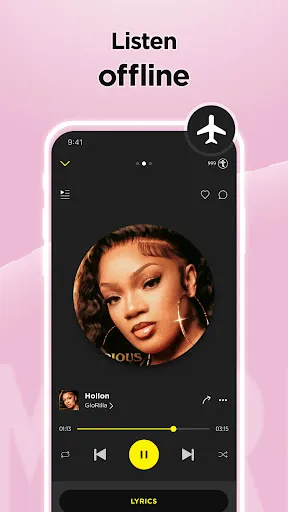
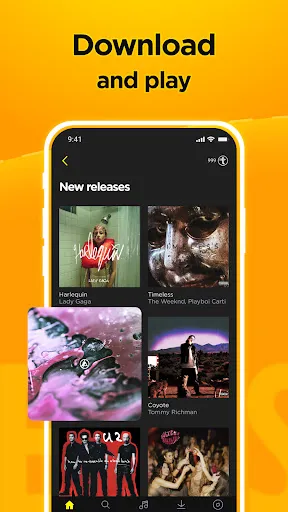
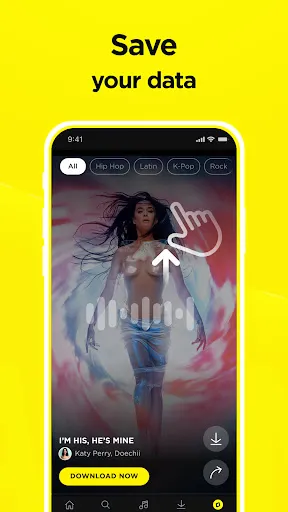
With TREBEL, you can download your favorite songs and podcasts directly to your device, allowing you to enjoy music anywhere, anytime, without the need for an internet connection. This feature is perfect for road trips, workouts, or simply when you want to save on data usage.

Podcast Access

In addition to music, TREBEL offers a rich selection of podcasts covering a wide range of topics. Whether you're into true crime, comedy, or educational content, you can listen to your favorite shows seamlessly, all within the same app.

User-Friendly Interface

Navigating TREBEL is a breeze thanks to its intuitive design and user-friendly layout. You can easily search for your favorite artists, create playlists, and discover new music without any hassle, making your listening experience smooth and enjoyable.

Vast Music Library

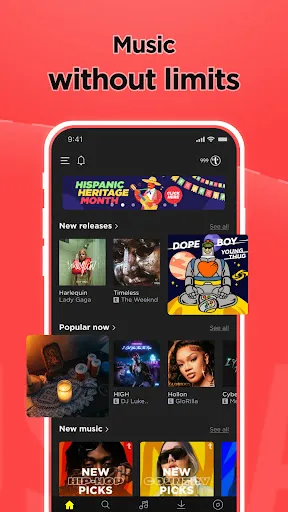
TREBEL boasts an extensive library of millions of tracks across various genres, ensuring you can always find something that suits your mood. Whether you’re into the latest hits or timeless classics, TREBEL has you covered with its diverse catalog.

Pros & Cons

Pros
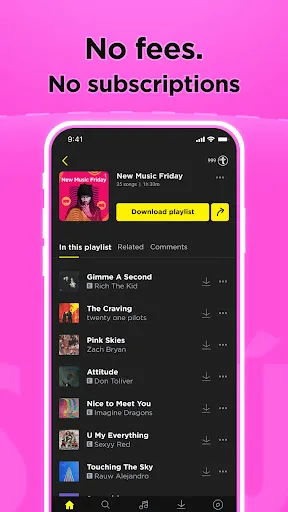
  • Access millions of songs for free, no subscription needed.
  • Enjoy offline listening with easy MP3 downloads.
  • Discover a wide variety of podcasts across different genres.
  • User-friendly interface makes navigation simple and enjoyable.
  • Curate personalized playlists to match your mood and style.
Cons
  • Limited offline access for non-premium users restricts listening options.
  • Frequent ads disrupt the music experience, hindering enjoyment.
  • Audio quality may be lower compared to premium streaming services.

Real Experience Using TREBEL: Music, MP3 & Podcasts

Application Scenarios

TREBEL is designed to cater to a variety of music enthusiasts who seek a seamless listening experience without the hassle of internet connectivity. Whether you are commuting to work, exercising at the gym, or simply relaxing at home, TREBEL allows users to download their favorite songs and podcasts directly to their devices. This offline functionality is particularly beneficial for those who live in areas with limited data coverage or for users who wish to save on mobile data costs. Additionally, TREBEL's extensive library covers various genres, making it suitable for all types of listeners, from casual fans to hardcore music lovers. The app also integrates well with social media platforms, enabling users to share their favorite tracks and playlists with friends effortlessly.

User Experience

Upon downloading TREBEL, users are greeted with an intuitive interface that makes navigation a breeze. The app features a simple and user-friendly layout, allowing users to explore music effortlessly. The search functionality is robust, enabling users to find specific songs, albums, or artists quickly. The app also provides personalized recommendations based on listening habits, which enhances the discovery of new music. Audio quality is impressive, and the ability to create custom playlists adds a personal touch to the listening experience. However, some users have noted occasional bugs and glitches, particularly with downloads and playlist synchronization, which can hinder the overall experience. Nevertheless, the app's core functionalities work well, making it a solid choice for music lovers.

Pricing

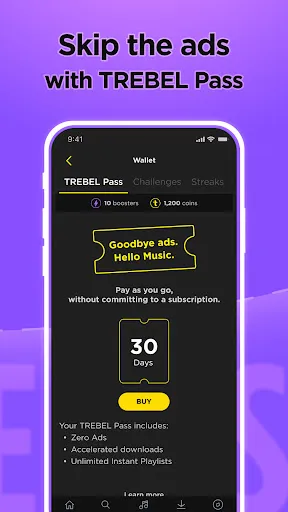
TREBEL operates on a freemium model, allowing users to access a vast library of music and podcasts without any upfront cost. While the free version includes ads, users can opt for a premium subscription to enjoy an ad-free experience and additional features. The pricing is competitive compared to other music streaming services, making it an attractive option for budget-conscious users. The premium subscription offers extra perks, such as enhanced download capabilities and exclusive content, providing good value for those who wish to enhance their listening experience.

Updates & Support

The developers of TREBEL are committed to improving the app continuously. Regular updates are rolled out to introduce new features, enhance performance, and fix bugs. Users can expect improvements based on feedback, which shows that the developers value community input. Support is readily available through various channels, including a dedicated help center and social media platforms, ensuring that users can get assistance when needed. Overall, TREBEL shows promise as a music streaming app that evolves with its user base, making it a reliable choice for music fans.

verified Security & Privacy Review

The TREBEL app prioritizes user security and privacy by implementing a range of protective measures. The app employs encryption protocols to safeguard user data during transmission, ensuring that personal information remains secure from potential breaches. TREBEL is transparent about its data collection practices, clearly outlining what information is collected and how it is utilized within its privacy policy. When it comes to permissions, TREBEL requires access to specific device features, such as storage for downloading music and podcasts. Users are informed about these permissions and can choose to grant or deny them, allowing for greater control over their information. The app does not share personal data with third parties without explicit consent, further enhancing user trust. Additionally, TREBEL offers users the option to manage their privacy settings, including data sharing preferences and account visibility. By prioritizing user consent and data protection, TREBEL aims to create a secure environment for music and podcast enthusiasts while respecting their privacy rights.

Reviews

4.8

“Great offline music experience with diverse playlists”

“User-friendly interface makes music discovery easy”

“Ad-supported, but worth it for free access”

“Podcasts feature is a nice bonus”

“Occasional ads can be annoying during playback”

FAQ

1

Can I submit suggestions or feedback to TREBEL: Music, MP3 & Podcasts?

Yes, TREBEL encourages users to submit suggestions and feedback through the app's support section or by contacting their customer service team.

2

Does TREBEL: Music, MP3 & Podcasts collect my personal data?

TREBEL may collect certain personal data to enhance user experience and provide personalized content, but it adheres to privacy policies to protect user information.

3

Does TREBEL: Music, MP3 & Podcasts support offline use?

Yes, TREBEL allows users to download music and podcasts for offline listening, making it convenient for users without a constant internet connection.

4

How do I cancel my TREBEL: Music, MP3 & Podcasts subscription?

Users can cancel their TREBEL subscription through the app settings or by visiting their account settings in the app store where they initially subscribed.

5

How much does a subscription to TREBEL: Music, MP3 & Podcasts cost?

The cost of a subscription to TREBEL may vary based on promotions and the specific plan selected, so it's recommended to check the app for the latest pricing details.

How to use TREBEL: Music, MP3 & Podcasts

1

Can I change my customer number?

Unfortunately, customer numbers cannot be changed. If you need assistance, please contact customer service for options.

2

Can I log in using social media accounts?

Yes, you can log in using your social media accounts if you linked them during registration. Just select the social media option at the login screen.

3

How can I contact customer service for TREBEL?

You can reach our customer service through the app or website by navigating to the support section. We’re here to help!

4

How do I log in if I forgot my password?

Tap on the "Forgot Password?" link on the login page and follow the instructions to reset your password.

5

How do I log in to my TREBEL account?

Simply open the app, tap on the log in button, and enter your registered email and password.

Editor's Choice