This site uses cookies to enhance your user experience. By clicking any link on this site you are giving your consent to our cookie policy. Read more
Reject
Accept All

Advertiser and Editorial Disclosures

textPlus: Text Message + Call

textPlus: Text Message + Call

verified

textPlus

4.1
Rating
50,000,000+ Downloads
8.3.1 Version
  • category

    Category: Social

  • price

    Price: free

  • age rating

    Age Rating: Everyone

  • rating

    Rating: 4.1

  • available on

    Available on: /

  • updated on

    Updated on: Jul 3, 2026

Screenshot 1
Screenshot 2
Screenshot 3
Screenshot 4
Screenshot 5
Screenshot 6
Screenshot 7
Screenshot 8
Screenshot 9
Screenshot 10
Screenshot 11
Screenshot 12
Screenshot 13
Screenshot 14
Screenshot 15
Screenshot 16
Screenshot 17
Screenshot 18

Features & Highlights

Customizable Number

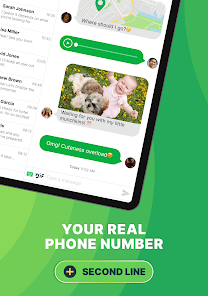
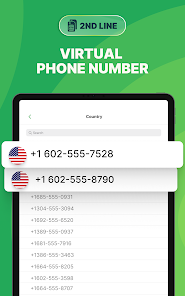
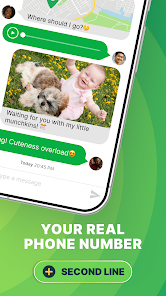
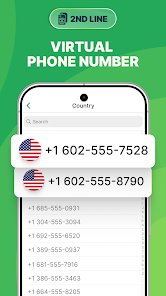
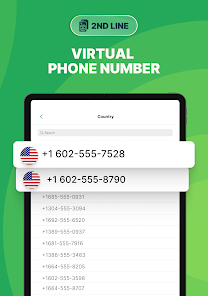
Get your own unique phone number through textPlus, which allows you to send and receive texts and calls without sharing your personal number. This feature is great for privacy and can be particularly useful for online transactions or when meeting new people.

Free Text Messaging

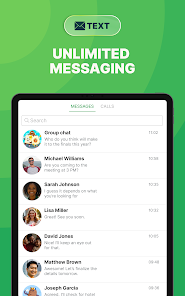
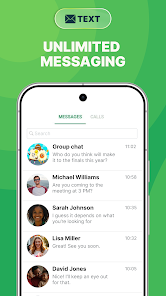
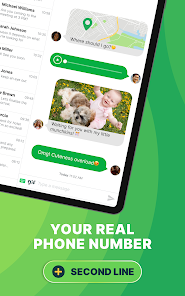
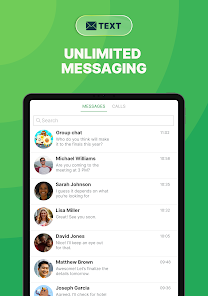
Stay connected without the cost! textPlus allows you to send unlimited text messages to anyone in the U.S., making it easy to chat with friends and family. Enjoy seamless communication without worrying about your phone bill or data usage, all through a user-friendly interface.

Group Messaging

Create group chats with friends and family effortlessly! textPlus lets you send messages to multiple contacts at once, making it perfect for planning events or catching up. Keep everyone in the loop and enjoy lively conversations without missing a beat.

Voice Calling

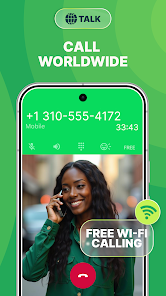
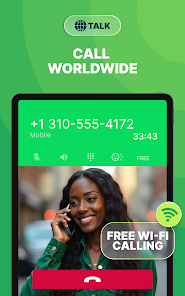
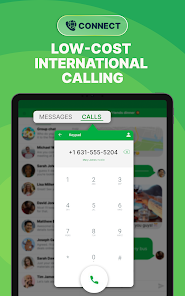
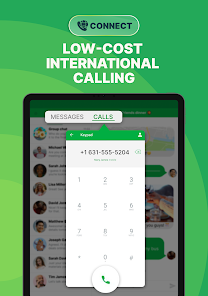
Make crystal-clear voice calls to any U.S. number for free using textPlus. This feature provides a reliable way to connect with loved ones, whether you're at home or on the go. Plus, you can easily switch between texting and calling within the app for a smooth experience.

Pros & Cons

Pros
  • Free texting and calling across the U.S.
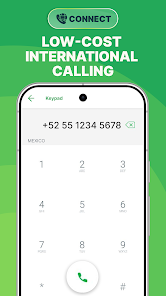
  • Easy international communication at low rates
  • User-friendly interface for seamless navigation
  • No need for a separate phone number
  • Supports group messaging for easy coordination
Cons
  • Limited international calling options available
  • Ads can disrupt user experience
  • Occasional connectivity issues during calls
  • Requires internet access for functionality

Real Experience Using textPlus: Text Message + Call

Application Scenarios

textPlus is designed for users seeking an alternative to traditional texting and calling services. It's particularly beneficial for individuals who want to stay connected without incurring hefty mobile charges. Students can use textPlus to communicate with friends and family without worrying about data limits, while travelers can enjoy making calls over Wi-Fi, avoiding international roaming fees. Additionally, businesses can leverage textPlus for customer service communications, providing a cost-effective way to manage client interactions. The app is also ideal for individuals who prefer to keep their personal numbers private, allowing them to create a separate number for online registrations or social media use.

User Experience

The user interface of textPlus is intuitive and user-friendly, making it easy for users of all ages to navigate. Setting up the app is quick, requiring only a simple registration process to get started. Users can send texts and make calls with minimal delay, which is crucial for effective communication. The app also allows for group messaging, enhancing the social experience when connecting with multiple friends at once. One of the standout features is the ability to customize notifications, ensuring users never miss an important message. However, some users have reported occasional connectivity issues, which can disrupt the experience. Nonetheless, the overall feedback indicates that textPlus delivers a reliable service, especially for those who frequently use messaging apps.

Pricing

textPlus operates on a freemium model, providing basic messaging and calling features free of charge. This includes sending unlimited texts and making calls to other textPlus users. For users seeking additional features, such as calling non-textPlus numbers or removing ads, the app offers various in-app purchases. Users can opt for a subscription that provides a premium experience, including enhanced calling capabilities and an ad-free environment. The pricing is competitive compared to other similar apps, making it an attractive option for budget-conscious users. Overall, textPlus strikes a balance between affordability and functionality, ensuring users get value for their investment.

Updates & Support

textPlus regularly updates its app to address bugs and improve features based on user feedback. The development team is proactive in enhancing the user experience, ensuring that the app remains relevant in a competitive market. Users can easily access support through the app, where a dedicated help section provides answers to frequently asked questions and troubleshooting guides. For more complex issues, customer support is available via email, with responses typically provided within a reasonable timeframe. This commitment to support and continuous improvement showcases textPlus's dedication to its users, fostering a positive community around the app.

verified Security & Privacy Review

textPlus: Text Message + Call prioritizes user security and privacy, implementing various measures to safeguard personal information. The app utilizes end-to-end encryption for messages and calls, ensuring that only the intended recipients can access the content. This encryption adds a layer of security against potential interception by third parties. When it comes to permissions, textPlus requires access to contacts, microphone, and storage for optimal functionality. Users are encouraged to review these permissions carefully and can adjust them based on their comfort level. The app's privacy policy is transparent, outlining how user data is collected, used, and shared. It explicitly states that personal information is not sold to third parties, reinforcing the commitment to user confidentiality. Additionally, textPlus provides users with options to manage their privacy settings, including the ability to block unwanted contacts and report spam. Overall, textPlus demonstrates a strong commitment to protecting user data while providing a reliable platform for messaging and calling.

User Reviews

  • Semi Important
    2026/04/18

    unfortunately one of the worst free texting apps available. most texts need to be resent multiple times for them to actually go through, credits never appear on your account no matter how you acquire them in the app, no matter if you get the notification saying you earned them. and youre always watching ads with every click. I just dont see why they would expect me to pay for a premium account and more features when the basic stuff doesnt work.

  • Matthew Chow
    2024/11/06

    Don't install this app. For many years, I've used this and the ads were not intrusive. I ordered the AdFree option and all was good until a couple months ago when all of a sudden my AdFree subscription was no longer listed in my account. (It didn't expire either.) Now the ads are full-screen videos and sometimes, audio cannot be muted. Every time I open the app to send or read texts, I'm hoping that the ads don't play too loudly. Customer service could not reinstate my AdFree subscription.

  • Cassandra C
    2024/09/25

    Honestly this app isn't worth even using free. The ads are crazy an pop up when you're try to do something at the worst time. I've tested it at the 1.99 per month no ad experience. It seemed fine until halfway through the month I started getting ads again almost as frequent as when I didn't pay. So more recently I upgraded to the 4.99 a month plan where there's no ads and a couple other things. Really all I care about is the no ads. I'm still seeing ads. This app totally rips you off and lies.

  • josh
    2025/06/30

    When getting a number it says "Oops - Something went wrong. Please check your connection and try again." My connection is perfectly fine. So fine, in fact, that I could write this review without a single problem( aside from my terrible spelling). This happened after recently downloading the app, so it isn't a problem with the app version or anything like that. FIX YOUR APP( also yes there are a ton of ads.)

  • A Google user
    2019/07/09

    The app has continually gotten worse since I've gotten it. Calls won't go through, like it won't ring when I try to call people. or when someone calls me or i call them they can't hear me. So I have to hang up and try again. And if that doesn't work, I have to clear cache and data and restart my phone. It shouldn't be this hard especially since I paid real money for minutes. also if I make more than 2 calls in a row it just won't dial the numbers anymore until I clear caches and close the app.

Review Source: Google Play store public user reviews.

FAQ

1

Does textPlus: Text Message + Call collect my personal data?

textPlus may collect some personal data as outlined in their privacy policy, including information necessary for account creation and usage analytics.

2

Does textPlus: Text Message + Call offer a free trial or free version?

Yes, textPlus offers a free version that allows users to access basic features, although some premium features may require a subscription.

3

Does textPlus: Text Message + Call require an internet connection?

Yes, textPlus requires an internet connection, either through Wi-Fi or mobile data, to send messages and make calls.

4

How can I contact support or send feedback for textPlus: Text Message + Call?

Users can contact textPlus support through the app or their official website, where they can submit a support request or provide feedback on their experience.

5

How do I manage or cancel my textPlus: Text Message + Call subscription?

You can manage or cancel your subscription directly through the app's settings or your account settings on the textPlus website, depending on how you subscribed.

How to use textPlus: Text Message + Call

1

Can I change my phone number in textPlus?

Yes, go to the settings in the app, select "Phone Number," and follow the instructions to change your number.

2

How can I reset my password for textPlus?

Tap on "Forgot Password" on the login screen, enter your email, and follow the instructions sent to your inbox to reset your password.

3

How do I activate my textPlus account?

After downloading the app, open it and follow the prompts to create an account using your email or phone number. Verification may be required.

4

How do I log in to my textPlus account?

Open the app, enter your registered email and password, then tap "Log In." If you forgot your password, use the "Forgot Password" option.

5

How do I update my textPlus profile information?

Open the app, go to settings, and select "Profile." From there, you can edit your information as needed.

What's New

- Support latest area code and phone number routes- Bug fixes and stability improvements

Editor's Choice