This site uses cookies to enhance your user experience. By clicking any link on this site you are giving your consent to our cookie policy. Read more
Reject
Accept All

Advertiser and Editorial Disclosures

Text Me: Second Phone Number

Text Me: Second Phone Number

verified Verified App

Developer: TextMe, Inc.

  • category

    Category: Social

  • price

    Price: free

  • age rating

    Age Rating: Everyone

  • rating

    Rating: 4.2

  • download

    Downloads: 50,000,000+

  • version

    Version: 3.51.0

Screenshot 1
Screenshot 2
Screenshot 3
Screenshot 4
Screenshot 5
Screenshot 6

Features & Highlights

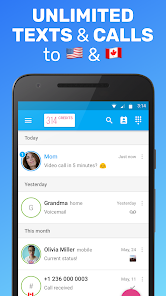
International Calling

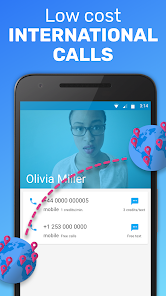
With affordable international calling rates, Text Me makes it easy to connect with friends and family around the world. You can make calls to various countries without breaking the bank, ensuring that distance is never a barrier to staying in touch.

Second Phone Number

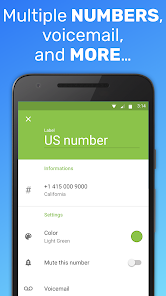
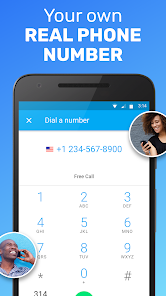
With Text Me, you can easily create a second phone number without the need for an extra SIM card. This feature is perfect for maintaining your privacy while allowing you to separate work and personal communications effortlessly.

Text Messaging

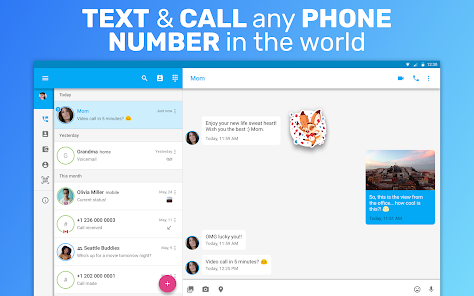
The app offers unlimited texting, enabling you to send and receive messages without worrying about overage fees. It's a great way to keep conversations organized, especially when juggling multiple contacts across various aspects of your life.

Voicemail Management

Text Me includes a handy voicemail feature, allowing you to receive and manage voicemails directly through the app. This ensures you never miss an important message, and you can listen to them at your convenience, making communication seamless.

Pros & Cons

Pros
  • Protect your privacy with a separate number
  • Easily manage personal and business calls
  • Send and receive texts without limits
  • Access voicemail and call history in one app
  • Choose a number that fits your needs
Cons
  • Limited features compared to traditional phone services
  • Occasional connectivity issues may occur
  • Ads can be intrusive and distracting
  • Premium plans can be costly over time

Real Experience Using Text Me: Second Phone Number

Application Scenarios

Text Me: Second Phone Number is an invaluable tool for those who require a separate phone number for various purposes. Whether you are a business professional needing to separate personal and work communications, a traveler wanting to maintain connectivity without incurring international roaming charges, or someone who wants to stay anonymous while dating or buying and selling online, this app has you covered. It allows users to create multiple phone numbers that can be used for calls, texting, and even voicemail. This flexibility is particularly beneficial for freelancers and entrepreneurs who may interact with multiple clients or projects at once. Additionally, the app is ideal for individuals who want to protect their privacy by using a secondary number for online registrations or social media accounts.

User Experience

The user experience of Text Me is generally smooth and intuitive. Upon downloading the app, users are guided through a straightforward setup process that requires minimal effort. The interface is user-friendly, which makes navigation simple even for those who may not be tech-savvy. Features such as customizable voicemail greetings and the ability to send multimedia messages enhance functionality, making it a comprehensive communication tool. The app also boasts reliable call quality and prompt message delivery, crucial for maintaining effective communication. Users have reported satisfaction with the notifications and the organization of messages, which are easily accessible. Overall, the app delivers a solid performance that meets the diverse needs of its user base.

Pricing

Text Me offers a freemium model, allowing users to download and utilize the app for free with limited features. For those seeking a more robust experience, premium plans are available, which provide additional benefits like unlimited calling and texting, access to more phone numbers, and the removal of ads. The pricing structure is competitive, making it an attractive option compared to other similar apps on the market. Users can choose from various subscription plans, including monthly and yearly options, to find the best fit for their needs. This flexibility in pricing allows users to explore the app without commitment, ensuring they can evaluate its usefulness before making a financial decision.

Updates & Support

Text Me continuously evolves to enhance user experience, with regular updates that introduce new features and improve existing functionalities. The development team is proactive in addressing user feedback, ensuring the app remains relevant and user-friendly. Support is readily available through in-app assistance and a dedicated support website, providing users access to FAQs and troubleshooting resources. Users have praised the responsiveness of the support team, appreciating the prompt assistance they receive when issues arise. Overall, the commitment to updates and user support adds significant value to the Text Me experience, contributing to its reputation as a reliable secondary phone number solution.

verified Security & Privacy Review

Text Me: Second Phone Number prioritizes user security and privacy by implementing several robust measures. The app uses end-to-end encryption for messages and calls, ensuring that only the sender and receiver can access the content of their communications. Users are also provided with a secondary phone number, which helps protect their primary number from exposure and potential spam. In terms of permissions, the app requires access to the user’s contacts and phone storage, which is standard for messaging applications. However, it is essential for users to review these permissions carefully to ensure they are comfortable with the level of access granted. Text Me is transparent about its data collection practices, stating that it only collects information necessary for functionality, such as usage statistics and user feedback. The app's privacy policy outlines how user data is handled, emphasizing that personal information is not sold to third parties. Users can also manage their data through the app settings, allowing them to delete their account and associated data whenever desired. Overall, Text Me demonstrates a commitment to safeguarding user privacy and data security.

Reviews

4.2

“Great for managing work-life balance!”

“User-friendly interface, easy to navigate.”

“Reliable for receiving calls and texts.”

“Affordable pricing for a second number.”

“Excellent customer support, quick responses!”

FAQ

1

Does Text Me: Second Phone Number collect my personal data?

Text Me: Second Phone Number may collect some personal data for account setup and functionality purposes, but it prioritizes user privacy and offers options to manage your data.

2

Does Text Me: Second Phone Number offer a free trial or free version?

Yes, Text Me: Second Phone Number offers a free version that includes limited features, as well as a free trial for users to explore premium features before committing to a subscription.

3

Does Text Me: Second Phone Number require an internet connection?

Yes, Text Me: Second Phone Number requires an internet connection to function, as it operates over Wi-Fi or mobile data to send and receive messages and calls.

4

How can I contact support or send feedback for Text Me: Second Phone Number?

You can contact support or send feedback for Text Me: Second Phone Number through the app's help section or by visiting their official website for additional contact options.

5

How do I manage or cancel my Text Me: Second Phone Number subscription?

You can manage or cancel your Text Me: Second Phone Number subscription directly through the app settings or through your app store account settings, depending on how you subscribed.

How to use Text Me: Second Phone Number

1

How can I contact customer service for the Text Me app?

You can reach customer service through the app's settings or by visiting their official website and using the contact form.

2

How do I activate my second phone number in the Text Me app?

After downloading the app, follow the prompts to choose a new number and confirm your selection via SMS or email verification.

3

How do I find the customer support number for Text Me?

The customer support number is usually listed in the app's help section or on their official website.

4

What are the steps to log in to my Text Me account?

Open the app, enter your registered phone number or email, and input your password. Tap 'Log In' to access your account.

Editor's Choice