Home
Home  Apps
Apps  Games
Games  Windows
  Topics
  Terms of Service
  Cookies & Privacy Policy
  About us
 Customizable Voicemail
The app allows you to set up a personalized voicemail greeting that reflects your style. This feature helps you manage missed calls and ensures that your contacts feel acknowledged when you can't answer right away.


Pinger, Inc
 4.4
4.4 
Category: Social

Price: free

Age Rating: Everyone

Rating: 4.4

Available on: /

Updated on: Jun 30, 2026
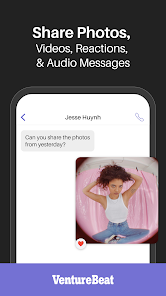
The app allows you to set up a personalized voicemail greeting that reflects your style. This feature helps you manage missed calls and ensures that your contacts feel acknowledged when you can't answer right away.
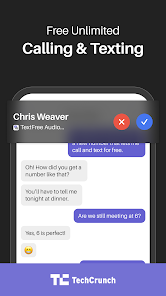
Enjoy unlimited texting and calling to any number in the U.S. and Canada, all without incurring extra charges. This ensures you can stay connected effortlessly, whether you're reaching out to friends or managing work-related communications.
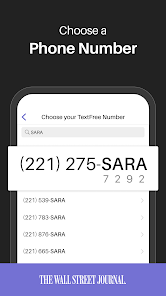
Text Free provides users with a second phone number that works seamlessly alongside their primary line. This feature is perfect for maintaining privacy while communicating for business, online dating, or when signing up for services without sharing your personal number.
Text Free boasts an intuitive interface that makes it easy to navigate through your messages and calls. Even if you're not tech-savvy, you'll find it simple to use, allowing you to focus on what matters—communicating effectively.

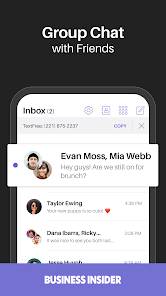
 Enjoy a private number for personal and business calls Easily manage multiple conversations without extra devices No need for a separate SIM card or phone Access voicemail and texts in one convenient app Stay connected without exposing your primary number
 Limited features compared to traditional phone services can hinder user experience Privacy concerns may arise with using a second number for communication Inconsistent call quality can lead to frustrating conversations and missed connections
 Text Free: Second Phone Number caters to a diverse array of scenarios that make it an essential tool for many users. Whether you’re a business owner needing a separate line for client communications or a traveler looking to avoid international roaming charges, this app provides a reliable solution. Freelancers often utilize it to maintain a professional image while keeping personal and work communications separate. Additionally, users selling items online can use the app to communicate with potential buyers without revealing their personal phone numbers, enhancing privacy. The app is also beneficial for those who want to connect with friends or family without using their primary number, particularly in situations where anonymity is preferred. The versatility of Text Free makes it suitable for both personal and professional use, addressing various communication needs effectively.
The user experience of Text Free is largely positive, with a user-friendly interface that is easy to navigate. Upon installation, users are guided through a straightforward setup process, allowing them to choose their second phone number quickly. The app supports SMS and calling features, and users often appreciate the clarity and quality of the calls. Text messages are delivered promptly, and the app’s ability to send and receive multimedia messages enhances its functionality. Many users report satisfaction with the customization options, such as the ability to set up voicemail and personalize notifications. However, some users have mentioned sporadic connectivity issues, which can affect call quality. Overall, the app meets the expectations of those seeking a reliable alternative to traditional phone services.
Text Free offers a flexible pricing model that caters to different user needs. The app is free to download and use, providing users with a limited number of texts and calls. For those seeking additional features, such as unlimited texting or calling, premium subscriptions are available at competitive rates. Users can purchase credits for international calls or opt for unlimited plans that fit their communication habits. The pricing structure is transparent, with no hidden fees, allowing users to choose the level of service that best suits their budget. This flexibility makes Text Free accessible to a broad range of users, from casual communicators to heavy users requiring extensive features.
The developers of Text Free are committed to continuously improving the app, frequently releasing updates that enhance functionality and fix bugs. Users have noted that the app receives regular updates, ensuring compatibility with the latest operating systems and devices. The app also features a comprehensive support section, offering FAQs and troubleshooting guides to assist users. For more personalized assistance, the customer support team is reachable via email, and many users have reported swift responses to their inquiries. This dedication to support and updates contributes to a positive user experience and helps maintain user satisfaction over time.
Security & Privacy Review
 Google Play
  App Store


DO NOT USE. If you plan on making phone calls more than 2 minutes long (even with perfect connection on high speed internet) you will cut out and so will they. EVERY. OTHER. WORD. Phone calls are impossible to make. It's so laggy to answer calls you miss them, and if you have anything playing in the background before the call it will keep playing. This whole app is trash. Only usable for texts.
Messages not sending... Been using this app for years. The ads have gotten worse. Used to just be the ones at the bottom. Now you get the pop ups every time you wanna change who you talk to. Also, messages are not being received by people. Full bars, 5g, no reason for the issue on my end, but multiple people are not getting the messages...
it's a great app, but the amount of ads is way overdone! I can understand making money through advertising, but putting an ad up every few seconds or every single time you switch screens or text someone is way overboard! yes I understand there is a paid version via subscription. the price of the subscription is actually the same price as you can get a real cell phone with one of the low price carriers!
I keep getting "Request failed with error 7063" when attempting to create a TextFree account. In spite of what they say on their support pages, I did not attempt to create multiple accounts, nor have I been accessing the service from outside the US or Canada, nor have I been using a non-official app store, nor have I tampered with my device (it isn't rooted). Bottom line, it doesn't work at all. Uninstalling.
I honestly had something happen to me that I have never encountered before. Text Free Blocked/Restricted my Account shortly after I created the Account. I created my account, bought the Plus subscription for $4.99 immediately and next thing I know, my account is restricted for some unexplained reason. I wasn't in the app for 2 minutes, never made a call or even texted anyone so I am not sure what that was about. I reached out to customer service but that was no Help. I am disappointed.
Review Source: Google Play store public user reviews.
Yes, users can submit suggestions or feedback through the app's support or feedback section.
The app may collect certain personal data to provide its services, but it follows privacy policies to protect user information.
Text Free: Second Call Number requires an internet connection to function, so it does not support offline use.
You can cancel your subscription through your device's app store settings or directly within the app's account settings.
Subscription pricing for Text Free: Second Call Number varies depending on the plan, with options for monthly or yearly subscriptions.
Go to the app settings, select 'Change Number,' and follow the prompts to choose a new number.
You can reach Text Free customer service through the app's settings or visit their website for support options.
After downloading the app, follow the on-screen instructions to select and activate your second phone number.
Open the app and enter your registered phone number and password, then tap 'Log In.'
Access the app's settings, choose 'Account,' and then 'Payment Information' to make updates.
Every update helps make Text Free a better place to chat—and this release is no different. Get the latest version for the best original Text Free Ultra experience.If you’re enjoying your free phone number, please consider leaving us a rating or review.