This site uses cookies to enhance your user experience. By clicking any link on this site you are giving your consent to our cookie policy. Read more
Reject
Accept All

Advertiser and Editorial Disclosures

SumUp: Payments and POS

SumUp: Payments and POS

verified Verified App

Developer: SumUp

  • category

    Category: Finance

  • price

    Price: free

  • age rating

    Age Rating: Everyone

  • rating

    Rating: 3.8

  • download

    Downloads: 10,000,000+

  • version

    Version: 2.151.0

Screenshot 1
Screenshot 2
Screenshot 3
Screenshot 4
Screenshot 5
Screenshot 6
Screenshot 7
Screenshot 8
Screenshot 9
Screenshot 10
Screenshot 11

Features & Highlights

Customizable POS System

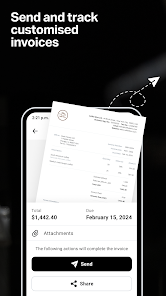
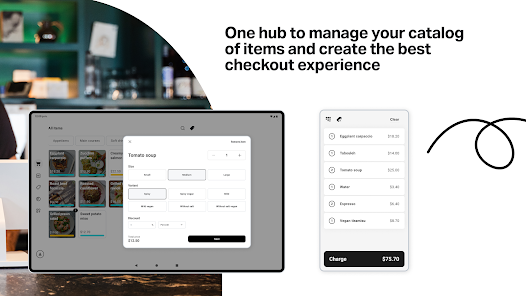
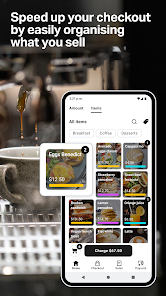
Tailor the SumUp POS system to fit your unique business needs. You can easily manage inventory, track sales, and create personalized receipts, ensuring that your point-of-sale experience is as efficient and effective as possible.

In-Depth Reporting Tools

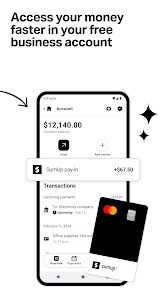
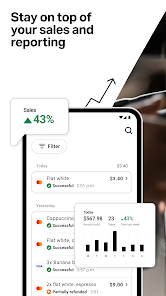
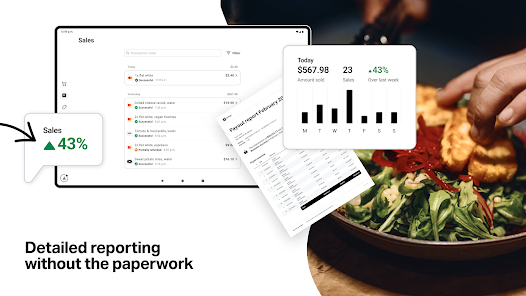
Gain valuable insights into your business with SumUp's comprehensive reporting features. Analyze sales trends, monitor performance, and make data-driven decisions to optimize your operations and grow your revenue over time.

Multi-Device Compatibility

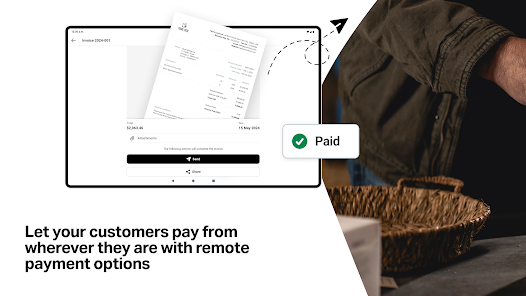
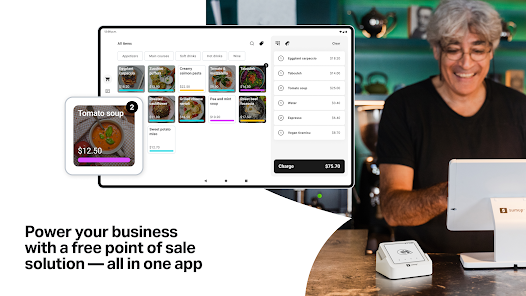
SumUp is designed to work seamlessly across various devices, from smartphones to tablets. This flexibility allows you to take payments anywhere, ensuring that your business can adapt to different environments and customer preferences.

Simple Payment Processing

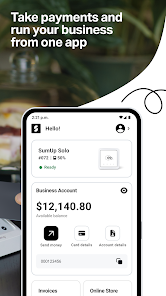
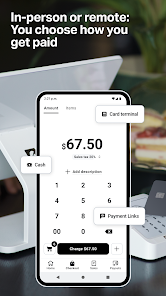
SumUp makes accepting payments straightforward with its intuitive interface. Whether you're using a card reader or the mobile app, processing transactions is quick and hassle-free, allowing you to focus more on your customers than on the technology behind it.

Pros & Cons

Pros
  • SumUp offers seamless mobile payments for on-the-go transactions.
  • Enjoy low transaction fees, maximizing your profits.
  • User-friendly interface simplifies payment processing for all businesses.
  • Access detailed sales analytics to track performance easily.
  • Accept various payment methods, enhancing customer convenience and satisfaction.
Cons
  • Limited integration options with third-party apps can hinder business operations.
  • Transaction fees can add up, impacting overall profitability.
  • Customer support may be slow, causing frustration during critical times.

Real Experience Using SumUp: Payments and POS

Application Scenarios

SumUp: Payments and POS is designed to cater to a variety of business needs. Whether you are a small business owner, a pop-up shop, or a freelancer, this app provides a seamless payment solution. It is particularly beneficial for vendors at farmers' markets, food trucks, and retail shops where quick transactions are essential. The app allows you to accept card and mobile payments using a simple card reader that connects to your smartphone or tablet, making it a flexible option for on-the-go sales. Moreover, SumUp can be integrated with e-commerce platforms, allowing businesses to manage both in-person and online sales effortlessly. This versatility makes it an ideal choice for entrepreneurs looking to streamline their payment processes.

User Experience

The user experience with SumUp is generally positive. The app boasts a clean, intuitive interface that makes navigation straightforward for users of all tech-savviness levels. Setting up the account is quick and hassle-free, with step-by-step guidance provided throughout the process. Users appreciate the speed of transactions, which often take only a few seconds, ensuring a smooth checkout experience for customers. Additionally, the app provides valuable features such as sales tracking, inventory management, and customizable receipts, enhancing its usability. However, some users have reported occasional connectivity issues with the card reader, which can lead to delays during busy hours. Overall, the user experience is commendable, but addressing connectivity concerns could enhance its reliability.

Pricing

SumUp operates on a transparent pricing model that appeals to small business owners. There are no monthly fees or hidden charges, which is a significant advantage for startups and freelancers. The transaction fees are competitive, typically around 1.69% per transaction, depending on the country and card type. This flat-rate pricing structure allows business owners to easily calculate their costs without worrying about fluctuating fees. Furthermore, the initial investment for the card reader is relatively low, making it accessible for those just starting. Overall, the pricing strategy of SumUp is designed to support small businesses without burdening them with additional costs.

Updates & Support

SumUp frequently updates its app to ensure optimal performance and introduce new features. Recent updates have focused on enhancing security, improving user interface, and integrating additional payment options. The company also provides robust customer support, including a comprehensive FAQ section, live chat, and email support. Users have noted that the support team is responsive and helpful, addressing issues promptly. However, some users would like to see more tutorial resources to help them maximize the app's features. Overall, the commitment to regular updates and a responsive support system contributes positively to the user experience.

verified Security & Privacy Review

SumUp: Payments and POS prioritizes user security and privacy, implementing robust measures to protect sensitive information. The app utilizes advanced encryption technologies to secure transactions and safeguard personal data, ensuring that users can process payments confidently. In terms of privacy practices, SumUp is transparent about its data handling policies. The app collects only essential information needed for payment processing, adhering to strict data protection regulations. Users are informed about what data is collected and how it will be used, providing them with control over their information. Regarding permissions, SumUp requires access to essential features such as location services and camera functionalities for card scanning. Users are prompted to grant these permissions, and they can manage them through their device settings at any time. Overall, SumUp's commitment to data security and user privacy reflects a strong understanding of the importance of protecting sensitive information in the digital payment landscape.

Reviews

3.8

“Easy to set up and use for transactions”

“Great customer support, always helpful when needed”

“Reliable payments processing with minimal downtime”

“User-friendly interface makes managing sales a breeze”

“Affordable fees compared to other payment solutions”

FAQ

1

Can I submit suggestions or feedback to SumUp: Payments and POS?

Yes, users can submit suggestions or feedback through the app, or by reaching out to SumUp's customer support team, who welcomes input to improve their services.

2

Does SumUp: Payments and POS collect my personal data?

Yes, SumUp: Payments and POS may collect personal data in accordance with their privacy policy, including information necessary for payment processing and account management.

3

Does SumUp: Payments and POS support offline use?

Yes, SumUp: Payments and POS allows users to accept payments even when offline, with transactions being processed once the device is back online.

4

How do I cancel my SumUp: Payments and POS subscription?

You can cancel your account or subscription by accessing your account settings within the app or by contacting SumUp's customer support for assistance.

5

How much does a subscription to SumUp: Payments and POS cost?

There is no subscription fee for SumUp: Payments and POS; however, users are charged a percentage fee on each transaction processed through the app.

How to use SumUp: Payments and POS

1

Can I update my customer number if I need to?

Unfortunately, customer numbers cannot be changed. For any issues, please contact customer service for further assistance.

2

How can I contact customer service for help with my SumUp account?

You can reach customer service via the help section in the app or by calling the support number listed on our website.

3

How do I check the status of my account activation?

You can check the status by logging into your account or by contacting customer service for updates on your activation.

4

How do I log in to my SumUp account?

To log in, open the app and enter your email and password. If you have trouble, use the "Forgot Password" option.

5

How long does it take to activate my account after registration?

Account activation is usually instant upon clicking the link in your email. If you haven’t received it, check your spam folder or contact customer service.

Editor's Choice